Affordable tablets for ebooks for beginners are plentiful, offering great reading experiences without breaking the bank. Top picks focus on screen quality, battery life, and a comfortable reading format for endless book enjoyment.
Reading on a tablet is a joy. It’s like carrying a whole library in your hands! But when you’re just starting out or on a tighter budget, finding the right affordable tablet can feel a bit overwhelming. You might worry about getting a device that’s too slow, has a screen that hurts your eyes, or just doesn’t feel good to hold for long reading sessions.
Don’t worry, I’m here to help! My goal at Tabletzoo is to make tech easy to understand. This guide is designed just for you, whether you’re a student, a casual reader, or someone who just loves getting lost in a good story. We’ll explore some fantastic, wallet-friendly tablets that are perfect for ebooks, making sure you get a great reading experience without the high price tag.
Let’s dive in and find your next favorite reading companion!
Why an Affordable Tablet is Perfect for Ebooks

When you think about reading, you might first picture a dedicated e-reader like a Kindle or Kobo. And for pure reading, those are excellent choices! They use special e-ink screens that mimic paper and are super easy on your eyes, especially for long stretches. Plus, their battery life is legendary – often lasting weeks on a single charge.
However, tablets offer something extra that e-readers typically don’t: versatility. An affordable tablet can do so much more than just display your latest ebook. It can browse the web, check email, stream music, play simple games, and even run other reading apps for magazines, comics, or articles. For beginners looking for a do-it-all device that still excels at reading, a tablet is a smart, budget-friendly choice.
Key Features to Look For in an Affordable Ebook Tablet
Since we’re focusing on affordability and ebook reading, here’s what makes a tablet a great starter pick:
Screen Quality: This is probably the most important for reading. Look for a decent resolution (at least HD 720p, but 1080p is better) for crisp text. Colors don’t need to be top-tier for ebooks, but brightness and viewing angles matter if you’re reading in different lighting conditions. Some tablets have brighter screens that are easier to see outdoors or in sunlight.
Comfortable Size and Weight: You’ll be holding this device. While larger screens offer more on-page content, smaller, lighter tablets (around 7-8 inches) can feel more like a book in your hands and are less tiring to grip.
Battery Life: For uninterrupted reading sessions, a tablet that can last at least 8-10 hours on a single charge is ideal. This is crucial for travel or when you’re away from a power outlet.
Storage Space: Ebooks themselves don’t take up much space, but if you plan to download other apps, store photos, or have a large library, consider tablets with at least 32GB of storage. Many offer expandable storage via microSD cards, which is a great budget-saving feature.
Reading App Compatibility: Most Android and Apple tablets can run popular ebook apps like Kindle, Google Play Books, Kobo, and Libby from your local library. This flexibility is a big advantage over dedicated e-readers.
Eye Comfort Features: Many modern tablets offer “blue light filters” or “night modes” that reduce the amount of blue light emitted by the screen. This can help reduce eye strain, especially when reading in dim light.
Best Starter Picks: Affordable Tablets for Ebooks

Finding the perfect balance of price, performance, and reading comfort is key. Here are some of my top recommendations for beginners looking for affordable ebook tablets, focusing on devices generally available for under $200.
1. Amazon Fire HD 8 (and 8 Plus)
The Amazon Fire HD line is almost synonymous with affordable tablets, and for good reason. They offer a streamlined experience focused on Amazon’s ecosystem, which is perfect if you’re already a Prime member or use Kindle extensively.
Screen: 8-inch HD (1280 x 800) display. It’s bright enough for most indoor reading and sharp for text.
Performance: Decent for everyday tasks and reading. Don’t expect to play demanding games, but it handles ebooks, web browsing, and streaming perfectly.
Storage: Starts at 32GB, expandable with a microSD card up to 1TB.
Battery Life: Up to 12 hours of reading, video streaming, or music.
Pros:
Extremely budget-friendly.
Excellent integration with Kindle books and Audible.
Good battery life.
MicroSD card support for expandable storage.
“Blue Shade” feature offers more customization for eye comfort than standard iOS/Android blue light filters.
Cons:
Runs Amazon’s Fire OS, which is a modified version of Android. It doesn’t have full access to the Google Play Store by default (though there are workarounds, they can be tricky for beginners).
Ads on the lock screen (you can pay to remove them).
Performance is basic compared to more expensive tablets.
Why it’s great for beginners: If you primarily read Kindle books or listen to Audible, this tablet offers a fantastic, no-fuss experience at an unbeatable price. The durable build is also a plus if you’re prone to minor accidents. The Fire HD 8 Plus offers slightly more RAM and wireless charging for a small bump in price.
2. Samsung Galaxy Tab A Series (e.g., Tab A7 Lite, Tab A8)
Samsung’s Galaxy Tab A series is a very popular middle ground for Android tablets. They offer a more complete Android experience than Amazon Fire tablets, with access to the full Google Play Store, and usually strike a good balance between price and features.
Screen: Available in various sizes, typically 8.4-inch (Tab A7 Lite) or 10.5-inch (Tab A8) with HD or Full HD resolutions. The larger screen on the Tab A8 is great for reading multiple pages at once or for magazines.
Performance: Capable for everyday tasks, including smooth ebook reading and media consumption. The Tab A8 generally offers a bit more power than the A7 Lite.
Storage: Usually starts at 32GB or 64GB, with microSD card support up to 1TB.
Battery Life: Typically lasts around 10-12 hours for mixed usage, sufficient for a full day of reading.
Pros:
Full Google Play Store access for a vast range of apps.
Runs a clean version of Android, familiar to many users.
Good build quality and attractive designs.
Samsung Kids mode offers a safe environment if you share the tablet with children.
Expandable storage is standard.
Cons:
Can be slightly more expensive than Amazon Fire tablets when new.
Performance is not as zippy as higher-end devices, but perfectly adequate for reading.
Screen brightness might not be as strong as some competitors for outdoor use.
Why it’s great for beginners: It’s a solid, reliable Android tablet that provides a familiar experience and access to all the apps you could want. It’s a great all-rounder if you want a tablet that does more than just read ebooks.
3. Lenovo Tab M Series (e.g., Tab M10, Tab M11)
Lenovo has been quietly making a name for itself with its consumer-friendly tablets, often offering good value for money. The Tab M series often comes with decent screens and surprisingly good speakers for the price.
Screen: Usually 10-inch or 11-inch displays with Full HD (1920 x 1200) resolution, which is excellent for text clarity and detail.
Performance: The Tab M series offers a good balance. They’re built for media and general use, so reading apps will run smoothly. Newer models (like the M11) are improving in processing power.
Storage: Commonly 64GB or 128GB, with microSD card expansion up to 1TB.
Battery Life: Aim for around 10 hours of mixed use, which is standard and reliable for reading.
Pros:
Excellent Full HD displays for sharp text and vibrant images.
Often come with good build quality for the price.
Full Google Play Store access.
Good battery life.
Some models include features like eye-care modes.
Cons:
Availability can sometimes be less widespread than Samsung or Amazon.
Software updates might not be as frequent or as long-lasting as higher-end brands.
Performance can vary significantly between specific M-series models, so check reviews for the one you’re considering.
Why it’s great for beginners: If screen sharpness and size are high priorities, Lenovo often delivers. An 11-inch tablet for reading offers a very immersive experience, and the Full HD resolution makes text pop.
4. Realme Pad / Realme Pad 2
Realme has entered the tablet market with devices that aim to offer a lot of bang for your buck. They’re often overlooked but can be strong contenders in the affordable space, especially if you’re looking for a clean Android experience.
Screen: Typically 10.4-inch Full HD (2000 x 1200) displays. These are usually bright and sharp.
Performance: Designed for everyday tasks, these tablets provide a smooth experience for reading and browsing. They often use MediaTek processors that are efficient for their price point.
Storage: Options can range from 32GB to 128GB, with microSD card support.
Battery Life: Generally good, often around 10-12 hours of use.
Pros:
Great value for money.
Attractive, slim designs.
Good quality Full HD screens.
Unadulterated Android experience with Google Play Store access.
Decent battery life.
Cons:
Brand recognition might be lower than Samsung or Lenovo in some regions.
Software updates may not be as frequent or extensive.
Camera quality is usually basic, but not a dealbreaker for ebook readers.
Why it’s great for beginners: Offers a large, sharp screen and a clean Android experience at a competitive price. It’s a solid choice if you want a capable tablet without being tied into a specific ecosystem.
Comparing Affordable Ebook Tablets: A Quick Glance
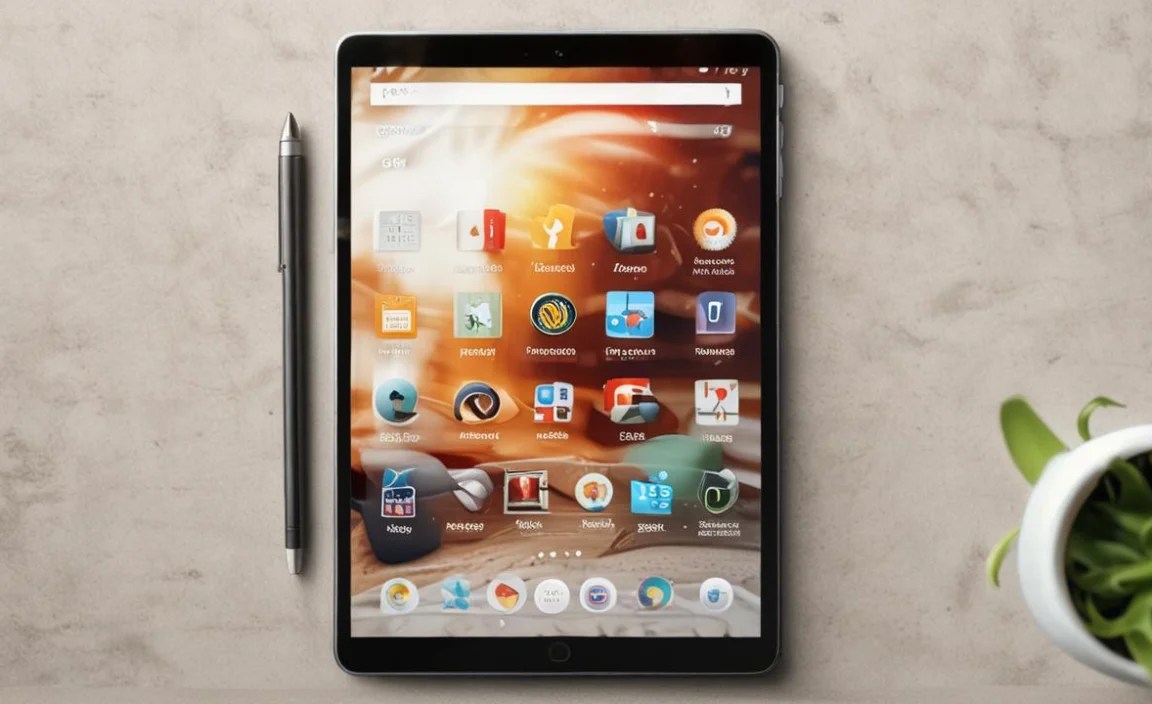
To help you visualize the differences, here’s a comparison table of the popular picks. Prices can fluctuate, so these are general estimates for base models.
| Feature | Amazon Fire HD 8 | Samsung Galaxy Tab A8 | Lenovo Tab M11 | Realme Pad 2 |
|---|---|---|---|---|
| Screen Size | 8 inches | 10.5 inches | 11 inches | 11.5 inches |
| Screen Resolution | HD (1280 x 800) | Full HD (1920 x 1200) | Full HD (1920 x 1200) | Full HD+ (2000 x 1200) |
| Operating System | Fire OS (based on Android) | Android | Android | Android |
| Google Play Store | No (by default) | Yes | Yes | Yes |
| Expandable Storage | Yes (microSD up to 1TB) | Yes (microSD up to 1TB) | Yes (microSD up to 1TB) | Yes (microSD up to 1TB) |
| Typical Price Range (USD) | $80 – $120 | $150 – $200 | $150 – $200 | $150 – $200 |
| Best For | Amazon/Kindle users, ultimate budget freedom | All-around Android experience, versatile use | Large, sharp screen, media consumption | Great value, large clean display |
Beyond the Big Names: Exploring Other Options
While the brands above are strong contenders, don’t forget these other possibilities:
Used or Refurbished Tablets: You can often find excellent deals on slightly older, higher-end tablets from brands like Apple (older iPads) or Samsung (higher-spec Galaxy Tabs) if you buy them refurbished from a reputable seller. Sites like Amazon Renewed, Apple Certified Refurbished, or reputable electronics retailers are good places to look. This can give you a premium experience for a fraction of the new cost.
Nokia T-series: Nokia has released a few T-series tablets that offer a clean Android experience and are often competitively priced. They are worth checking out if available in your region, as they can provide good durability and performance.
Setting Up Your Tablet for the Best Reading Experience

Once you’ve chosen your affordable tablet, here are some quick tips to make it your perfect portable library:
1. Download Your Favorite Reading Apps:
Kindle: If you have Kindle books, download the Kindle app from your device’s app store.
Google Play Books: For books purchased from Google Play or other sources.
Kobo: Another popular ebook store with a great app.
Libby / OverDrive: Connect to your local library’s digital collection to borrow ebooks for free! This is an amazing resource. Check your local library’s website for instructions.
Periodicals & Comics: Apps like ComiXology (now part of Amazon) or dedicated comic reader apps work well.
2. Optimize the Display for Your Eyes:
Brightness: Adjust the screen brightness to a comfortable level for your surroundings. Lower it in dim light to avoid harshness.
Blue Light Filter / Night Mode: Most tablets have a built-in “Night Light,” “Eye Comfort Shield,” or similar feature. Turn it on, especially when reading before bed. It casts a warmer, yellowish tint on the screen, which can help reduce eye strain. You can often schedule it to turn on automatically at sunset.
Font Size and Style: Within your reading apps, don’t hesitate to increase the font size for easier reading. Experiment with different fonts if the app allows; some are designed for better readability.
3. Storage Management:
Enable MicroSD Card: If your tablet has a microSD card slot, insert one and set your reading apps (or the tablet itself, if possible) to save downloads to that card. This keeps the main storage free for apps and system files.
Cloud Sync: Many reading apps sync your library and reading progress to the cloud, so you don’t need to store every single book on the device.
4. Battery Health:
Avoid leaving your tablet plugged in to charge 100% all the time if possible. Most modern tablets manage this well, but it’s good practice.
Close apps running in the background that you aren’t using, as they can drain battery.
Fun Beyond Books: What Else Can Your Tablet Do?
Your affordable ebook tablet isn’t just for reading. Here are a few other things it can do to enhance your life:
Listen to Audiobooks: Use apps like Audible or Libby to listen to audiobooks while you’re commuting, doing chores, or relaxing.
Read Magazines and Newspapers: Subscribe to digital versions of your favorite publications. The larger screens on 10-inch+ tablets are especially good for this.
Listen to Podcasts & Music: Spotify, Apple Music, Google Podcasts – all your favorite audio entertainment is just a download away.
Quick Web Browsing: Catch up on news, check social media, or quickly look up something you’re reading about.
* Simple Note-Taking: Jot down quick thoughts, book ideas, or to-do lists using basic note-taking apps.
Frequently Asked Questions (FAQs)
Q1: Can I really read ebooks on an Android tablet or Amazon Fire tablet without issues?
Yes, absolutely! For general ebook reading, Android and Fire OS tablets are excellent. They can run all the major reading apps like Kindle, Kobo, Google Play Books, and Libby. While they don’t have e-ink screens, their displays are much better than older tablets and are perfectly suitable for casual to moderate reading, especially with eye-comfort features enabled.
Q2: How much storage do I need for ebooks on a tablet?
Ebooks themselves are quite small, often just a few megabytes each. Most tablets come with at least 32GB or 64GB of storage, which is more than enough for hundreds, if not thousands, of ebooks. If you plan to download many apps, movies, or large files, then aim for 64GB or higher, or ensure the tablet has a microSD card slot for

Your tech guru in Sand City, CA, bringing you the latest insights and tips exclusively on mobile tablets. Dive into the world of sleek devices and stay ahead in the tablet game with my expert guidance. Your go-to source for all things tablet-related – let’s elevate your tech experience!