Finding affordable tablets for field work doesn’t have to be complicated. Focus on durability, battery life, screen visibility, and essential connectivity for seamless data collection and communication on the go. This guide breaks down the key features to look for, ensuring you get the best value.
Affordable Tablets for Field Work: Your Essential Buying Guide
Heading out into the field for work, whether it’s surveying, inspecting, or delivering services, often means needing a reliable device that can keep up. Tablets have become indispensable tools for many outdoor and mobile professions. They’re great for accessing maps, taking notes, snapping photos, and submitting reports right from the job site.
But the thought of buying new tech, especially for demanding field conditions, can feel a bit overwhelming. You want something that’s tough enough, has a battery that won’t quit, and won’t break the bank. It’s a common challenge to balance cost with capability when selecting the right device for field applications.
Don’t worry, though! We’re here to guide you through the process. Think of this as your friendly roadmap to choosing the perfect affordable tablet that will become your most trusted field companion. We’ll cover everything from what specs really matter to how to stretch your budget further. Stick with us, and you’ll be well-equipped to make a smart purchase.
Why Tablets Are Perfect for Field Work
Tablets offer a fantastic middle ground between smartphones and laptops. They’re portable like a phone but provide a larger screen for easier viewing and interaction, making them ideal for tasks that require more than just quick glances.
- Portability: Lighter and slimmer than most laptops, making them easy to carry around all day.
- Larger Screen: A bigger display is crucial for reading documents, viewing maps, and interacting with applications comfortably.
- Touchscreen Interface: Intuitive and fast for data entry, marking up documents, or using specialized field apps.
- App Ecosystem: Access to millions of apps for specialized tasks, from GPS tracking and data logging to communication and project management.
- Connectivity: Many models offer cellular (4G/5G) options, keeping you connected even in remote areas without Wi-Fi.
Key Features to Prioritize for Field Work Tablets
When you’re working outdoors or in less-than-ideal environments, certain tablet features become more important than others. Here’s what to keep your eye on:
1. Durability and Ruggedness
This is probably the most critical factor for field work. Your tablet will likely face bumps, drops, dust, and potentially moisture. Look for:
- IP Ratings: These codes indicate protection against solids (dust) and liquids (water).
- IP5X: Offers protection against dust ingress.
- IP67/IP68: These are excellent for field use, meaning they are dust-tight and can withstand submersion in water for a period.
- MIL-STD-810G/H Certification: This is a military standard that tests devices against drops, shocks, vibration, extreme temperatures, and more. While not always found on budget tablets, it’s a strong indicator of resilience.
- Rugged Cases: Even if your tablet isn’t inherently rugged, investing in a sturdy, shockproof case with a kickstand is a must. Many manufacturers offer cases specifically designed for their tablets.
2. Battery Life
You can’t afford for your tablet to die halfway through a crucial task. Long battery life is essential.
- Advertised Hours: Look for tablets that boast 10 hours or more of continuous use. Remember, this is often under ideal conditions, so expect less in real-world scenarios.
- Battery Capacity (mAh): A higher milliampere-hour (mAh) rating generally means longer battery life. Aim for 7,000 mAh or more for a full workday.
- Fast Charging: The ability to quickly top up your battery can be a lifesaver if you have a short break.
- Removable Battery (Rare): In some older or specialized rugged models, a removable battery allows you to swap in a fresh one, though this is becoming uncommon.
3. Screen Visibility
Working outdoors means dealing with sunlight, which can make screens hard to see. You need a bright, clear display.
- Brightness (nits): Aim for a screen brightness of at least 400 nits. Higher is better, especially for direct sunlight. Some specialized rugged tablets can reach 1000 nits or more.
- Display Type: AMOLED and brighter IPS LCD screens generally offer better contrast and visibility than older or dimmer LCD panels.
- Anti-Glare/Anti-Reflective Coating: This can significantly improve usability in bright conditions.
- Screen Size: While you want portability, a screen that’s too small can impede readability. 8 to 10 inches is often a good balance for field work.
4. Performance and Storage
You don’t need a top-of-the-line processor, but your tablet should be responsive enough to run your essential apps smoothly.
- Processor: Look for mid-range processors from Qualcomm (Snapdragon series) or MediaTek. These offer a good balance of performance and power efficiency. For basic tasks, even entry-level ARM processors can suffice.
- RAM: 4GB of RAM is generally the minimum recommended for smooth multitasking. 6GB or 8GB will provide a more comfortable experience, especially with more demanding apps.
- Storage: 64GB is a good starting point, but if you plan to store many photos, videos, or large files, consider 128GB.
- Expandable Storage: A microSD card slot is a huge plus, allowing you to add more storage affordably.
5. Connectivity
Staying connected is vital for most field operations.
- Wi-Fi: Standard on all tablets, ensure it supports modern Wi-Fi standards like Wi-Fi 5 (802.11ac) or Wi-Fi 6 for faster speeds.
- Cellular (4G/LTE or 5G): If your work takes you to areas without Wi-Fi, a cellular-enabled tablet is essential. Check if it supports the appropriate bands for your mobile carrier.
- Bluetooth: Useful for connecting to external devices like scanners, keyboards, or GPS receivers.
- GPS: Built-in GPS is a major advantage for navigation and location-based services.
6. Operating System (OS)
The OS dictates the apps you can use and the overall user experience.
- Android: Offers the widest variety of hardware and affordability. Its open nature makes it customizable, and you can sideload apps if needed.
- iOS (Apple iPads): Known for its user-friendly interface, strong app selection, and excellent performance. However, iPads tend to be more expensive upfront, and cellular models add significant cost.
- Windows: Offers full desktop functionality and compatibility with Windows-specific software. However, Windows tablets are often pricier and can be more power-hungry.
For budget-conscious field work, Android tablets usually offer the best value proposition.
Budget-Friendly Tablet Categories for Field Work
Let’s break down where you can find affordable options without sacrificing too much.
1. Entry-Level Consumer Tablets
Many major brands offer basic tablets that can be made field-ready with accessories.
- Examples: Amazon Fire tablets (though their app store is limited), Samsung Galaxy Tab A series, Lenovo Tab M series.
- Pros: Very affordable, readily available, decent performance for basic tasks.
- Cons: Often lack durability, lower screen brightness, and may have less RAM/storage. You’ll need a good rugged case.
- Best For: Light data entry, note-taking, GPS navigation, basic app usage where durability isn’t the absolute highest priority or can be managed with accessories.
2. Older Generation Flagships
Sometimes, the previous year’s premium tablet can be found at a significant discount and offers great specs.
- Examples: A 1-2 year old Samsung Galaxy Tab S series, an older iPad (if you can find it on sale).
- Pros: Higher build quality, better screens, more powerful processors than entry-level models.
- Cons: May not have the latest features, battery health could be degraded if purchased used, often still pricier than entry-level.
- Best For: Users who need better performance or screen quality and can find a good deal on a slightly older but still capable device.
3. Refurbished and Used Tablets
Buying pre-owned can unlock significant savings.
- Where to Buy: Manufacturer refurbished programs (Apple Certified Refurbished, Samsung Certified Re-Newed), reputable retailers (Amazon Renewed, Best Buy Outlet), and trusted used marketplaces.
- Pros: Can get higher-end models for the price of new entry-level ones.
- Cons: Warranty may be shorter or non-existent, cosmetic blemishes, battery health can be a gamble (though reputable sellers often test this). Thoroughly check seller reputation and return policies.
- Best For: Savvy shoppers willing to do their research to get the most bang for their buck.
4. Specialized Rugged Tablets (The “Affordable” Niche)
While true rugged tablets can be very expensive, some brands offer more budget-friendly rugged or semi-rugged options.
- Examples: Some models from Unitech, Zebra (older or lighter-duty models), or even some specific industrial lines from consumer brands.
- Pros: Built for tough environments straight out of the box, often with better connectivity and specialized features (like barcode scanners).
- Cons: Performance might be a compromise for durability, still generally more expensive than consumer tablets.
- Best For: Users who absolutely need built-in ruggedness and can find a model that fits their specific operational needs and budget.
Essential Accessories for Field Work Tablets
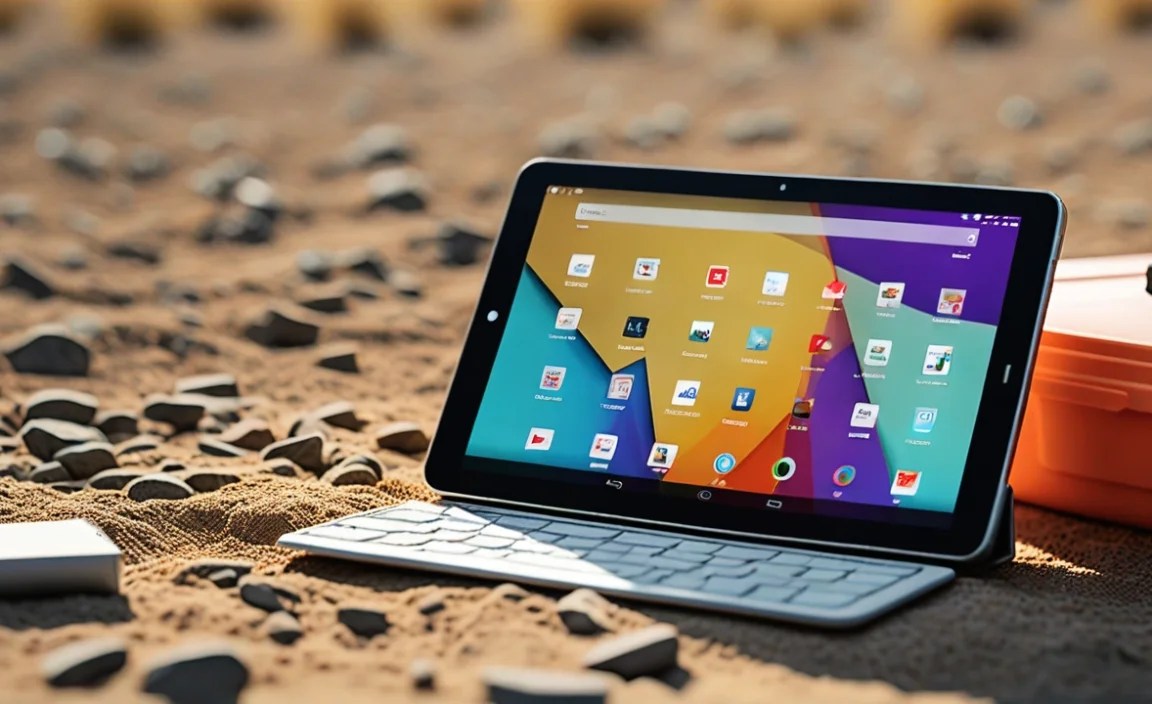
Don’t forget these items; they can make or break your experience:
-
Rugged Case: As mentioned, this is non-negotiable. Look for cases with reinforced corners, a built-in screen protector, and a kickstand for hands-free viewing.
-
Screen Protector: Even with a case, an extra layer of protection for the screen is wise.
-
Portable Power Bank: A high-capacity power bank (20,000 mAh or more) can keep your tablet charged throughout extended field days.
-
Stylus: If you need to take precise notes or mark up documents, a good stylus can be invaluable, especially in gloves or wet conditions.
-
Car Mount/Holder: For use in vehicles, a secure mount keeps the tablet accessible and safe.
-
Screen Cleaning Wipes: Dust, dirt, and smudges are common in the field. Keep your screen clear.
Tips for Finding and Comparing Affordable Tablets
Here’s how to approach your search:
-
Identify Your Must-Have Features:
Make a list of the absolute non-negotiables. Is it extreme durability? Longest possible battery life? Cellular connectivity? Knowing this narrows down choices.
-
Set a Realistic Budget:
Even “affordable” can vary. Decide on your maximum spend. Remember to factor in the cost of essential accessories.
-
Read Reviews Critically:
Look for reviews from users in similar professional or field-based roles. Pay attention to comments about battery life under heavy use, screen visibility in sunlight, and performance with specific apps.
-
Compare Specs Directly:
Use comparison tools on tech websites or retailer sites. Focus on the key specs we’ve discussed: IP rating, battery size, screen nits, RAM, and storage.
-
Consider the Ecosystem:
If your company already uses a specific platform (e.g., Google Workspace on Android, Microsoft 360 on Windows, Apple Business Manager), stick with a tablet that integrates best.
-
Don’t Be Afraid of Older Models or Refurbished Units:
As mentioned, this can be a fantastic way to get better quality for less money. Just ensure you’re buying from a reputable source with a good return policy.
Example Comparison Table: Affordable Field Work Tablet Options
This table shows how different types of affordable tablets might stack up. Prices are estimates and can vary greatly based on sales and retailers.
| Feature | Entry-Level Consumer (e.g., Samsung Tab A) | Older Mid-Range (e.g., Tab S from 2 years ago) | Basic Rugged (Niche Brand) |
|---|---|---|---|
| Estimated Price (New) | $100 – $250 | $250 – $400 (if found new) | $300 – $500+ |
| Durability (Out-of-Box) | Low; requires rugged case | Medium; requires rugged case | High (IP65/IP67, MIL-STD optional) |
| Screen Brightness (Nits) | 250-350 | 400-500 | 400-600+ (often higher with sunlight boost) |
| Battery Life (Advertised Hrs) | 8-10 | 10-12 | 8-12 (can vary greatly) |
| Processor & RAM | Basic, 3-4GB RAM | Mid-range, 4-6GB RAM | Mid-range, 4-8GB RAM |
| Connectivity | Wi-Fi common, optional LTE | Wi-Fi, common LTE | Wi-Fi, common LTE/5G, sometimes other radios |
| Ideal For | Basic tasks, budget-focused | Better performance on a budget | Harsh environments, specific industrial needs |
Note: Prices are approximate and may not include cellular variants. Always check the latest pricing from reputable retailers.
Where to Buy Affordable Field Work Tablets
- Online Retailers: Amazon, Best Buy, Walmart often have sales and a wide selection.
- Manufacturer Websites: Direct from Samsung, Lenovo, etc., especially for refurbished options.
- Specialty Tech Stores: For more niche rugged options, you might need to look at specialized industrial or government tech suppliers.
- Mobile Carriers: If you need cellular connectivity, carriers often have deals on tablets when bundled with a plan.
Android vs. iOS for Field Work Affordability
When budget is a primary concern, Android generally wins for affordability.
- Android:
- Pros: Huge range of devices at every price point, excellent value, often excellent battery life on many models, expandable storage via microSD cards is common.
- Cons: UI can be less consistent across brands, software updates can be slower or stop sooner on cheaper models.
- iOS (iPad):
- Pros: Very streamlined and user-friendly OS, strong app optimization, excellent build quality, typically longer software support.
- Cons: Higher upfront cost, cellular models are significantly more expensive, no Expandable storage, limited customization. Even older iPads can be more expensive than comparable new Android tablets.
For the absolute best value in the affordable category, Android tablets are usually the way to go, especially with the ability to add rugged cases and external storage easily. For more about managing technology in the field, resources like the <a href=”https://www.nist.gov/itl/applied-and–cybersecurity-division/mobile-security-technologies” target=”_blank” rel=”noopener noreferrer”>National Institute of Standards and Technology (

Your tech guru in Sand City, CA, bringing you the latest insights and tips exclusively on mobile tablets. Dive into the world of sleek devices and stay ahead in the tablet game with my expert guidance. Your go-to source for all things tablet-related – let’s elevate your tech experience!