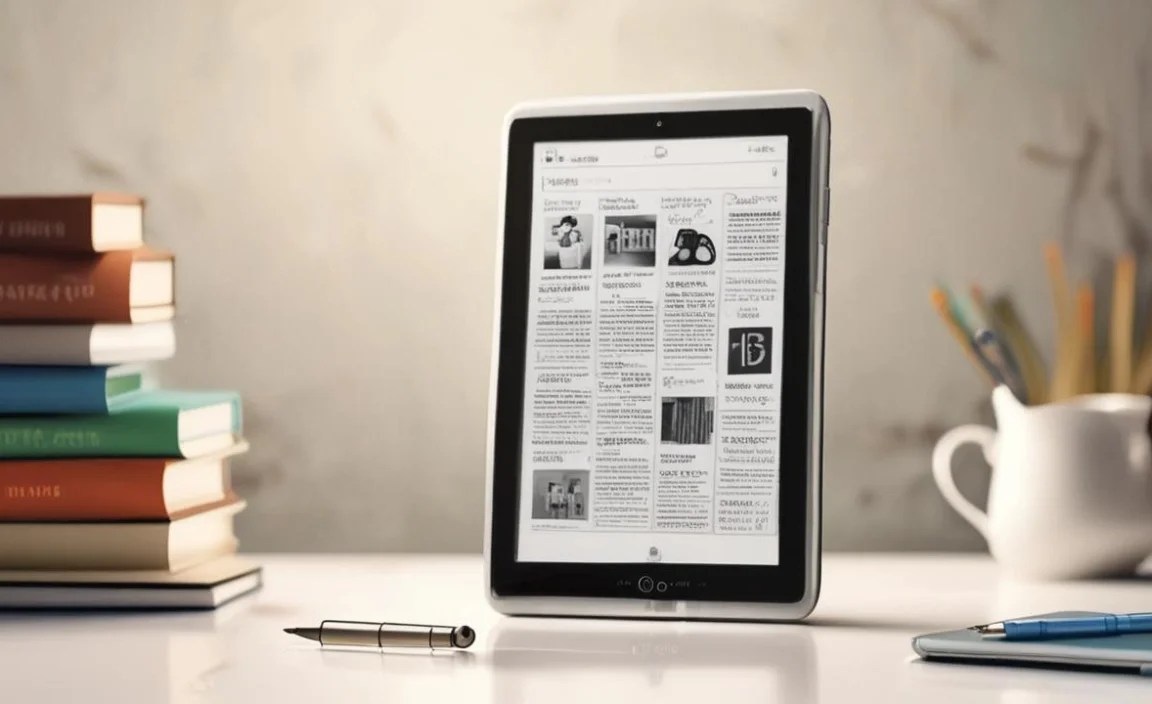
Looking for affordable tablets for reading books in 2025? This guide reveals top budget-friendly options that offer excellent screens, long battery life, and comfortable reading experiences without breaking the bank. Find your perfect reading companion easily.
Hate juggling a pile of paperbacks or squinting at your phone screen for hours? You’re not alone! Many of us love to read, but the cost of e-readers and high-end tablets can be a real page-turner stopper. What if you could get a fantastic reading device without spending a fortune?
It’s totally possible! In 2025, there are some truly amazing, affordable tablets perfect for diving into your favorite books. We’re here to help you cut through the tech talk and find the best fit for your reading habits. Get ready to discover tablets that feel great in your hands and are gentle on your wallet. Let’s find your next reading buddy!
Your Ultimate Guide to Affordable Tablets for Reading Books in 2025

As Walter Moore from Tabletzoo, I’ve seen countless tablets come and go. My mission is to help you, the everyday reader, find the perfect device without getting lost in confusing tech specs. Reading should be a joy, not a chore or a financial burden. That’s why we’re focusing on tablets that excel at one thing: delivering a superb reading experience at a price that makes sense.
In 2025, the tablet market offers more budget-friendly gems than ever before. Forget those expensive, flashy models. We’re talking about devices that prioritize screen quality, battery life, and comfort – the essentials for any bookworm. Whether you’re a casual reader, a student powering through textbooks, or someone who loves to unwind with a novel after a long day, there’s an affordable tablet out there for you.
This guide will walk you through what makes a tablet great for reading, what to look for in budget-friendly models, and highlight some of the absolute best affordable tablets for reading books in 2025. We’ll break down the features that matter most, discuss some great brands, and answer your burning questions. Let’s get started on finding your next literary companion!
Why Choose a Tablet for Reading Books?
While dedicated e-readers like the Kindle Paperwhite are fantastic, tablets offer a more versatile experience. Here’s why a tablet might be your next favorite reading device:
- Versatility: Beyond books, you can browse the web, check email, play casual games, and even watch videos. It’s a true multi-tasker.
- Color and Media: For magazines, graphic novels, and textbooks with color illustrations, tablets offer a vibrant display that e-readers can’t match.
- App Ecosystem: Access a vast library of reading apps from different publishers and services (Kindle, Kobo, Apple Books, Google Play Books, etc.) all in one place.
- Backlighting for Night Reading: Most tablets offer adjustable backlights, allowing you to read comfortably in any lighting condition, day or night.
- Accessibility Features: Tablets often come with built-in features like text-to-speech, adjustable font sizes, and contrast options that can greatly benefit readers with visual impairments.
What to Look for in an Affordable Tablet for Reading

When you’re on a budget, it’s crucial to know what features truly impact your reading experience. Here’s a breakdown of what matters most:
1. Screen Quality: The Heart of Reading Comfort

This is paramount. You’ll be staring at the screen for extended periods, so eye comfort is key. Look for:
- Resolution: Aim for at least an HD resolution (1280 x 800 pixels or higher). Higher resolutions mean sharper text and images. For reading, sharpness prevents eye strain.
- Display Type: While LCDs are common in budget tablets, some may offer IPS panels which provide better viewing angles and color accuracy. For pure reading, contrast and brightness are more important than peak color accuracy.
- Brightness and Glare: A bright screen is essential for reading outdoors or in well-lit rooms. Anti-glare coatings can significantly improve readability in sunny conditions. Some budget tablets might struggle with maximum brightness or glare reduction, so check reviews.
- Screen Size: Most people find 7 to 10 inches to be an ideal size for reading. Smaller is more portable, while larger offers more text per page. This is largely personal preference.
2. Battery Life: Uninterrupted Reading Sessions
Nothing kills a reading mood faster than a dead battery. For dedicated book readers, at least 8-10 hours of continuous use is a good benchmark. Affordable tablets can sometimes have smaller batteries, so this is an area to pay close attention to in reviews.
3. Storage Space: Your Growing Library
Books, especially those with illustrations or in formats like PDFs, can take up space. While cloud storage is an option, having enough internal storage means you can download more books for offline reading. 16GB is a minimum, but 32GB or 64GB is much better. Many affordable tablets also support microSD cards for expandable storage, which is a huge plus.
4. Processor and RAM: Smooth Navigation
You don’t need a powerhouse for reading. However, a decent processor and at least 2GB of RAM will ensure that your tablet runs smoothly when switching between apps, turning pages, and browsing. Laggy performance can be frustrating and detract from the reading experience.
5. Build Quality and Ergonomics: Comfort in Hand

A tablet for reading should feel comfortable to hold for extended periods. Lighter tablets (under 500 grams) and those with a good grip are typically preferred. While build materials might be plastic on budget models, look for ones that feel sturdy and well-made.
6. Operating System and App Availability: Your Reading World
Most affordable tablets run on Android. This gives you access to the Google Play Store, where you can download a vast array of reading apps like Kindle, Kobo, and Google Play Books. Some budget tablets might run a more stripped-down version of Android or even a proprietary OS, so ensure it supports the reading apps you want to use.
Top Affordable Tablets for Reading Books (2025 Edition)

Now, let’s dive into some excellent, budget-friendly tablets that are perfect for book lovers in 2025. Prices can fluctuate, so these are generally considered affordable options, often found under $200, and sometimes even under $150.
1. Amazon Fire HD Tablets
For many, Amazon’s Fire tablets are the go-to for affordable tablets, and they are fantastic for reading, especially if you’re in the Amazon ecosystem.
- Pros: Very budget-friendly, decent screens for the price, excellent integration with Amazon Kindle Unlimited and Prime Reading, long battery life, durable. Available in multiple sizes (e.g., Fire 7, Fire HD 8, Fire HD 10).
- Cons: Runs Fire OS (a customized version of Android) with Amazon’s app store, which has a more limited selection than Google Play. Ads on the lock screen unless you pay extra for the “ad-free” version.
- Ideal For: Amazon Prime members, readers who primarily use Kindle books or Kindle Unlimited, families needing a durable and inexpensive device.
2. Samsung Galaxy Tab A Series
Samsung offers a range of budget-friendly Android tablets that provide a more traditional Android experience.
- Pros: Full Google Play Store access, good build quality, decent screens, reliable performance for everyday tasks and reading. Often have expandable storage.
- Cons: Screen brightness and resolution might be slightly lower than premium models. Battery life can vary between models.
- Ideal For: Readers who want a full Android experience with access to all apps, users who prefer Samsung’s ecosystem, those looking for a tablet for more than just reading.
A model like the Samsung Galaxy Tab A9 (or its successor in 2025) is often a sweet spot for affordability and performance.
3. Lenovo Tab Series
Lenovo has consistently delivered solid value with its Tab series, offering capable tablets at attractive price points.
- Pros: Often feature good-looking displays for their price, solid build quality, good battery life, and access to the Google Play Store. Some models have features like eye-care modes.
- Cons: Performance can sometimes be a step below similarly priced Samsung devices. Software updates might not be as frequent.
- Ideal For: Users seeking a balanced Android tablet experience on a budget, those who appreciate clear displays and good battery performance for reading.
4. TCL Tablets
TCL has been making waves in affordable electronics, and their tablets are no exception.
- Pros: Very competitive pricing, decent screens, and usually offer a clean Android experience.
- Cons: Performance and build quality might not feel as premium as more established brands. Long-term software support can be a question mark.
- Ideal For: Extremely budget-conscious buyers who need a reliable device primarily for reading and basic web browsing.
5. Generic/Lesser-Known Android Tablets
Brands like Alldocube, Teclast, and others often offer tablets with surprisingly good specs for their price. However, buying these requires more caution.
- Pros: Can offer higher specs (like more RAM or better screens) for the same price as major brands.
- Cons: Reliability, software updates, and customer support can be inconsistent. Screen quality and battery life might not live up to marketing claims.
- Ideal For: Tech-savvy readers willing to do extra research and potentially take a small risk for maximum value. Always check detailed reviews!
Comparing Affordable Reading Tablets: A Snapshot
To help you visualize the differences, here’s a simplified comparison. Remember that specific models and their exact specs will vary by year and availability.
| Feature | Amazon Fire HD Series | Samsung Galaxy Tab A Series | Lenovo Tab Series | TCL Tablets |
|---|---|---|---|---|
| Typical Price Range | $50 – $150 | $100 – $250 | $100 – $200 | $70 – $150 |
| Operating System | Fire OS (Amazon Appstore) | Android (Google Play Store) | Android (Google Play Store) | Android (Google Play Store) |
| Ecosystem Integration | Strong Amazon (Kindle, Prime) | General Android / Samsung | General Android | General Android |
| Screen Quality (General) | Good for price, decent brightness | Good, varies by model | Often good value, sometimes great | Variable, can be surprisingly good |
| Versatility (Beyond Reading) | Good, but restricted app store | Excellent | Very Good | Good |
| Durability (often) | High | Good | Good | Average |
Tips for Enhancing Your Reading Experience on a Budget Tablet
Once you’ve chosen your affordable tablet, here are some tips to make your reading even better:
- Adjust Screen Settings: Experiment with brightness levels and color temperature (often called “night mode” or “blue light filter”). Reducing blue light can make reading at night more comfortable for your eyes. Many Android tablets allow you to schedule this automatically.
- Install Your Preferred Reading Apps: If you’re not tied to Amazon, download apps like Kindle, Kobo, Libby (for library books!), or Google Play Books from the Google Play Store.
- Use Reading Mode Features: Some tablets and apps have a dedicated “reading mode” that simplifies the interface, reduces distractions, and optimizes the display for text.
- Consider a Screen Protector: A matte screen protector can help reduce glare, making outdoor reading much more enjoyable.
- Invest in a Case/Stand: A good case not only protects your tablet but can often double as a stand, allowing you to prop it up for hands-free reading.
- Manage Storage Wisely: Delete apps you don’t use and transfer photos or videos to a computer or cloud storage to free up space for your growing ebook library. Utilize microSD cards if your tablet supports them.
- Listen to Audiobooks: Don’t forget that tablets are also great for audiobooks! Use apps like Audible or Google Play Books for a different way to enjoy your stories. Apps like NASA’s mission pages, for example, can be read aloud via text-to-speech features in Android.
Where to Buy Affordable Tablets
You can find great deals on affordable tablets from a variety of sources:
- Online Retailers: Amazon, Best Buy, Walmart, Target, and direct manufacturer websites (Samsung, Lenovo).
- Refurbished Markets: Websites like Amazon Renewed or manufacturer-certified refurbished stores can offer significant savings on devices that have been tested and restored to full working order.
- Sales Events: Keep an eye out for major sales events like Black Friday, Cyber Monday, Amazon Prime Day, and back-to-school sales, where prices are often significantly reduced.
The Future of Affordable Reading Tablets: What to Expect

As technology advances, even budget devices are getting better. In 2025, we can anticipate:
- Improved Screen Technology: Expect sharper displays and better brightness even in lower-cost models.
- Longer Battery Life: Manufacturers are always working to optimize power consumption.
- Faster Performance: While you won’t get flagship speeds, even budget chips are getting more capable, leading to smoother experiences.
- More Robust Software Features: Expect more refined reading modes and accessibility options.
The Consumer Financial Protection Bureau highlights how technology can aid in everyday tasks, and for avid readers, an affordable tablet fits perfectly into making reading more accessible and enjoyable.
Frequently Asked Questions About Affordable Reading Tablets
Q1: Can I use my existing Kindle books on an affordable Android tablet?

Yes! You can simply download the Amazon Kindle app from the Google Play Store on any Android tablet. Log in with your Amazon account, and all your purchased Kindle books will be available to download and read.
Q2: What’s the difference between a tablet and an e-reader for books?
E-readers (like Kindle Paperwhite) use E Ink technology, which mimics real paper, has no backlight glare, and is ideal for long reading sessions without eye strain. Tablets use LCD or AMOLED screens, which are backlit, offer color, and can do much more than just display books. For pure text reading, E Ink is superior, but tablets offer versatility.
Q3: Are tablets with ads really cheaper? Should I avoid them?
Tablets with “Special Offers” or ads are typically about $10-20 cheaper upfront. If you don’t mind seeing ads on your lock screen, it’s a way to save a bit more. You can usually pay a one-time fee later to remove them if you change your mind. For most users, the ads aren’t too intrusive.
Q4: How much storage do I really need for ebooks?
For primarily text-based ebooks, 16GB is a minimum, but 32GB or 64GB is much more comfortable. Each ebook is usually only a few megabytes, but if you plan to download graphic novels, magazines, PDFs, or audiobooks, more space is definitely better. MicroSD card support is a great way to expand storage cheaply.
Q5: Can I read library books on a tablet?
Absolutely! If your local library offers digital lending through services like OverDrive or Libby, you can download the Libby app from the Google Play Store. You can then borrow ebooks and audiobooks directly from your library and read them on your tablet.
Q6: Are refurbished tablets a good option for reading?
Yes, refurbished tablets can be an excellent way to get a higher-quality device at a lower price. Look for “certified refurbished” options from reputable sellers like Amazon or the manufacturer. They usually come with a warranty and have been thoroughly tested and

Your tech guru in Sand City, CA, bringing you the latest insights and tips exclusively on mobile tablets. Dive into the world of sleek devices and stay ahead in the tablet game with my expert guidance. Your go-to source for all things tablet-related – let’s elevate your tech experience!