Looking for the ideal tablet to unleash your creativity? This guide cuts through the confusion, highlighting the best tablets for content creation, from drawing and editing to writing and managing social media. We’ve rounded up the top contenders, focusing on performance, portability, and essential features to help you pick the perfect tool for your creative journey.
Welcome to Tabletzoo! Choosing a new tablet can feel like navigating a maze, especially when you want it for something specific like content creation. You see all the dazzling spec sheets and wonder, “Which one will actually help me make cool stuff?” It’s totally understandable to feel a bit overwhelmed! But don’t worry, that’s exactly why I’m here. We’ll break down what really matters for content creation, look at some fantastic options, and make sure you feel confident in your choice. Ready to find your next creative companion? Let’s dive in!
Why Tablets Are Your Creative Powerhouse

Tablets have transformed from simple entertainment devices into powerful portable studios. Their touch-screen interfaces, combined with stylus support and increasingly robust app ecosystems, make them incredibly versatile for a wide range of content creation tasks. Whether you’re a digital artist, a writer on the go, a graphic designer, or a social media manager, a good tablet can streamline your workflow and boost your productivity.
Here’s why tablets are a fantastic choice for creators:
Portability: Slip it into your bag and work from anywhere – a coffee shop, a park bench, or your couch.
Touch & Stylus Input: Natural drawing, sketching, and annotation feel intuitive.
App Ecosystems: Access powerful creative tools like Adobe Creative Suite, Procreate, and Affinity Designer, optimized for touch and pen.
All-in-One Device: Often eliminates the need for separate drawing tablets, notebooks, and even a laptop for lighter tasks.
Instant On & Battery Life: Quick access to your work and long-lasting power means less downtime.
What to Look For in a Content Creation Tablet

Before we jump into specific recommendations, let’s talk about what makes a tablet great for creating content.
Key Features for Creators
Display Quality: This is crucial! Look for a screen with:
High Resolution: Sharp images and text are essential for detail work. Aim for at least Full HD (1920 x 1080), with QHD or 4K being even better for professional use.
Color Accuracy (sRGB, DCI-P3): For design and photo/video editing, accurate color representation is non-negotiable. Look for tablets that specify coverage of color gamuts like sRGB (100% is ideal) or DCI-P3.
Brightness: Sufficient brightness (e.g., 400-500 nits or more) helps you work outdoors or in bright environments.
Screen Size: Larger screens offer more canvas space and potentially easier multitasking. 10 inches is a minimum for serious work, with 11-13 inches being more common for professional-grade creative tablets.
Performance: A powerful processor (CPU) and ample RAM ensure smooth operation, especially when working with large files, multiple apps, or demanding software.
Processor: Look for recent-generation chips. For Apple, that means M-series chips. For Android, look for Snapdragon 8 Gen series or equivalent.
RAM: 8GB is a good minimum, but 12GB or 16GB will provide a much smoother experience for demanding tasks.
Stylus Support & Quality: If you plan on drawing, sketching, or taking detailed notes, the stylus is paramount.
Latency: How quickly the stylus’s digital ink appears on the screen. Lower is better.
Pressure Sensitivity: Allows for thicker or thinner lines based on how hard you press, mimicking traditional art tools.
Tilt Sensitivity: Recognizes the angle of the stylus, enabling shading effects in drawing apps.
Palm Rejection: Prevents accidental marks on the screen when your hand rests on it.
Stylus Included? Some tablets come with a stylus, others require a separate purchase, adding to the cost.
Storage: Content creation files (photos, videos, project files) can take up a lot of space.
Internal Storage: Aim for at least 128GB. 256GB or 512GB is highly recommended for most creators.
Expandable Storage (MicroSD card slot): A great way to add more space affordably, though usually slower than internal storage. (Note: Apple iPads do not have expandable storage).
Operating System & Ecosystem:
iPadOS: Offers a vast library of high-quality creative apps (like Procreate) and a refined user experience.
Android/ChromeOS: More flexibility, often better multitasking capabilities, and sometimes more affordable hardware. A wider range of apps, but some professional creative tools might be less mature than on iPadOS.
Windows: If you need full desktop-class applications (like Photoshop desktop), a Windows tablet (often a 2-in-1 laptop/tablet hybrid) is the way to go.
Connectivity: USB-C ports are standard for charging, data transfer, and connecting accessories. Wi-Fi 6/6E is ideal for faster wireless speeds.
Build Quality & Durability: A premium feel and solid construction matter, especially if you’re taking it everywhere.
Essential Picks: Best Tablets for Content Creation Review

Now, let’s get to the good stuff! These are our top recommendations, covering different needs and budgets.
1. Apple iPad Pro (M2 or M4 Chip) – The Creative King
For sheer power, polish, and the best creative app ecosystem, the iPad Pro remains the benchmark. Whether you opt for the 11-inch or the larger 12.9-inch (or 13-inch on the M4 models), you get a stunning Liquid Retina XDR display (on the 12.9/13-inch), blazing-fast M-series chips, and unparalleled stylus support with the Apple Pencil.
Pros:
Unmatched performance with M-series chips.
Superb display quality (especially on the larger models).
Industry-leading Apple Pencil 2nd Gen/Apple Pencil Pro with low latency and pressure/tilt sensitivity.
Vast library of professional creative apps (Procreate, Affinity Suite, LumaFusion, Adobe apps).
Excellent build quality and long-term software support.
Stage Manager provides advanced multitasking.
Cons:
Expensive, stylus and keyboard are often sold separately.
No expandable storage.
iPadOS, while powerful, is still a mobile OS and not a full desktop OS for every task.
Best For: Digital artists, graphic designers, video editors, illustrators, and anyone wanting the most powerful and polished creative tablet experience.
Consider If: Your budget allows for premium hardware and you prioritize having access to the best creative apps available on a tablet.
2. Microsoft Surface Pro 9/10 – The Versatile Workhorse
The Surface Pro is essentially a laptop in tablet form, running a full version of Windows. This means you can run your favorite desktop applications like Adobe Photoshop, Illustrator, and Premiere Pro without compromise. It’s a fantastic choice if you need a device that can genuinely replace your laptop for creative work.
Pros:
Runs full Windows 11, allowing for any desktop software.
Excellent for multitasking with a desktop-like interface.
Bright, sharp PixelSense displays with good color accuracy.
Supports the Surface Slim Pen 2 with haptic feedback and tilt/pressure sensitivity.
Versatile as both a tablet and a laptop with the detachable Type Cover (sold separately).
Cons:
Can be pricey, especially when adding the pen and keyboard.
Battery life can be inconsistent depending on usage.
App availability for touch-first interfaces is not as robust as on iPadOS.
Best For: Graphic designers, web designers, photographers, and anyone who needs to run full desktop creative software on a portable device.
Consider If: You need the full power and compatibility of desktop applications and prefer the Windows environment.
3. Samsung Galaxy Tab S9 Series (S9, S9+, S9 Ultra) – The Android Powerhouse with a Great Stylus
Samsung’s Galaxy Tab S series offers a premium Android tablet experience. The S9 Ultra, in particular, boasts a massive 14.6-inch display that’s ideal for drawing and multitasking. All models come with the S Pen included, offering great performance, low latency, and pressure sensitivity, perfect for digital art and note-taking. The OLED displays on the S9 and S9+ are stunningly vibrant.
Pros:
Beautiful AMOLED displays (S9/S9+)/Dynamic AMOLED 2X (S9 Ultra) with excellent color and contrast.
S Pen is included and offers a fantastic drawing experience.
Powerful performance with Snapdragon chips.
DeX mode provides a desktop-like multitasking experience.
Expandable storage via microSD card.
Often more affordable than comparable iPads.
Cons:
Android’s creative app selection, while growing, still lags behind iPadOS in professional-grade options.
Software updates might not be as long-term as Apple’s.
Best For: Android users, digital artists, note-takers, illustrators, and those who want a large, high-quality screen with a great included stylus.
Consider If: You prefer Android, want a device that excels at multitasking with DeX mode, and value getting a stylus included at a competitive price.
4. Apple iPad Air (M1 or M2 Chip) – The Sweet Spot for Value and Power
If the iPad Pro seems a bit out of reach but you still want that Apple creative prowess, the iPad Air is an excellent compromise. It packs a powerful M-series chip, supports the Apple Pencil 2nd Gen, and offers a great display in a more portable and affordable package. It’s perfect for artists, writers, and designers who don’t need the absolute top-tier professional features of the Pro.
Pros:
Excellent performance with M-series chips (M1 or M2).
Supports Apple Pencil 2nd Gen with low latency and pressure/tilt sensitivity.
Great build quality and a vibrant Liquid Retina display.
Strong ecosystem of creative apps.
More affordable than the iPad Pro.
Good portability.
Cons:
Display isn’t as advanced as the iPad Pro (no ProMotion, lower peak brightness, no mini-LED).
No expandable storage.
Stylus sold separately.
Best For: Students, casual digital artists, writers, social media creators, and anyone looking for a powerful and versatile tablet with a fantastic drawing experience without the Pro price tag.
Consider If: You’re invested in the Apple ecosystem, want a high-performance tablet for creative tasks, and can live without the absolute bleeding-edge display tech of the Pro.
5. Lenovo Tab P11 Pro (Gen 2) / Lenovo Tab P12 Pro – Affordable Brilliance
For those who want a great creative experience on Android without breaking the bank, Lenovo offers some compelling options. The Tab P11 Pro (Gen 2) and P12 Pro (depending on availability and region) often come with an OLED display (on some models), good performance for the price, and support for a stylus (usually sold separately). They provide a solid platform for digital art, note-taking, and media consumption.
Pros:
Excellent value for money, often featuring OLED displays.
Good performance for everyday creative tasks.
Stylus support (check if included or sold separately).
Android OS offers flexibility.
Expandable storage is usually available.
Cons:
Performance might not match higher-end competitors for very demanding tasks.
App optimization for stylus use can vary.
Software support life cycle might be shorter.
Best For: Budget-conscious creators, students, digital artists, and casual users looking for a capable tablet with a high-quality display experience.
Consider If: You need a capable creative tablet with a great screen at a more affordable price point and are comfortable with the Android ecosystem.
Choosing for Your Specific Creative Needs
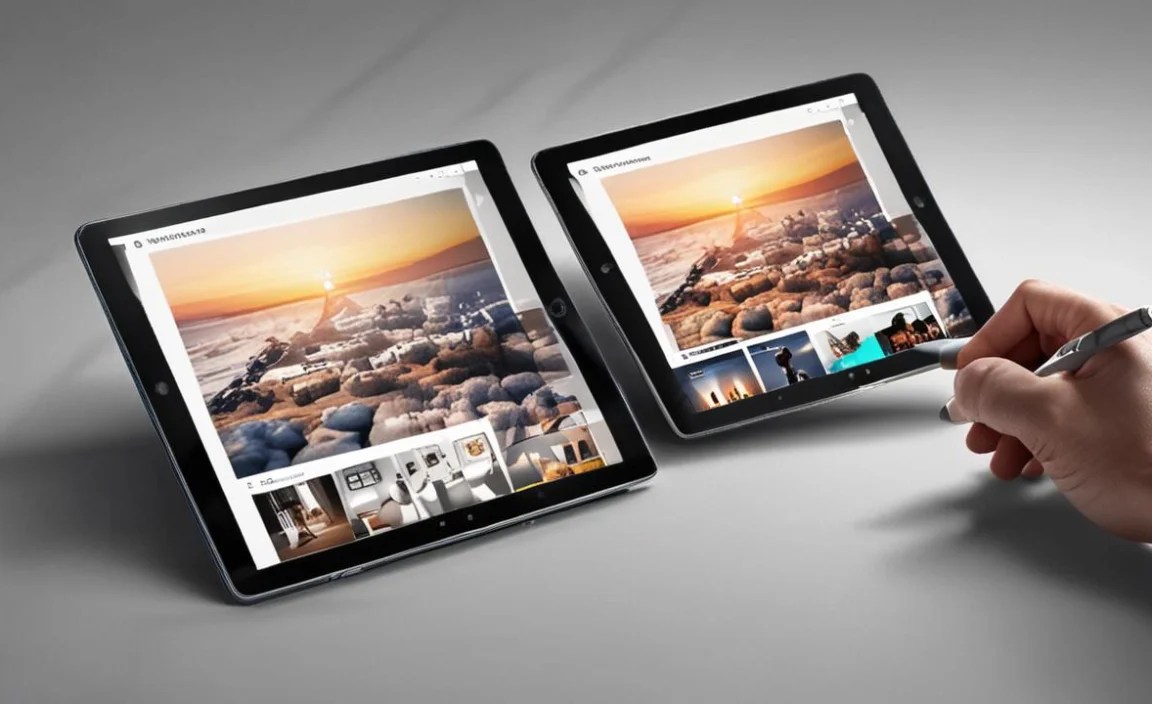
The “best” tablet is highly personal. Here’s a quick breakdown based on common creative workflows:
Digital Art & Illustration:
Must-haves: Excellent display color accuracy, high resolution, pressure-sensitive stylus with low latency, good palm rejection.
Top Picks: iPad Pro, iPad Air, Samsung Galaxy Tab S9 series.
Consider: Apps like Procreate (iPad only), Adobe Fresco, Clip Studio Paint.
Writing & Note-Taking:
Must-haves: Comfortable screen size, excellent keyboard accessory option, long battery life, good stylus for annotation.
Top Picks: iPad Air, iPad Pro, Microsoft Surface Pro.
Consider: Apps like Apple Notes, Microsoft OneNote, GoodNotes, Notability, Ulysses.
Graphic Design & Photo Editing:
Must-haves: High-resolution display with excellent color accuracy (100% sRGB/DCI-P3), powerful processor, ample RAM, fast storage.
Top Picks: iPad Pro, Microsoft Surface Pro.
Consider: Apps like Adobe Photoshop, Illustrator, Affinity Designer, Pixelmator Photo.
Video Editing & Production:
Must-haves: Powerful processor, ample RAM (16GB+ recommended), large, color-accurate screen, fast storage.
Top Picks: iPad Pro (especially the larger models with M2/M4 chips), Microsoft Surface Pro.
Consider: Apps like LumaFusion (iPad only), Adobe Premiere Rush, DaVinci Resolve (limited mobile version, full desktop on Surface Pro).
<td style=”border
| Tablet Model | Best For | Key Selling Point | Starting Price (approx.) |
|---|---|---|---|
| Apple iPad Pro (M2/M4) | Professional Artists, Designers, Video Editors | Unrivaled performance & premium creative app support | $799+ (11-inch) / $1099+ (13-inch) |
| Microsoft Surface Pro 9/10 | Desktop Software Users, Designers, Multitaskers | Full Windows OS, desktop-class apps | $800+ (excluding Pen/Keyboard) |
| Samsung Galaxy Tab S9 Series | Android Enthusiasts, Artists, Note-takers | Stunning AMOLED display, bundled S Pen, DeX mode | $799+ (S9) / $999+ (S9+) / $1199+ (S9 Ultra) |
| Apple iPad Air (M1/M2) | Everyday Creators, Students, Writers | Excellent performance at a better price point | $599+ |
| Lenovo Tab P12 Pro / P11 Pro (Gen 2) |

Your tech guru in Sand City, CA, bringing you the latest insights and tips exclusively on mobile tablets. Dive into the world of sleek devices and stay ahead in the tablet game with my expert guidance. Your go-to source for all things tablet-related – let’s elevate your tech experience!