Best Tablets For Music Production: Latest Proven Deals. Find powerful, portable tablets perfect for creating music on the go with the latest deals. We simplify the tech to help you choose the ideal device for your studio or tour bus.
Making music used to mean bulky equipment and dedicated studios. Now, the power to compose, record, and mix your next hit is in your hands, quite literally! With the right tablet, you can unlock a world of creativity wherever inspiration strikes. But with so many options, navigating the tech can feel overwhelming. Don’t worry, we’re here to help you cut through the noise and find the best tablet for your music production dreams. Get ready to discover devices that blend power, portability, and affordability.
Why a Tablet is Great for Music Production

Tablets have become incredibly capable tools for musicians. They offer a fantastic balance of portability, touch-screen interfaces perfect for creative work, and enough processing power to run music production software. Imagine sketching out a melody on the train, layering beats at a cafe, or even mixing a track before a gig – all on a single, lightweight device. They connect easily with accessories like MIDI controllers and audio interfaces, bridging the gap between a portable gadget and a full-fledged music studio.
Key Features to Look For in a Music Production Tablet

When you’re choosing a tablet for making music, some features are more important than others. Think of these as the essential building blocks for your mobile studio.
- Processing Power (CPU): This is the brain of the tablet. More powerful processors mean smoother performance, especially when running multiple music apps or complex projects. Look for chips like Apple’s M-series, Qualcomm’s latest Snapdragon, or MediaTek’s higher-end Dimensity chips.
- RAM (Memory): RAM is like your tablet’s short-term memory. For music production, 8GB of RAM is a good starting point, but 12GB or more will provide a much smoother experience, allowing you to run more demanding apps and plugins without lag.
- Storage Space: Digital audio and project files can take up a lot of space. Aim for at least 128GB, but 256GB or more is highly recommended, especially if you plan to store lots of samples, loops, or full projects.
- Screen Size and Quality: A larger screen makes it easier to see your timelines, virtual instruments, and mixer. Look for good color accuracy and resolution so you can easily distinguish details in your projects.
- Battery Life: You don’t want your creative flow interrupted by a dead battery. Look for tablets known for their all-day battery life.
- Connectivity (Ports): USB-C ports are essential for connecting external drives, MIDI controllers, and audio interfaces. Some tablets offer headphone jacks, while others might require a USB-C to headphone adapter.
- Operating System & App Ecosystem: This is crucial. Different operating systems (iPadOS, Android, Windows) offer different music production apps. iPadOS has a robust selection of professional music apps. Android is catching up, and Windows tablets offer the full desktop experience.
The Best Tablets for Music Production in [Current Year]
![The Best Tablets for Music Production in [Current Year]](https://i2.wp.com/tabletzoo.com/wp-content/uploads/2026/03/the-best-tablets-for-music-production-in-current-year-1.webp)
Let’s dive into some of the top contenders that consistently impress musicians and producers. These are based on performance, app availability, and user experience for creative tasks.
1. Apple iPad Pro (M2 Chip)
The iPad Pro remains a top-tier choice for professional music production, and the M2 chip takes it to another level. Its incredible power, coupled with the vast and sophisticated app ecosystem on iPadOS, makes it a formidable tool.
- Pros:
- Unmatched performance with the M2 chip, handling complex projects with ease.
- Extensive library of high-quality music production apps (Logic Pro for iPad, Cubasis, GarageBand, Korg apps, etc. – explore the capabilities of Logic Pro for iPad in detail on the Apple website).
- Excellent Liquid Retina XDR display for visual clarity.
- Seamless integration with other Apple devices.
- Strong community support and tutorials.
- Cons:
- Premium price point.
- Storage can be expensive to upgrade.
- Requires specific adapters for some audio gear.
2. Apple iPad Air (M1 Chip)
If the iPad Pro is out of reach budget-wise, the iPad Air offers a fantastic compromise. It still packs powerful performance with the M1 chip and accesses the same great app library.
- Pros:
- Excellent performance for most music production tasks thanks to the M1 chip.
- Access to the rich iPadOS music app ecosystem.
- Lighter and more portable than the Pro models.
- More affordable than the iPad Pro.
- Cons:
- Screen technology isn’t as advanced as the Pro model (no ProMotion, lower peak brightness).
- Fewer speakers compared to the Pro.
3. Samsung Galaxy Tab S9 Ultra
Samsung’s flagship tablet is a powerhouse that rivals the iPad Pro. Its large, vibrant AMOLED display and robust Android capabilities make it a strong contender, especially for those who prefer the Android ecosystem or need larger screen real estate for detailed work.
- Pros:
- Massive, stunning Dynamic AMOLED 2X display – perfect for intricate timelines.
- Powerful Snapdragon 8 Gen 2 for Galaxy processor handles demanding tasks.
- Excellent for multitasking and running multiple apps.
- Versatile for both music production and graphic design/visuals.
- Good range of Android DAWs and plugins (see options on Android Authority’s list).
- Cons:
- Android’s music app ecosystem, while growing, is not as mature or as consistently updated as iPadOS for professional-grade apps.
- Premium pricing, often similar to iPad Pro.
4. Microsoft Surface Pro 9
For those who demand the power and flexibility of a full desktop OS in a tablet form factor, the Surface Pro 9 is an exceptional choice. Running Windows means access to virtually any desktop DAW, including Ableton Live, FL Studio, Pro Tools, and Cubase.
- Pros:
- Runs full Windows 11, giving access to any desktop DAW.
- Powerful Intel Core processors can handle intensive audio tasks.
- Excellent for users already invested in the Windows ecosystem.
- Versatile as both a tablet and a laptop with a detachable keyboard.
- Large, high-resolution PixelSense display.
- Cons:
- Can be very expensive, especially with higher configurations.
- Tablet-specific app selection is less optimized than on iPadOS or Android.
- Battery life can be average depending on usage.
- Touch interface might feel less intuitive for some music production tasks compared to dedicated tablet OSs.
5. Lenovo Tab Extreme / P11 Pro (Gen 2)
Lenovo offers some compelling Android tablets that provide great value and performance. The Tab Extreme offers a larger screen and robust features, while the P11 Pro provides a more portable and affordable option.
- Pros:
- Large, high-resolution displays with good refresh rates.
- Decent processing power for running Android music apps.
- Often more budget-friendly than Samsung or Apple flagships.
- good battery life.
- Cons:
- Android music app selection and optimization can vary.
- Performance might not match top-tier iPad Pro or Surface Pro for extremely complex projects.
Comparing Top Tablets for Music Production

To help you visualize the differences, here’s a quick comparison of some key aspects. Remember, “latest proven deals” means prices fluctuate, so check current retailers.
| Tablet Model | Operating System | Processor | RAM Options | Storage Options | Display Size | Approx. Starting Price (USD) |
|---|---|---|---|---|---|---|
| Apple iPad Pro (M2) | iPadOS | Apple M2 | 8GB, 16GB | 128GB – 2TB | 11-inch / 12.9-inch | $799 / $1099 |
| Apple iPad Air (M1) | iPadOS | Apple M1 | 8GB | 64GB – 256GB | 10.9-inch | $599 |
| Samsung Galaxy Tab S9 Ultra | Android | Snapdragon 8 Gen 2 for Galaxy | 8GB, 12GB, 16GB | 128GB – 1TB | 14.6-inch | $1199 |
| Microsoft Surface Pro 9 | Windows 11 | Intel Core i5 / i7 (12th Gen) | 8GB, 16GB, 32GB | 128GB – 1TB | 13-inch | $999 (often without keyboard) |
| Lenovo Tab Extreme | Android | MediaTek Dimensity 9000 | 12GB | 256GB | 14.5-inch | $700 – $900 (depending on bundle) |
| Lenovo P11 Pro (Gen 2) | Android | Snapdragon 870 / Mali-G77 MC9 | 6GB, 8GB | 128GB, 256GB | 11.2-inch | $350 – $450 |
Note: Prices are approximate and can vary significantly based on configuration, promotions, and retailer. Always check for the latest deals!
Getting Started: Essential Accessories
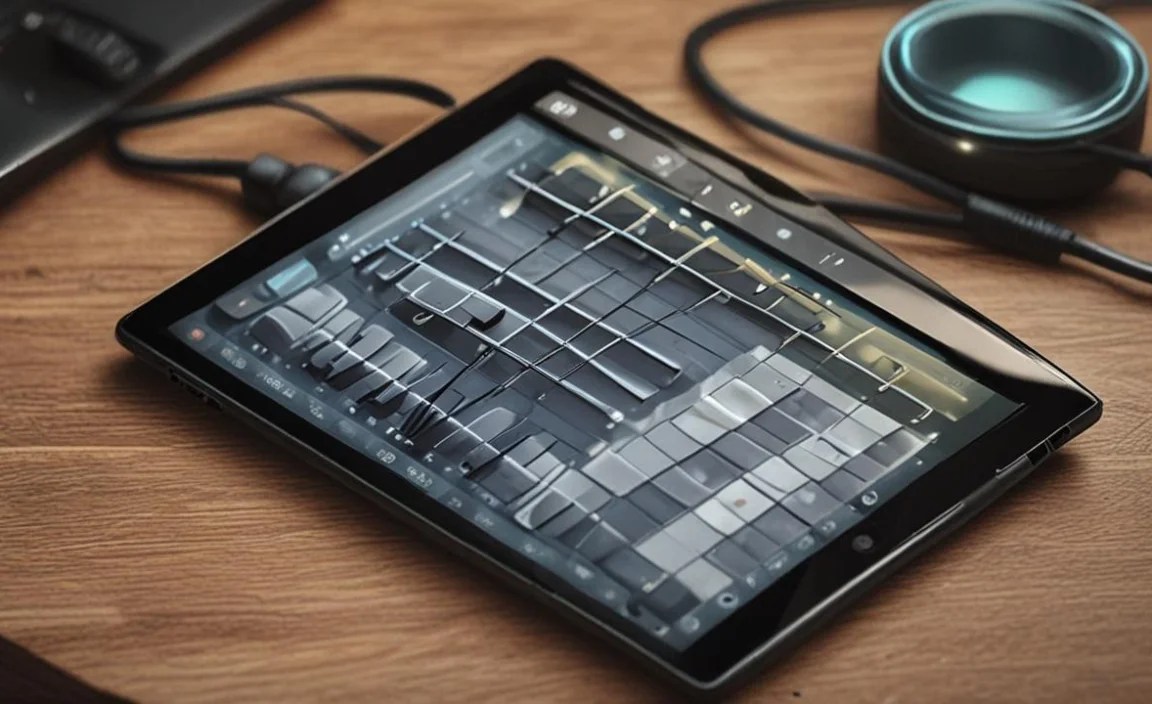
To truly turn your tablet into a music production powerhouse, invest in a few key accessories. These will expand its capabilities and make the workflow much smoother.
1. Stylus Pen
For precise control, drawing MIDI notes, or intricate editing, a stylus is invaluable.
- Apple iPads: Apple Pencil (2nd Gen) is the gold standard.
- Samsung Galaxy Tabs: The S Pen is often included and works brilliantly.
- Microsoft Surface Pro: Surface Pen offers great performance.
2. USB-C Hub or Adapter
Most modern tablets rely heavily on USB-C. A hub or adapter is essential for connecting multiple devices simultaneously, such as:
- Audio Interfaces: For plugging in microphones and instruments with better sound quality than built-in inputs.
- MIDI Controllers: To play virtual instruments.
- External Storage: For backing up projects or loading large sample libraries.
- Headphones/Speakers: If your tablet lacks a headphone jack or you need more output options.
Look for hubs with multiple USB-A ports, HDMI output, and SD card readers. Companies like Anker, UGREEN, and Belkin offer reliable options.
3. Portable MIDI Keyboard Controller
While on-screen keyboards are functional, a physical MIDI keyboard offers a much more expressive and tactile playing experience for composing melodies and harmonies. Small, USB-powered MIDI controllers are perfect for portability. Brands like Arturia, Akai, and Novation have excellent compact options (e.g., Arturia MiniLab).
4. External Audio Interface
If you plan to record vocals or instruments, an external audio interface is a must. They provide better preamps and converters than your tablet’s built-in components, leading to cleaner recordings. Focusrite (e.g., Scarlett 2i2), PreSonus, and Behringer offer popular, budget-friendly options that work with most tablets via USB. Ensure it’s class-compliant or has drivers compatible with your tablet’s OS.
5. Tablet Stand
A stand elevates your tablet to a more ergonomic viewing angle, making it easier to work for extended periods. It also frees up your hands for playing instruments or using controllers. Many portable and adjustable stands are available.
Software Considerations: Your Digital Audio Workstation (DAW)
The software you choose is as important as the hardware. Your Digital Audio Workstation (DAW) is where you’ll record, edit, mix, and master your music.
- iPadOS:
- Logic Pro for iPad: A professional, feature-rich DAW that’s now available for iPad, offering a workflow very similar to its macOS counterpart. (Learn more here).
- GarageBand: A fantastic, free starting point for beginners, offering a wide range of instruments and loops.
- Cubasis 3: A powerful mobile DAW with multi-track recording, editing, and mixing capabilities.
- Korg Gadget 2: A collection of synthesizers and drum machines with a streamlined workflow.
- Numerous synths, samplers, and effects plugins available from companies like Moog, Klevgränd, AudioKit, and Eventide.
- Android:
- BandLab: A free, cloud-based DAW with multi-track recording, mastering, and social features.
- Caustic 3: A popular choice for electronic music makers, with a unique approach to synthesizers and sequencers.
- n-Track Studio: A capable multi-track DAW that’s been around for a while.
- FL Studio Mobile: A popular mobile version of the desktop DAW, offering a solid set of features.
- While the Android ecosystem is growing, it’s still not as mature as iPadOS for professional music production apps, but it’s actively improving.
- Windows:
- Ableton Live: A favorite for electronic music producers, known for its session view and flexibility.
- FL Studio: Hugely popular for beatmaking and electronic music production, with a user-friendly interface.
- Pro Tools: Industry standard for recording and mixing in professional studios.
- Cubase: A long-standing, powerful DAW for all types of music production.
- Studio One Prime: A free, capable DAW from PreSonus to get you started.
Finding the Latest Proven Deals
The tech market is dynamic, and “latest proven deals” often means keeping an eye on sales events and retailer promotions. Here’s how to find them:
- Major Retailers:
- Amazon: Frequently has sales on iPads, Samsung tablets, and accessories. Use their “Deals” section and filter by electronics.
- Best Buy: A great source for Apple, Samsung, and Microsoft devices, often with student discounts or bundle offers.
- Walmart: Can offer surprisingly good deals on a wide range of tablets, especially during major sale holidays.
- Manufacturer Websites (Apple, Samsung, Microsoft, Lenovo): Keep an eye on their official sites for direct sales, refurbished options, or special bundles.
- Seasonal Sales:
- Black Friday & Cyber Monday: The biggest sale events of the year for electronics.
- Amazon Prime Day: A major mid-year sales event with significant discounts.
- Back-to-School Sales: Often feature tablet deals aimed at students.
- Holiday Sales: Look for deals around Christmas and other major holidays.

Your tech guru in Sand City, CA, bringing you the latest insights and tips exclusively on mobile tablets. Dive into the world of sleek devices and stay ahead in the tablet game with my expert guidance. Your go-to source for all things tablet-related – let’s elevate your tech experience!