Best Tablets for Music Production: Proven Reviews. Choosing the right tablet for music creation can be tricky. Our guide cuts through the noise, offering reliable reviews and expert tips. Find your perfect portable studio today!
Creating music on a tablet might sound like a futuristic dream, but it’s a reality for many musicians today. The power and portability of modern tablets mean you can compose, record, and mix your tracks from almost anywhere. But with so many options out there, how do you pick the one that won’t let you down when inspiration strikes? Don’t worry, we’re here to help you navigate the digital soundscape and find the ideal companion for your musical journey. We’ll break down what really matters and showcase some of the top contenders.
Why a Tablet for Music Production?

For years, traditional recording studios with bulky gear were the only way to make professional-sounding music. Now, the technology in your hands can rival much of that power. Tablets offer unique advantages for music producers:
Portability: Take your studio with you! From a couch session to a jam with friends, your music is always accessible.
Cost-Effectiveness: Compared to high-end computers and dedicated studio equipment, tablets are often more affordable, making music production accessible to more people.
Intuitive Interfaces: Many music production apps are designed with touchscreens in mind, making them easy to pick up and use, even for beginners.
Integration: Connect MIDI controllers, audio interfaces, and other accessories to expand your creative capabilities.
Key Features to Look For in a Music Production Tablet

When you’re looking for a tablet to power your musical ideas, a few key specifications really make a difference. Think of these as the essential ingredients for a smooth creative workflow:
Processing Power (CPU) and RAM
This is the engine behind your tablet. For music production, you’ll be running demanding apps and often multiple instruments and effects simultaneously.
CPU: A fast processor means your apps will run smoothly, without lag or crashing. Look for tablets with powerful chipsets like Apple’s A-series or Bionic chips, or Qualcomm’s Snapdragon processors. The more cores and higher clock speeds, the better.
RAM (Random Access Memory): This is like your tablet’s short-term memory. More RAM allows you to load more sounds, effects, and larger projects without slowing down. For serious music production, aim for at least 8GB of RAM, with 16GB or more being ideal for complex projects.
Storage Space (SSD)
Your music projects, sample libraries, and audio files take up space. Running out of storage can be a major roadblock.
Capacity: A minimum of 128GB is recommended, but 256GB or even 512GB are much better if your budget allows, especially if you plan to work with extensive sample libraries.
Type: While most tablets use flash storage, SSD (Solid State Drive) technology is faster and more reliable than older eMMC storage, leading to quicker load times for apps and projects.
Screen Size and Quality
You’ll be spending a lot of time looking at your screen while arranging tracks, tweaking knobs, and mixing.
Size: A larger screen (10 inches and up) generally offers more space to work with, making it easier to see and interact with your Digital Audio Workstation (DAW) interface and virtual instruments.
Resolution & Color Accuracy: A high-resolution display with good color accuracy ensures that text and waveforms are crisp and clear, and that you can accurately judge audio levels and effects.
Battery Life
If you’re composing on the go, you don’t want your tablet to die halfway through a creative session. Look for tablets that offer a full day of moderate use.
Connectivity (Ports)
This is crucial for connecting your various music gear.
USB-C: This is the modern standard and is versatile, allowing for charging, data transfer, and connection to external audio interfaces and accessories.
Headphone Jack: While becoming less common, a dedicated headphone jack can be convenient, though most modern setups will use USB-C or Bluetooth for audio output.
MicroSD Card Slot: Useful for expanding storage on some Android tablets, though less common on iPads.
Operating System and App Ecosystem
The software available for your tablet is as important as the hardware.
iOS (Apple iPads): Known for its excellent selection of high-quality music production apps like GarageBand, Logic Pro for iPad, Cubasis, and countless others. The ecosystem is generally very stable and optimized.
Android: Offers more hardware variety and often at more affordable price points. While the app selection is growing rapidly, it can sometimes be less consistent in quality and optimization compared to iOS for professional music production. Popular DAWs like Cubasis and FL Studio Mobile are available.
Windows: While technically possible, Windows tablets are less common for dedicated music production due to the typically higher cost and a slightly less streamlined touch experience compared to iOS or Android specifically for mobile DAWs. However, if you’re already invested in Windows software, a powerful Surface Pro might be an option.
Top Tablets for Music Production: Proven Reviews
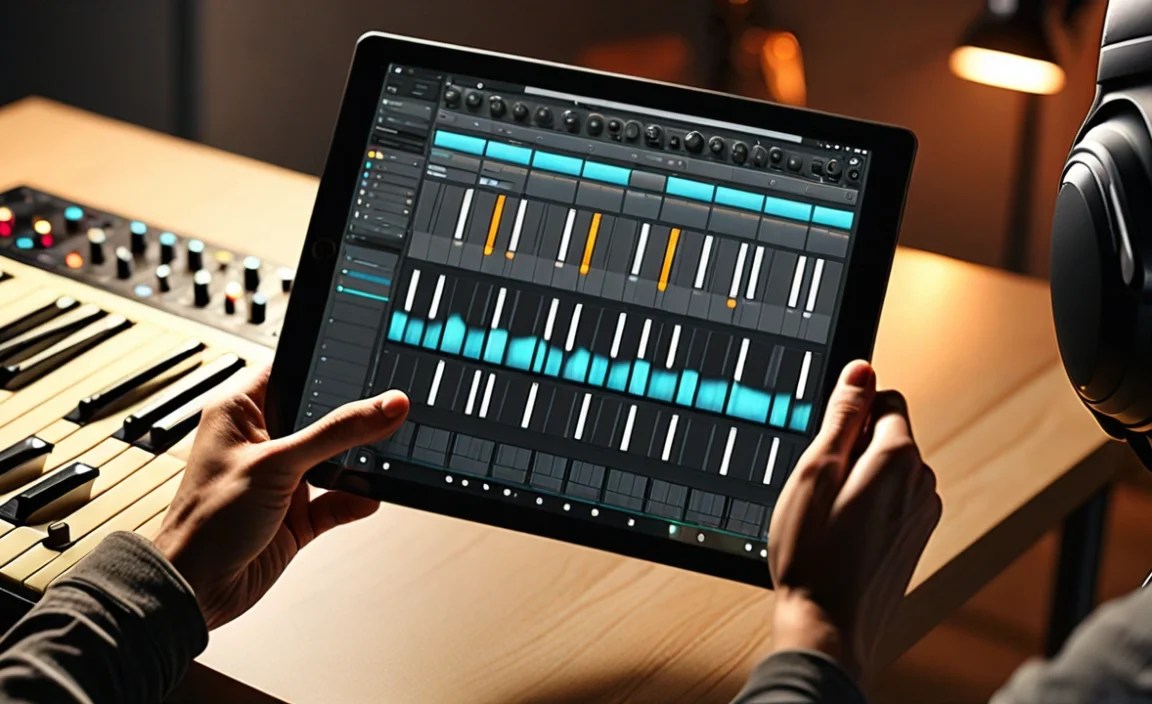
Based on performance, app availability, and user feedback, here are some of the best tablets currently available for music production.
1. Apple iPad Pro (M2/M4 Chip)
The iPad Pro has long been the go-to device for many creative professionals, and for good reason. It offers industry-leading performance, an incredible ecosystem of powerful music apps, and a beautiful display.
Processor: Apple’s M2 or the newer M4 chip delivers desktop-class performance, handling complex projects with ease.
RAM: Starts at 8GB but can go up to 16GB (or even more on newer models), ensuring smooth multitasking and handling of large sample libraries.
Storage: Available in configurations up to 2TB, providing ample space for all your projects and sounds.
Display: The Liquid Retina XDR display is stunning, offering incredible brightness and color accuracy, which is great for detailed waveform editing.
Connectivity: USB-C with Thunderbolt/USB 4 support allows for high-speed data transfer and connection to professional audio interfaces.
App Ecosystem: Unmatched. Access to robust DAWs like Logic Pro for iPad, GarageBand, Cubasis, Korg Gadget, and a vast array of unique synths and effects plugins.
Why it’s great for music production: The raw power of the M-series chips means you can run more tracks, more plugins, and larger virtual instruments without performance issues. Logic Pro for iPad is a game-changer, bringing a professional-grade DAW experience to a tablet.
External Link: Apple Official Website
| Feature | iPad Pro (M2/M4) | Notes |
| :—————— | :————— | :—————————————– |
| Processor | M2/M4 Chip | Extremely fast, desktop-like performance |
| RAM Options | 8GB – 16GB+ | Crucial for large projects |
| Storage Options | 128GB – 2TB | Essential for sample libraries and projects |
| Display | 11″ or 12.9″ | High resolution, excellent color accuracy |
| OS | iPadOS | Rich professional app ecosystem |
| Connectivity | USB-C (Thunderbolt) | Versatile for accessories and interfaces |
| Battery Life | ~10 hours | Good for portability |
2. Apple iPad Air (M1/M2 Chip)
If the iPad Pro is a bit out of your budget but you still want Apple’s powerful ecosystem, the iPad Air is an excellent middle-ground. It offers many of the same advantages for music creation at a more accessible price.
Processor: Equipped with Apple’s M1 or M2 chip, it provides strong performance that handles most music production tasks very well.
RAM: Typically 8GB, which is sufficient for many projects.
Storage: Available in 64GB, 256GB, and 512GB options. 256GB is a good starting point for music production.
Display: A vibrant 10.9-inch display that’s sharp and clear.
Connectivity: USB-C for versatile connections.
App Ecosystem: Access to the same fantastic iPadOS music app library as the iPad Pro.
Why it’s great for music production: It strikes a perfect balance between power, portability, and price. You get access to professional-level apps on a device that’s easier to carry around and more affordable than the Pro models.
External Link: Apple iPad Air Official Page
3. Samsung Galaxy Tab S9 Series (S9, S9+, S9 Ultra)
Samsung’s flagship tablets offer incredible versatility and power, especially for those who prefer the Android ecosystem. They boast high-end displays and robust performance.
Processor: Powered by Qualcomm’s Snapdragon 8 Gen 2 for Galaxy, this chip is a powerhouse designed for demanding tasks, including music production.
RAM: Available with 8GB, 12GB, or even 16GB of RAM on the Ultra model, allowing for smooth operation with multiple apps and complex projects.
Storage: Comes in 128GB, 256GB, 512GB, and 1TB options, often with microSD card support for further expansion.
Display: Stunning AMOLED displays (11″ to 14.6″) with high refresh rates and excellent color reproduction. The larger Ultra model offers maximum screen real estate.
Connectivity: USB-C ports are standard, supporting fast data transfer and accessory connections.
App Ecosystem: Access to Android’s growing library of DAWs and music apps like Cubasis, FL Studio Mobile, BandLab, and others. Samsung’s DeX mode can also provide a more desktop-like interface.
Why it’s great for music production: The powerful processors, ample RAM options, and gorgeous, large displays (especially on the Ultra) make it a joy to work with. The expandable storage is a significant plus for users with large sample libraries. The flexibility of Android and features like DeX add to its appeal.
External Link: Samsung Galaxy Tab S9 Official Page
| Feature | Samsung Galaxy Tab S9 Series | Notes |
| :—————— | :————————— | :———————————————— |
| Processor | Snapdragon 8 Gen 2 | High-end performance for Android |
| RAM Options | 8GB – 16GB | Good for multitasking and large projects |
| Storage Options | 128GB – 1TB + microSD | Expandable storage is a huge benefit |
| Display | 11″ – 14.6″ AMOLED | Vibrant, high-resolution, great for detail work |
| OS | Android | Growing app ecosystem, DeX mode offers flexibility |
| Connectivity | USB-C | Standard for modern accessories |
| Battery Life | Varies (~8-10 hours) | Decent, depends on model and usage |
4. Microsoft Surface Pro 9
While leaning more towards a traditional laptop experience, the Surface Pro 9 is a powerful 2-in-1 device that can serve as a music production tablet, especially for those already in the Windows ecosystem.
Processor: Features Intel Core i5 or i7 processors for robust performance, capable of running full desktop DAWs.
RAM: Available with 8GB, 16GB, or 32GB RAM, offering excellent capacity for demanding applications.
Storage: Options range from 128GB to 1TB SSD.
Display: A 13-inch PixelSense display with a 120Hz refresh rate offers a smooth visual experience.
Connectivity: USB-C (Thunderbolt 4) ports are standard, along with a Surface Connect port and headphone jack.
OS: Runs full Windows 11, meaning you can install virtually any desktop DAW (Ableton Live, FL Studio, Cubase, Pro Tools, etc.).
Why it’s great for music production: The biggest advantage is the ability to run full desktop versions of DAWs. Combined with the excellent touch screen and stylus support, it offers a hybrid experience that can bridge the gap between mobile convenience and professional desktop power.
External Link: Microsoft Surface Pro 9 Official Page
5. Lenovo Tab P12 Pro
For Android users on a slightly tighter budget who still need a large screen and capable performance, the Lenovo Tab P12 Pro is a compelling option.
Processor: Powered by a Qualcomm Snapdragon 870 chipset, it offers good performance for its price point, handling many music production tasks effectively.
RAM: Typically comes with 6GB or 8GB RAM, which is decent for moderate music projects.
Storage: Usually offered with 128GB or 256GB of internal storage, often expandable via microSD.
Display: A large 12.6-inch AMOLED display with a 120Hz refresh rate provides a vibrant and responsive surface.
Connectivity: USB-C port for accessories and charging.
App Ecosystem: Access to the Android app store, including mobile DAWs and music creation tools.
Why it’s great for music production: It offers a large, high-quality display and solid performance at a more competitive price than top-tier flagships. It’s a great entry point for aspiring producers who want a spacious canvas for their work.
Getting Started with Tablet Music Production

Once you’ve chosen your tablet, here’s a simple roadmap to start making music:
1. Choose Your Digital Audio Workstation (DAW) App
This is the central software where you’ll compose, record, edit, and mix your songs.
For iPadOS:
GarageBand (Free): An excellent starting point. It’s powerful, intuitive, and comes with a huge library of virtual instruments and loops.
Logic Pro for iPad ($49/year subscription): The professional-grade evolution of GarageBand, offering advanced mixing, effects, and instrument capabilities.
Cubasis 3 ($49.99 – one-time purchase): A highly capable mobile DAW with multi-track recording, editing, and mixing features.
Korg Gadget ($39.99 – one-time purchase): A collection of virtual synthesizers and drum machines that’s incredibly fun and inspiring to use.
For Android:
FL Studio Mobile ($14.99 – one-time purchase): A professional mobile DAW with a familiar interface for FL Studio users.
Cubasis 3 ($49.99 – one-time purchase): Also available on Android, offering a similar robust experience.
BandLab (Free): A popular, free online DAW and social music platform that’s great for collaboration and simple productions.
Caustic 3 ($9.99 – one-time purchase): A unique and powerful option with a focus on synthesizers and sequencers.
2. Consider Audio Interfaces and MIDI Controllers
Audio Interface: If you plan to record external instruments (guitars, vocals, keyboards) or need higher audio quality than the tablet’s built-in speakers/headphone output, an audio interface is essential. Look for compact USB-C interfaces that are bus-powered or have their own power source. Popular brands include Focusrite, PreSonus, and iConnectivity.
MIDI Controller: To play virtual instruments more expressively, a MIDI controller is recommended. This can range from small 25-key keyboard controllers to larger setups with pads and faders. Many are bus-powered and connect via USB.
3. Explore Virtual Instruments and Effects
Beyond what comes with your DAW, there’s a universe of virtual synths, samplers, drum machines, and effects plugins available for tablets. Many are designed to be touch-friendly and sound incredible.
Popular Apps: Moog apps (Animoog, Model 15), Arturia apps (iSEM, iMini), Native Instruments apps (iMaschine 2), Klevgrand, AudioKit.
In-App Purchases & Subscriptions: Be aware that many apps offer additional sounds, instruments, or features through in-app purchases or subscriptions.
4. Learn and Experiment!
The best way to master tablet music production is to dive in and start creating. Watch tutorials, read forums, and just play around with different sounds and ideas. Don’t be afraid to experiment!
Tablet vs. Laptop for Music Production
It’s a common question for aspiring producers: should I go with a tablet or a laptop? Both have their strengths.
Tablet Advantages:
Portability & Form Factor: Ultimate grab-and-go creation.
Touch Interface: Highly intuitive for many musical tasks.
App Ecosystem: Optimized mobile apps often offer unique creative workflows.
Cost: Often more affordable for a comparable level of performance in the mobile space.
**Laptop

Your tech guru in Sand City, CA, bringing you the latest insights and tips exclusively on mobile tablets. Dive into the world of sleek devices and stay ahead in the tablet game with my expert guidance. Your go-to source for all things tablet-related – let’s elevate your tech experience!