For stunning photo edits on the go, the best tablets for photo editing offer powerful processors, brilliant displays, and stylus support. Discover top picks and essential deals to elevate your creative workflow without breaking the bank.
Ever dreamed of editing your photos like a pro, right from your couch or a cozy cafe? It sounds amazing, doesn’t it? But then you start looking at tablets, and suddenly, you’re flooded with technical specs. What screen technology is best? How much processing power do you really need? It can feel overwhelming, especially when you want clear, vibrant edits.
Don’t worry, I’m here to help. Picking the right tool for your creative passion shouldn’t be a headache. We’ll break down exactly what makes a tablet great for photo editing and point you towards some fantastic options with deals you won’t want to miss. Get ready to transform your photos with confidence!
Why Tablets Are Great For Photo Editing

Tablets have rapidly become a go-to device for many creative tasks, and photo editing is no exception. Their portable nature combined with increasingly powerful hardware makes them incredibly versatile.
Think about it: you can sketch out ideas, mark up images directly, or even perform complex edits wherever inspiration strikes. Unlike a traditional laptop, a tablet’s touchscreen interface feels more intuitive for many editing tasks, especially when paired with a stylus. This hands-on approach can lead to more precise adjustments and a more enjoyable editing experience.
Here’s why a tablet might be your next best editing companion:
- Portability: Edit photos on a plane, in a park, or at your favorite coffee shop.
- Touchscreen & Stylus Input: Offers a more natural and precise way to make adjustments than a mouse or trackpad.
- Dedicated Apps: Access powerful editing software optimized for mobile platforms, often with unique features.
- Instant Sharing: Easily share your edited masterpieces directly from your device to social media or cloud storage.
Key Features to Look For in a Photo Editing Tablet

When you’re hunting for the perfect tablet for your photo editing needs, a few key features will make the biggest difference. Let’s break down what really matters, without getting lost in the technical jargon.
Display Quality is King
This is arguably the MOST important aspect. Your photos will only look as good as the screen you’re editing them on.
- Resolution: Aim for at least Full HD (1920 x 1080 pixels). Higher resolutions (like 2K or 4K) offer sharper details, which is crucial for spotting imperfections and making fine edits.
- Color Accuracy: Look for tablets that cover a high percentage of color gamuts like sRGB or DCI-P3. This ensures the colors you see on screen are true to life, so your prints or online images look as intended. A Delta E value below 2 is considered excellent for color accuracy.
- Brightness & Contrast: A bright screen (measured in nits) is essential for working in well-lit environments. Good contrast ratios make details pop and provide deeper blacks.
- Screen Type: OLED or AMOLED displays offer phenomenal contrast and vibrant colors, while high-quality IPS LCD panels are also excellent and often more budget-friendly.
Processing Power & RAM
Editing software, especially with large image files, can be demanding. You’ll want a tablet that can keep up.
- Processor (CPU): Look for a tablet with a powerful, modern processor. For example, Apple’s M-series chips (M1, M2, M3) in iPads or Qualcomm’s Snapdragon 8 Gen series in Android tablets are top-tier. Even mid-range chips from recent generations can handle many tasks.
- RAM (Memory): More RAM means your tablet can handle more tasks simultaneously and work with larger files without slowing down. For serious photo editing, aim for at least 8GB of RAM. 16GB or more is ideal for demanding workflows.
Storage Space
Raw photos, especially from professional cameras, can take up a lot of space.
- Internal Storage: Choose a tablet with at least 128GB of storage, but 256GB or 512GB is highly recommended if you plan to store many photos and apps directly on the device.
- Expandable Storage: Some Android tablets offer microSD card slots, which can be a cost-effective way to add more storage for your photo library. iPads do not have this option.
Stylus Support
For precise editing, a stylus is a game-changer.
- Pressure Sensitivity: This allows you to vary the thickness or opacity of your brush strokes based on how hard you press, mimicking traditional art tools.
- Low Latency: A stylus with minimal lag between your pen stroke and what appears on screen makes for a much more fluid and natural experience.
- Ergonomics: Ensure the stylus is comfortable to hold for extended periods.
Operating System and Software Availability
The operating system determines the apps you can use.
- iPadOS (Apple): Offers robust apps like Procreate, Adobe Photoshop, Affinity Photo, and Lightroom. Known for its intuitive interface and strong app ecosystem.
- Android (Google): Features apps like Adobe Lightroom, Snapseed, Picsart, and Krita. Android tablets offer more hardware variety and customization.
- Windows (Microsoft): Devices like the Surface Pro run full desktop Windows, giving access to desktop-grade software like Adobe Photoshop, Lightroom Classic, and Affinity Photo. This offers the most power but can be less “tablet-like” in its interface.
Our Top Picks: Best Tablets For Photo Editing & Essential Deals

Finding the perfect balance of performance, display quality, and price can be tough. Based on our research and what creatives are raving about, here are some of the best tablets currently available for photo editing, with an eye on value and essential deals.
1. Apple iPad Pro (M2 or M3 chip)
The iPad Pro remains the king of the tablet world for creatives, and for good reason. Its Liquid Retina XDR (mini-LED) or Ultra Retina XDR (Tandem OLED) display is astonishingly good for color accuracy and brightness. Paired with the powerful M-series chips, it handles demanding apps like Procreate, Affinity Photo, and Adobe Photoshop with absolute ease.
Why it’s great for photo editing:
- Stunning display with incredible color accuracy and brightness.
- Blazing-fast M-series chips for smooth performance.
- Excellent app selection (Procreate, Affinity Photo, Adobe Suite).
- Seamless integration with the Apple Pencil (2nd Gen or Apple Pencil Pro), offering superb pressure and tilt sensitivity.
- Available in 11-inch and 12.9/13-inch sizes to suit your preference.
Look for deals on: The M2 models are still incredibly capable and can often be found at a discount as newer M3 models roll out. Refurbished iPads from Apple’s official store are also a fantastic way to save money without compromising on quality. For current pricing and deals, check retailers like Amazon, Best Buy, and Apple’s own website.
2. Apple iPad Air (M2 chip)
The iPad Air strikes an excellent balance between the Pro model’s power and a more accessible price point. It often inherits the Pro’s chips a generation behind, along with Apple Pencil support. The display is a Liquid Retina (IPS LCD), which is still excellent for most photo editing tasks.
Why it’s great for photo editing:
- Powerful M2 chip provides ample performance for most editing tasks.
- Vibrant and color-accurate Liquid Retina display.
- Supports Apple Pencil (2nd Gen), offering a precise drawing and editing experience.
- More affordable than the iPad Pro, making it a great value.
- Available in 11-inch and 13-inch sizes.
Look for deals on: Newer models often see sales around major holidays. Previous generation M1 Air models are also still very capable and can offer significant savings if you find them discounted.
3. Samsung Galaxy Tab S Series (e.g., Tab S9, S9 FE)
Samsung’s flagship Galaxy Tab S series often competes directly with the iPad Pro. These tablets boast gorgeous AMOLED displays known for their deep blacks and vibrant colors. They come with the S Pen stylus included right in the box, which is a fantastic value proposition. The performance is top-notch, rivaling iPads for many tasks.
Why it’s great for photo editing:
- Stunning AMOLED displays with excellent color reproduction.
- Powerful processors capable of handling demanding apps.
- S Pen is included and offers great precision and low latency.
- Use powerful Android editing apps like Adobe Lightroom, Photoshop Express, and Snapseed.
- Many models support microSD card expansion for extra storage.
Look for deals on: Samsung frequently offers trade-in deals and bundles (like free earbuds) when new models launch. The “FE” (Fan Edition) models offer a slightly scaled-back feature set at a more affordable price point, often presenting excellent value. Keep an eye on Samsung’s official store, Amazon, and major electronics retailers.
4. Microsoft Surface Pro (Latest Model with Intel Core i5/i7 or ARM chip)
If you want the full power of desktop editing software in a tablet form factor, the Surface Pro is your champion. It runs Windows, meaning you can install the exact same versions of Adobe Photoshop, Lightroom Classic, Capture One, or Affinity Photo that you would on a laptop. The larger screen sizes and optional Surface Pen are geared towards professional use.
Why it’s great for photo editing:
- Runs full desktop Windows, giving access to professional editing software.
- Excellent high-resolution PixelSense displays with good color accuracy.
- Type Cover and Surface Pen (often sold separately) provide a laptop-like or drawing-tablet experience.
- Flexible usage: use as a tablet or attach the keyboard cover to function as a laptop.
Look for deals on: Microsoft often has sales on its website, and retailers like Best Buy and Amazon frequently discount Surface devices, especially during back-to-school or holiday seasons. Consider previous-generation models if budget is a concern; they often provide immense value. For photo editing, prioritize models with at least an Intel Core i5 processor and 8GB of RAM, but an i7 and 16GB are ideal.
5. Google Pixel Tablet
The Google Pixel Tablet is an interesting contender, particularly for those already invested in the Google ecosystem. While not as powerful as the iPad Pro or Samsung’s flagship, it offers a very capable Android experience with a good display and solid performance for everyday editing tasks. Its unique selling point is the included charging speaker dock, which turns it into a smart display when not in use.
Why it’s great for photo editing:
- Good quality LCD display with decent color reproduction for the price.
- Smooth Android experience powered by Google’s Tensor G2 chip.
- Works well with essential Android editing apps.
- Included charging speaker dock is a bonus for media consumption or use as a smart home hub.
- More affordable than high-end competitors.
Look for deals on: As a newer device, deals might be less frequent but look out for bundles or seasonal sales from Google Store, Amazon, and electronics retailers. This tablet is best suited for casual to moderate photo editing, especially if you value its smart display capabilities.
Essential Photo Editing Apps for Tablets
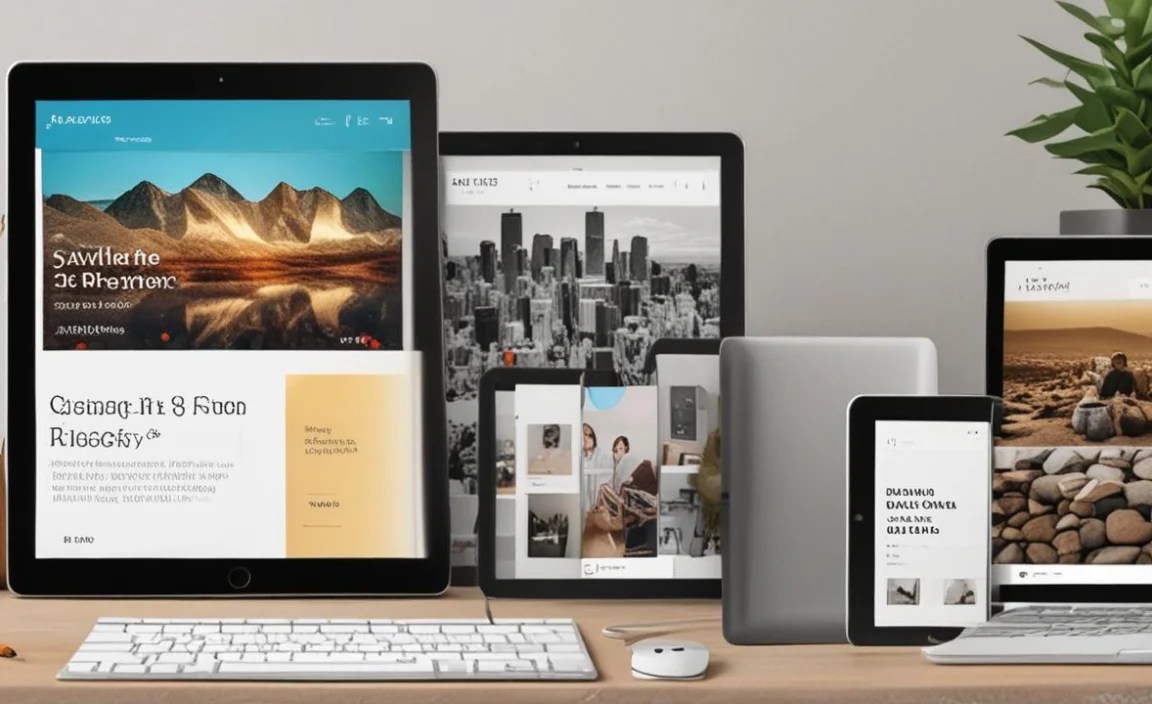
No matter which tablet you choose, the software you use is crucial. Here are some of the best apps available for photo editing on tablets:
For iPadOS:
- Adobe Photoshop: The industry standard, now optimized for iPad with many of its desktop features. Requires a Creative Cloud subscription.
- Adobe Lightroom: Fantastic for organizing, editing, and syncing photos across devices. A subscription is needed for full features.
- Procreate: Primarily a drawing and painting app, but incredibly powerful for photo manipulation and digital art, especially with its extensive brush engine. A one-time purchase.
- Affinity Photo: A professional-grade photo editor with a one-time purchase price, offering powerful tools without a subscription.
- Pixelmator Photo: A dedicated photo editing app known for its machine learning features and intuitive interface. One-time purchase.
For Android:
- Adobe Lightroom: (As above) Excellent mobile version for editing and organization.
- Adobe Photoshop Express / Lightroom Mobile: Simpler, often free or freemium versions of Adobe’s powerful tools.
- Snapseed: A completely free and surprisingly powerful photo editor from Google, offering selective adjustments, healing tools, and more.
- Picsart: A popular all-in-one creative platform with editing, collages, and drawing tools. Freemium model.
- Krita: A free and open-source digital painting application, also capable of photo manipulation.
For Windows:
- Adobe Photoshop CC: The full desktop version for unlimited power.
- Adobe Lightroom Classic CC: The classic desktop workflow, perfect for photographers.
- Affinity Photo: Desktop-grade, one-time purchase professional photo editor.
- Capture One Pro: A professional-grade raw editor and photo organizing software.
Tips for Getting the Best Photo Editing Experience on a Tablet

Once you have your tablet, a few tricks can help you get the most out of it for photo editing.
- Calibrate Your Display (If Possible): While many tablets have excellent factory calibration, for critical work, consider if your tablet or app ecosystem allows for external calibration. For iPads, tools like the Calibrite ColorChecker Display Pro paired with compatible software can help. Android and Windows tablets might have more varied options depending on the manufacturer.
- Use a Stylus for Precision: Even if you have a good touchscreen, a stylus unlocked a new level of control for detailed edits, masking, and retouching.
- Optimize Your Workflow: Learn the shortcuts and gestures of your chosen editing app. Grouping similar edits together can save time.
- Manage Storage Wisely: Regularly back up your edited photos and originals to cloud storage (like Google Drive, Dropbox, iCloud) or an external hard drive to free up space on your tablet.
- Invest in a Screen Protector: A matte screen protector can reduce glare and provide a surface texture that feels more like paper when using a stylus, enhancing the drawing/editing experience.
- Work in a Well-Lit Area: While bright screens help, avoiding direct glare on your screen will always lead to more accurate color perception.
Tablet Deals: Where to Find the Best Prices
Securing a great deal can make your dream photo editing tablet a reality. Here’s where to keep an eye out for savings:
- Manufacturer Websites: Apple, Samsung, and Microsoft all run sales directly on their sites, often featuring student discounts, trade-in offers, or bundles.
- Major Retailers: Amazon, Best Buy, Walmart, and Target are your go-to for competitive pricing. They often have holiday sales (Black Friday, Cyber Monday, Prime Day) and regular promotions.
- Refurbished Stores: Apple’s Certified Refurbished store is excellent for iPads, offering a great discount with a full warranty. Samsung and Microsoft also offer refurbished units.
- Price Comparison Sites: Use tools like Google Shopping or dedicated deal alert websites to track prices across multiple retailers.
- Deal Forums and Communities: Websites like Reddit (e.g., r/buildapcsales, r/tabletdeals) often have users sharing legitimate deals as they find them.
Pro Tip: Don’t be afraid of “previous generation” models. Often, an iPad Air from two years ago or a Galaxy Tab S8 offers more than enough power for most photo editing needs and can be found at a significantly lower price point.
Frequently Asked Questions (FAQ)
Q1: Do I really need a high-end tablet for photo editing?
For casual editing, a mid-range tablet with a decent screen and processor is often sufficient. However, for professional work, editing large RAW files, or using complex software, a higher-end tablet with a superior display and more power (like an iPad Pro, Galaxy Tab S, or Surface Pro) will provide a much smoother and more accurate experience.
Q2: What’s the difference between editing on an iPad vs. an Android tablet vs. a Windows tablet?
iPads (iPadOS) offer a streamlined, user-friendly experience with top-tier creative apps like Procreate. Android tablets provide more hardware variety and customization, with excellent apps like Lightroom and Snapseed. Windows tablets (like Surface Pro) offer the full power of desktop software, making them ideal for those who need to run professional applications identical to what they use on a PC.

Your tech guru in Sand City, CA, bringing you the latest insights and tips exclusively on mobile tablets. Dive into the world of sleek devices and stay ahead in the tablet game with my expert guidance. Your go-to source for all things tablet-related – let’s elevate your tech experience!