Looking for the best tablets for retro gaming? For an awesome nostalgic experience, consider tablets with strong processors for smooth emulation, bright displays for vibrant graphics, and good battery life. Options range from budget-friendly Android tablets to more powerful iPads, all capable of running your favorite classic games with the right apps.
Remember the joy of those classic video games? Blowing into cartridges, colorful pixel art, and those unforgettable soundtracks. If you’re nodding along, you might be feeling the pull to relive those golden gaming days. But how do you do that on modern devices? The good news is, with today’s technology, you can carry a whole library of retro games right in your pocket.
Finding the right tablet for retro gaming can feel a bit overwhelming with all the tech specs and options out there. Don’t worry, though! We’re here to guide you through it. We’ll break down what you need to look for and highlight some fantastic tablets that will bring those beloved classics back to life.
This guide will help you understand the key features to consider and even share some top picks to get your retro gaming adventure started. Prepare to dust off those memories and dive back into the fun!
Why Choose a Tablet for Retro Gaming?

Tablets offer a fantastic blend of portability, screen size, and versatility that makes them perfect for diving into retro gaming. Unlike your old console or PC, a tablet is designed to be picked up and used anywhere. Plus, the screens are generally larger and more vibrant than what you might have played on originally, making those classic graphics pop.
Emulation – the process of using software to mimic old hardware – has become incredibly sophisticated. Modern tablets have the processing power to run emulators for systems like the NES, SNES, Genesis, PlayStation 1, and even the Nintendo 64 with surprising accuracy. This means you can have dozens, even hundreds, of classic games running on a single device.
Furthermore, tablets are incredibly accessible. If you already own one for other tasks, you might not need to buy a new device. With a few well-chosen apps and perhaps a controller, you can transform your everyday tablet into a powerful retro gaming machine. It’s a cost-effective and convenient way to enjoy gaming history.
What Makes a Tablet Great for Retro Gaming?

When you’re on the hunt for the best tablet for retro gaming, focusing on a few key specifications will make a world of difference. It’s not just about having a big screen; the internal power and how you interact with it are crucial for a smooth and enjoyable experience.
1. Processing Power (CPU & GPU)
This is arguably the most important factor. Retro games, especially those from 16-bit and 32-bit eras, require a decent amount of processing power to run an emulator accurately and without lag. A weak processor will lead to stuttering, choppy audio, and a frustrating gaming experience. Look for tablets with modern chipsets. For Android, this often means Qualcomm Snapdragon (e.g., Snapdragon 600 series and above for good performance, 800 series for excellent performance), or MediaTek Dimensity processors. For iPads, newer A-series chips are always a safe bet.
2. RAM (Random Access Memory)
More RAM helps your tablet juggle multiple tasks, including running emulators and the operating system simultaneously. For a smooth retro gaming experience, aim for at least 4GB of RAM. 6GB or 8GB will provide an even smoother experience and better future-proofing, allowing you to run more demanding emulators or multitasking without slowdowns.
3. Display Quality (Resolution & Brightness)
A good display makes retro graphics shine. Look for a screen with a decent resolution (at least 1080p for most tablets) so that pixels don’t look overly jagged. Brightness is also important, especially if you plan to game outdoors or in well-lit rooms. Vibrant colors will bring those classic sprites back to life.
4. Storage Space (Internal & Expandable)
Retro games themselves are typically small, but emulators, ROMs (the game files), save states, and other gaming-related apps can add up. Aim for at least 64GB of internal storage, but 128GB or more is ideal. If you choose an Android tablet, expandable storage via a microSD card is a huge plus, allowing you to easily add more space for your game library.
5. Battery Life
Gaming is a power-hungry activity. You’ll want a tablet that can last for several hours of continuous gameplay without needing to be plugged in. Look at manufacturer claims for video playback or general usage and understand that gaming will likely drain the battery faster. Check reviews to see real-world battery performance during demanding tasks.
6. Controls: Touchscreen vs. External Controller
While touch controls are convenient, they aren’t ideal for many retro games, especially those requiring precise inputs like fighting games or platformers. Tablets are excellent for use with external Bluetooth controllers. Look for a tablet with good Bluetooth connectivity. Many retro gamers prefer a physical gamepad for the most authentic and accurate experience.
7. Operating System & App Availability
Both Android and iOS (iPadOS) offer excellent emulation options. Android traditionally has a wider variety of free and highly customizable emulators available directly from the Google Play Store or via sideloading. iPadOS has a strong selection of emulators, though some may require purchasing from the App Store or using more advanced methods like AltStore. For ease of access to a vast range of emulators, Android often has a slight edge for beginners, but iPads offer a very polished experience.
Top Tablets for Retro Gaming Recommendations

With the essential features in mind, let’s look at some specific tablets that stand out for retro gaming. These recommendations aim to cover different budgets and user preferences.
Best Overall: Apple iPad Air (M1)
The iPad Air (M1) offers a fantastic blend of power, display quality, and a smooth user experience that makes it a top-tier choice for retro gaming. Its M1 chip provides more than enough horsepower for even demanding emulators, and iPadOS is remarkably capable.
- Pros: Powerful M1 chip, excellent Liquid Retina display, great build quality, long battery life, wide range of emulation apps (some purchased, some via AltStore), strong resale value.
- Cons: Higher price point, storage is not expandable, emulation setup can be slightly more complex than on Android for some apps.
The iPad Air’s vibrant display and powerful processor mean you can emulate systems up to the PlayStation 1 and beyond with ease. Adding a good Bluetooth controller, like an 8BitDo SN30 Pro 2, turns it into a pocket-sized powerhouse.
Best Android Tablet: Samsung Galaxy Tab S9 FE
Samsung’s “Fan Edition” tabs often strike a great balance between premium features and a more accessible price. The Galaxy Tab S9 FE comes with a capable processor, a good display, and the flexibility of Android.
- Pros: Good performance for the price, excellent Super AMOLED display, expandable storage via microSD, S Pen included for other uses, solid battery life, open Android ecosystem.
- Cons: Not the absolute top-tier performance compared to flagship models, One UI can be a bit cluttered for some.
The flexibility of Android means you can easily install a wide variety of emulators from the Google Play Store. The expandable storage is a massive bonus, letting you load up on ROMs without worry. This is a fantastic all-around tablet that excels at retro gaming.
Best Budget Android Tablet: Lenovo Tab P11 (Gen 2)
If you’re looking for a capable retro gaming tablet without breaking the bank, the Lenovo Tab P11 (Gen 2) is a strong contender. It offers a good balance of performance, display, and affordability.
- Pros: Very affordable, decent performance for its price point, good display for media and gaming, expandable storage, long battery life.
- Cons: Processor is not flagship-level (fine for most retro, but might struggle with N64/Dreamcast), build quality is good but not premium.
This tablet is perfect for emulating 8-bit and 16-bit consoles. The large screen and good battery life mean you can enjoy long gaming sessions. It’s a smart choice for beginners who want to dip their toes into retro gaming on a tablet.
Best Premium Android Tablet: Google Pixel Tablet
Google’s own tablet offers a clean Android experience, a powerful Tensor G2 chip, and a beautiful display. It excels at multitasking and media consumption, and its robust hardware makes it an excellent candidate for emulation.
- Pros: Powerful Tensor G2 chip, excellent display quality, clean Android software, great speaker system, comes with a charging speaker dock for smart display functionality.
- Cons: Storage is not expandable, dock is great but adds to the overall cost, not as gaming-focused as dedicated devices.
The Pixel Tablet provides a premium Android experience with enough power to handle a wide range of emulators smoothly. Its vibrant screen and impressive sound make for an immersive retro gaming session, whether you’re playing with touch controls or a gamepad.
Best Small Tablet: iPad Mini (6th Gen)
For those who prefer a more compact form factor, the iPad Mini is an exceptional choice. It packs a powerful A15 Bionic chip into a small package, making it incredibly portable and capable for emulation.
- Pros: Extremely portable, powerful A15 Bionic chip, excellent Liquid Retina display, good battery life for its size, supports Apple Pencil (2nd Gen).
- Cons: Small screen size can be a drawback for some games or extended play, storage is not expandable, premium price.
The iPad Mini is like a modern Game Boy Advance, but with access to an entire universe of classic games. Its compact size makes it perfect for gaming on the go, and the powerful chip ensures smooth performance across many emulated systems.
Setting Up Your Retro Gaming Tablet: A Beginner’s Guide

You’ve picked out your tablet; now it’s time to experience the magic! Setting up your retro gaming haven is easier than you might think. We’ll walk you through the essential steps to get your favorite classic games up and running.
Step 1: Choose Your Emulators
Emulators are software that pretend to be old game consoles. Different emulators specialize in different systems. For example, you might find one emulator for NES games and another for PlayStation 1 games.
Popular Emulators by System (Examples):
<ul.
- NES/Famicom: Nestopia, FCEUX (both often integrated into multi-system emulators)
- SNES/Super Famicom: Snes9x EX, RetroArch (with Snes9x core)
- Sega Genesis/Mega Drive: Genesis Plus GX (often integrated into multi-system emulators), Kega Fusion.
- Game Boy/Game Boy Color/Game Boy Advance: mGBA, VBA-M (Virtual Boy Advance).
- Nintendo 64: Mupen64Plus FZ, RetroArch (with Mupen64Plus core).
- PlayStation 1: FPse, DuckStation, ePSXe.
Where to Find Them:
- Android: Google Play Store. Many excellent emulators are available here. You can also explore “sideloading” (installing apps from outside the Play Store via downloaded APK files) for even more options, but stick to reputable sources like APKMirror.com for safety.
- iPadOS: The App Store has some emulators, but for a wider selection and homebrew options, you might need to use AltStore. This is a third-party app installer that requires a bit more setup but opens up many possibilities.
Step 2: Obtain Game ROMs
ROMs are digital copies of game cartridges. It’s crucial to understand the legalities surrounding ROMs. In most jurisdictions, you are only legally allowed to download ROMs for games that you already own. Downloading ROMs for games you don’t own can be considered copyright infringement. Many retro gamers use ROMs from their personal cartridge collections.
Important Note: Be extremely cautious about where you download ROMs from. Many websites offer ROMs, but some can be unreliable or even contain malware. Stick to well-known retro gaming archives or communities that are known for providing safe files.
Step 3: Install and Configure Emulators
Once you’ve found and downloaded your chosen emulators:
- On Android: Open the Google Play Store, search for the emulator (e.g., “Snes9x EX”), tap “Install.” After installation, open the emulator. You’ll typically be prompted to locate your ROM files. Navigate to the folder where you saved your ROMs.
- On iPadOS with AltStore: This involves a more involved process. You’ll need to install AltServer on your computer, connect your iPad, and then install AltStore. From AltStore on your iPad, you can then search for and install compatible emulator apps. Detailed guides can be found on the AltStore website.
Step 4: Map Your Controls
If you’re using a Bluetooth controller (highly recommended!), you’ll need to “map” the buttons. This tells the emulator which button on your controller corresponds to the actions in the game (e.g., A, B, Start, D-pad directions).
- Most emulators will have a “Controls” or “Input” menu.
- When prompted, press the corresponding button on your controller for each action the emulator asks for.
- Save your controller configuration.
Some emulators allow you to save different control profiles for different games or systems, which is very handy.
Step 5: Enjoy!
With emulators installed, ROMs loaded, and controls configured, you’re ready to play! Load up your favorite game and relive the classics. Many emulators also offer features like save states (allowing you to save your game progress at any point), fast-forward, and video filters to re-create old CRT screen effects.
Tips for an Optimal Retro Gaming Experience
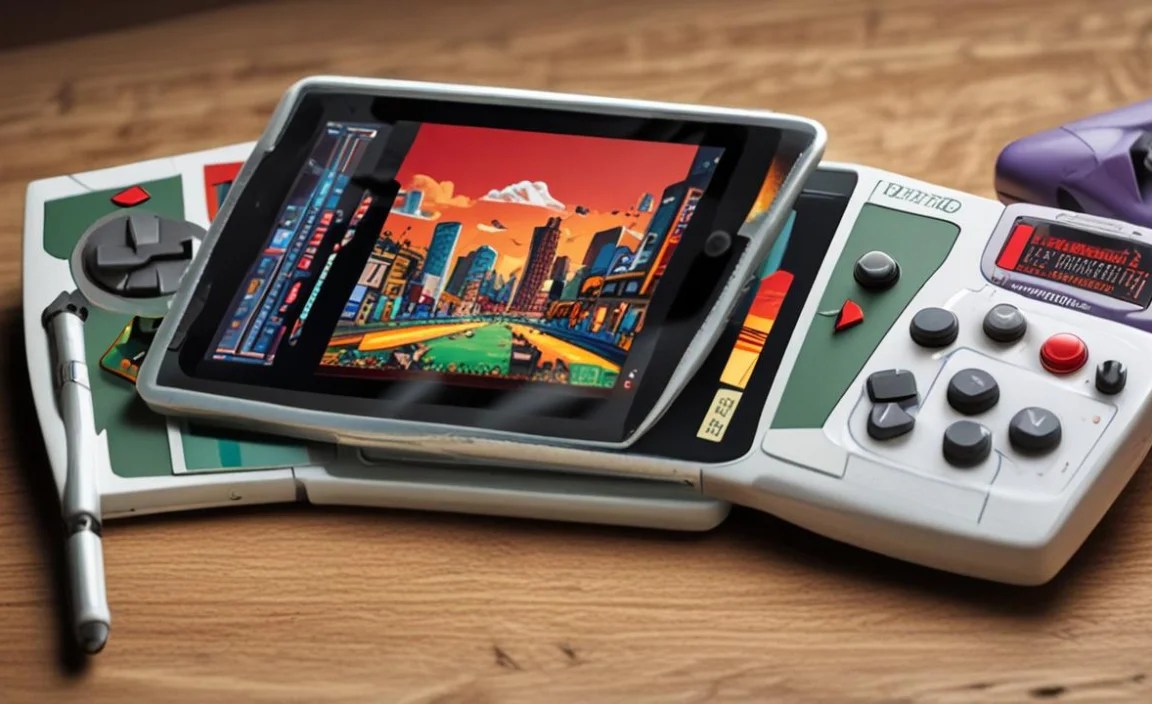
Beyond the hardware and software setup, a few extra touches can significantly enhance your retro gaming sessions on a tablet.
1. Invest in a Good Bluetooth Controller
Seriously, this is a game-changer. While touch controls have improved, nothing beats the tactile feel and precision of a physical gamepad for most retro titles. Popular choices include:
- 8BitDo Controllers: Known for their excellent build quality and compatibility with multiple platforms (Switch, PC, Android, Raspberry Pi). Models like the SN30 Pro 2 or Pro+ are fantastic for retro gaming.
- PlayStation DualShock/DualSense or Xbox Wireless Controllers: If you already own one, these connect seamlessly via Bluetooth to most modern tablets and offer a premium feel.
2. Use a Tablet Stand and/or Grip
Holding a tablet for extended gaming can be tiring. A simple foldable stand or a comfortable tablet grip can make a huge difference in ergonomics, allowing you to play comfortably for longer periods.
3. Explore Different Emulators and Settings
Don’t be afraid to experiment! Sometimes one emulator handles a particular game better than another, or a different set of settings within an emulator can fix performance issues. Many emulators offer video filters (like scanlines or curvature to mimic CRT TVs) and audio enhancements.
4. Organize Your ROMs
As your game library grows, keeping your ROMs organized becomes important. Create folders for each console (e.g., “NES,” “SNES,” “GBA”). This makes it easier for emulators to find your games and for you to manage your collection.
5. Keep Software Updated
Both your tablet’s operating system and your emulators receive updates. These can bring performance improvements, bug fixes, and new features. Regularly check for updates to ensure you have the best and most stable experience.
6. Consider a Screen Protector
To keep your tablet’s display pristine, especially with frequent gaming use, a good screen protector is a wise investment. This is particularly true if you tend to tap or swipe vigorously on the screen.
Frequently Asked Questions (FAQ)
Q1: Can I play games from my childhood on a tablet?
Absolutely! Modern tablets can run emulators that mimic the hardware of classic consoles like the NES, SNES, Sega Genesis, Game Boy, PlayStation 1, and many more. This means you can play a vast library of your favorite retro games.
Q2: Is it legal to download ROMs for retro games?
The legality of downloading ROMs is a complex issue. Generally, it is considered legal to download ROMs for games you personally own

Your tech guru in Sand City, CA, bringing you the latest insights and tips exclusively on mobile tablets. Dive into the world of sleek devices and stay ahead in the tablet game with my expert guidance. Your go-to source for all things tablet-related – let’s elevate your tech experience!