Budget tablets for ebooks 2025 offer a brilliant, affordable way to enjoy your favorite books. Find top picks that deliver a great reading experience without breaking the bank.
Love diving into a good book but find yourself craving a more convenient way to carry your library? You’re not alone! Many of us dream of having all our favorite stories and reference materials right at our fingertips, but expensive e-readers and tablets can feel out of reach. The good news is, you don’t need to spend a fortune to get a fantastic reading experience. By choosing the right budget tablet in 2025, you can unlock a world of literature without stretching your wallet. Let’s explore how to find that perfect, pocket-friendly companion for all your essential reads.
Why a Budget Tablet is Your Next Best Friend for Reading

Gone are the days when you needed a high-end device to enjoy digital books. Technology has advanced to a point where several affordable tablets boast features perfect for avid readers. Think crisp displays that mimic paper, long battery life, and enough storage for thousands of titles. A budget tablet isn’t just about saving money; it’s aboutsmartly investing in an enjoyable and convenient reading habit. Whether you’re a student needing to access textbooks, a commuter finishing a novel, or just someone who loves cozying up with a story, a budget tablet can be your ultimate companion.
Understanding What Makes a Tablet Great for Ebooks
When you’re focusing on ebooks, certain features become more important than others. It’s not about raw processing power or the latest gaming graphics. Instead, an ideal ebook tablet excels in specific areas:
- Screen Quality: Look for a screen with good resolution (at least 1280 x 800) for clear text. A matte finish helps reduce glare, making reading more comfortable for longer periods, especially in bright light. Some tablets also offer blue light filters to reduce eye strain.
- Battery Life: This is crucial! You don’t want your tablet to die mid-chapter. Aim for devices that promise at least 8-10 hours of continuous use on a single charge.
- Storage: Ebooks are generally small, but if you plan to download many books, or perhaps even audiobooks or other media, more storage is better. 32GB is a good starting point, but 64GB or expandable storage via microSD card is even more ideal.
- Portability and Comfort: A lighter tablet with a comfortable grip is essential for extended reading sessions, whether you’re holding it in one hand on the bus or propping it on your lap.
- Ecosystem & App Availability: Most tablets can access ebook stores like Kindle, Google Play Books, Kobo, and Apple Books through their app stores. Ensure the tablet runs a popular operating system (Android or iOS) to guarantee access to your preferred reading apps.
Top Budget Tablet Picks for Ebook Enthusiasts: 2025 Edition

Finding the right budget tablet for your ebook needs in 2025 involves looking at devices that balance price with essential reading features. Here are some categories of tablets that often deliver excellent value for readers.
Amazon Fire Tablets: The Reader’s Delight
Amazon’s Fire tablets are consistently popular for a reason: they offer incredible value, especially for those invested in the Amazon ecosystem. They are designed with media consumption in mind, making them perfect for reading.
Why Fire Tablets Shine for Ebooks:
- Affordable Price: Often on sale, these are some of the most budget-friendly options available.
- Brilliant Displays: Models like the Fire HD 10 offer sharp, vibrant displays perfect for text and images.
- Long Battery Life: Easily lasts through multiple reading sessions.
- Amazon Kindle Integration: Seamless access to your Kindle library and the Kindle store.
- “Show Mode”: Transforms your tablet into a smart display, great for reading recipes or news while cooking.
Considerations:
- Fire OS: It’s a customized version of Android, so while you can access many Android apps, it’s heavily geared towards Amazon services. Access to Google Play Store requires workarounds.
- Ads: Base models usually come with lock screen ads, which can be removed for a small extra fee.
Android Tablets from Reputable Brands
When you think of budget tablets, Android often comes to mind first. Several manufacturers offer fantastic devices that are great for reading and versatile enough for other tasks.
Samsung Galaxy Tab A Series: The Reliable Choice
Samsung’s Galaxy Tab A series is a long-standing favorite for budget-conscious users. They offer a familiar Android experience with solid performance for everyday tasks, including reading.
Key Strengths:
- Good Build Quality: Samsung devices are known for their durability.
- Clean Android Interface: Easy to navigate and customize.
- Access to Google Play Store: Full access to all your favorite reading apps.
- Decent Displays: While not always the sharpest, they provide a comfortable reading experience.
- Expandable Storage: Many models include microSD card slots.
Lenovo Tablets: Value Powerhouses
Lenovo has been making significant strides in the tablet market, offering devices that often punch above their weight in terms of features and price. They are a solid alternative for an Android ebook experience.
Why Choose a Lenovo Tablet:
- Competitive Pricing: Often found at very attractive price points.
- Good Performance for the Cost: Capable of handling multiple apps and tasks smoothly.
- Often Feature-Rich: You might find features on Lenovo budget tablets that are usually reserved for more expensive devices.
- User-Friendly: Lenovo’s Android implementations are generally clean and intuitive.
Other Budget-Friendly Contenders
Don’t overlook lesser-known brands or specific models that might offer exceptional value. These can sometimes surprise you with their capabilities.
Consider Brands Like:
- Nokia: Known for their reliable mobile devices, Nokia also offers tablets that balance affordability with a clean Android experience.
- Chromebook Tablets (Detachable): While not strictly an Android tablet, a budget-friendly detachable Chromebook can be excellent for reading, especially if you use web-based reading platforms or Google Play apps. They offer the flexibility to be used like a laptop too.
Comparing Budget Tablets for Ebooks: Key Features at a Glance

To help you make a clear decision, here’s a comparison of some popular budget tablet types and what they offer for your ebook reading needs. Keep in mind that specific models and their features will vary, so always check the latest specifications.
| Feature | Amazon Fire Tablets | Samsung Galaxy Tab A Series | Lenovo Tablets | Other Budget Androids |
|---|---|---|---|---|
| Screen Resolution | Good to Very Good (e.g., 1920×1200 for Fire HD 10) | Fair to Good (e.g., 1280×800 to 1920×1200) | Fair to Good (e.g., 1280×800 to 1920×1080) | Varies widely, check specs |
| Operating System | Fire OS (Heavily Modified Android) | Android with Samsung One UI | Android | Android |
| App Store Access | Amazon Appstore (limited access to Google Play) | Google Play Store | Google Play Store | Google Play Store |
| Storage Options | 32GB/64GB (Expandable via microSD) | 32GB/64GB/128GB (Expandable via microSD) | 32GB/64GB (Expandable via microSD) | Varies widely, often expandable |
| Battery Life | Excellent (up to 12 hours) | Good to Very Good (8-10+ hours) | Good to Very Good (8-10+ hours) | Varies widely |
| Ecosystem Integration | Strong with Amazon (Kindle, Prime Video, Alexa) | Good with Samsung services, Google services | Good with Google services | Good with Google services |
| Price Range (Typical) | Very Low to Low | Low to Mid-Low | Low to Mid-Low | Very Low to Mid-Low |
Beyond the Tablet: Essential Accessories for the Avid Reader

Once you’ve chosen your budget tablet, a few simple accessories can enhance your reading experience even further. These are often affordable and make a big difference.
Must-Have Accessories:
- Protective Case/Cover: Essential for protecting your tablet from bumps and scratches. Many cases also have built-in stands, which are great for hands-free reading. Look for one with a wake/sleep function to save battery.
- Screen Protector: Especially if you choose a tablet with a less durable screen, a tempered glass screen protector can prevent scratches and cracks.
- Stylus (Optional): If you plan to take notes in your ebooks or mark up PDFs, a basic stylus can be very useful. Many budget tablets support capacitive styluses, which are inexpensive.
- Headphones/Earbuds: For audiobooks or if you prefer listening to music while you read, a comfortable pair of headphones is a must.
Tips for Maximizing Your Budget Tablet for Reading
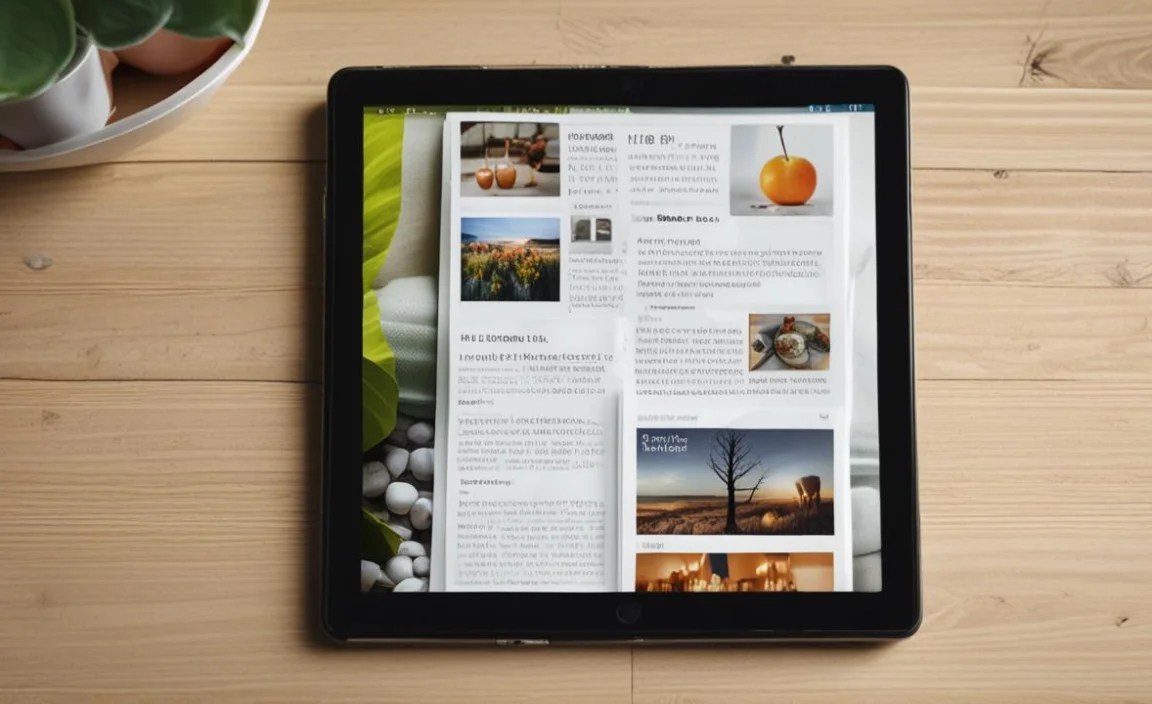
Getting the most out of your budget tablet is easy with a few smart strategies. These tips will help you create the perfect reading environment and keep your device running smoothly.
- Optimize Display Settings: Adjust brightness to a comfortable level. Enable dark mode or use blue light filters in the evenings to reduce eye strain.
- Download Your Books: If you have a stable internet connection, download your books beforehand. This saves battery and ensures you can read even without Wi-Fi.
- Manage Storage: Regularly clear out unnecessary apps or files to keep your tablet running fast. Using cloud storage for photos and documents can free up internal space.
- Close Unused Apps: Just like on a phone, keeping too many apps open in the background can drain battery life and slow down your tablet.
- Keep Software Updated: Install operating system and app updates when they become available. These often include performance improvements and security patches.
- Consider eReader Apps: While tablets have built-in readers, dedicated apps like Kindle, Kobo, Libby (for library books!), or Google Play Books often offer more features and customization options.
- Utilize Library Apps: Services like Libby connect to your local public library, allowing you to borrow ebooks and audiobooks for free directly to your tablet. It’s a fantastic way to expand your reading list without spending more money. You can learn more about digital library services via the American Library Association.
Budget Tablets vs. Dedicated eReaders: What’s the Difference?
It’s a fair question: why choose a budget tablet over a dedicated e-reader like a Kindle Paperwhite or Kobo Clara? Both have their advantages, and the best choice depends on your priorities.
Dedicated eReaders (Kindle, Kobo, etc.)
- Pros:
- E-ink screen mimics paper, virtually glare-free, and extremely easy on the eyes for long reading sessions.
- Exceptional battery life (weeks, not hours).
- Lightweight and designed purely for reading.
- Often waterproof.
- Cons:
- Limited functionality beyond reading.
- Color display is rare or basic.
- More expensive for comparable screen size/features than a budget tablet.
- Less versatile for web browsing, apps, or mixed media.
Budget Tablets
- Pros:
- Versatile: browse the web, use social media, watch videos, play light games in addition to reading.
- Full-color, bright displays.
- Access to a vast array of apps.
- Often more affordable for a larger screen size than an e-reader.
- Cons:
- LCD/OLED screens can cause more eye strain over long periods compared to e-ink.
- Battery life is significantly shorter (hours vs. weeks).
- Can be heavier and bulkier.
- Glare can be an issue in direct sunlight.
If your primary and almost exclusive use is reading, especially in varied lighting conditions, a dedicated e-reader is hard to beat. However, if you want a device that can also do so much more – browse the web, check email, stream music, or use a variety of reading apps – a budget tablet offers much more bang for your buck.
Frequently Asked Questions (FAQs)
Q1: Can I really read ebooks comfortably on a budget tablet’s screen?
Absolutely! Modern budget tablets feature displays with good resolutions and brightness. While they aren’t e-ink, features like dark mode, blue light filters, and adjustable brightness make them very comfortable for extended reading sessions. For optimal comfort, try reading in moderate lighting and take breaks.
Q2: How much storage do I need on a budget tablet for ebooks?
Ebooks are generally small, often just a few megabytes each. If you’re only planning to read purchased books from services like Kindle or Google Play, 32GB is usually sufficient. However, if you plan to download many books, audiobooks, or other media, opting for 64GB or a tablet with expandable microSD storage is a wise choice.
Q3: Are Amazon Fire tablets good for reading books not purchased from Amazon?
Yes, you can install other reading apps. While Fire OS doesn’t have the Google Play Store by default, you can sideload apps like Kobo or Libby. Many users also find success installing Google Play Services on their Fire tablets, which then allows full access to the Play Store and all its reading apps. There are many online guides for this process.
Q4: Will a budget tablet’s battery last long enough for me to read an entire book?
Most budget tablets offer between 8 to 12 hours of continuous use. The average novel takes about 5-8 hours to read. So, yes, you can definitely finish an entire book, or even several chapters, on a single charge with most budget tablets.
Q5: What’s the best budget tablet for reading textbooks and PDFs?
For textbooks and PDFs, a larger screen size and good resolution become more important. Tablets with 10-inch or larger screens, like the Amazon Fire HD 10 or certain Samsung Galaxy Tab A models, are often better choices. Look for good PDF reader apps and ensure it supports external storage if you have many large files.
Q6: Do budget tablets get too hot with long reading sessions?
Generally, no. Reading ebooks is not a demanding task for a tablet’s processor. While any device can warm up with prolonged use, budget tablets used primarily for reading are unlikely to overheat to an uncomfortable level for your hands.
Q7: Is it worth it to buy a slightly older model of a budget tablet to save money?
It can be! Older models of popular budget tablets, such as a previous year’s Samsung Galaxy Tab A or Amazon Fire HD, can offer significant savings. For basic ebook reading, the core functionality (screen quality, battery, app access) often remains excellent. Just be sure to check reviews to ensure it still meets your needs and that it will receive at least one or two more years of security updates.
Conclusion: Your Next Chapter Starts Here
The year 2025 continues to prove that enjoying your favorite books digitally doesn’t require a hefty investment. Budget tablets have evolved to offer impressive displays, reliable performance, and the versatility to handle all your reading needs and more. Whether you lean towards the Amazon ecosystem with a Fire tablet, prefer the robust Android experience of a Samsung or Lenovo device, or are exploring other value-packed options, there’s a perfect budget tablet waiting for you.
By focusing on screen quality, battery life, and the ability to access your preferred reading apps, you can confidently select a device that will bring countless hours of literary delight. So, stop scrolling endlessly and start reading. Your next essential read is just a budget tablet away!

Your tech guru in Sand City, CA, bringing you the latest insights and tips exclusively on mobile tablets. Dive into the world of sleek devices and stay ahead in the tablet game with my expert guidance. Your go-to source for all things tablet-related – let’s elevate your tech experience!