Looking for affordable tablets that can survive the great outdoors? Our guide to the best cheap tablets for camping in 2025 highlights durable, budget-friendly options perfect for navigation, entertainment, and staying connected. Find your ideal rugged companion for the campsite!
Camping is a fantastic way to unplug and reconnect with nature. But what if you still want some tech to help you along? Maybe a map that doesn’t need charging from a wall, or a way to look up constellations after dark? Bringing a tablet can enhance your camping trips, but the thought of exposing an expensive device to the elements might make you hesitate. Don’t worry! We’ve found some amazing, budget-friendly tablets that are tough enough for the trail and won’t break the bank.
In this guide, we’ll walk you through what makes a tablet a good choice for camping, highlight some top contenders for 2025, and give you the confidence to pick the perfect tech companion for your next adventure. Get ready to explore the great outdoors with ease!
Why Bring a Tablet Camping in 2025?

You might be wondering, “Why bring a tablet on a camping trip?” Many people associate camping with escaping technology. However, a tablet can be incredibly useful, even essential, for modern campers. Think beyond just streaming movies (though that’s an option too!).
- Navigation: Offline maps are a game-changer. Download maps of your camping area before you leave home, and your tablet can guide you even without cell service. Apps like Gaia GPS or AllTrails are invaluable.
- Information Hub: Access field guides for plants and animals, check weather forecasts (when you have service), or even look up survival tips.
- Entertainment: Download movies, music, or podcasts before you go. A tablet can be a great way to unwind after a long day of hiking.
- Photography/Journaling: Some tablets have decent cameras, and they offer a larger screen for reviewing photos or writing about your experiences compared to a smartphone.
- Emergency Communication: If you have a model with cellular capabilities, it can be a lifeline in emergencies, provided you have signal.
What Makes a Tablet “Camping-Ready”?

When choosing a tablet for camping, durability and usability in outdoor conditions are key. You don’t necessarily need a military-grade device, but some features are definitely worth looking for, especially when budget is a concern.
Key Features to Consider:
- Durability: Look for tablets with ruggedized designs, reinforced corners, and screen protection. Water and dust resistance (IP rating) is a big plus.
- Screen Brightness: Outdoor light can be harsh. A brighter screen is easier to read in direct sunlight.
- Battery Life: Long battery life is crucial when you’re far from a power outlet. Even better if it supports power bank charging.
- Storage: Enough space to download maps, music, videos, and apps offline is important.
- Offline Capability: The ability to download maps and other essential information for use without an internet connection.
- Portability: While not as critical as a smartphone, you still want something manageable to carry.
- Price: Since we’re focusing on “cheap,” this means looking for value and avoiding flagship prices.
Top Picks for Cheap Tablets for Camping 2025

Finding the perfect balance between price, features, and durability can be tricky. Here are some budget-friendly tablets that are excellent choices for camping adventures in 2025.
Budget All-Rounders
These tablets offer a great mix of features for their price, making them solid choices for general camping use.
1. Amazon Fire HD 10 (2023)
The Amazon Fire HD 10 is consistently a top pick for budget-conscious users. While not explicitly rugged, its affordability means you can be a little less worried about bringing it along. For a tablet in this price range, it offers a good display, decent performance, and excellent battery life.
- Pros: Very affordable, good battery life, bright display, expandable storage via microSD.
- Cons: Amazon ecosystem can be restrictive, not inherently rugged, performance is average for demanding tasks.
- Camping Use: Excellent for downloaded movies, music, e-books, and light browsing. Its robust app store (though Amazon’s version) has plenty for offline entertainment.
Learn more about Amazon Fire devices: https://www.amazon.com/fire-tablets/b?ie=UTF8&node=16252029011
2. Lenovo Tab M10 Plus (3rd Gen)
Lenovo’s Tab M series offers a great balance of price and performance. The M10 Plus (3rd Gen) features a sizable screen and is often found at very competitive prices. It’s a capable tablet for media consumption and basic productivity, making it suitable for campsite use.
- Pros: Large, clear display, good build quality for the price, decent battery life, expandable storage.
- Cons: Performance is mid-range, camera quality is basic, not water/dust resistant.
- Camping Use: Great for watching downloaded shows, looking up information (if signal is available), or basic navigation with downloaded maps.
Slightly More Rugged Options (Still Budget-Friendly)
If you’re willing to spend a little more, or catch a good sale, you can often find tablets with enhanced durability.
3. Samsung Galaxy Tab A Series (e.g., Tab A9+)
Samsung’s Galaxy Tab A series provides a solid Android experience at an affordable price. While not “rugged,” these tablets are generally well-built and offer good features. The Tab A9+ has a larger screen and improved performance over previous models, making it a strong contender. Look for deals on older models like the Tab A8 for even greater savings.
- Pros: Good Android experience, reliable performance, decent screen, expandable storage, wider app availability.
- Cons: Not specifically ruggedized, battery life can vary depending on usage, screen brightness might be an issue in direct sun.
- Camping Use: Excellent for offline maps, reading, music, and general internet use when available.
Discover Samsung Galaxy Tab A devices: https://www.samsung.com/us/tablets/galaxy-tab-a/
4. KeyGooer 10.1 Inch Tablet (and similar off-brand rugged tablets)
Scanning online retailers will reveal numerous less-known brands offering “rugged” tablets for well under $200. These often boast features like shockproof cases, water resistance, and reinforced screens. While their long-term reliability and performance might not match major brands, they can be fantastic, low-cost options if your primary concern is durability against drops and splashes.
- Pros: Promoted as rugged, shockproof and often water-resistant features, very affordable.
- Cons: Performance can be slow, software updates are rare, build quality may vary greatly, camera and screen quality are usually basic.
- Camping Use: Ideal for heavy-duty tasks like offline navigation where durability is paramount, and you don’t need a high-end user experience. Always check user reviews for real-world performance.
The True Budget Champion (with a caveat)
Sometimes, the cheapest option is the best for your wallet, but comes with trade-offs. You might consider these if your use case is extremely basic.
5. Used or Refurbished Older Tablets
Don’t overlook the refurbished market! You can often find older flagship or mid-range tablets from brands like Apple (iPad), Samsung, or Microsoft for significantly reduced prices. These might offer better build quality or performance than a brand-new budget tablet.
- Pros: Potential for higher quality hardware for less money, good for basic tasks.
- Cons: Battery health can be degraded, warranty limitations, may not run the latest software updates, needs careful inspection.
- Camping Use: A refurbished iPad Mini could be a great portable navigation device if its battery is still decent.
Check reputable refurbished sellers like Apple Certified Refurbished, Best Buy Certified Refurbished, or Amazon Renewed.
Essential Accessories for Your Camping Tablet

To get the most out of your cheap camping tablet, consider these accessories. They can enhance its usability and protect your investment.
Must-Have Accessories:
- Rugged Case: Even if your tablet isn’t explicitly rugged, a good protective case with reinforced corners is a smart buy for camping.
- Screen Protector: A tempered glass screen protector can save your screen from scratches and minor impacts.
- Portable Power Bank: Essential for recharging your tablet when you’re off the grid. Look for one with a high mAh capacity.
- Waterproof Pouch: For extra protection against rain or accidental dunks in water.
- MicroSD Card: If your tablet supports it, a microSD card is an inexpensive way to vastly increase storage for offline maps, music, and movies.
- Car Charger/USB Car Adapter: Useful if you plan on car camping and can charge while driving.
How to Prepare Your Tablet for Camping

Before you head out, make sure your tablet is ready for the wilderness.
- Download Offline Maps: Use apps like Google Maps, Maps.me, or dedicated hiking apps (Gaia GPS, AllTrails) to download maps of your camping area.
- Stock Up on Entertainment: Download your favorite movies, TV shows, music, podcasts, and audiobooks.
- Charge Fully: Ensure your tablet and power bank are 100% charged before you leave.
- Install Essential Apps: Get any navigation, identification, or emergency apps you’ll need.
- Adjust Screen Settings: Set your brightness to maximum for better visibility outdoors. Consider turning off unnecessary connectivity like Bluetooth if not in use to save battery.
- Secure Your Data: Back up any important data from your tablet. Consider using cloud storage or transferring files to a computer.
Tablets vs. Smartphones vs. Dedicated GPS for Camping

It’s worth comparing your tablet choice to other devices.
| Feature | Cheap Tablet | Smartphone | Dedicated GPS Device |
|---|---|---|---|
| Screen Size | Larger (6-10+ inches) | Smaller (4-7 inches) | Medium (3-6 inches) |
| Offline Capabilities | Excellent (with downloads) | Good (with downloads) | Excellent (pre-loaded maps) |
| Durability Options | Can find ruggedized/use cases | Can find ruggedized/use cases | Often very rugged by design |
| Battery Life | Generally good, expandable with power bank | Varies, often shorter than tablets | Can vary, often long-lasting |
| Versatility | High (apps, media, info) | Very High (communication, apps, media) | Low (primarily navigation) |
| Cost | Low to Moderate | Low to Very High | Moderate to High |
When to Choose Which:
- Cheap Tablet: Best for a good balance of screen size for maps/media, versatility, and budget. Ideal if you want more than just navigation.
- Smartphone: Convenient as you likely already carry one. Great for quick checks and communication, but smaller screen can be less ideal for detailed maps.
- Dedicated GPS: Superior for serious off-roading or backcountry navigation where accuracy and ruggedness are paramount, but less versatile and often more expensive.
Maintaining Your Tablet in the Elements
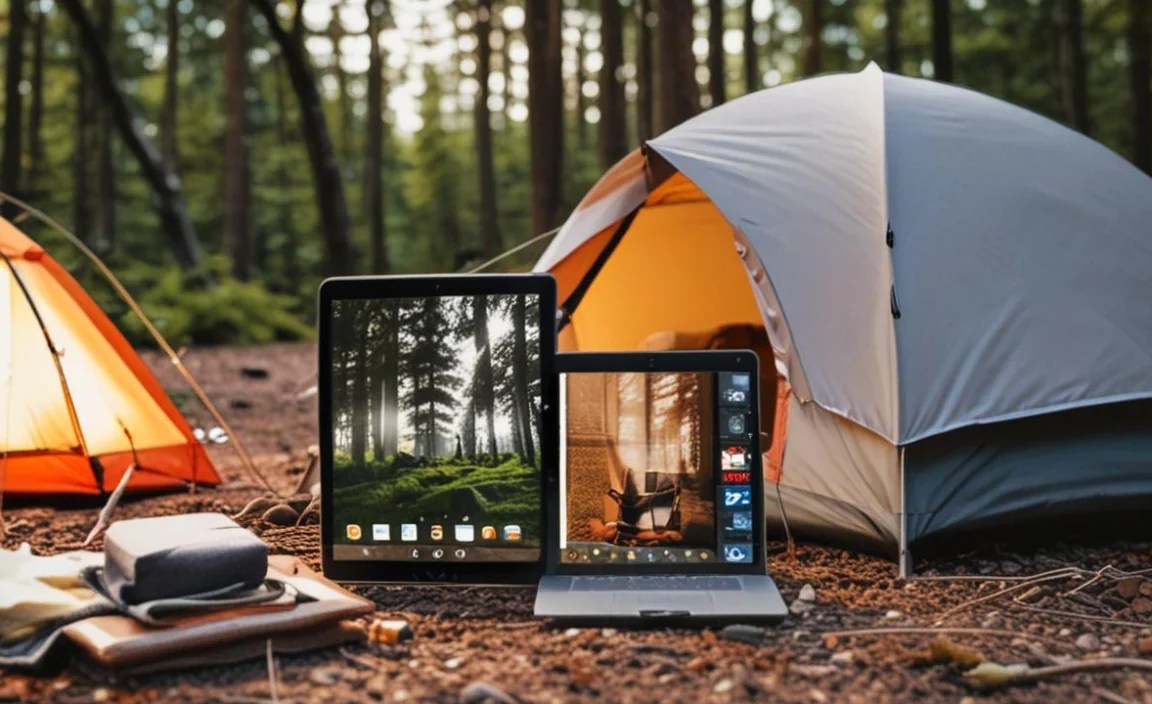
Camping can be tough on electronics. Here’s how to keep your tablet in good shape:
- Protect from Moisture: Always use a waterproof pouch or a sealed bag when there’s a risk of rain or dew.
- Prevent Overheating: Avoid leaving your tablet in direct sunlight for extended periods, especially inside a car or tent, as it can overheat and damage the battery.
- Keep it Clean: Dust and dirt can get into ports. Use compressed air to gently clean them, and a soft, dry cloth for the screen.
- Handle with Care: Even with a case, avoid dropping it on hard surfaces like rocks.
Battery Management for Extended Trips
Battery life is king when camping. Here are tips to maximize it:
- Lower Screen Brightness: Only use maximum brightness when absolutely necessary.
- Disable Unnecessary Connectivity: Turn off Wi-Fi, Bluetooth, and GPS when not actively using them.
- Close Background Apps: Prevent apps from running in the background and consuming power.
- Enable Battery Saver Mode: Most tablets have a power-saving mode that restricts performance to extend battery life.
- Use a Reliable Power Bank: Invest in a good quality power bank with sufficient capacity to recharge your tablet at least once or twice. Solar chargers are an option but can be slow and unreliable.
Environmental Considerations for Tech Camping
While we bring tech for convenience, it’s important to be mindful of our impact on the environment. The U.S. Environmental Protection Agency (EPA) provides guidance on responsible electronic waste disposal. When your tablet eventually reaches the end of its life, ensure it’s disposed of properly.
Also, remember that using your tablet to access information about Leave No Trace principles from organizations like the Leave No Trace Center for Outdoor Ethics can help you be a more responsible camper.
Frequently Asked Questions (FAQs)
Can I use my regular tablet for camping?
Yes, you absolutely can! If you have an existing tablet, you can make it more camping-friendly by getting a rugged case, a screen protector, and a good power bank. Just be extra careful with it, as it won’t be as resistant to drops or water.
Are cheap tablets good enough for offline maps?
Yes, many cheap tablets are perfectly capable of displaying offline maps. As long as they have enough storage to download map data using apps like Google Maps or Maps.me, and a GPS receiver (most tablets do), they will work well for navigation.
What’s the best way to charge a tablet while camping?
The most reliable method is using a portable power bank. For longer trips, consider a power bank with a very high capacity (20,000mAh or more). Some campers also use solar chargers, but these can be slow and dependent on sunlight.
How much storage do I need on a camping tablet?
For offline maps, a few gigs are usually sufficient per region. However, if you plan to download movies, music, and many apps, aim for at least 64GB, or ensure the tablet has a microSD card slot so you can expand storage affordably.
Is it safe to use a tablet in the rain?
Most standard tablets are not water-resistant. For rain, you’ll need to place the tablet inside a waterproof pouch or a sealed plastic bag. Only tablets with specific IP ratings for water resistance (e.g., IP67, IP68) can handle getting wet.
What are the downsides of cheap tablets for camping?
The main downsides usually involve performance (they can be slower), screen brightness (harder to see in direct sun), build quality (less durable inherently), and sometimes software support. However, for basic tasks like navigation and media consumption, they are often sufficient.
Conclusion: Smart Tech for Your Next Adventure
Camping doesn’t mean you have to leave all your tech behind. With the right approach, a cheap tablet can become an indispensable tool for your outdoor adventures in 2025. From navigating new trails with offline maps to simply enjoying a movie under the stars, a budget-friendly tablet offers a world of possibilities without the high cost or worry.
By focusing on durability, battery life, and offline capabilities, and by investing in a few key accessories, you can

Your tech guru in Sand City, CA, bringing you the latest insights and tips exclusively on mobile tablets. Dive into the world of sleek devices and stay ahead in the tablet game with my expert guidance. Your go-to source for all things tablet-related – let’s elevate your tech experience!