For budget-friendly cloud gaming, focus on tablets with at least 8GB RAM, a crisp 1080p display, and decent Wi-Fi, like the Samsung Galaxy Tab A series or Lenovo Tab P11. This comparison highlights top affordable options and essential features to ensure smooth gameplay without breaking the bank.
Dreaming of playing the latest games on the go, but worried about needing a pricey gaming PC or console? Cloud gaming is your ticket to that dream! Services like Xbox Cloud Gaming, GeForce NOW, and Amazon Luna let you stream games directly to a tablet. But here’s the puzzle: what kind of tablet can handle all that without costing a fortune?
It can feel a bit overwhelming trying to figure out the specs that really matter for a smooth gaming experience. You don’t want lag or stuttering to ruin your fun. Don’t worry, we’re here to break it all down. We’ll guide you through finding the perfect cheap tablet for cloud gaming, focusing on what’s truly essential.
Cheap Tablets for Cloud Gaming: Essential Comparison
Cloud gaming is amazing because it shifts the heavy lifting of running a game from your device to powerful servers. This means your tablet doesn’t need a super-powerful processor or graphics card. Instead, it needs to be good at two things: displaying the game clearly and connecting to the internet reliably.
When you’re looking for a cheap tablet that can handle cloud gaming, think of it as a smart TV for games. It needs a great screen to show off those visuals and a strong internet connection to keep the stream smooth. Let’s dive into what makes a tablet a solid choice for your cloud gaming adventures.
The Must-Have Specs for Cloud Gaming on a Budget

Don’t get lost in the sea of technical jargon. For cloud gaming, a few key specifications make the biggest difference. We’re talking about performance that keeps your games looking and feeling great, without emptying your wallet.
1. Display Quality: Bigger and Brighter is Better
This is where you’ll see all the action! A good display means vibrant colors and sharp details, pulling you right into the game. For cloud gaming, aim for:
- Resolution: At least a Full HD (1920 x 1080 pixels) resolution. This provides a clear, sharp image. Lower resolutions can make text hard to read and details muddy.
- Size: A 10-inch screen or larger is ideal. More screen real estate means you can see more of the game world and it’s easier to control with touch or an external controller.
- Brightness: A brighter screen (measured in nits) is better for playing in different lighting conditions, especially if you game in a well-lit room or outdoors. Aim for 300 nits or more.
- Refresh Rate: While not as critical as on high-end gaming devices, a 60Hz refresh rate is standard and perfectly fine for most cloud gaming.
2. RAM: The More, The Smoother
RAM (Random Access Memory) is like your tablet’s short-term memory. It helps the device switch between apps and keep things running smoothly. For cloud gaming, you want enough RAM so the tablet isn’t struggling.
- Minimum: 6GB of RAM is a good starting point.
- Recommended: 8GB of RAM or more will provide a noticeably smoother experience, especially if you’re multitasking or running more demanding cloud gaming apps.
3. Processor (SoC): Don’t Overthink It, But Don’t Ignore It
The processor (System on a Chip, or SoC) is the brain of your tablet. For cloud gaming, you don’t need the absolute latest and greatest. The heavy processing is done on the cloud servers. However, a decent processor is needed to run the operating system, the cloud gaming app, and handle decoding the video stream efficiently.
- Look for mid-range processors from Qualcomm (Snapdragon 600 or 700 series), MediaTek (Helio G series or Dimensity series), or Samsung (Exynos). These offer a good balance of performance and efficiency. Avoid very low-end processors found in the cheapest tablets, as they can struggle.
4. Storage: Less Critical, But Still Important
Since you’re streaming games, you won’t be installing large game files on the tablet’s internal storage. This means you don’t need hundreds of gigabytes. However, having enough space for the operating system, apps, and some offline media is still important.
- 32GB is the absolute minimum, but 64GB or 128GB is much more comfortable.
- Consider a tablet with a microSD card slot if you think you might need more space for movies, music, or other documents.
5. Wi-Fi Connectivity: Crucial for Smooth Streams
This is arguably the most important part of cloud gaming. A strong and stable Wi-Fi connection is non-negotiable. The tablet needs to support the latest Wi-Fi standards for the best performance.
- Wi-Fi 5 (802.11ac): This is the current standard and generally provides good speeds.
- Wi-Fi 6 (802.11ax): If you can find a tablet with Wi-Fi 6, that’s even better. It offers faster speeds, lower latency, and better performance in crowded Wi-Fi environments.
- Dual-Band Wi-Fi: Ensure your tablet supports both 2.4GHz and 5GHz bands. The 5GHz band is generally faster and less prone to interference, making it ideal for gaming.
You also need a good internet connection at home. A stable broadband connection with at least 15-25 Mbps download speed is recommended for HD cloud gaming. You can check your internet speed via Speedtest.net.
6. Battery Life: Keep Gaming Longer
Playing games, especially streaming them, can drain the battery quickly. Look for tablets with a battery capacity of 7,000 mAh or higher for a decent gaming session. Most modern tablets offer around 8-10 hours of mixed usage, which should be sufficient.
7. Ports and Expandability: For Convenience
While not strictly for gaming performance, consider these:
- USB-C Port: Essential for charging and potentially connecting accessories.
- Headphone Jack: If you prefer wired headphones for better audio and to avoid Bluetooth latency, a 3.5mm jack is a plus.
- MicroSD Card Slot: As mentioned, useful for expanding storage.
Top Cheap Tablets for Cloud Gaming: An Essential Comparison

Now that you know what to look for, let’s compare some of the best budget-friendly tablets that fit the bill for cloud gaming. These options offer a great balance of features and affordability.
1. Samsung Galaxy Tab A Series (e.g., Tab A9, Tab A9+)
Samsung’s Galaxy Tab A series is a perennial favorite for budget-conscious users. They consistently offer solid performance for the price, with good displays and reliable build quality.
- Pros:
- Excellent displays, often with good brightness and color reproduction for their price point.
- Decent processors that can handle cloud gaming apps and streams well, especially the latest models.
- Good battery life.
- Samsung’s One UI is user-friendly.
- Often available with decent RAM options (look for models with 6GB or 8GB).
- Cons:
- Storage can be limited on base models.
- Not always the absolute cheapest option but offers strong value.
- Ideal for: Users who want a familiar Android experience with a reliable brand, good screen quality, and decent performance for everyday use and cloud gaming. The Tab A9+ is particularly noteworthy for its larger screen and better specs if your budget allows.
2. Lenovo Tab P11 (and its successors like the P11 Gen 2)
Lenovo’s P series tablets are known for offering premium features at more accessible prices. The Tab P11 line often boasts impressive displays and good audio, making them great for media consumption and gaming.
- Pros:
- Sharp, bright displays, often with higher resolutions.
- Strong processors capable of handling demanding tasks, including cloud streaming.
- Good build quality and often a more premium feel.
- Dolby Atmos support for immersive audio.
- Models with 6GB or 8GB RAM are readily available or are good upgrades from older models.
- Cons:
- Software updates might not be as frequent as Samsung.
- Some configurations might push the “cheap” boundary but justify their price.
- Ideal for: Gamers who prioritize screen quality and immersive audio. The P11 series often feels more premium than its price suggests.
3. Amazon Fire HD Tablets (e.g., Fire HD 10)
Amazon’s Fire tablets are champions of affordability. They offer a very low entry price, making them incredibly accessible. However, they come with some compromises.
- Pros:
- Extremely affordable, often available at steep discounts.
- Decent display for the price, suitable for streaming.
- Good battery life.
- Integration with Amazon services.
- Cons:
- Amazon Appstore: While many Google services can be sideloaded, it’s not as straightforward as on a standard Android tablet. You’ll need to check if your preferred cloud gaming apps are available on the Amazon Appstore or if you’re comfortable with the sideloading process.
- Performance: Processors and RAM (often 2GB or 4GB) are typically the weakest link. This can lead to a less smooth experience, especially with multiple apps open or during intense gaming moments.
- Ads: “Special offers” (ads) can appear on the lock screen unless you pay to remove them.
- Ideal for: The absolute budget-minded user who might be okay with managing app availability and potential performance limitations to get the lowest possible price. If you’re deep in the Amazon ecosystem, it’s a simple option.
4. Xiaomi Redmi Pad / Pad SE
Xiaomi has been making waves with its affordable yet capable Android devices. The Redmi Pad and its successors often pack impressive displays and performance for their price brackets.
- Pros:
- High refresh rate displays (e.g., 90Hz) for smoother scrolling and gaming feel.
- Good processors that offer solid performance for the cost.
- Often come with 8GB RAM options, which is excellent for gaming.
- Sleek design and good build materials.
- Cons:
- Availability might vary by region.
- MIUI for Pad software can be a bit different from stock Android, but generally well-regarded.
- Ideal for: Tech-savvy users looking for great value and features that punch above their weight, especially a higher refresh rate for a smoother visual experience.
5. Acer Iconia Series (e.g., Iconia Tab P10)
Acer offers some less common but still competitive budget tablets. Their Iconia line aims to deliver reliable performance without a high price tag. Specific models vary, so it’s good to check reviews for current offerings that meet the RAM and display requirements.
- Pros:
- Often very competitively priced.
- Decent build quality and functional displays.
- Can be a good find if you catch a sale.
- Cons:
- Processor and RAM options can be hit-or-miss; you MUST check specs carefully.
- Less brand recognition for tablets compared to others.
- Software support and updates might be less consistent.
- Ideal for: Shoppers who are willing to do a bit more research on specific models to find a hidden gem at a great price.
Table: Quick Comparison of Budget Cloud Gaming Tablets

Here’s a snapshot to help you compare our recommended budget tablets. Remember that specific configurations (RAM, storage) can vary, so always check the exact model you’re considering.
| Tablet Model | Display Resolution | Typical RAM | Processor Type | Wi-Fi Standard | Approx. Price Range (USD) | Key Strength for Cloud Gaming |
|---|---|---|---|---|---|---|
| Samsung Galaxy Tab A9+ | 1920 x 1200 (FHD+) | 4GB/8GB | Snapdragon 695 | Wi-Fi 5 | $200 – $300 | Balanced performance, good screen, reliable brand |
| Lenovo Tab P11 Gen 2 | 2000 x 1200 (FHD+) | 4GB/6GB | MediaTek Helio G99 | Wi-Fi 5 | $250 – $350 | Excellent display quality, strong performance |
| Amazon Fire HD 10 (2023) | 1920 x 1200 (FHD) | 3GB | MediaTek MT8186 | Wi-Fi 5 | $150 – $200 | Unbeatable price, but check app support & performance |
| Xiaomi Redmi Pad SE | 1920 x 1200 (FHD) | 4GB/8GB | Snapdragon 680 | Wi-Fi 5 | $180 – $250 | High refresh rate display, good value RAM |
| Acer Iconia Tab P10 | 1920 x 1200 (FHD) | 4GB/6GB | Varies (check model) | Wi-Fi 5 | $200 – $300 | Can be a good value if specs align |
*Price ranges are approximate and can fluctuate based on sales, retailers, and specific configurations.
Tips for Optimizing Your Cloud Gaming Experience
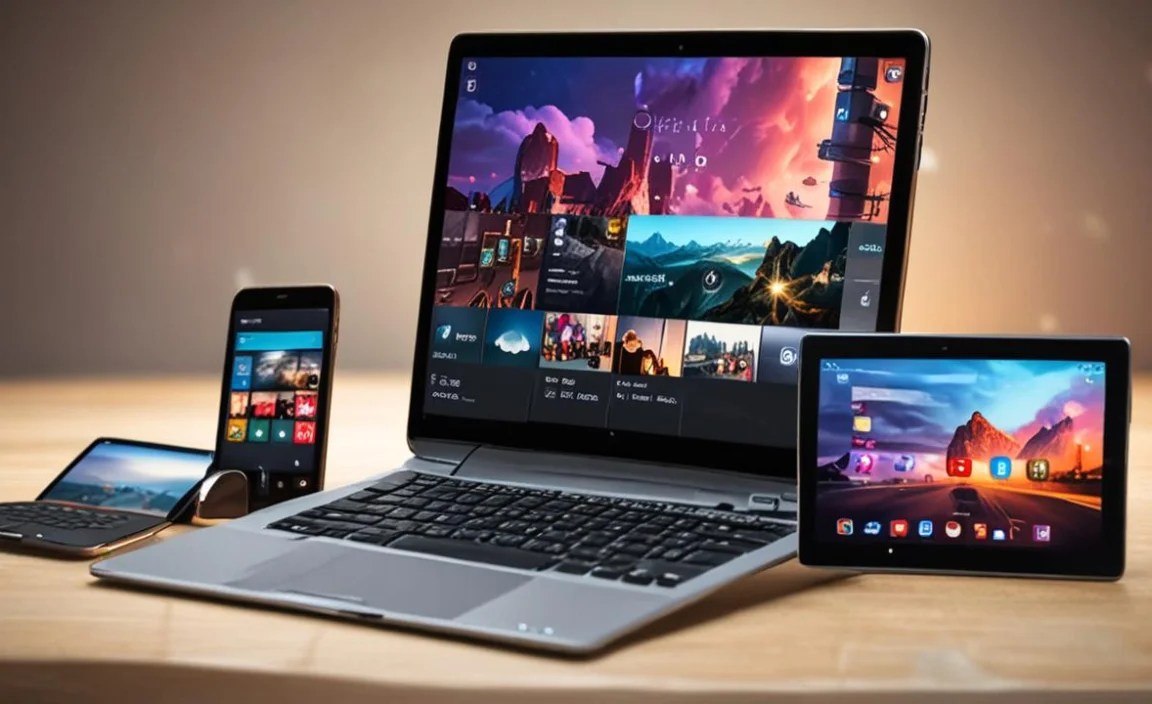
Getting the right tablet is only half the battle. Here’s how to make sure your cloud gaming sessions are as smooth and enjoyable as possible:
- Use a Strong, Stable Wi-Fi Connection: This is paramount! Connect your tablet to the 5GHz band of your Wi-Fi router if possible. If you experience lag, try moving closer to your router or using a wired Ethernet connection if your tablet supports an adapter. For more on wireless networking, the FCC provides guides on home internet access.
- Minimize Background Processes: Close any apps you’re not using. This frees up RAM and processing power for the cloud gaming app itself, ensuring a smoother stream.
- Use a Good Controller: While some games support touch controls, playing with a dedicated Bluetooth controller (like an Xbox Wireless Controller or PlayStation DualShock 4/DualSense) offers a much better and more accurate gaming experience, reducing frustration.
- Consider Your Latency: Latency is the delay between your input and when it’s registered in the game. It’s affected by your internet speed, ping to the game server, and the quality of your Wi-Fi. A lower ping is always better.
- Adjust In-Game Graphics Settings (If Possible): Most cloud gaming services let you choose streaming quality (e.g., 720p, 1080p). If your connection is struggling, dropping the resolution slightly can improve stability.
- Keep Your Tablet Updated: Ensure your tablet’s operating system and the cloud gaming app are updated to the latest versions. Updates often include performance optimizations.
- Invest in Good Headphones: For immersive sound and to easily hear in-game cues, a good pair of headphones connected via Bluetooth or the 3.5mm jack is recommended.
Frequently Asked Questions (FAQ) About Cheap Tablets for Cloud Gaming
Q1: Do I need a fast internet connection for cloud gaming?

Your tech guru in Sand City, CA, bringing you the latest insights and tips exclusively on mobile tablets. Dive into the world of sleek devices and stay ahead in the tablet game with my expert guidance. Your go-to source for all things tablet-related – let’s elevate your tech experience!