Unlock your language potential without breaking the bank! Discover essential, affordable tablets perfect for learning new languages. Our guide offers proven tips and top picks to make your language journey accessible and enjoyable.
Learning a new language can feel like a huge undertaking, especially when you think about all the resources you might need. Many people worry that they’ll need expensive software or a high-end device to get started. But guess what? You don’t! With today’s technology, there are fantastic, budget-friendly tablets that can be your perfect language-learning companion. Don’t let cost hold you back from your linguistic dreams. We’re here to show you exactly what to look for and which cheap tablets for language learning are worth your attention, making the process exciting and totally achievable.
Cheap Tablets For Language Learning: Your Pocket-Sized Tutor
So, you’ve decided to dive into learning a new language – fantastic! Maybe you dream of ordering coffee in Italian, chatting with new friends in Mandarin, or finally understanding those Spanish telenovelas. Whatever your goal, a tablet can be an incredibly versatile tool to help you on your journey. From interactive apps and online courses to digital flashcards and vocabulary builders, the power of a pocket-sized tutor is undeniable. But here’s the good news: you don’t need to splurge on the latest, most expensive gadget. There are plenty of affordable options out there that are more than capable of handling your language-learning needs.
Why a Tablet is Great for Language Learning
Tablets offer a unique blend of portability and screen real estate that makes them ideal for educational purposes. Unlike a smartphone, the larger screen is perfect for reading text, watching videos, and interacting with complex language exercises. Yet, they’re still small and light enough to take with you anywhere – on your commute, to a cafe, or even on vacation. This constant accessibility means you can practice and learn whenever you have a spare moment, which is crucial for building fluency.
Here’s why they shine for language learners:
- Portability: Easily carry your entire language learning library in your bag.
- Interactive Apps: Access a world of language learning apps for listening, speaking, reading, and writing practice.
- Multimedia Richness: Watch language videos, listen to podcasts, and view flashcards on a comfortable screen.
- Note-Taking: Jot down new words, phrases, or grammar rules digitally.
- Internet Access: Connect to online dictionaries, translation tools, and language communities.
What to Look for in a Cheap Tablet for Language Learning
When hunting for a budget-friendly tablet, we don’t need to aim for top-tier specs. Instead, we’ll focus on features that directly benefit language learning. Think of it like choosing the right tool for a specific job – we want efficiency and effectiveness, not flash.
1. Screen Size and Quality
For reading and viewing content, a decent screen is important. You don’t need a 4K display, but something around 8-10 inches will offer a comfortable viewing experience. Resolution matters too. A higher resolution means sharper text and clearer images, reducing eye strain during longer study sessions. Look for at least an HD (720p) screen, ideally Full HD (1080p).
2. Storage Space
Language learning apps, offline dictionaries, downloaded courses, and even a few language movies can take up space. Aim for at least 32GB of internal storage. Even better? Check if the tablet has a microSD card slot. This allows you to expand storage affordably if you find yourself running out of room later.
3. Battery Life
You’ll want a tablet that can last through your study sessions without constantly needing to be plugged in. Look for devices that promise at least 8-10 hours of mixed usage. This ensures you can get a solid chunk of learning done on a single charge, whether you’re at home or on the go.
4. Processor and RAM
While you won’t be gaming on this device, a smooth experience is key. A clunky or slow tablet can be incredibly frustrating and disruptive to your learning flow. For basic app usage and web browsing, a quad-core processor and 2GB-3GB of RAM should suffice. If you can find something with 4GB of RAM, even better – it will provide a smoother multitasking experience.
5. Operating System
The main choices are Android and iOS (for iPads).
- Android: Offers a vast selection of apps on the Google Play Store, often at lower tablet prices. It’s customizable and widely compatible.
- iOS (iPads): Known for its user-friendly interface and excellent app ecosystem. Even older or refurbished iPads can be fantastic, though generally at a slightly higher price point than comparable Android tablets.
For budget-friendly options, Android tablets usually offer more bang for your buck.
6. Connectivity (Wi-Fi)
Ensure the tablet has reliable Wi-Fi connectivity. Most language learning activities, especially those involving streaming video or interactive exercises, require a stable internet connection.
Top Picks: Affordable Tablets for Aspiring Polyglots
Finding the absolute “best” cheap tablet for language learning depends on your specific needs and budget. However, we can highlight some types of devices and brands that consistently offer good value. Remember that prices fluctuate, so always check current deals!
1. Amazon Fire Tablets
Amazon’s Fire tablets are often lauded as some of the most budget-friendly options available. They run on Amazon’s Fire OS, which is based on Android but has its own app store (Amazon Appstore). While it doesn’t have access to the full Google Play Store directly, you can often sideload Google Play if you’re comfortable with that, giving you access to more apps. For core language learning, the Amazon Appstore has many popular options.
- Pros: Extremely affordable, decent build quality for the price, good battery life, user-friendly interface.
- Cons: Limited app selection without sideloading Google Play, Amazon ecosystem focus.
- Ideal for: Absolute beginners on a tight budget who primarily need a device for reading, watching videos, and using core apps.
2. Samsung Galaxy Tab A Series
Samsung’s Galaxy Tab A line is their budget-friendly offering, providing a more traditional Android experience with full access to the Google Play Store. These tablets offer a good balance of features, performance, and affordability.
- Pros: Full Google Play Store access, access to a wide range of Android apps, decent build and screen quality, reliable performance for everyday tasks.
- Cons: Can be slightly more expensive than Amazon Fire tablets, processor speeds may not be for heavy multitasking.
- Idiomatic French: A great resource for French learners who want to dive deep into idiomatic expressions.
- Ideal for: Learners who want a full Android experience with access to all apps on Google Play without spending a lot.
3. Lenovo Tab Series
Lenovo offers a range of budget and mid-range tablets that often provide impressive specs for their price. They typically run a clean version of Android and are known for good build quality.
- Pros: Good value for money, decent performance, often good battery life, clean Android experience.
- Cons: Availability can vary by region, some models might have fewer software updates historically compared to Samsung.
- Ideal for: Those looking for a well-rounded Android tablet experience that balances cost and capability.
4. Older/Refurbished iPads
While not strictly “cheap” when new, older generations or refurbished iPads can be excellent value. Apple’s iPads are known for their longevity, performance, and vast, high-quality app ecosystem. A refurbished iPad Mini or a few generations old standard iPad can offer a premium experience at a significantly reduced cost.
- Pros: Excellent build quality, superb app store with many high-quality language apps, intuitive iOS, strong performance even on older models, long lifespan.
- Cons: Can still be pricier than budget Android tablets, battery health on refurbished units is important to check.
- Ideal for: Learners who prioritize user experience and app quality and can find a good deal on a refurbished or older model. You can often find great deals on Apple’s official refurbished store: Apple Certified Refurbished iPads.
Essential Apps for Language Learners on Any Tablet
Once you’ve got your tablet sorted, the real fun begins with the apps! The versatility of tablets means you can combine different learning styles and tools for a comprehensive approach. Here are some categories and popular apps that work well on most tablets:
1. Comprehensive Language Learning Apps
These are your all-in-one solutions, offering lessons, vocabulary, grammar, and often speaking practice.
- Duolingo: Free, gamified learning to build basic vocabulary and grammar. Great for daily practice.
- Babbel: Subscription-based, focuses on conversational skills and practical vocabulary. Excellent for building confidence in speaking.
- Memrise: Uses spaced repetition and native speaker videos to help you memorize vocabulary and phrases effectively.
- Busuu: Combines lessons with a social feature where native speakers can correct your writing and speaking.
2. Vocabulary and Flashcard Apps
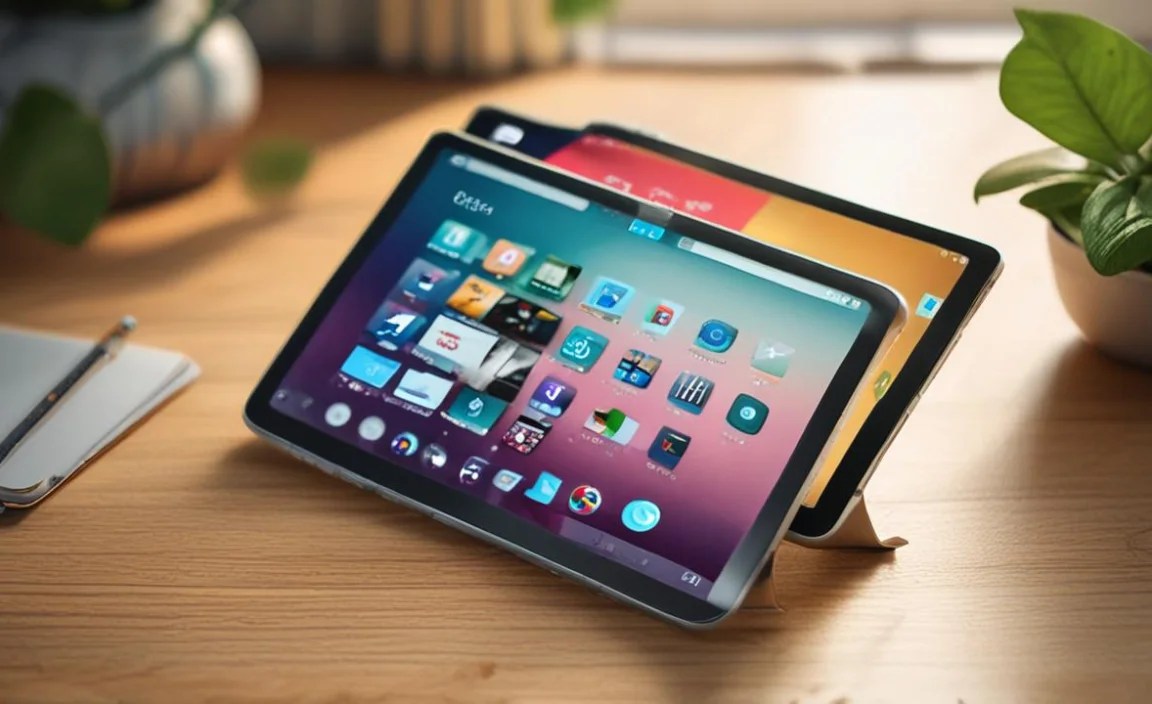
Perfect for dedicated memorization.
- AnkiDroid (Android) / AnkiMobile (iOS): Powerful, customizable spaced repetition flashcard system. You can create your own decks or download shared ones.
- Quizlet: User-friendly flashcards, games, and tests to help memorize new words and concepts.
3. Listening and Speaking Practice
Immerse yourself in the sound of the language.
- Pimsleur: Audio-based lessons designed for learning through listening and speaking repetition. Often available as an app or through subscription.
- YouTube: Countless channels offer language lessons, pronunciation guides, cultural insights, and authentic content. Searching for “[Your Language] lessons for beginners” or “[Your Language] pronunciation tips” will yield great results.
- Podcasts: Many language learning podcasts are available on platforms like Spotify or Apple Podcasts, ideal for listening on the go.
4. Reading and Translation Tools
Understand and decode text.
- Google Translate: Essential for quick translations, understanding signs, and even conversations. The app can translate text shown through your camera.
- Kindle App / Google Play Books: Read books in your target language. Many e-books offer built-in dictionaries, allowing you to tap on a word for its translation. Great for improving reading comprehension.
- WordReference: A comprehensive dictionary and forum for nuanced translations and understanding word usage.
Tips for Maximizing Your Language Learning on a Budget Tablet
Having the right tablet and apps is a great start, but how do you make the most of your budget-friendly setup? It’s all about smart strategies!
1. Utilize Free Resources
Don’t underestimate the power of free! Many of the apps mentioned above offer robust free versions. Supplement these with free YouTube channels, library apps (like Libby for e-books and audiobooks), and public domain language learning materials. The U.S. Government’s Foreign Service Institute (FSI) offers free language courses that can be adapted for tablet learning: FSI Language Courses.
2. Download Content for Offline Use
If your tablet has limited storage or you often find yourself in areas with spotty Wi-Fi, download lessons, vocabulary lists, and audio files for offline access. This ensures your learning never has to stop.
3. Create a Study Schedule
Consistency is key. Dedicate specific times each day or week to use your tablet for language learning. Even 15-30 minutes daily can lead to significant progress over time.
4. Engage Actively, Don’t Just Passive
Don’t just watch videos or swipe through flashcards. Speak aloud as you learn new words, try to form sentences, repeat phrases, and use interactive exercises that require you to produce language.
5. Leverage Your Tablet’s Features
Use the camera to take pictures of new words you see, use the microphone for pronunciation practice with apps, and use the stylus (if you have one) for writing practice in note-taking apps.
6. Join Online Language Communities
Many language learning apps have community features, or you can find forums and social media groups dedicated to language learners. Sharing your progress and struggles can be incredibly motivating.
Setting Up Wi-Fi and Essential Accounts
To get the most out of your tablet for language learning, you’ll need a stable Wi-Fi connection and accounts for your preferred apps. Most tablets will guide you through connecting to Wi-Fi during the initial setup. You’ll likely need email addresses to create accounts for services like Google (for Android), Amazon, or individual language learning apps.
Table: Comparing Tablet Features Relevant to Language Learning
Here’s a quick look at what to prioritize when comparing different budget tablet options:
| Feature | Importance for Language Learning | What to Look For (Budget Tablet) | Why it Matters |
|---|---|---|---|
| Screen Size | High | 8-10 inches | Comfortable for reading text and viewing lessons/videos. |
| Screen Resolution | Medium-High | At least 720p (HD), ideally 1080p (Full HD) | Sharp text reduces eye strain; clearer images in lessons. |
| Storage | High | 32GB minimum, with MicroSD support preferred | Stores apps, offline content, dictionaries, and downloaded media. |
| Battery Life | High | 8-10+ hours of typical use | Allows for extended study sessions without constant charging. |
| Processor/RAM | Medium | Quad-core processor, 2GB-4GB RAM | Ensures apps run smoothly and multitasking is manageable. |
| Operating System | High | Android or iPadOS | Access to necessary language learning apps. |
| Wi-Fi Connectivity | Essential | Reliable Wi-Fi (802.11ac or newer is a bonus) | Crucial for accessing online resources, streaming, and interactive features. |
Common Concerns with Budget Tablets
It’s natural to have some hesitations when buying a cheaper device. Let’s address some common ones:
- Performance Lags: While budget tablets might not be lightning-fast, they should be responsive enough for learning apps. Stick to the recommended specs (e.g., 2-3GB RAM) to avoid major frustrations. Avoid tablets with very low RAM (1GB or less).
- Limited App Support: This is most common with Amazon Fire tablets if you absolutely need Google Play apps. For most users, the Amazon Appstore and sideloading options cover enough ground. Android tablets with Google Play are the safest bet for app compatibility.
- Durability: Cheaper tablets might not be as robust as premium models. Using a protective case (often inexpensive) and a screen protector is a smart investment to keep your device safe.
- Software Updates: Budget devices sometimes receive fewer or slower software updates. For language learning, this is usually less critical than for security-sensitive tasks, but it’s something to be aware of.
The Future of Language Learning on Tablets
The development of AI is making language learning even more accessible and personalized. Many apps are starting to incorporate AI chatbots for conversation practice, personalized feedback on pronunciation, and adaptive learning paths that adjust to your individual progress. As tablets become more powerful and affordable, these advanced features will become available to even more language learners, regardless of their budget.
Conclusion: Your Language Journey Starts Now!
Learning a new language is an enriching experience, and it doesn’t have to be an expensive one. With a thoughtfully chosen cheap tablet for language learning, you gain a powerful, portable, and engaging tool to help you achieve your goals. Whether you opt for an ultra-affordable Amazon Fire tablet, a versatile Samsung Galaxy Tab, a reliable Lenovo, or a refurbished iPad, the key is to match the device’s capabilities with your learning needs. Remember to focus on screen quality, storage, battery life, and reliable performance.
The wealth of fantastic language learning apps available, many of which offer excellent free tiers, means you can build a comprehensive learning arsenal without spending a fortune. Combine these apps with smart study habits, a consistent schedule, and a commitment to active learning, and

Your tech guru in Sand City, CA, bringing you the latest insights and tips exclusively on mobile tablets. Dive into the world of sleek devices and stay ahead in the tablet game with my expert guidance. Your go-to source for all things tablet-related – let’s elevate your tech experience!