Cheap tablets for YouTube review are plentiful! Look for models with at least 4GB RAM, HD screens, and decent storage, prioritizing brands like Amazon Fire, Samsung Galaxy A, or budget Lenovo for solid performance without breaking the bank.
Hey there, fellow tech explorers! Walter Moore here from Tabletzoo. Thinking about diving into the exciting world of YouTube content creation, but your wallet’s feeling a little light? That’s totally understandable! Getting started shouldn’t mean emptying your bank account. You might be wondering if it’s even possible to find a tablet that’s good enough for filming, editing, and uploading videos without costing a fortune. The good news is, it absolutely is! We’ll walk through exactly what to look for, so you can confidently pick out a budget-friendly tablet that’ll help you share your voice with the world.
Why Finding the Right Cheap Tablet Matters for YouTube

Creating YouTube content from a tablet sounds like a dream for many aspiring creators. It’s portable, often intuitive to use, and can be your all-in-one studio. However, the dream can quickly turn into a nightmare if your tablet struggles to keep up. Laggy video recording, slow editing, and choppy playback are frustrating experiences that can kill your creative flow and impact the quality of your videos. When you’re on a budget, the temptation is to grab the absolute cheapest option available, but this often leads to disappointment. That’s why a bit of research goes a long way. We’re going to focus on finding tablets that offer the best bang for your buck, specifically for the demands of YouTube creation.
Key Features to Look for in a Budget YouTube Tablet

When you’re hunting for a tablet that can handle YouTube tasks without breaking the bank, certain specifications are more important than others. Think of these as your essential checklist. Skipping over these can mean a tablet that’s great for browsing but a pain for creating.
1. Processor (CPU) and RAM: The Brains and Muscle
This is perhaps the most critical combination. The processor is the tablet’s brain, and the RAM is its short-term memory. For YouTube, you’ll be running your camera app, potentially a video editing app, and then uploading – all at once or in quick succession. A weak processor and insufficient RAM will cause your tablet to freeze, stutter, or even crash.
- Processor: Look for tablets with at least a quad-core processor, but a hexa-core or octa-core will offer a smoother experience. Brands like Qualcomm Snapdragon (often found in Android tablets) or MediaTek are common, even in budget models. Don’t get too caught up in the model number if you’re new; focus on the core count and general efficiency.
- RAM: This is where you really don’t want to skimp. For basic YouTube recording and simple editing, aim for a minimum of 4GB of RAM. If you can stretch to 6GB or 8GB without a significant price jump, that’s even better. Less than 4GB will likely lead to a frustrating experience, especially if you plan on using more advanced editing apps.
2. Display: See What You’re Creating
While you might not need the absolute best display on the market, it should be good enough for you to clearly see your recording area and edit your footage accurately. A poorly lit or low-resolution screen can make it hard to judge colors and details.
- Resolution: Aim for at least an HD (720p) resolution, but Full HD (1080p) is preferable for sharper images and text. This will make a big difference when you’re fine-tuning edits. Modern cheap tablets often come with good resolution, so this is usually less of a concern than RAM.
- Brightness and Color Accuracy: While budget tablets may not excel here, try to find reviews that mention decent brightness levels so you can use the tablet outdoors if needed, and acceptable color reproduction so your videos look as intended.
- Screen Size: A larger screen (around 10 inches or more) can make editing much easier. However, if portability is key, a smaller 8-inch tablet might work, but you’ll be zooming in more often while editing.
3. Storage: Where Your Videos Live
Video files are large. Even short clips can eat up space quickly, especially if you’re recording in higher quality. Running out of storage mid-project is a creator’s worst nightmare.
- Internal Storage: Try to find a tablet with at least 64GB of internal storage. 32GB is often too little for serious video work. If a tablet only offers 32GB, make sure it has a microSD card slot.
- Expandable Storage (microSD card slot): This is a lifesaver for budget devices. A microSD card slot allows you to add more storage cheaply. Look for a tablet that supports cards with a generous capacity (e.g., 256GB or even 512GB). This is a fantastic way to extend the life and utility of a cheaper tablet.
- Cloud Storage Considerations: While cloud storage like Google Drive or Dropbox is great, relying solely on it for active video projects can be slow due to upload/download speeds, especially if your Wi-Fi isn’t top-notch. It’s best used for backups and transferring finished projects.
4. Camera Quality: Recording Your Content
This is a tricky one for cheap tablets. Manufacturers often prioritize front-facing cameras for video calls on budget devices. For YouTube, you’ll typically use the rear camera.
- Rear Camera: Don’t expect DSLR quality. However, a decent 8MP or 13MP rear camera can often shoot in Full HD (1080p), which is usually sufficient for many YouTube niches when you’re starting out. Read reviews and watch sample footage if possible; sometimes the megapixel count isn’t the whole story.
- Front Camera: If your YouTube channel involves talking directly to the camera (vlogging, tutorials), a clear front-facing camera is important. Look for at least a 5MP front camera, but 8MP or higher is better. Again, sample video quality is your best guide.
- Audio Recording: While not part of the camera spec, the built-in microphone is crucial. Budget tablets rarely have amazing mics. You might need an external microphone later, but for now, listen to sample audio in reviews if possible.
5. Battery Life: Power Through Your Sessions
Filming and editing can drain your battery quickly. You don’t want your tablet dying halfway through an important recording session or during an export.
- Capacity (mAh): Larger mAh numbers generally mean longer battery life. Look for tablets with batteries around 5,000 mAh or higher.
- Real-world usage: Battery life can vary wildly based on usage. A tablet that claims 10 hours of video playback might only give you 4-5 hours of active filming and editing. Check reviews for real-world battery tests under demanding conditions.
6. Build Quality and Ports: Durability and Connectivity
You want a tablet that feels reasonably sturdy and has the ports you need.
- Build: While plastic is common in budget tablets, a solid, non-flexy build is preferable. Read about how durable the device feels from other users.
- Ports: A USB-C port is standard now and offers faster data transfer and charging. A headphone jack is still a big plus if you plan to use wired headphones for monitoring audio or editing without disturbing others.
Top Budget Tablet Brands & Models for YouTube Creation
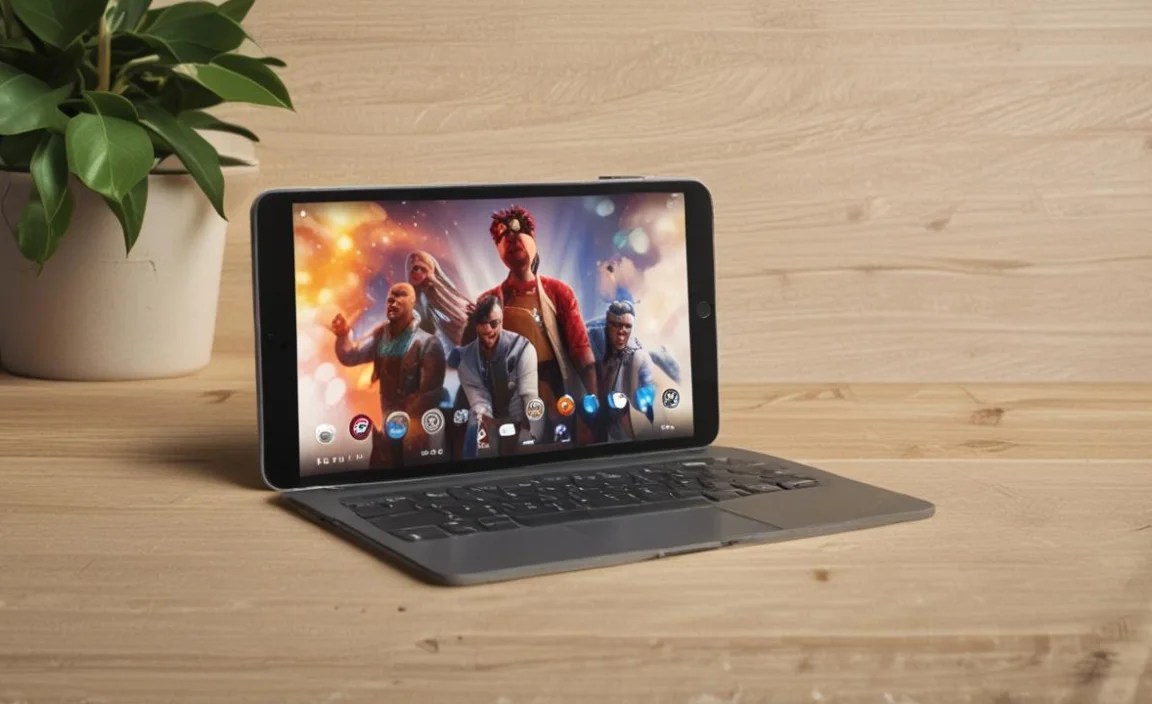
Now that you know what to look for, let’s talk about brands and specific types of tablets that often fit the bill for budget-conscious YouTubers. These brands consistently offer good value, even in their cheaper lines.
Amazon Fire Tablets: The Ultra-Budget Champion
Amazon’s Fire tablets are legendary for their affordability. While they run a customized version of Android (Fire OS), they offer a surprising amount of functionality for the price.
- Pros: Extremely affordable, decent build quality for the price, good battery life, access to many Android apps (including YouTube Studio, editing apps, etc.).
- Cons: Fire OS can be a bit restrictive if you’re used to standard Android, cameras are generally basic, Amazon’s ecosystem is heavily pushed.
- Which to look for: The Fire HD 10 is often the sweet spot, offering a good balance of screen size, performance, and price. Look for models with 32GB or 64GB of storage, and always check for sales!
Samsung Galaxy Tab A Series: Reliable Android
Samsung’s budget-friendly A-series tablets offer a more traditional Android experience and are a popular choice for many.
- Pros: Full Google Play Store access, good integration with other Samsung devices, generally reliable performance, decent build quality.
- Cons: Can be slightly more expensive than Amazon Fire tablets, specific models might vary in performance quite a bit.
- Which to look for: The Galaxy Tab A9 or any recent Tab A model is usually a good bet. Pay close attention to RAM – aim for 4GB. Look for models with at least 64GB internal storage.
Lenovo Tablets: Solid All-Rounders
Lenovo offers a range of tablets, and some of their budget options are surprisingly capable for content creation tasks.
- Pros: Often good value for money, clean Android experience, can sometimes offer better performance specs at a similar price point compared to others.
- Cons: Availability might vary by region, software updates can sometimes be slower than A-list brands.
- Which to look for: Look at the Lenovo Tab M series (e.g., Tab M10 Plus). Again, prioritize RAM (4GB minimum) and check storage options.
Other Brands to Consider (with Caution)
Brands like Acer, TCL, and even some lesser-known options on marketplaces like Amazon or AliExpress can offer incredibly low prices. However, proceed with caution. Research extensively, rely on user reviews, and be prepared for potentially lower build quality or slower performance.
Making the Most of Your Budget Tablet for YouTube
Even with a budget tablet, smart usage can significantly boost your YouTube creation output.
1. Optimize Your Recording Setup
Your tablet’s built-in camera and mic are just the start. To make your content shine, consider these budget-friendly enhancements:
- Lighting: Good lighting is often more important than camera specs. A cheap ring light or even natural daylight from a window can make a huge difference.
- Audio: If your tablet’s mic is poor, consider a lavalier microphone that plugs into your headphone jack or USB-C port. These are incredibly affordable and will vastly improve your audio clarity.
- Stability: Shaky footage is a common beginner mistake. Invest in a small, cheap tripod or a stable phone/tablet mount to keep your shots steady.
2. Choose Your Apps Wisely
The right apps will make or break your editing workflow on a tablet.
- Video Editing Apps:
- CapCut: Free, powerful, and very popular for mobile editing. It’s available on both Android and iOS.
- InShot: Another excellent free option with a good balance of features and ease of use.
- VN Video Editor: Free and feature-rich, often considered a slightly more advanced free option.
- KineMaster: A popular choice with a lot of features, though the free version has a watermark.
- YouTube Studio App: Essential for managing your channel, uploading, and checking analytics.
- File Management Apps: To keep your storage organized.
Tip: If your tablet is struggling, try using simpler editing apps or reducing the resolution of your video projects within the app. This can significantly reduce the strain on your device.
3. Stay Mindful of Storage
With limited storage on budget devices, a routine is crucial:
- Regularly Clear Cache: Apps build up cache files; clearing them can free up space.
- Delete Unnecessary Files: Go through your downloads, old project files, and screenshots regularly.
- Offload Footage/Projects: As soon as you’ve uploaded a video and are happy with it, transfer raw footage and project files to a computer or external hard drive.
- Use Cloud Storage for Backups: Back up finished projects and important files to Google Drive, Dropbox, or similar services.
4. Manage Performance Expectations
A cheap tablet won’t perform like a high-end laptop or flagship phone. You might experience:
- Longer export times: Be patient when rendering your videos.
- Slight lag during editing: Try to do one task at a time or close background apps.
- Limited multitasking: Avoid having too many apps open simultaneously.
By understanding these limitations and working with them, you can still create great content.
Comparison Table: Budget Tablet Features for YouTube
Here’s a quick glance at what to prioritize when comparing different budget tablets for YouTube creation. This isn’t about specific models, but the features themselves.
| Feature | Importance for YouTube | What to Look For (Budget) | Notes |
|---|---|---|---|
| RAM | High | 4GB Minimum, 6GB+ is ideal | Crucial for smooth multitasking and editing. |
| Processor | High | Quad-core minimum, Hexa/Octa-core preferred | Drives app performance and video rendering. |
| Internal Storage | Medium to High | 64GB Minimum | Video files are large. |
| microSD Card Slot | High (if storage is low) | Yes / Supports 256GB+ | Cost-effective storage expansion. |
| Display Resolution | Medium | HD (720p) minimum, Full HD (1080p) preferred | For clear viewing and editing. |
| Rear Camera | Medium | 8MP+, capable of 1080p recording | Quality varies; check reviews/samples. |
| Front Camera | Medium (if vlogging) | 5MP minimum, 8MP+ better | For talking-head segments. |
| Battery Capacity | Medium | 5,000mAh+ | Aim for decent real-world usage time. |
| USB-C Port | Medium | Yes | For faster charging and data transfer. |
| Audio Quality (Mic) | Medium | N/A (Expect basic performance) | External mic often recommended. |
Tips for Buying Your Cheap YouTube Tablet
When you’re ready to pull the trigger, keep these buying tips in mind:
- Read Recent Reviews: Look for reviews from the last 1-2 years, as models get updated. Pay special attention to reviews that discuss performance under load or mention app usage. Tech review sites like TechRadar or RTINGS.com are excellent resources for in-depth analysis.
- Check for Refurbished/Used Options: You can often find higher-end tablets from previous years at a much lower price if you’re open to refurbished or gently used devices from reputable sellers. Ensure they come with a warranty.
- Wait for Sales: Major online retailers (Amazon, Best Buy, etc.) have frequent sales, especially around holidays. Black Friday, Cyber Monday, and even Prime Day are great times to snag a deal on a tablet.
- Compare Prices Across Retailers: Don’t buy from the first place you look. Use price comparison tools or check multiple online stores.
- Consider the Ecosystem: If you already have a lot of Apple products, an older iPad might integrate better, even if it’s slightly outside your “cheap” definition initially. Likewise, an Android tablet will play nicely with Android phones and Google services.
Addressing Common Concerns
It’s normal to have questions when you’re venturing into something new, especially when budget is a factor.
Can I really edit video on a cheap tablet?
<p

Your tech guru in Sand City, CA, bringing you the latest insights and tips exclusively on mobile tablets. Dive into the world of sleek devices and stay ahead in the tablet game with my expert guidance. Your go-to source for all things tablet-related – let’s elevate your tech experience!