Looking for durable tablets for your car dashboard? Focus on rugged designs, wide operating temperatures, sunlight-readable screens, and secure mounting. Essential buying tips ensure your tablet withstands vibrations, heat, and dust, providing reliable navigation or entertainment on the go.
Ever found yourself squinting at your tablet on a sunny day, or worrying if it’ll survive a bumpy road trip? Many of us rely on our tablets for navigation, music, or even keeping the kids entertained during drives. But, letting them sit on the dashboard in a car can be a recipe for disaster. Constant vibrations, intense heat, and direct sunlight can take a serious toll on even the most robust devices. It’s a common frustration, leaving you with a sluggish device or worse, a broken one. But don’t fret! Finding the right tablet for your car doesn’t have to be a headache. We’re here to guide you through it, step-by-step. Get ready to discover how to choose a tablet that’s tough enough for the open road!
Durable Tablets for Car Dashboard: Essential Buying Tips
When you think about using a tablet in your car, likely the first thought is “Can it handle the heat?” And that’s a smart concern! Cars can turn into mini ovens, especially when parked in the sun. Beyond heat, there are vibrations from the road, dust, and the general wear and tear of being in a moving vehicle. Selecting a tablet specifically designed for these conditions is key.
This isn’t about buying the latest, shiniest consumer tablet. It’s about finding a device that prioritizes resilience and functionality in a challenging environment. We’re going to break down exactly what you need to look for, from screen technology to build quality, making sure your investment is a smart one. Let’s dive into the essential buying tips to help you find a durable tablet that’s perfect for your car dashboard.
Why Your Everyday Tablet Isn’t Cut Out for the Dashboard

Your sleek, ultra-thin tablet that you love for browsing at home or taking to meetings was probably not built for the rough-and-tumble life in your car. Let’s talk about why:
- Temperature Extremes: A car interior can reach scorching temperatures, far exceeding the safe operating range for most consumer electronics. This excessive heat can damage the battery, screen, and internal components, leading to permanent failure. On the flip side, very cold temperatures can also affect performance.
- Vibrations and Shocks: The constant shaking and jolt from driving, especially on uneven roads, can loosen internal connections, damage delicate components like the display or storage, and generally shorten the lifespan of a device not built to withstand it.
- Direct Sunlight (Glare and Heat): Most standard tablet screens are not designed for bright, direct sunlight. Glare makes them difficult to see, and as mentioned, direct sun also significantly increases their internal temperature.
- Dust and Debris: Cars can accumulate dust, especially if windows are opened or you travel in off-road conditions. Consumer tablets have vents and openings that can easily allow dust to infiltrate and cause damage.
- Battery Drain and Charging: Continuous use for navigation can drain batteries quickly. Additionally, charging in extreme temperatures is often not recommended and can degrade battery health faster.
Understanding these vulnerabilities is the first step to making an informed decision. You need a device that’s engineered to overcome these specific challenges, often referred to as “rugged” or “industrial” tablets.
Key Features to Look For in a Durable Car Tablet

So, what makes a tablet “durable” enough for your car? It’s a combination of specific design choices and technologies. Here are the crucial features to prioritize:
1. Rugged Construction and Durability Ratings
This is the most important factor. Look for tablets that are explicitly marketed as rugged or industrial-grade. These devices are built differently from the ground up.
- Military-Grade Durability (MIL-STD-810G/H): This is a crucial certification. MIL-STD-810G and its successor, MIL-STD-810H, are U.S. military standards that test equipment against a range of harsh environmental conditions. While not a guarantee against all damage, it means the tablet has passed rigorous tests for:
- Drops: Withstanding drops from specific heights onto hard surfaces.
- Vibrations: Surviving prolonged periods of vibration.
- Temperature: Operating and surviving in extreme hot and cold temperatures.
- Humidity and Moisture: Resisting damage from damp environments.
When you see this rating, it’s a strong indicator of a robust build.
- Ingress Protection (IP) Rating: This rating tells you how well the device is protected against solid objects (like dust) and liquids (like water). For car use, you’ll want at least:
IP Rating Component Meaning for Car Use IPXD (First Digit – Solids) IP6X: Dust-tight. This is the highest level of dust protection, meaning no dust can enter the enclosure. Essential for a car environment. IPXD (Second Digit – Liquids) IPX4 or higher: If you’re concerned about spills or splashes, look for protection against splashing water. If you need more, IPX7 (immersion) or IPX8 (prolonged immersion) offer even greater water resistance, though less critical for dashboard use unless you anticipate serious water exposure. Look for a rating like IP65 or IP67 for excellent protection against dust and reasonable protection against moisture.
- Reinforced Casing: Rugged tablets typically feature reinforced corners, rubberized bumpers, and a sturdy unibody construction that can absorb impacts better than standard tablet designs.
2. Sunlight-Readable Displays
Trying to navigate when you can’t see the screen is dangerous and frustrating. This feature is critical for dashboard use.
- High Brightness (nits): Consumer tablets usually range from 200-500 nits. For dashboard use in bright sunlight, you should aim for a tablet with a display that can reach 800-1000 nits or higher. The higher the nits, the better it will cut through glare.
- Anti-Glare and Anti-Reflective Coatings: Look for screens that specifically mention these treatments. They diffuse light and reduce reflections, making the screen visible even under harsh lighting conditions.
- Pixel Density (PPI) and Resolution: While brightness is paramount, a good pixel density and resolution (e.g., Full HD or higher) ensure that text and maps are crisp and easy to read at a glance.
- Outdoor Viewable Technology: Some manufacturers use specific technologies like transflective or transmissive displays that utilize ambient light to improve visibility outdoors, rather than solely relying on backlight brightness.
3. Wide Operating Temperature Range
This is where rugged tablets shine. Standard tablets might have an operating range of 0°C to 35°C (32°F to 95°F). For a car, you need much more.
- Target Range: Look for tablets that can operate reliably in temperatures from -20°C to 60°C (-4°F to 140°F) or even wider. This ensures your tablet won’t shut down or suffer permanent damage due to the extreme heat or cold it will likely experience in a parked car or during seasonal temperature shifts.
- Storage Temperature: Also consider the storage temperature range. This is the temperature the tablet can withstand when it’s turned off. It’s often wider than the operating range but still important to ensure the device isn’t damaged when not in use.
4. Connectivity Options
Reliable internet access and easy connection to car systems are vital.
- GPS and Navigation: Ensure the tablet has a built-in, highly accurate GPS module. Some rugged tablets offer enhanced GPS capabilities suitable for professional use.
- Cellular Data (4G LTE/5G): If you plan to use the tablet for streaming, real-time traffic updates, or constant online access without relying on Wi-Fi hotspots, a cellular modem is essential. Check if it supports the bands used by your mobile carrier.
- Wi-Fi and Bluetooth: Standard but necessary for connecting to your phone’s hotspot, syncing data, or connecting to external devices.
- USB Ports: Multiple USB ports (especially USB-C) are useful for charging other devices, connecting external storage, or plugging in accessories.
5. Battery Life and Power Management
You don’t want your tablet dying halfway through a journey.
- Long Battery Life: Look for devices with large battery capacities (measured in Wh or mAh). Many rugged tablets offer extended battery life, often lasting a full workday or more on a single charge.
- Hot-Swappable Batteries: Some high-end rugged tablets feature hot-swappable batteries, meaning you can replace a depleted battery with a fresh one without shutting down the device. This is a massive convenience for continuous operation.
- Power Efficiency: Processors and screens that are designed for power efficiency contribute to longer battery life.
6. Mounting and Integration Solutions
A secure mount is as important as the tablet itself for safety and convenience.
- Vehicle Mounts: Many rugged tablet manufacturers offer robust, vehicle-specific mounting solutions that can be bolted or clamped into place. These are designed to withstand vibrations and keep the tablet secure. Brands like RAM Mounts specialize in these types of secure solutions and often have kits compatible with various rugged tablets.
- Mounting Points: Look for tablets with built-in mounting points or compatible accessories that allow them to be attached to standard vehicle mounts.
- Form Factor: Some rugged tablets have integrated handles or even stylus docks, which can be useful for quickly picking up and using the tablet for navigation or other tasks.
Popular Brands and Models to Consider

While there are many options, some brands consistently deliver on ruggedness and reliability. Here are a few to start your research:
- Getac: A leading manufacturer of rugged laptops and tablets. Their UX10, F110, and T800 series are known for extreme durability and performance in harsh conditions.
- Panasonic Toughbook: Another powerhouse in fully rugged devices. Their Toughbook tablets (like the CF-20 or newer models) are built to military specifications and offer excellent performance.
- Zebra Technologies: Previously part of Motorola Solutions, Zebra offers rugged mobile computers and tablets (e.g., the ET50/ET55 series) that are designed for enterprise use but are excellent for demanding environments.
- Dell Latitude Rugged Series: Dell offers ruggedized versions of their Latitude laptops and some tablet options (like the Latitude 7210 Detachable Rugged tablet) that balance performance with durability.
- Samsung Galaxy Tab Active Series: These are semi-rugged tablets that offer a good balance of features, price, and durability for less extreme conditions. They often come with replaceable batteries and stylus support.
It’s always best to check the latest models and specifications from these brands, as they frequently update their product lines.
Making the Purchase: What to Ask or Check

Before you click “buy,” do a final check. Don’t hesitate to contact the manufacturer or reseller with these questions:
- Detailed Specs: Ask for the exact operating temperature range, drop test height, IP rating, and screen brightness (nits).
- Warranty: What kind of warranty is offered? A longer warranty on a rugged device is a good sign of manufacturer confidence.
- Mounting Compatibility: If you’re buying a specific mount, ensure the tablet model is compatible. Sometimes custom brackets are needed.
- Software Support: For business or specific app use, check what operating system it runs (Windows, Android) and its general support lifecycle.
- Reviews: Look for reviews specifically from users who have used the tablet in similar environments (e.g., construction sites, delivery vehicles, or off-road adventures).
Setting Up Your Tablet for Dashboard Use

Once you have your durable tablet, setting it up correctly is crucial:
- Mount It Securely: Install your chosen mount firmly. Ensure it doesn’t obstruct your view of the road or airbags. Many professional installers can help with secure, professional mounting.
- Power Solution: Invest in a good quality in-car charger. If your tablet supports it, consider a hardwired solution that connects directly to your car’s electrical system for optimal charging and to prevent accidental unplugging.
- Screen Settings: Adjust your tablet’s brightness to the highest comfortable level for daylight driving. Enable any auto-brightness features that work well in your environment, but often manual high brightness is best for consistent visibility.
- App Optimization: Load your essential apps—navigation (like Google Maps or Waze), music players, or any work-related tools. Ensure they are optimized for quick access and minimal distraction while driving. For navigation, pre-downloading offline maps can save on data and ensure functionality in areas with poor reception.
- Connectivity Setup: Configure your Wi-Fi, Bluetooth, and cellular data as needed. If using your phone as a hotspot, set up an easy connection.
Alternatives and Considerations
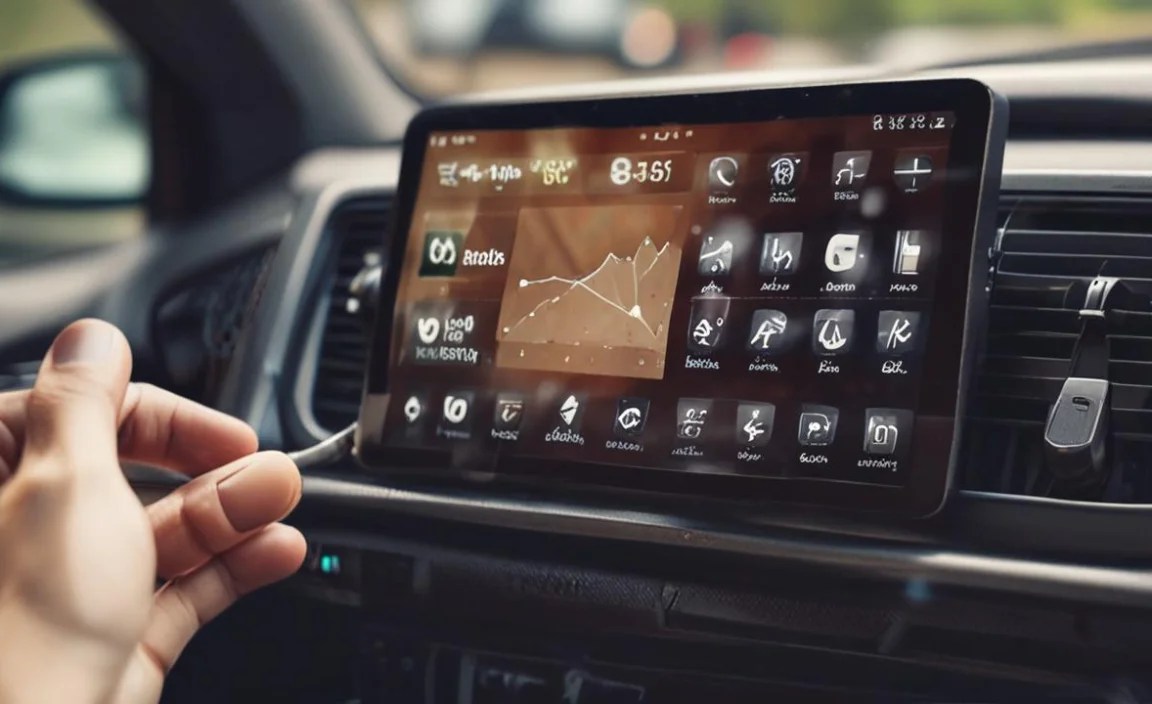
While rugged tablets are ideal, they can sometimes be more expensive. What are your alternatives?
- Rugged Cases for Standard Tablets: For mild conditions, a very robust rugged case (like those from OtterBox or UAG) can add significant protection to a standard tablet. However, this won’t fully address temperature extremes or screen visibility issues.
- Dedicated Car Mounts and Chargers: A good phone mount and car charger can work for smartphone navigation, but lacks the larger screen real estate and multitasking capabilities of a tablet.
- Integrated Car Systems: Many modern vehicles come with built-in infotainment systems that offer navigation, music, and connectivity. While convenient, they are not portable.
For true durability and performance in a car dashboard environment, a purpose-built rugged tablet remains the superior choice.
Conclusion
Choosing a durable tablet for your car dashboard is an investment in reliability and safety. By focusing on rugged construction, sunlight-readable screens, wide operating temperatures, and robust connectivity, you can find a device that not only survives but thrives in the demanding automotive environment. Don’t settle for a tablet that’s not up to the task. With these essential buying tips, you’re well-equipped to select a tablet that will be a steadfast companion on all your journeys, keeping you informed, entertained, and connected, no matter the conditions.
Frequently Asked Questions (FAQ)
Q1: Can I just use a regular tablet with a rugged case in my car?
A1: A rugged case will offer some protection against drops and bumps, but it won’t solve the core issues of extreme heat, direct sunlight glare, or prolonged vibrations that standard tablets are not designed to handle. For consistent, reliable use on a car dashboard, a fully rugged tablet is recommended.
Q2: How hot does it actually get inside a car?
A2: On a sunny day, the interior temperature of a car can reach over 130°F (54°C) and even higher, sometimes exceeding 170°F (77°C). Many consumer electronics have maximum operating temperatures around 95°F (35°C), making dashboard placement extremely risky.
Q3: What does “MIL-STD-810G” mean for me as a consumer?
A3: It means the tablet has been tested against specific military standards for durability. This suggests it’s built to withstand drops, vibrations, extreme temperatures, and other environmental stressors much better than a non-tested consumer device. It’s a strong indicator of toughness.
Q4: Are rugged tablets much heavier than regular tablets?
A4: Yes, they are typically heavier due to their reinforced casings, protective bumpers, and often larger batteries. However, this added weight is a trade-off for their significantly enhanced durability and longevity in harsh conditions.
Q5: What is the best way to power a tablet in a car?
A5: Use a high-quality car charger specifically designed for tablets, ideally one that supports fast charging if your tablet is compatible. For the most secure and continuous power, consider a hardwired installation that connects directly to your vehicle’s battery, but be sure this is done by a professional to avoid damaging your car’s electrical system.
Q6: Do I need cellular data (4G/5G) on my car tablet?
A6

Your tech guru in Sand City, CA, bringing you the latest insights and tips exclusively on mobile tablets. Dive into the world of sleek devices and stay ahead in the tablet game with my expert guidance. Your go-to source for all things tablet-related – let’s elevate your tech experience!