Durable tablets for comic books are essential for avid readers seeking portability and resilience without compromising their digital library. When buying, prioritize screen quality, storage capacity, battery life, and build materials for a long-lasting, enjoyable comic-reading experience. Look for ruggedized features if you’re prone to drops.
Durable Tablets for Comic Books: Essential Buying Tips
Love diving into epic graphic novels or flipping through your favorite comic series on the go? You’re not alone! Many of us enjoy the convenience of digital comics, but keeping your tablet safe and sound, especially when you’re carrying it around or reading in less-than-ideal situations, can be a worry.
Finding the right tablet that can handle a few bumps and spills while still delivering a fantastic viewing experience for your comics might seem tricky. But don’t worry, this guide is here to help!
We’ll break down exactly what to look for, making it super simple to choose a durable tablet that’s perfect for your comic book adventures. Let’s get started and find you a reading companion that’s built to last!
Why Durability Matters for Comic Book Readers

When you’re engrossed in a captivating story, the last thing you want is to worry about your tablet. For comic book enthusiasts, a durable device isn’t just about preventing accidental damage; it’s about peace of mind. Imagine relaxing at the park, commuting on a packed train, or even sharing your latest find with a friend – a sturdy tablet means you can do all this without constant anxiety.
A durable tablet can withstand everyday wear and tear, protecting your investment and, more importantly, your precious digital comic collection. It ensures your reading experience remains uninterrupted, allowing you to fully immerse yourself in the art and narrative, no matter where you are. Think of it as a protective case built right in, ready for whatever your day throws at it.
Key Features for Durable Comic Book Tablets
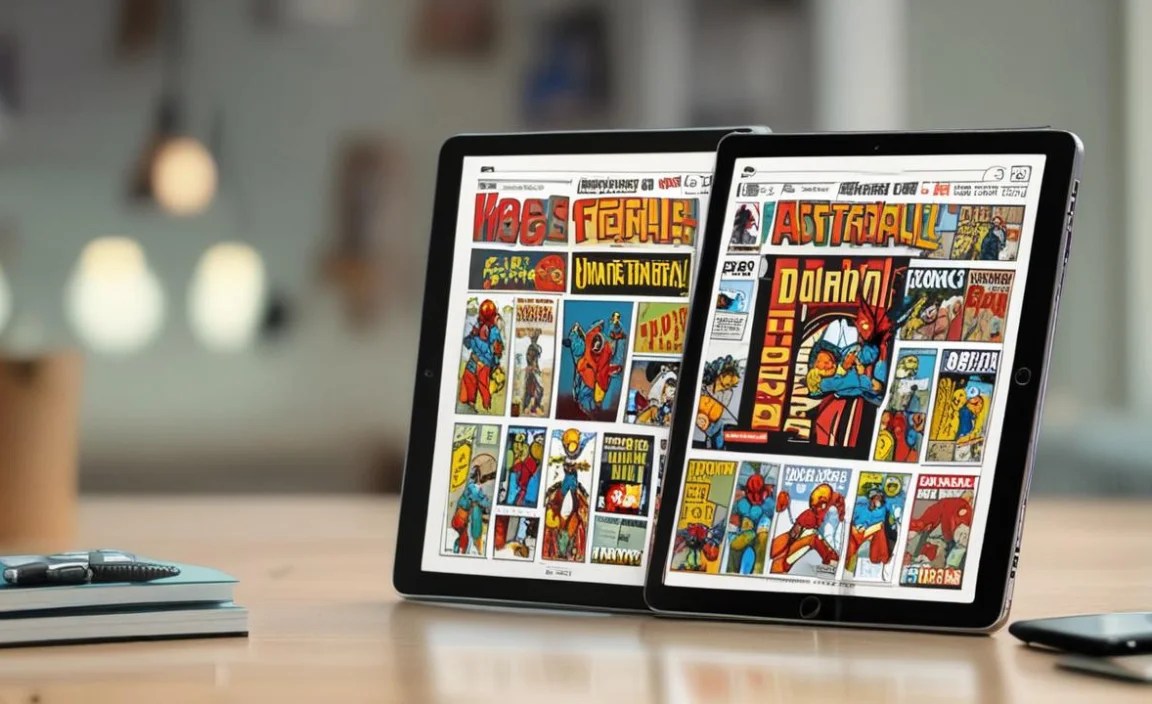
Choosing a tablet that’s both “comic-ready” and tough requires a keen eye for specific features. It’s not just about the biggest screen or the fastest processor; it’s about how well the device is built to last and perform for your specific needs.
Here are the essential elements to focus on:
1. Screen Quality: Your Window to the Comic World
This is arguably the most crucial factor for comic readers. You want vibrant colors, sharp details, and a screen that lets you appreciate the artwork just as the creators intended. Durability here also means scratch resistance and good brightness for reading in various lighting conditions.
- Resolution: For comics, a higher resolution means sharper text and clearer images. Look for at least Full HD (1920 x 1080 pixels). Higher resolutions like QHD or 4K will make every panel pop.
- Display Type: IPS LCD panels offer excellent color accuracy and viewing angles, which are great for sharing your comic with a friend. OLED screens provide deeper blacks and more vibrant colors, making artwork truly remarkable, though they can be more prone to burn-in if not managed carefully (especially with static comic UI elements if left on for too long).
- Screen Brightness: A bright screen (measured in nits) is essential for reading outdoors or in well-lit rooms. Aim for at least 400-500 nits.
- Scratch Resistance: While many tablets use hardened glass, some might offer specific coatings or materials that are more resistant to minor scuffs and scratches. Look for mentions of Gorilla Glass or similar durable glass technologies.
2. Storage Capacity: Room for Your Entire Collection
Comic books, especially high-resolution digital versions or large collections, can take up a significant amount of space. You don’t want to be deleting titles just to make room for a new download.
- Internal Storage: Aim for a minimum of 64GB. However, 128GB or 256GB will give you much more breathing room for thousands of comics, apps, and other media.
- Expandable Storage: A microSD card slot is a lifesaver! It allows you to easily and affordably expand your storage capacity, giving you virtually unlimited space for your growing comic library.
3. Battery Life: Uninterrupted Reading Sessions
Nothing kills a comic reading mood faster than a dead battery. Long battery life ensures you can get through multiple issues or a lengthy graphic novel without needing to scramble for a charger.
- Battery Size (mAh): While mAh (milliampere-hour) indicates battery capacity, actual usage varies. Look for tablets that are consistently rated for 8-10 hours of active use for video playback or web browsing, as this is a good indicator for reading.
- Power Efficiency: The tablet’s processor and software play a big role. Efficient processors consume less power.
4. Build Materials and Design: The Foundation of Durability
This is where the “durable” aspect truly comes into play. How the tablet is constructed will determine its resilience against drops, bumps, and spills.
- Ruggedized Tablets: These are built tough. They often have reinforced corners, rubberized casings, and are designed to withstand drops from specific heights (MIL-STD-810G certification is a good indicator, though this is more common in business/industrial devices). While they might be a bit bulkier, they offer the highest level of protection.
- Metal vs. Plastic: Metal bodies (like aluminum) generally feel more premium and can be more rigid, offering some protection. However, high-quality polycarbonate (plastic) can be designed to absorb impact effectively and is often lighter.
- Water and Dust Resistance (IP Rating): Look for an IP rating, such as IP67 or IP68. The first digit is dust resistance, and the second is water resistance. For example, IP68 means it’s protected against dust and immersion in water up to a certain depth and time. This is invaluable for preventing damage from spills or reading by the pool.
- Grip and Ergonomics: A good grip reduces the chance of accidental drops. Some tablets have textured backs or come with cases that enhance grip.
5. Performance: Smooth Page Turns and App Experience
While not directly a “durability” feature, a tablet that performs smoothly ensures a better overall experience and less frustration. Lagging page turns or slow app loading can be annoying.
- Processor (CPU): A decent processor will ensure apps open quickly and pages load without delay. You don’t need the absolute top-of-the-line for reading, but a mid-range or better chip will suffice.
- RAM (Memory): 4GB of RAM is a good starting point for smooth multitasking. 6GB or 8GB will offer an even more fluid experience, especially with multiple apps or browser tabs open.
Choosing Between Operating Systems: iPadOS vs. Android
The choice between an iPad or an Android tablet often comes down to personal preference and ecosystem. Both platforms offer a wide range of durable options, though their approaches to durability and features can differ.
iPadOS (Apple iPads)
Pros:
- Excellent build quality and often very rigid designs.
- App Store generally has very polished apps.
- Long software update support.
- Good range of accessories, including durable cases.
Cons:
- Generally more expensive.
- Less customization.
- Storage is not expandable via microSD.
- True ruggedized iPads are rare; you’ll rely on third-party cases.
Android Tablets
Pros:
- Wide variety of price points and manufacturers.
- Many models offer expandable storage via microSD.
- More customization options.
- Increasingly, some manufacturers are offering more rugged or water-resistant devices, or there’s a robust market for rugged cases.
Cons:
- Software update consistency can vary greatly by manufacturer.
- App quality can be more inconsistent compared to iOS.
- Build quality can range from premium to budget.
For comic reading, both platforms excel. The key is to look for specific models that meet the durability and screen quality criteria we’ve discussed. If expandability is crucial, Android has a clear edge.
Brands and Models to Consider (Focusing on Durability)
While no tablet is truly indestructible, some brands and models are better suited for comic book readers seeking durability. Many mainstream tablets can be made more robust with the right cases, but some devices are built with toughness in mind from the start.
Dedicated Rugged Tablets
These are built for extreme conditions and are inherently durable. While they might be overkill for some, they offer unparalleled peace of mind.
- Panasonic Toughbook: These are the titans of rugged computing, often used by field professionals. They are extremely durable, water-resistant, and shock-proof, but come with a very high price tag and can be heavy.
- Getac Tablets: Similar to Panasonic Toughbooks, Getac devices are built to MIL-STD-810G standards, designed for harsh environments.
- Kyocera DuraForce series: Often focused on the smartphone market, Kyocera also offers rugged tablets designed for extreme conditions.
Note: These are usually enterprise-grade and expensive. For most users, a mainstream tablet with a good rugged case will be a more practical and affordable choice.
Mainstream Tablets with Durability Features or Strong Case Options
These offer a balance of features, performance, and the ability to reinforce their durability.
- Samsung Galaxy Tab Active Series: Samsung’s “Active” line of tablets are specifically designed with ruggedness in mind, often featuring IP ratings and MIL-STD certifications. They offer a good balance of features and true ruggedness.
- Amazon Fire HD Tablets: These are budget-friendly and surprisingly robust for their price. While they don’t have official IP ratings, their plastic construction can withstand minor drops well. Most importantly, Amazon offers a comprehensive “worry-free” 2-year protection plan for these devices, which covers accidental damage. They are also very affordable to replace if the worst happens.
- Apple iPads (Pro, Air, Mini, standard): While iPads themselves aren’t officially rugged, Apple’s build quality is excellent. Their resale value is also good, meaning you can often trade in an older model to offset the cost of a new one. The key here is investing in a high-quality rugged case from brands like OtterBox, UAG (Urban Armor Gear), or ZAGG. These cases can make even an iPad highly resistant to drops and impacts.
- Android Tablets (e.g., Lenovo, Acer): Many Android tablets offer expandable storage and good value. Look for specific models that mention reinforced corners or have a reputation for solid build. Again, a good rugged case is your best friend here.
Quick Tip: When looking at rugged cases, check for features like shock absorption, raised bezels to protect the screen, and port covers. A screen protector is also highly recommended.
Putting it All Together: Your Durability Checklist
To make your buying decision easier, use this checklist when evaluating potential tablets:
- Screen Quality Check:
- Resolution: 1920×1080 or higher?
- Brightness: At least 400 nits?
- Color Accuracy: Wide color gamut or good vibrancy?
- Scratch Resistance: Hardened glass (e.g., Gorilla Glass)?
- Storage Needs:
- Internal: At least 128GB recommended?
- Expandable: Does it have a microSD card slot?
- Battery Assurance:
- Advertised Use Time: 8+ hours of typical use?
- Efficient Processor: Modern, power-conscious chip?
- Durability Assessment:
- Rugged Design: Reinforced corners, textured grip, robust materials?
- Water/Dust Resistance: IP rating (e.g., IP67/IP68)?
- MIL-STD Certification: Present (especially on dedicated rugged devices)?
- Performance & User Experience:
- Processor: Capable for smooth app performance?
- RAM: 4GB minimum, 6GB+ preferred?
- Operating System: Familiar and user-friendly?
- Budget & Ecosystem:
- Price: Within your budget?
- Brand Preference: Any existing ecosystem (Apple, Samsung)?
- Case Availability: Are good rugged cases readily available?
Do I Need a Fully Rugged Tablet for Comics?
For most comic book readers, a fully rugged, military-grade tablet is likely overkill. These devices are built for extreme environments and come with a premium price tag and often a bulkier design. Unless you work in construction, are an extreme outdoor adventurer, or are particularly clumsy with a history of severe tablet damage, you probably don’t need one.
A much more practical and common approach is to choose a well-built, mainstream tablet (like an iPad, Samsung Galaxy Tab, or a solid Android tablet) and invest in a high-quality rugged case. These cases are designed to protect against drops, bumps, and sometimes spills, offering excellent protection without the cost and bulk of a fully rugged device.
The key is to find a balance. If you’re accident-prone, look for tablets with reinforced corners, good grip, and consider models that have official water/dust resistance ratings. For everyone else, a good case is usually sufficient.
Budget-Friendly Durable Options
You don’t have to break the bank to get a durable tablet for your comics. Here are some ideas for the budget-conscious:
- Amazon Fire HD Tablets: As mentioned, these are incredibly affordable. Their plastic build is surprisingly resilient to everyday drops, and the 2-year accidental damage protection plan is a fantastic safety net. For pure comic reading on a tight budget, they are hard to beat. Just be aware of Amazon’s ecosystem and app limitations compared to full Android or iOS.
- Older Generation iPads or Samsung Tablets: You can often find excellent deals on previous generation models of iPads or Samsung Galaxy tablets. While not new, they still offer great performance and screen quality. Pair them with a good rugged case, and you have a durable setup for much less than buying the latest flagship. Check reputable refurbished sellers.
- Specific Budget Android Tablets: Brands like Lenovo and Acer often release tablets at competitive prices. Research models known for solid build quality. Look for reviews that specifically mention how well they hold up to minor abuse. Again, a rugged case is your best friend here.
Key Takeaway: A durable tablet doesn’t always mean the most expensive one. Smart compromises, focusing on core features, and utilizing protective cases can yield fantastic results without emptying your wallet.
Table: Comparing Key Durability & Comic Reading Features
Here’s a quick comparison of common tablet types, highlighting features relevant to our needs:
| Feature | Basic Budget Android | Amazon Fire HD | Mid-Range Android/iPad | Premium Android/iPad Pro | Dedicated Rugged Tablet |
|---|---|---|---|---|---|
| Screen Quality (General) | Fair, may lack vibrancy | Good for price, can be less sharp | Very Good, sharp & colorful | Excellent, vibrant & precise | Functional, primary focus is durability |
| Storage Expandability | Often Yes (microSD) | No | Often Yes (microSD) or unavailable | No | Often Yes (microSD) |
| Battery Life | Varies, often decent | Good | Good to Excellent | Excellent | Excellent for heavy use |
| Build Material | Plastic | Plastic | Plastic/Aluminum | Premium Aluminum/Glass | Reinforced Composites, Rubber |
| Water/Dust Resistance (IP Rating) | Rare | Noofficial rating | Rare | Rare | Often IPXX (e.g., IP65, IP67) |
| Drop Resistance (Without Case) | Limited | Moderate | Good | Good (but glass vulnerable) | Extreme (MIL-STD-810G) |
| Price Range | $ | $ |

Your tech guru in Sand City, CA, bringing you the latest insights and tips exclusively on mobile tablets. Dive into the world of sleek devices and stay ahead in the tablet game with my expert guidance. Your go-to source for all things tablet-related – let’s elevate your tech experience!