Busy parents, finding a durable tablet for your toddler can feel overwhelming. This essential guide highlights key features like robust build quality, child-friendly software, and long battery life, ensuring you choose a safe and engaging device that withstands playtime.
Toddlers and technology – it’s a combination that can fill some parents with dread! The thought of a tiny human wielding an expensive piece of electronics can be scary. They’re naturally curious, wonderfully clumsy, and tend to put everything in their mouths. So, when it comes to tablets, ‘durable’ isn’t just a nice-to-have; it’s an absolute must-have. You need something that can survive accidental drops, sticky fingers, and the occasional enthusiastic bump. Don’t worry, though. Finding the right tablet for your little one doesn’t have to be a stressful mission. We’re here to break down exactly what to look for, step-by-step. Get ready to discover the best durable tablets that are perfect for tiny hands and big imaginations!
Durable Tablets for Toddlers: Your Essential Buying Guide
As Walter Moore from Tabletzoo, I’ve seen countless gadgets come and go. When it comes to tablets for our youngest family members, the focus shifts from cutting-edge processors and dazzling displays to pure, unadulterated resilience and kid-friendly fun. The market might seem flooded with options, but by understanding a few key principles, you can make a confident choice. This guide is designed to take the guesswork out of it, helping you navigate the world of robust tablets so your toddler can learn, play, and explore happily and safely.
Why Durability is Non-Negotiable for Toddler Tablets

Let’s face it, toddlers are not known for their delicate touch. Their developmental stage involves a lot of exploration through touch, taste, and yes, accidental tumbles. A standard tablet, designed for adult carefulness, stands little chance against the testing grounds of a toddler’s play. This is where the concept of a ‘durable tablet’ comes into play.
- Accidental Drops: Toddlers are wobbly. They drop things. A lot. A durable tablet is built to withstand gravity’s relentless pull.
- Sticky Fingers: Juice boxes, snacks, and unknown playground substances are common accompaniments to tablet time. Screen durability and easy-to-clean surfaces are vital.
- Rough Handling: Toddlers don’t understand the concept of ‘fragile’. They may bang, squeeze, or even chew (yes, it happens!) on devices.
- Learning Through Play: Many educational apps require a responsive touchscreen that can handle a child’s less precise tapping.
Investing in a tablet specifically designed for durability means fewer trips to the repair shop and more peace of mind for you. It’s about creating a safe, enjoyable, and long-lasting technology experience for your child.
Key Features to Look for in a Durable Toddler Tablet

When you’re out shopping (or browsing online), keep these essential features at the top of your checklist. They are the building blocks of a tablet that can truly stand up to toddlerhood.
1. Robust Build Quality and Materials
This is the most crucial factor. Look for:
- Reinforced Edges and Corners: These are the first points of impact during a fall. Rubberized or extra-thick corners absorb shock effectively.
- Protective Cases: Many durable tablets come with integrated, built-in cases. If not, consider buying one that wraps snugly around the device, offering a good grip and bumper protection.
- Shatter-Resistant Screens: While not entirely indestructible, screens made with tougher glass (like Gorilla Glass, though less common in very budget toddler devices) or those protected by a robust screen protector are more resilient to cracks and scratches.
- Child-Safe Materials: Ensure the materials used are non-toxic and free from harmful chemicals, especially if your toddler has a habit of exploring with their mouth.
2. Child-Friendly Software and Interface
A durable tablet also needs to be ‘kid-proof’ from a software perspective:
- Parental Controls: Robust parental controls are essential. You need to be able to restrict app access, set time limits, filter content, and manage in-app purchases. Look for systems that are easy for you to set up but difficult for a toddler to bypass.
- Kid-Safe Browsing: If internet access is a feature, ensure it has a secure, filtered browser that only allows access to pre-approved websites. Organizations like Common Sense Media offer great resources for evaluating online content safety.
- Simplified UI: A cluttered or complex interface can be frustrating for young children. Look for tablets with a bright, colorful, and easy-to-navigate home screen, often populated with large icons.
- Curated Content: Many durable tablets come pre-loaded with educational apps, games, and videos suitable for toddlers. Check if this content aligns with your educational goals for your child.
3. Size and Ergonomics
Toddler hands are small. The tablet should be:
- Manageable Size: Typically, 7-inch to 8-inch screens are ideal. Anything larger can be unwieldy for little hands.
- Lightweight: A heavy tablet becomes a burden quickly. Look for devices that are light enough for your toddler to hold and carry comfortably.
- Easy to Grip: Textured backs or rubberized coatings help prevent accidental slips.
4. Battery Life
Longer battery life means less interruption and fewer demands on your charging cables. For toddlers, this is important for extended play sessions or long car rides. Aim for a tablet that offers at least 6-8 hours of active use on a single charge.
5. Storage Capacity
If you plan to download a lot of educational apps, videos, and games, make sure the tablet has sufficient internal storage. 16GB is often the minimum, but 32GB or more, with the option to expand via a microSD card, is better for future-proofing.
6. Processor and RAM (Simplified)
For a toddler’s tablet, you don’t need a powerhouse. A moderately powered processor and 1-2GB of RAM are usually sufficient for running educational apps and simple games smoothly. Overly cheap tablets might lag, leading to frustration for both the child and parent.
Top Contenders: Durable Tablets for Toddlers

While there are many brands, a few stand out for their focus on durability and child-friendly features. Here are some categories and examples that commonly fit the bill:
Dedicated Kids’ Tablets
These are tablets designed from the ground up for children. They often come with robust cases, specialized software, and parental controls.
- Amazon Fire Kids Tablets: These are hugely popular for a reason. They come with a tough, kid-proof case and a stand, and include a year of Amazon Kids+ content (though you can cancel after the first year). They offer excellent parental controls and are reasonably priced. They are a great entry point into the tablet world for younger children.
- LeapFrog Tablets: LeapFrog has a long history of educational toys for children. Their tablets are designed with learning in mind, featuring vetted educational content and durable, kid-friendly designs.
- VTech Tablets: Similar to LeapFrog, VTech offers tablets focused on educational play for preschoolers and toddlers. They usually feature sturdy builds and age-appropriate apps.
Standard Tablets with Robust Cases
You can also opt for a more general-purpose tablet and equip it with a high-quality, durable case. This offers more flexibility in terms of apps and potentially a longer lifespan as your child grows.
- Apple iPad (with OtterBox or similar case): While an iPad is a significant investment, pairing it with a super-tough case like those from OtterBox makes it surprisingly resilient. The App Store also has a vast array of high-quality educational apps. However, parental controls need careful setup, and the upfront cost is higher.
- Samsung Galaxy Tablets (with robust case): Samsung tablets offer a good Android alternative. Again, a sturdy case is key. Samsung’s built-in parental controls and ‘Kids Mode’ can be helpful.
Choosing Between Android and Amazon Fire OS
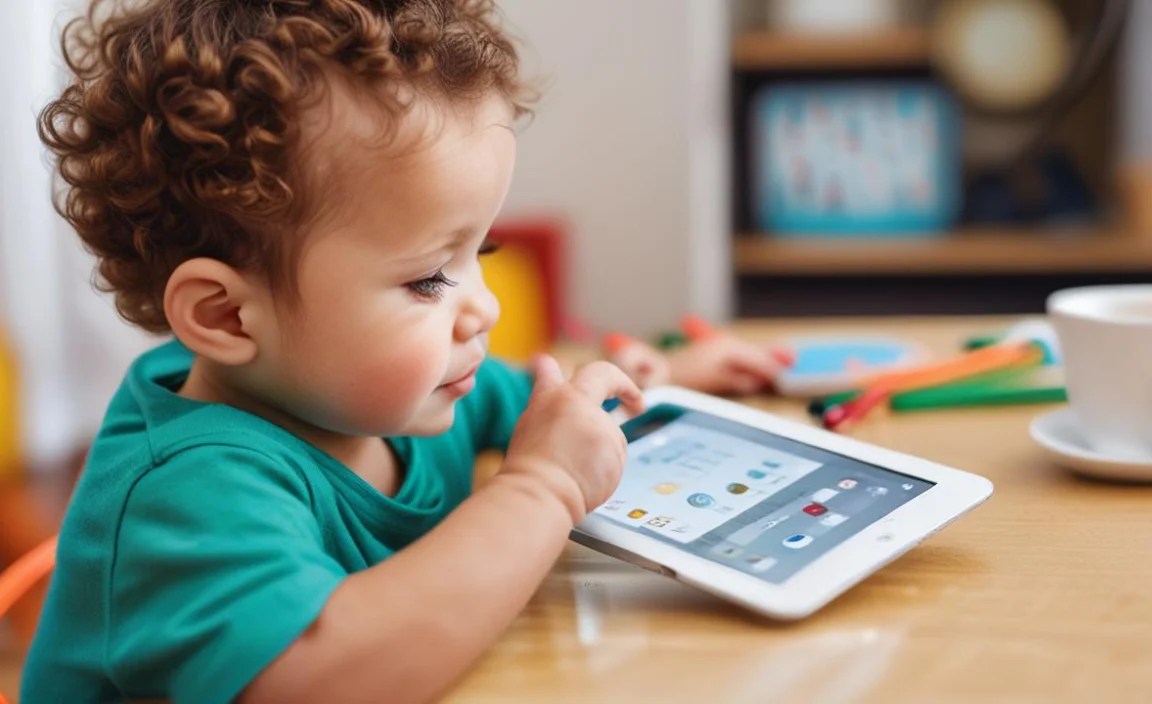
The operating system can influence your choice:
- Amazon Fire OS: Based on Android, but heavily customized by Amazon. It’s very locked down and easy to manage via Amazon’s ecosystem. It’s ideal for users already invested in Amazon services. Parental controls are a strong suit.
- Android: Offers more flexibility and access to the Google Play Store. You can install a wider range of apps and customize the experience more. However, parental controls might require more setup with third-party apps or Android’s built-in ‘Family Link’.
Putting Durability to the Test: What to Look For

Beyond the marketing, how can you be sure a tablet is truly durable?
Look for These Certifications and Features:
- Drop-Test Ratings: Some manufacturers will mention if their devices have been tested for drops from specific heights, often expressed in feet or meters.
- IP Ratings: While less common on purely toddler-focused devices, an IP rating (like IP52 or higher) indicates a degree of dust and water resistance. This is more common on rugged industrial tablets but can be a bonus. You can learn more about IP ratings on sites like Electronics Notes.
- Built-in Bumpers: As mentioned, thick, rubberized bumpers on all edges and corners are a strong indicator of drop protection.
- Tempered Glass Screen Protectors: Many durable child tablets come with these pre-installed, or they are easily added.
Read Reviews!
Don’t just rely on manufacturer claims. Search for reviews from other parents describing their experiences with the tablet’s durability. Pay attention to comments about drops, spills, and general wear and tear.
Setting Up Your Toddler’s Tablet Safely
Once you’ve chosen your durable tablet, the setup is just as important as the purchase itself. Follow these steps to ensure a safe and positive experience.
- Create a Child Profile / User Account: Most dedicated kids’ tablets and operating systems like Android (with Family Link) or iOS allow you to set up child accounts. This is crucial for managing apps and settings.
- Activate Robust Parental Controls: Dive deep into the settings. Set strict screen time limits, block inappropriate content, and disable or password-protect in-app purchases and settings changes.
- Curate App Downloads: Only download apps that are age-appropriate, educational, and free from excessive ads or in-app purchases. Look for apps with a strong reputation for child safety. Resources like Common Sense Media’s app reviews are invaluable here.
- Set up Kid-Safe Web Browsing: If the tablet has internet access, ensure the browser is locked down to approved websites only.
- Consider a Screen Protector and Case (If Not Built-in): Even if the tablet claims to be durable, adding a tempered glass screen protector and a good quality, robust case provides an extra layer of defense.
- Establish Usage Rules: Talk to your toddler (in simple terms) about how to use the tablet, like not throwing it, keeping it away from food and drinks, and when it’s okay to use it.
Toddler Tablets vs. Standard Tablets: A Quick Comparison
To highlight why a dedicated durable tablet often wins for this age group, here’s a simple comparison:
| Feature | Dedicated Toddler Tablet | Standard Tablet (with accessories) |
|---|---|---|
| Durability | Often built-in, robust casing, shock absorption. | Relies on external case and screen protector; can be very durable if equipped. |
| Software/OS | Kid-centric OS, simplified UI, strong built-in parental controls. | Standard OS, requires significant setup for child safety; some have ‘Kids Mode’. |
| Content | Often pre-loaded with educational apps, curated by manufacturer. Access to app store may be limited. | Full access to app stores (Google Play/App Store) for vast selection, but requires careful vetting. |
| Price | Generally more affordable. | Higher upfront cost for the tablet itself, plus cost of protective accessories. |
| Longevity/Adaptability | May be outgrown faster as child’s needs evolve. | More adaptable as child grows, can transition to general use. |
Frequently Asked Questions (FAQs) about Durable Toddler Tablets
What is the best durable tablet for a 2-year-old?
For a 2-year-old, the Amazon Fire 7 Kids is an excellent starting point. It’s very affordable, comes with a tough case and stand, and offers a year of curated content. Its simplified interface and strong parental controls are perfect for this age group.
Can a regular tablet be made durable enough for a toddler?
Yes, to a significant extent. By investing in a high-quality, rugged case (like those from OtterBox, UAG, or specific child-friendly brands) and a tempered glass screen protector, you can make tablets like an Apple iPad or a Samsung Galaxy Tab much more resilient. However, the software will still require careful setup of parental controls.
Are tablets bad for toddlers?
Like anything, moderation is key. Excessive screen time can be detrimental. However, when used appropriately, with age-appropriate content and under parental supervision, tablets can be valuable tools for early learning and development. The key is to balance tablet use with other activities like reading, playing outdoors, and interacting with others. The U.S.., Department of Health and Human Services and the American Academy of Pediatrics provide guidelines on screen time.
How much should I expect to spend on a durable toddler tablet?
You can find dedicated durable toddler tablets ranging from $50 to $150, especially during sales. If you opt for a standard tablet and add accessories, the cost can range from $200 to $500 or more, depending on the tablet model chosen.
What are the biggest risks of giving a toddler a tablet?
The main risks include accidental damage to the device, exposure to inappropriate content, oversaturation of screen time affecting development, privacy concerns, and potential for uncontrolled spending on in-app purchases. Durable tablets and strong parental controls help mitigate many of these.
Do I need a screen protector if the tablet has a case?
It highly recommended. While a good case protects the edges and corners from drops, the screen is still vulnerable to scratches from everyday use (like being placed face down) or impacts that might not be fully absorbed by the case alone. A tempered glass screen protector is a thin, affordable layer of defense.
What kind of apps are good for toddlers on a tablet?
Look for apps that are:
- Educational: Focusing on letters, numbers, shapes, colors, and basic problem-solving.
- Interactive: Encouraging active participation rather than passive viewing.
- Creative: Drawing, music creation, or simple building games.
- Ad-Free or Low-Ad: Ads can be distracting and sometimes inappropriate.
- Designed for Toddlers: With simple interfaces and age-appropriate challenges.
Check reviews on platforms like Common Sense Media or educational app roundups.
Conclusion
Choosing a durable tablet for your toddler is an investment in their learning and entertainment, but it’s also an investment in your own peace of mind. By focusing on robust build quality, child-safe software, and ergonomic design, you can confidently select a device that withstands the rigors of toddler life. Whether you opt for a purpose-built kids’ tablet or a safeguarded standard model, remember that strong parental controls and curated content are your best allies in ensuring a positive and secure digital experience for your little one. Happy tablet hunting from Tabletzoo!

Your tech guru in Sand City, CA, bringing you the latest insights and tips exclusively on mobile tablets. Dive into the world of sleek devices and stay ahead in the tablet game with my expert guidance. Your go-to source for all things tablet-related – let’s elevate your tech experience!