Choosing the best tablets for travel in 2025 means finding a blend of portability, battery life, and capability. Our expert picks focus on devices that excel in entertainment, productivity, and capturing memories on the go, ensuring your essential gear enhances your journey without weighing you down.
Planning a trip? The last thing you want is to be bogged down by clunky, unreliable tech. Finding the right tablet for your travels can feel like a challenge, especially with so many options out there. You worry about battery life dying mid-flight or a device that’s too heavy to comfortably hold while reading your favorite book on the beach. But don’t stress! We’re here to guide you, step-by-step, to the perfect travel companion.
In this guide, we’ll break down what makes a tablet great for exploring the world. We’ll look at top models that professionals and seasoned travelers swear by, discuss key features to consider, and help you pinpoint exactly what you need. Get ready to discover your ideal travel tablet and say goodbye to tech troubles on your next adventure!
Why a Tablet is THE Essential Travel Companion

In today’s connected world, a tablet has become almost indispensable for travelers. It’s more than just a gadget; it’s your portable office, your entertainment hub, your navigation system, and your digital photo album all rolled into one sleek package. For the modern explorer, a tablet offers a fantastic balance of functionality and portability that smartphones can’t quite match, and traditional laptops often can’t beat for convenience.
Think about it: You can binge-watch your favorite shows on a long flight, catch up on work emails from a café in a foreign city, guide yourself through unfamiliar streets, and instantly share stunning vacation photos with loved ones. It’s capable enough for most daily tasks but light enough to toss into your carry-on without a second thought. Plus, with vast app stores, you can customize your device to perfectly suit your travel style, whether you’re a digital artist sketching landscapes or a budget traveler meticulously tracking expenses.
Key Features to Consider for Travel Tablets

When you’re choosing a tablet specifically for travel, a few features rise to the top. These aren’t just about specs; they’re about how the device performs in real-world travel scenarios where power outlets might be scarce and Wi-Fi signals unreliable.
1. Portability and Durability
Size and Weight: You want something that won’t add significant bulk to your luggage. Tablets typically range from 7 to 13 inches. Smaller tablets (7-8 inches) are incredibly pocketable and easy to use one-handed, perfect for public transport or quick checks. Mid-size (9-11 inches) offer a good balance of screen real estate and portability. Larger (12+ inches) are great for productivity but can be cumbersome.
Build Quality: Travel means bumps and jostles. A sturdy build, perhaps with a metal or high-quality polycarbonate casing, is preferable. If you’re prone to accidents, consider models compatible with rugged cases.
2. Battery Life
This is perhaps the most critical factor for travelers. You need a tablet that can last through long flights, bumpy bus rides, or days where charging opportunities are limited. Look for devices advertised with at least 8-10 hours of continuous use. Real-world battery life can vary based on screen brightness, usage, and Wi-Fi connectivity, so checking reviews for realistic battery performance is key.
3. Display Quality
You’ll be staring at this screen a lot, whether for reading, watching movies, or browsing. A clear, bright display with good resolution makes a huge difference, especially if you plan to use your tablet outdoors in sunny conditions. Look for resolutions of at least 1920×1080 (Full HD) for crisp text and vibrant images. OLED or Mini-LED displays often offer superior contrast and brightness.
4. Performance and Storage
Processor & RAM: For basic tasks like browsing, streaming, and social media, most modern tablets will suffice. If you plan on more demanding activities like video editing, graphic design, or running multiple apps simultaneously, you’ll need a more powerful processor (look for flagship chipsets like Apple’s A-series or Qualcomm’s Snapdragon 8 Gen series) and more RAM (at least 6GB, preferably 8GB or more).
Storage: Consider how many apps, photos, videos, and offline maps you’ll need. 64GB is often the minimum, but 128GB or 256GB is recommended for a comfortable experience, especially if you plan to download movies or large files. Many tablets offer expandable storage via microSD cards, which is a huge plus for budget-conscious users or those who need significant space.
5. Connectivity
Wi-Fi vs. Cellular (LTE/5G): Most tablets come with Wi-Fi only. This is usually sufficient if you primarily rely on Wi-Fi hotspots in hotels, airports, and cafes. However, if you need constant internet access for navigation, communication, or work while on the move and away from Wi-Fi, opt for a cellular model. Be aware that cellular models are more expensive and require a data plan.
Ports: USB-C is the modern standard, offering faster data transfer and charging. The presence of a headphone jack can be convenient, though Bluetooth headphones are increasingly common.
6. Ecosystem and Software
Consider which operating system you’re most comfortable with or which works best with your other devices.
- iPadOS: Known for its polished interface, vast app selection, and strong integration with other Apple devices.
- Android: Offers more customization, a wider range of hardware choices at different price points, and integration with Google services.
- Windows: Best if you need full desktop applications and a true laptop-like experience. These are often 2-in-1 convertibles.
Expert-Approved Travel Tablets for 2025

Based on current trends, expert reviews, and traveler feedback, here are some of the top tablets poised to be essential gear for your 2025 adventures. We’ve selected a range to cover different needs and budgets.
1. Apple iPad Air (M2) – The Versatile All-Rounder
The iPad Air has long been a favorite for its perfect balance of premium features, performance, and price. The latest M2 chip makes it incredibly powerful for its class, handling everything from streaming and browsing to light photo editing and demanding games with ease. Its slim and light aluminum design is perfect for slipping into a bag, and the battery life is consistently excellent, easily lasting a full day of heavy use.
Pros:
- Exceptional M2 performance for smooth multitasking.
- Bright, color-accurate Liquid Retina display.
- Slim, premium design that’s easy to carry.
- Long battery life for all-day use.
- Access to the vast and optimized App Store.
- Good compatibility with Apple Pencil and Magic Keyboard for productivity.
Cons:
- Cellular models are pricier.
- Storage upgrades can be expensive.
- Base model storage (128GB) might be limiting for some.
Who it’s for: Travelers who want one device that can handle entertainment, browsing, productivity, and even some creative tasks without compromise, and who are already in the Apple ecosystem or looking to join.
2. Samsung Galaxy Tab S9 FE – The Feature-Rich Android Option
Samsung’s “Fan Edition” (FE) line offers many of the premium features of their flagship tablets at a more accessible price point. The Tab S9 FE boasts a large, vibrant display, good performance for everyday tasks, and includes the S Pen stylus right in the box, making it excellent for note-taking and sketching. Its water and dust resistance (IP68 rating) is a significant advantage for travelers who might encounter various weather conditions.
Pros:
- Includes S Pen stylus for drawing and notes.
- Large, high-resolution display (12.4-inch).
- IP68 water and dust resistance for durability.
- Good battery life for extended use.
- More affordable than flagship Android tablets.
- Expandable storage via microSD card (up to 1TB).
Cons:
- Performance is good but not quite flagship level.
- Software updates may not be as timely as some competitors.
Who it’s for: Android users looking for a large-screen tablet with a stylus, great for media consumption, note-taking, and general use, with added peace of mind from its water resistance.
3. Apple iPad Mini (6th Gen) – The Ultra-Portable Powerhouse
For the ultimate in portability combined with impressive power, the iPad Mini is unmatched. Its 8.3-inch display is perfect for one-handed use and easily fits into larger pockets or small bags. Don’t let its size fool you; it packs a punch with the A15 Bionic chip, making it fast and responsive for everything from reading and casual gaming to productivity tasks and creative work. It also supports the Apple Pencil (2nd Gen).
Pros:
- Extremely compact and lightweight.
- Powerful A15 Bionic chip for smooth performance.
- Excellent battery life relative to its size.
- Supports Apple Pencil (2nd Gen) for drawing/notes.
- Modern design with USB-C.
Cons:
- Small screen might be limiting for intense productivity or movie watching.
- Can get pricey with storage upgrades and accessories.
- No headphone jack.
Who it’s for: Travelers who prioritize maximum portability and need a device that’s easy to use anywhere, but still want a premium Apple experience for reading, browsing, and light productivity.
4. Amazon Fire HD 10 – The Budget-Friendly Entertainment Machine
If your primary goal is affordable entertainment – streaming videos, reading ebooks, and browsing the web – the Amazon Fire HD 10 is a fantastic choice. It offers a decent display, good battery life, and deep integration with Amazon’s services. While its app selection is more limited than iPadOS or Android (primarily Amazon Appstore), it excels at its core functions and is incredibly budget-friendly.
Pros:
- Extremely affordable price point.
- Good battery life for streaming.
- Decent Full HD display for the price.
- Access to Amazon Prime Video, Kindle, and other Amazon services.
- Durable build.
Cons:
- Performance can be sluggish for demanding apps.
- Limited app selection compared to major competitors (relies on Amazon Appstore).
- Basic camera quality.
- Ads on lock screen unless you pay to remove them.
Who it’s for: Budget-conscious travelers whose main priorities are media consumption, reading, and casual browsing, especially if they are heavily invested in the Amazon ecosystem.
5. Microsoft Surface Go 4 (Expected 2025 Release) – The Windows Convertible
While the exact release details of the Surface Go 4 are still emerging for 2025, Microsoft’s “Go” line has consistently been a strong contender for travelers needing a full Windows experience in a compact form. These devices are essentially small laptops that can also function as tablets. They run a full version of Windows, meaning you can use all your favorite desktop software. Look out for this release if you need robust productivity on the go.
Pros:
- Full Windows 11 OS for desktop software compatibility.
- Can function as a laptop with the optional Type Cover and as a tablet.
- Compact and lightweight for a Windows device.
- Good for productivity tasks and general computing.
- Often supports stylus input.
Cons:
- Performance may be limited on base models, especially for demanding tasks.
- Battery life can be inconsistent depending on usage.
- Can be expensive when adding essential accessories like the Type Cover.
- Windows apps aren’t always as optimized for touch as tablet-specific apps.
Who it’s for: Professionals, students, or users who need to run specific Windows desktop applications while traveling and want a device that can switch between tablet and laptop modes.
Tablets by Use Case for Travel
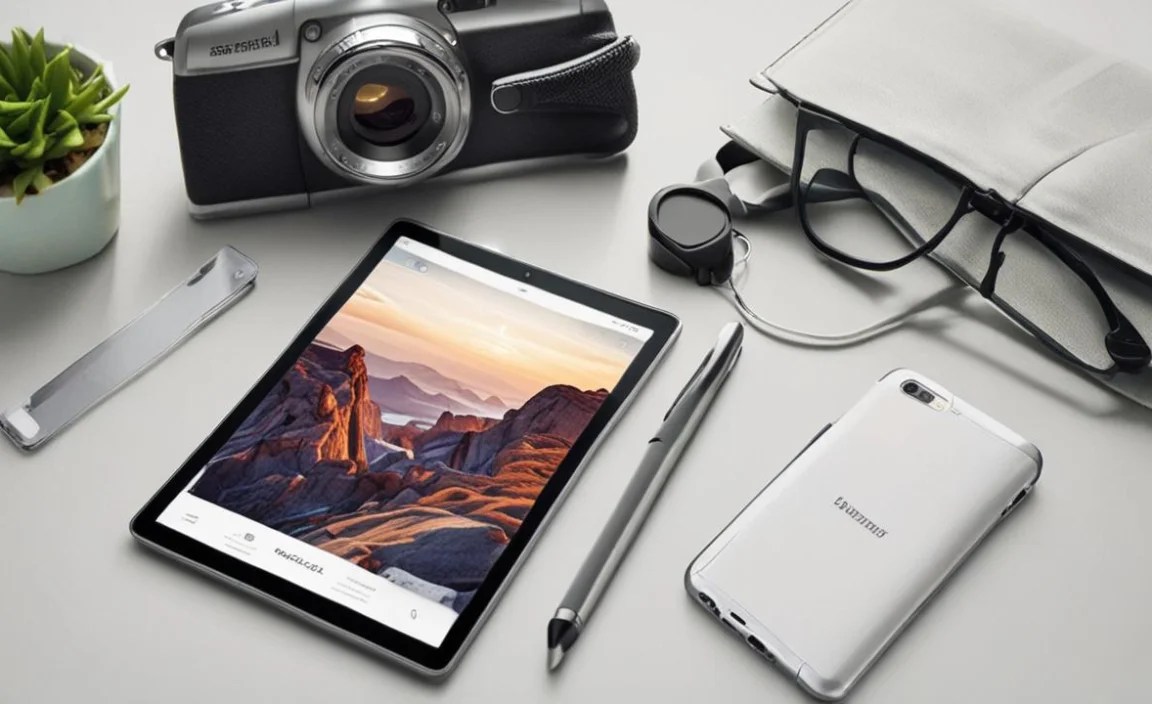
To help you narrow down your choice, here’s a breakdown of recommended tablets based on common travel needs.
| Travel Use Case | Recommended Tablet(s) | Key Features |
|---|---|---|
| Ultimate Portability & Reading |
|
Compact size, lightweight, good battery, comfortable for one-handed use. |
| Media Consumption (Movies, Shows, Books) |
|
Bright, high-resolution screen, good speakers, long battery life, ample storage. |
| Productivity & Work |
|
Powerful processor, good RAM, access to productivity apps, optional keyboard/pen support. |
| Creative Work (Drawing, Note-Taking) |
|
Precise stylus support, large screen (for some), good processing power, color-accurate display. |
| Budget-Conscious Travel |
|
Affordable price, decent performance for basic tasks, good battery life. |
Essential Accessories for Your Travel Tablet
Once you’ve chosen your tablet, a few accessories can make your travel experience even smoother and more enjoyable.
- Protective Case & Screen Protector: This is non-negotiable for protecting your investment from drops, scratches, and the general wear and tear of travel. Look for something that’s durable but not overly bulky.
- Portable Power Bank: Crucial for keeping your tablet charged on the go when outlets are scarce. Choose one with a capacity large enough to charge your tablet at least once or twice.
- Travel Adapter/Hub: If your tablet uses USB-C, a small hub can be incredibly useful for connecting USB drives, charging other devices, or even connecting to an external display in your hotel room.
- Stylus (if not included): For artists, note-takers, or anyone who prefers more precise input than a finger, a compatible stylus can be a game-changer. Test if it’s pressure-sensitive for drawing.
- Bluetooth Keyboard: Transforms your tablet into a mini laptop, essential for anyone planning to do significant typing for work or blogging.
- Tablet Stand: Handy for watching movies in your hotel, participating in video calls, or even for hands-free navigation if mounted safely in a car.
- Travel-Sized Tablet Brush/Wipes: To keep that screen smudge-free throughout your journey.
Tips for Maximizing Your Tablet While Traveling
Here are some practical tips to make sure your tablet enhances, rather than hinders, your travel experience:
- Download Offline Content: Don’t rely solely on Wi-Fi. Download your movies from Netflix, playlists from Spotify, e-books from Kindle, and maps from Google Maps or Maps.me before you leave. This saves data and ensures you have entertainment/navigation even in dead zones.
- Optimize Battery Settings: Reduce screen brightness, disable background app refresh for non-essential apps, and turn off Wi-Fi and Bluetooth when not in use to conserve battery. Enable Low Power Mode when available.
- Secure Your Data: Always use a passcode, fingerprint, or facial recognition to lock your tablet. Consider enabling remote erase features in case of loss or theft. Back up important files regularly to cloud storage or an external drive.
- Manage Your Apps: Uninstall apps you won’t need. Organize your home screen for easy access to essential travel apps like flight trackers, translation tools, and navigation.

Your tech guru in Sand City, CA, bringing you the latest insights and tips exclusively on mobile tablets. Dive into the world of sleek devices and stay ahead in the tablet game with my expert guidance. Your go-to source for all things tablet-related – let’s elevate your tech experience!