Expert-approved tablets for trucking are essential tools for modern drivers, offering navigation, communication, and entertainment. Our picks balance durability, battery life, screen size, and connectivity for life on the road.
Hey there! So, you’re a trucker, and you’re wondering about getting a tablet? That’s a fantastic idea! In today’s world, a good tablet can truly make life on the road a lot smoother. But with so many options out there, it’s easy to feel a bit lost. Which one is tough enough for the bumps and jostles of a truck cab? Which one has a battery that lasts as long as your longest hauls? Don’t worry, we’re here to help you sort it all out. We’ll guide you through the best tablet picks that are built for the demands of trucking, making your decision a breeze.
Expert-Approved Tablets for Trucking: Essential Picks
Being on the road for extended periods means you need tools that are not just functional but also reliable and resilient. For truckers, a tablet isn’t just a gadget; it’s a mobile office, a navigator, and a connection to home. Choosing the right one can significantly boost your efficiency, safety, and comfort. This guide breaks down what to look for and highlights some of the top contenders, approved by those who know the trucking life inside out.
Why Truckers Need a Dedicated Tablet

The life of a truck driver involves long hours, often in environments that aren’t exactly climate-controlled or stable. Traditional laptops can be bulky and sensitive, while smartphones, though convenient, sometimes fall short in screen real estate and multitasking capabilities. A tablet offers a sweet spot, providing a larger, more responsive touchscreen experience than a phone, in a more portable and often more robust package than a laptop. Think of it as your digital co-pilot and office, all in one.
Here are some key reasons why a tablet is a game-changer for truckers:
- Enhanced Navigation: Dedicated GPS apps, often with specialized trucking features like route planning for large vehicles, are much easier to use on a tablet screen.
- Efficient Dispatch and Communication: Accessing electronic logging devices (ELDs), company apps, and communicating with dispatch is streamlined.
- Information Access: Reviewing load details, checking weather, accessing training materials, or looking up service centers becomes much simpler.
- Entertainment and Downtime: Long waits at truck stops or during breaks are more enjoyable with access to movies, music, books, and games.
- Productivity on the Go: Many tablets can handle basic document editing, email, and digital note-taking, acting as a mini-office.
What Makes a Tablet “Trucking-Ready”? Key Features to Consider
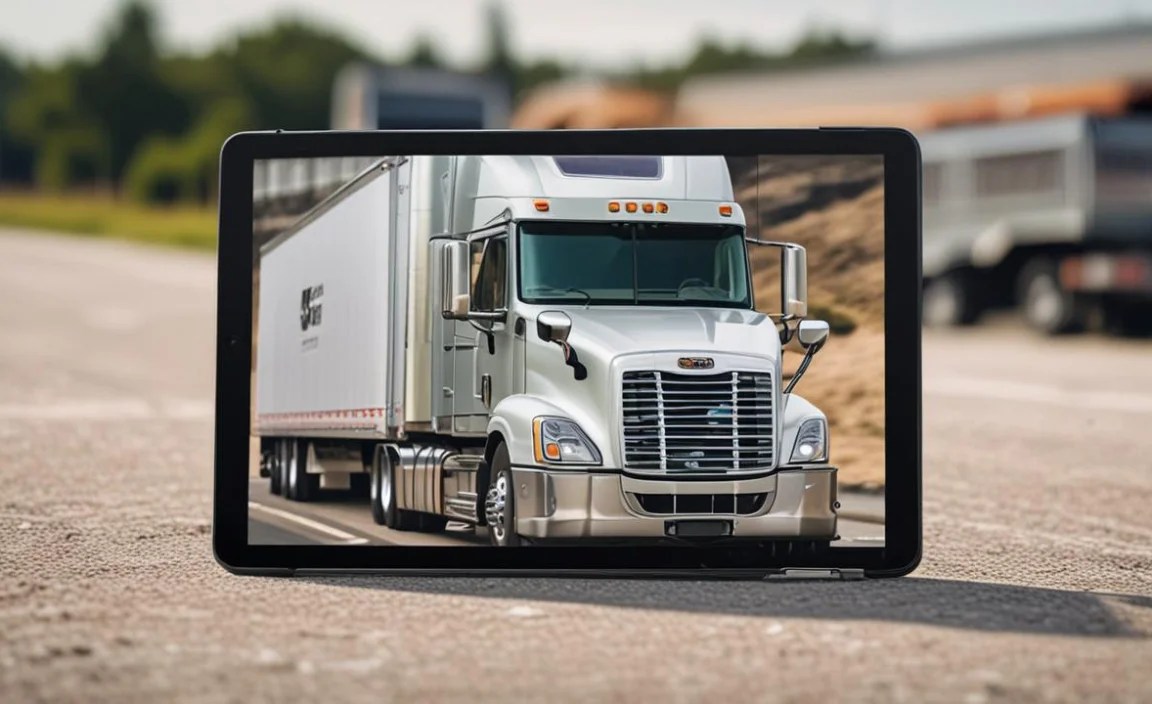
Not all tablets are created equal, especially when you consider the unique demands of trucking. What makes a tablet truly “expert-approved” for the road? It boils down to a few critical factors:
Durability and Ruggedness
This is arguably the most important factor. Your tablet will likely experience shakes, vibrations, and maybe even accidental drops. Look for:
- Ruggedized Models: These are built with reinforced corners, shock-absorbent materials, and often feature IP ratings (Ingress Protection) to indicate resistance to dust and water.
- Scratch-Resistant Screens: A tough screen can prevent minor damage from everyday use.
- Temperature Tolerance: While less common in consumer-grade tablets, some rugged models can operate in a wider range of temperatures, which can be crucial in an unconditioned truck cab.
Battery Life
You can’t always count on finding a charging port, so exceptional battery life is non-negotiable. Aim for:
- Long Standby and Active Use Times: Look for tablets that can last a full workday or longer on a single charge for typical usage.
- Fast Charging Capabilities: When you do have a chance to plug in, quick charging can save you valuable time.
Screen Size and Brightness
You’ll be viewing maps, documents, and potentially videos, so screen quality matters. Consider:
- Screen Size: Generally, larger screens (10 inches and up) are better for navigation and multitasking, but might be less portable.
- Brightness: A bright, easily viewable screen is essential for use in direct sunlight or during twilight hours when glare can be an issue.
- Resolution: A higher resolution means sharper text and images, making it easier to read maps and details.
Connectivity Options
Staying connected is vital for communication and accessing real-time data.
- Wi-Fi: Essential for connecting to hotspots.
- Cellular (LTE/5G): Having a cellular-enabled tablet means you can access the internet and use navigation apps even when Wi-Fi isn’t available. This is a huge plus for truckers who are always on the move.
- Bluetooth: Useful for connecting to car stereos, hands-free devices, or other accessories.
Performance and Storage
You need a tablet that can handle multiple apps running at once without lagging, and store your essential files and entertainment.
- Processor and RAM: Look for a decent processor and at least 4GB of RAM for smooth multitasking.
- Storage: 64GB is a minimum, but 128GB or more is recommended if you plan to store a lot of media or offline maps.
- Expandable Storage (MicroSD card slot): This can be a budget-friendly way to increase your storage capacity.
Operating System
The choice of OS often depends on your personal preference and what apps you need. The main players are iPadOS (Apple), Android, and Windows.
- iPadOS: Known for its user-friendly interface, strong app ecosystem, and excellent performance.
- Android: Offers great flexibility, a wide range of hardware options at various price points, and robust integration with Google services.
- Windows: Best if you need to run full desktop applications or a familiar PC-like environment.
Expert Picks: Top Tablets for Trucking

Based on durability, battery life, screen quality, and overall performance, here are some of the best tablets for truckers. We’ll cover a range of budgets and operating systems.
1. The Rugged All-Star: Panasonic Toughbook Tablets
When it comes to sheer toughness, Panasonic’s Toughbook line is legendary. These are not your average consumer tablets; they are built for extreme environments.
- Pros: Unmatched durability (MIL-STD-810G certified), water and dust resistance, excellent for extreme conditions, often run Windows for full desktop app compatibility.
- Cons: Very expensive, heavier and bulkier than typical tablets, screen might not be as vibrant for media consumption.
- Why it’s great for truckers: If your work environment is particularly harsh, or you need a tablet that can withstand almost anything, a Toughbook is the ultimate choice. They’re designed for field work, which translates well to the trucking industry.
For specific models, you might look at the Panasonic Toughbook A3 or L1, which are rugged Android tablets designed for mobile workers.
2. The Versatile Professional: Microsoft Surface Go 3
For truckers who need a laptop-like experience in a tablet form factor, the Surface Go 3 is a compelling option.
- Pros: Runs full Windows 11, excellent build quality, great keyboard accessory available (sold separately), can run virtually any desktop software.
- Cons: Can get pricey with accessories, battery life is decent but not outstanding for constant heavy use, less rugged than specialized devices.
- Why it’s great for truckers: If running specific Windows-based trucking software or needing a full desktop experience for paperwork is a priority, the Surface Go 3 offers that power in a portable package. It bridges the gap between a tablet and a laptop effectively.
It’s worth noting that while not explicitly “rugged,” the Surface Go 3 is well-built and can hold up to careful use in a truck cab. Adding a rugged case is highly recommended.
3. The Budget-Friendly Workhorse: Samsung Galaxy Tab A Series
Samsung’s Galaxy Tab A series offers a great balance of features, performance, and affordability, making it a popular choice for many.
- Pros: Affordable price, good battery life, reliable performance for everyday tasks, bright displays, available in various sizes, often has cellular options.
- Cons: Not as powerful as flagship tablets, build quality is good but not rugged, camera quality is average.
- Why it’s great for truckers: The Galaxy Tab A series (e.g., Tab A8 or A9) provides a solid Android experience for navigation, communication apps, and entertainment without breaking the bank. Its long battery life is a significant advantage for long trips. Consider adding a durable case for extra protection.
For an even more durable option within Samsung’s lineup, you might consider their ruggedized tablets if available in your region or look for third-party rugged cases designed for these models.
4. The Reliable All-Rounder: Apple iPad (Standard Model)
The standard iPad remains a top choice for its ease of use, excellent performance, and vast app ecosystem.
- Pros: User-friendly interface, powerful performance for its class, access to a huge library of high-quality apps, excellent screen quality, strong resale value.
- Cons: Can be more expensive than Android alternatives, less customizable than Android, not inherently rugged (requires a case).
- Why it’s great for truckers: The standard iPad is incredibly versatile. Whether you’re using it for GPS apps, staying in touch, accessing ELD systems, or enjoying entertainment, it handles it all with ease. Its reliability and simple operation make it stress-free for long hours on the road. Cellular models are a definite plus. Invest in a good rugged case!
Consider the latest generation for the best performance and features. Adding an Apple Pencil can be great for note-taking.
5. The Step-Up Android: Samsung Galaxy Tab S Series
For those who want a premium Android experience with more power and better displays, the Galaxy Tab S series is a fantastic choice.
- Pros: Stunning AMOLED displays, powerful processors, great for multitasking, supports DeX for a desktop-like experience, excellent S Pen integration.
- Cons: Higher price point, not inherently rugged.
- Why it’s great for truckers: If you want the best visual experience for maps, videos, or any visual data, the Tab S series excels. Its power ensures smooth operation of demanding apps, and DeX can be useful if you need more than a basic tablet interface. Again, a rugged case is essential.
Models like the Galaxy Tab S8 or S9 offer top-tier performance and screen quality. Look for cellular versions.
Table Comparison: Key Features at a Glance
To help you visualize the differences, here’s a quick comparison of some popular choices. Prices can vary, and cellular models typically cost more.
| Tablet Model | Operating System | Screen Size (Approx.) | Durability | Battery Life (Est.) | Price Range (Est.) | Key Trucking Advantage |
|---|---|---|---|---|---|---|
| Panasonic Toughbook A3 | Android | 10.1 inches | Very High (Rugged, IP65) | Up to 15 hours | $$$$$ (High) | Ultimate toughness for extreme conditions. |
| Microsoft Surface Go 3 | Windows 11 | 10.5 inches | Moderate (Add rugged case) | Up to 11 hours | $$$ – $$$$ (Mid to High) | Full Windows OS for desktop software. |
| Samsung Galaxy Tab A Series (e.g., A8/A9) | Android | 10.5 – 11 inches | Low (Add rugged case) | Up to 13 hours | $$ – $$$ (Low to Mid) | Excellent value, reliable for daily tasks. |
| Apple iPad (10th Gen) | iPadOS | 10.9 inches | Low (Add rugged case) | Up to 10 hours | $$$ – $$$$ (Mid to High) | User-friendly, performance, vast app store. |
| Samsung Galaxy Tab S Series (e.g., S9 FE) | Android | 11 – 12.4 inches | Low (Add rugged case) | Up to 10-18 hours (varies by model) | $$$$ (High) | Premium display and performance. |
(Note: Battery life estimates are for typical mixed usage and can vary significantly based on screen brightness, network activity, and app usage. Prices are indicative and can change.)
Maximizing Your Tablet for Trucking Life
Once you’ve chosen your tablet, there are several ways to make it even more useful for your profession:
Essential Apps for Truckers
Load your tablet with the right apps to enhance your driving experience:
- Navigation: Waze, Google Maps (with truck-specific settings enabled), Copilot Truck GPS, Trucker Path.
- ELD & Dispatch: Your company’s required ELD app, Carrier Direct, Trucker Tools.
- Communication: WhatsApp, Signal, Slack (for team communication).
- Entertainment: Netflix, Spotify, Audible, Kindle.
- Productivity: Google Drive, Microsoft Office Suite (mobile versions), Evernote.
- Truck Stop & Service Finders: Trucker Tools, Allstays Truck & Travel Stops.
Protecting Your Investment
As mentioned, durability is key. Invest in:
- Rugged Case: This is non-negotiable for most tablets. Look for cases with good corner protection, a screen protector, and ideally a stand. Brands like OtterBox, UAG (Urban Armor Gear), or Poetic offer robust options.
- Screen Protector: Even with a good case, a tempered glass screen protector adds an extra layer of defense against scratches and cracks.
- Vehicle Mount: A secure mount keeps your tablet stable and within easy view without obstructing your vision, which is crucial for safety. Look for mounts designed for heavy-duty vehicles.
Connectivity Strategies
Don’t get caught without data.
- Use Cellular Models: If your budget allows, opt for a tablet with cellular connectivity.
- Wi-Fi Hotspots: Many truck stops, rest areas, and even some restaurants offer free Wi-Fi.
- Mobile Hotspot: If you have a good data plan on your smartphone, you can use it as a personal hotspot for your tablet.
- Offline Maps: Download maps for the areas you’ll be traveling through using apps like Google Maps or dedicated GPS apps. This saves data and ensures navigation is available even in dead zones.
Frequently Asked Questions (FAQ)
Q1: Do I really need a rugged tablet, or can I just get a regular one with a case?
A1: For most truckers, a good quality regular tablet paired with a robust rugged case and screen protector is perfectly sufficient. Truly “rugged” tablets from brands like Panasonic are built for extreme dust, water, shock, and temperature resistance, which might be overkill unless you’re working in very harsh conditions. A good case adds significant protection against drops and impacts.
Q2: How important is screen brightness for a trucking tablet?
A2: Screen brightness is very important. You’ll be using your tablet in varying light conditions, including bright sunlight and the glare that can cause. A brighter screen with good anti-glare properties will make it much easier to read maps and information, improving usability and safety.
Q3: Should I get a Wi-Fi only tablet or a cellular (LTE/5G) model?
A3: A cellular model is highly recommended for truckers. While you can use Wi-Fi hotspots or your phone’s hotspot, having built-in cellular connectivity provides a more reliable and always-on internet connection, which is crucial for real-time navigation, dispatch communication, and ELD updates when Wi-Fi isn’t available or convenient.
Q4: How much storage space do

Your tech guru in Sand City, CA, bringing you the latest insights and tips exclusively on mobile tablets. Dive into the world of sleek devices and stay ahead in the tablet game with my expert guidance. Your go-to source for all things tablet-related – let’s elevate your tech experience!