Looking for a high-performance tablet for school? Our top picks balance power, portability, and battery life to boost your learning experience, tackling assignments with ease. Discover models designed for students needing speed and reliability.
Picking the right tablet for school can feel overwhelming, right? You want something that’s fast enough to handle your classes, powerful enough for research, and portable enough to carry around campus. It’s a big decision that affects your daily studies! But don’t worry, I’m here to help. We’ll break down what makes a tablet great for school and look at some truly genius picks that will make your academic life so much easier. Get ready to find your perfect study buddy!
Why a High-Performance Tablet is a Smart School Choice
In today’s fast-paced academic world, a regular tablet just won’t cut it. You need power and speed. Think about it: juggling research papers, online lectures, note-taking apps, and maybe even some light creative projects. A high-performance tablet isn’t just a gadget; it’s an essential academic tool. It means no more frustrating lag when you’re trying to access important information or submit an assignment before the deadline.
A powerful tablet can:
Handle demanding apps: Run specialized educational software, complex simulations, or even video editing for projects without a hitch.
Multitask seamlessly: Switch between your textbooks, your notes, and your research browser instantly, improving your workflow.
Offer excellent battery life: Keep you connected and productive through long days of classes and study sessions.
Provide a premium user experience: A faster processor and more RAM mean a smoother, more enjoyable interaction with your device.
Investing in a high-performance tablet for school is an investment in your education and your future success.
What to Look For in a High-Performance Tablet for School
Before we jump into specific recommendations, let’s talk about what truly matters when choosing a powerful tablet for your studies. It’s not just about the brand name; it’s about the features that will directly impact your learning experience.
Key Features Explained
Processor (CPU): This is the tablet’s “brain.” A faster processor means apps open quicker, multitasking is smoother, and complex tasks are handled with ease. Look for newer generations of chips from Qualcomm (Snapdragon), Apple (A-series or M-series), or MediaTek.
RAM (Random Access Memory): Think of RAM as your tablet’s short-term memory. More RAM allows you to run more apps at once and switch between them without them needing to reload. For high performance, aim for at least 6GB, with 8GB or more being ideal.
Storage: How much space do you need for your textbooks, notes, apps, and media? Aim for at least 128GB, and consider cloud storage options as a supplement. If you plan to download many large files or work with media, 256GB or more is a good idea.
Display Quality: A bright, crisp display is essential for reading, writing, and watching lectures. Look for tablets with good resolution (Full HD or higher), accurate colors, and comfortable brightness levels.
Battery Life: You’ll be using your tablet all day. Aim for devices that promise 8-10 hours of active use on a single charge. Features like fast charging can also be a lifesaver.
Operating System (OS): This is a big one. iOS (Apple iPads), Android (Samsung, Lenovo, etc.), and iPadOS (Apple iPads) are the most common. Your choice might depend on what other devices you use or specific app requirements for your course.
Stylus and Keyboard Support: For note-taking, drawing, and efficient writing, a good stylus and a responsive keyboard case can transform your tablet into a powerful productivity machine. Ensure they’re compatible and well-integrated.
Performance vs. Budget: Finding the Sweet Spot
While “high-performance” often suggests a high price tag, it’s possible to find excellent value. It’s about prioritizing what’s important for YOUR studies. Do you need the absolute fastest chip for demanding design software, or is smooth multitasking and long battery life your main goal? Understanding your specific needs will help you allocate your budget wisely.
Genius Picks: High-Performance Tablets for School
Ready to see some of the best high-performance tablets that won’t break the bank while still crushing your academic goals? I’ve chosen devices known for their speed, reliability, and fantastic features for students.
1. Apple iPad Air (5th Generation): The Versatile Powerhouse
The iPad Air is often considered the sweet spot for students who want top-tier performance without the premium price of the iPad Pro. It’s incredibly versatile, capable of handling everything from note-taking and research to video editing and creative tasks.
Why it’s a Genius Pick:
M1 Chip: This is the same powerful chip found in some MacBooks, delivering exceptional speed and efficiency for all your apps.
Beautiful Liquid Retina Display: Makes reading, writing, and viewing content a pleasure.
Apple Pencil 2nd Gen Support: Seamless integration with the Apple Pencil 2 for precise note-taking and drawing.
Magic Keyboard Compatibility: Transforms it into a mini laptop for typing essays.
Excellent App Ecosystem: Access to a vast library of powerful educational and productivity apps.
Long Battery Life: Easily powers through a full day of classes and study.
Considerations:
Storage options can be limiting if not adequately selected at purchase.
Accessories like the Apple Pencil and Magic Keyboard are sold separately and add to the cost.
2. Samsung Galaxy Tab S9 FE / S9 FE+: Big Screen, Smart Price
Samsung consistently delivers high-quality Android tablets, and the Galaxy Tab S9 FE (Fan Edition) series offers a fantastic blend of performance and value. They provide a large, immersive display perfect for multitasking and detailed work.
Why it’s a Genius Pick:
Powerful Performance: Equipped with capable chipsets (like MediaTek or Snapdragon depending on the model) that handle multitasking and demanding apps well.
Large, Vivid Displays: The generous screen size is ideal for splitting into two apps, viewing detailed diagrams, or enjoying multimedia.
Included S Pen: Unlike many competitors, the S Pen is typically included, offering excellent precision for note-taking and drawing right out of the box.
Good Battery Life: Designed to last through multiple classes and study sessions.
DeX Mode: Samsung’s DeX allows for a desktop-like experience, making it more functional for productivity tasks.
Durability: Often comes with IP rating for water and dust resistance, adding peace of mind.
Considerations:
While powerful, it might not match the raw processing power of the top-tier iPad Pro or Samsung’s own flagship Tab S series for extremely heavy tasks.
3. Microsoft Surface Go 3: The Windows Option
If you’re tied to the Windows ecosystem or need specific Windows-only software for your studies, the Microsoft Surface Go 3 is a compelling choice. It’s a highly portable 2-in-1 device that functions as both a tablet and a laptop.
Why it’s a Genius Pick:
Full Windows Experience: Run all your familiar Windows applications without compromise.
Compact and Lightweight: Extremely portable, making it easy to carry in any backpack.
Versatile Form Factor: Type Mode, Studio Mode, Tablet Mode – it adapts to your activity.
Optional Surface Pen and Type Cover: Enhance productivity with precise input and comfortable typing.
Considerations:
Performance can be more modest compared to dedicated tablets with mobile-first processors. It’s best for standard productivity, research, and note-taking, rather than heavy, demanding applications.
The price can increase significantly with the addition of the Type Cover and Surface Pen.
4. Lenovo Tab P11 Plus / P12 Pro: The Android Value Champ
Lenovo offers some of the best value in the Android tablet market, and models like the Tab P11 Plus or the more premium P12 Pro deliver strong performance for students on a budget. They provide good screens and solid multimedia capabilities.
Why it’s a Genius Pick:
Excellent Value for Money: Get impressive features and performance without the premium price tag.
Bright and Colorful Displays: Great for reading, watching lectures, and casual browsing.
Solid Performance: Capable of handling everyday student tasks smoothly with their optimized processors.
Good Battery Life: Keeps you powered through your academic day.
Optional Stylus and Keyboard: Available for enhanced productivity, though often sold separately.
Considerations:
App optimization for Android tablets can sometimes be less refined than on iPadOS.
Processor and RAM might not be top-of-the-line compared to flagship models, but sufficient for most student needs.
5. Apple iPad (10th Generation): The Accessible Performer
The standard iPad line from Apple is always a strong contender, and the 10th generation offers a modern design and enhanced capabilities that make it an excellent choice for many students. It bridges the gap between entry-level and the Air.
Why it’s a Genius Pick:
Modern Design: Features larger screen and slimmer bezels than previous standard iPads.
A14 Bionic Chip: More than enough power for everyday student tasks, multitasking, and many educational apps.
USB-C Connectivity: Universal charging and accessory port.
Apple Pencil Support (1st gen and USB-C): Versatile for note-taking.
Vast App Library: Access to the extensive and optimized iPadOS app store.
Considerations:
Supports the older Apple Pencil (1st Generation) or the newer USB-C Apple Pencil, which might require an adapter for charging with the 1st Gen.
Magic Keyboard compatibility is with Apple’s own keyboard folio, not the Magic Keyboard.
Comparing High-Performance Tablets for School
To help you visualize the differences, here’s a table comparing some of the key aspects of these recommended tablets. Remember, specifications are important, but real-world performance and how it fits your needs are what truly matter.
| Feature | Apple iPad Air (5th Gen) | Samsung Galaxy Tab S9 FE | Microsoft Surface Go 3 | Apple iPad (10th Gen) | Lenovo Tab P12 Pro |
| :——————- | :———————– | :———————– | :———————- | :——————– | :—————– |
| Operating System | iPadOS | Android | Windows 11 Home | iPadOS | Android |
| Processor | Apple M1 | MediaTek/Snapdragon | Intel Pentium/Core i3 | A14 Bionic | Snapdragon |
| RAM (Typical) | 8GB | 6GB / 8GB | 4GB / 8GB | 4GB | 8GB |
| Storage Options | 64GB, 256GB | 128GB, 256GB | 64GB, 128GB | 64GB, 256GB | 128GB / 256GB |
| Display Size | 10.9 inches | 10.9 inches | 10.5 inches | 10.9 inches | 12.6 inches |
| Stylus Support | Apple Pencil 2nd Gen | S Pen (Included) | Surface Pen (Optional) | Apple Pencil 1st/USB-C | Precision Pen 2 (Optional) |
| Keyboard Support | Magic Keyboard, Folio | Book Cover Keyboard | Type Cover (Optional) | Magic Keyboard Folio | Keyboard Pack (Optional) |
| Port | USB-C | USB-C | USB-C, Surface Connect | USB-C | USB-C |
| Starting Price | $$ | $$ | $$ | $ | $ |
Note: Prices fluctuate and vary by retailer and configuration. $ indicates more budget-friendly, $$ indicates mid-range, $$$ indicates premium.
Tips for Maximizing Your Tablet’s Performance for School
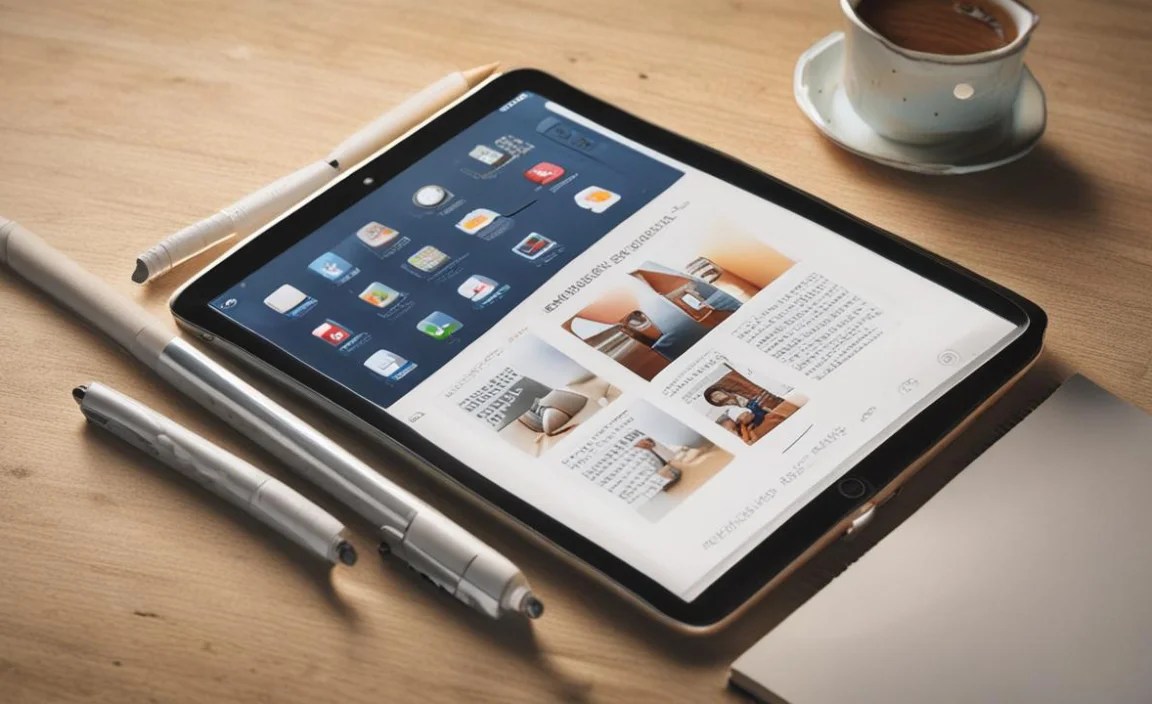
Getting a great tablet is only half the battle. Here’s how to keep it running smoothly and efficiently throughout your academic career:
1. Keep Your Software Updated: Your tablet’s operating system and apps often receive performance improvements and bug fixes through updates. Make sure automatic updates are enabled or check regularly.
2. Manage Background Apps: Close apps you’re not actively using, especially if your tablet has less RAM. This frees up memory for the apps you are using.
3. Optimize Storage: Regularly clear out unnecessary photos, videos, downloads, and old files. Full storage can significantly slow down your device. Consider using cloud storage services like Google Drive, OneDrive, or iCloud. For more on managing digital clutter, check out resources from institutions like Purdue University’s ITaP.
4. Use Productivity-Focused Accessories: Invest in a good quality stylus for note-taking and a comfortable keyboard if you do a lot of typing. These tools enhance your workflow and can make your tablet feel more like a dedicated work machine.
5. Clean Your Screen Regularly: A clean screen is easier to interact with, and a clean device generally feels more pleasant to use. Use a microfiber cloth.
6. Understand Your Apps: Some apps are more resource-intensive than others. If you notice lag when using a specific app, try closing other applications or see if there’s a lighter alternative available.
Frequently Asked Questions (FAQ)
Here are some common questions beginner students often have about high-performance tablets for school.
Q1: Do I really need a high-performance tablet for school?
It depends on your major and how you plan to use the tablet. If you’re in a field that requires specialized software, extensive research, creative work (like graphic design or video editing), or heavy multitasking, then yes, a high-performance tablet will make your life much easier and more productive.
Q2: How much RAM is enough for a student tablet?
For most general student tasks like note-taking, research, and web browsing, 4GB of RAM can be sufficient. However, for true high performance, especially if you multitask heavily or use more demanding apps, aim for at least 6GB or, ideally, 8GB of RAM.
Q3: Which operating system is best for a student tablet: iOS, Android, or Windows?
This is largely personal preference and depends on your course requirements. iOS (on iPads) is known for its user-friendly interface and excellent app ecosystem. Android offers more customization and often better value. Windows is essential if you need to run specific desktop software.
Q4: Should I get a tablet with cellular connectivity (LTE/5G)?
If you plan to use your tablet in many places without Wi-Fi (like commuting or in certain lecture halls) and need constant internet access, cellular connectivity is beneficial. However, it adds to the cost and requires a data plan. For many students, relying on Wi-Fi and a mobile hotspot from their phone is sufficient.
Q5: What’s the difference between a tablet and a 2-in-1 laptop?
A 2-in-1 laptop generally offers more robust processing power and runs a full desktop operating system (like Windows), with a detachable or convertible keyboard as a core feature. A tablet is primarily a touchscreen device, running mobile operating systems (iOS, Android), and often relies on separate accessories for keyboard input. For pure portability and touch-first experiences, tablets are often preferred, while 2-in-1s bridge the gap for those needing desktop-like capabilities.
Q6: Is it worth buying refurbished or older high-performance models?
Yes, absolutely! For budget-conscious students, refurbished or slightly older high-performance models can offer incredible value. For instance, a previous generation iPad Air or a Samsung Galaxy Tab S series can still provide excellent performance for most student needs at a lower price point. Always buy from reputable sources that offer warranties, such as the manufacturer’s refurbished store or trusted retailers.
Conclusion: Your Perfect Study Companion Awaits
Choosing a high-performance tablet for school is a decision that can truly elevate your learning experience. It’s about finding a device that’s not only powerful but also fits seamlessly into your academic workflow, making research, note-taking, and assignments feel less like a chore and more like an opportunity.
Whether you lean towards the intuitive ecosystem of Apple with the iPad Air or the versatile customization of Android with the Samsung Galaxy Tab S9 FE, or even need the full power of Windows with the Surface Go 3, there’s a genius pick out there for you. Remember to consider your specific course needs, your budget, and what features will make you most productive.
Don’t be afraid to explore the specs, read reviews, and imagine yourself using the tablet in your daily study routine. With the right high-performance tablet by your side, you’ll be well-equipped to tackle any academic challenge with confidence and ease. Happy studying!

Your tech guru in Sand City, CA, bringing you the latest insights and tips exclusively on mobile tablets. Dive into the world of sleek devices and stay ahead in the tablet game with my expert guidance. Your go-to source for all things tablet-related – let’s elevate your tech experience!