Lightweight tablets for warehouse operations can boost efficiency and reduce strain for staff. Focus on durability, battery life, screen visibility, and ease of use to make smart buying choices. Our expert tips simplify the process, ensuring you select the best models for your team.
Navigating the world of technology for your business can feel a bit overwhelming, especially when you’re looking for gear that needs to perform in demanding environments. If you’re on the hunt for lightweight tablets to use in your warehouse, you might be wondering what really matters. It’s easy to get lost in technical specs! But don’t worry, we’re here to break it all down. This guide will walk you through exactly what to look for, making sure you invest in tablets that are not only light but also tough, reliable, and a joy for your team to use every day. We’ll cover everything from screen brightness to how long the battery lasts, so you can feel confident in your choices.
Why Lightweight Tablets Are a Warehouse Game-Changer

In a busy warehouse, every ounce counts. When your staff are on their feet all day, moving products, checking inventory, or managing orders, the weight of the devices they carry can actually impact their productivity and even their well-being. Traditional, heavier devices can lead to fatigue, making tasks slower and potentially increasing the risk of errors or strain.
Lightweight tablets, on the other hand, are designed with mobility and ease of use in mind. They offer powerful computing capabilities in a compact and easy-to-handle form factor. This means your team can carry them around for extended periods without discomfort, access information instantly, and complete tasks more quickly and efficiently. Think of it as giving your employees a helpful tool that doesn’t add to their physical load, but rather lightens their workload in terms of information access and task management.
The Benefits at a Glance:
Reduced Fatigue: Lighter devices mean less strain on your employees’ arms and shoulders, especially during long shifts.
Increased Productivity: Staff can move and work more freely, accessing data and completing tasks faster.
Improved Accuracy: Clear, easy-to-read screens and intuitive interfaces can help reduce errors in data entry and order fulfillment.
Enhanced Durability: Many lightweight warehouse tablets are built to withstand drops, dust, and spills, common in industrial settings.
Better Adoption Rates: When devices are comfortable and easy to use, staff are more likely to adopt and utilize them effectively.
Key Features to Look For in Your Warehouse Tablets

When choosing lightweight tablets for your warehouse, it’s important to look beyond just the weight. Several critical features will determine how well these devices perform in your specific environment and how beneficial they are to your operations. We’ll break down the essentials:
1. Durability and Ruggedness
Warehouses are not your average office environments. They can be dusty, subject to impacts, and sometimes even exposed to moisture. Therefore, a key consideration for any tablet used in this setting is its durability. Look for devices that are specifically designed to be “rugged” or “semi-rugged.”
IP Ratings: This is a standardized way to measure a device’s protection against solids (like dust) and liquids.
The first digit indicates protection against solids (e.g., 0-6, where 6 is dust-tight).
The second digit indicates protection against liquids (e.g., 0-9, where 9 is protected against high-pressure hot water jets).
For warehouse use, aim for a minimum of IP54, and ideally IP65 or higher for better dust and water resistance. For instance, a tablet with an IP65 rating is dust-tight and protected against water jets.
Drop Resistance: Tablets should be able to withstand accidental drops from typical working heights. Look for MIL-STD-810G or MIL-STD-810H certifications, which indicate that the device has passed rigorous testing for shock, vibration, temperature extremes, and more.
Screen Protection: Gorilla Glass or similar reinforced screen technologies help prevent scratches and cracks, which are common in busy environments.
2. Screen Quality and Readability
Your team will be interacting with the tablet’s screen constantly. For warehouse operations, outdoor use, or areas with bright lighting, screen visibility is paramount.
Brightness (Nits): Higher nit counts mean a brighter screen, which is essential for readability in sunny conditions or well-lit warehouses. Look for tablets with at least 500 nits, but 700-1000 nits or more will offer superior outdoor and bright-light performance.
Screen Size: While larger screens can be easier to read, they can also make a tablet bulkier. For a good balance of readability and portability, consider screen sizes in the 8-10 inch range for lightweight, durable models.
Touchscreen Technology: Ensure the screen has a responsive touchscreen that can be operated even with gloves on, or consider models with stylus support if precise input is required.
3. Battery Life
Downtime due to a dead battery is a significant productivity killer. For warehouse operations, tablets often need to last an entire shift, or even longer.
Battery Capacity (mAh): Look for a high milliampere-hour (mAh) rating, which indicates the battery’s storage capacity. Larger mAh values generally mean longer battery life.
Removable vs. Non-Removable: Removable batteries are a huge advantage in warehouse settings. This allows staff to swap in a fully charged battery without taking the tablet out of service, ensuring continuous operation.
Fast Charging: If hot-swappable batteries aren’t an option, fast charging capabilities can minimize downtime when a recharge is needed.
4. Processing Power and Performance
While you don’t necessarily need the most powerful processor for basic inventory tasks, the tablet should be able to run your warehouse management software (WMS) smoothly without lag.
RAM: Aim for at least 4GB of RAM for a fluid user experience, and 6GB or 8GB if you’re running more demanding applications.
Processor (CPU): A mid-range processor from Qualcomm (Snapdragon), Intel, or MediaTek should suffice for most warehouse applications. Check reviews for performance benchmarks relevant to your intended use.
Storage: Ensure sufficient internal storage for your apps and any offline data. 64GB is a reasonable minimum, with 128GB or more being ideal. Expandable storage via microSD card is a plus.
5. Connectivity Options
Reliable connectivity is crucial for real-time data access and communication.
Wi-Fi: Ensure the tablet supports the latest Wi-Fi standards (Wi-Fi 5 or Wi-Fi 6) for fast and stable connections within your warehouse.
Bluetooth: Essential for connecting to peripherals like barcode scanners, printers, or other accessories.
Cellular (LTE/5G): If your warehouse has dead zones or requires mobile connectivity outside of Wi-Fi range, cellular capabilities are a must.
GPS: Useful for tracking assets or navigating large facilities.
6. Operating System and Software Compatibility
Most warehouse applications run on either Android or Windows operating systems.
Android: Often favored for its user-friendly interface, extensive app ecosystem (Google Play Store), and flexibility. Many rugged Android tablets are specifically designed for enterprise use.
Windows: Provides a familiar desktop-like experience and is ideal if your existing WMS or other critical line-of-business software is Windows-based.
Software Support: Confirm that the tablet can run all the essential applications your warehouse uses, from inventory management to shipping manifests.
7. Ergonomics and Portability
Even with a focus on “lightweight,” the physical design matters for comfort and ease of handling throughout the day.
Grip: Look for devices with textured grips or integrated handles to prevent accidental drops and provide a secure hold.
Weight Distribution: A well-balanced tablet will feel lighter than its actual weight.
Ports: Consider the types and placement of ports. Easy access to USB ports for charging and data transfer is important.
Top Lightweight Tablet Categories for Warehouse Use

When you start looking at actual products, you’ll notice a few categories that stand out for warehouse applications. While “lightweight” is relative, these types of tablets offer the best blend of portability and ruggedness for your needs.
1. Rugged Tablets
These are the workhorses of industrial environments. They are built from the ground up to withstand harsh conditions. While they might not be the absolute lightest, their durability and specialized features often outweigh the slight difference in weight compared to consumer-grade tablets.
Pros: Extreme durability (IP ratings, MIL-STD), long battery life, often sunlight-readable screens, robust connectivity.
Cons: Higher cost, can be slightly heavier and bulkier than semi-rugged or enterprise tablets.
Examples: Devices from manufacturers like Zebra, Honeywell, Panasonic Toughbook, and Getac.
2. Semi-Rugged Enterprise Tablets
These bridge the gap between consumer tablets and fully rugged devices. They offer enhanced durability compared to a standard tablet but are often lighter and more streamlined. They are ideal for less extreme environments or roles where protection against minor drops and splashes is sufficient.
Pros: Good balance of durability and portability, often more affordable than fully rugged models, good performance for business apps.
Cons: Not as robust as fully rugged options, may not withstand extreme conditions.
Examples: Certain models from major brands like Dell (Rugged series), HP, and sometimes business-focused tablets from Samsung or Lenovo.
3. Lightweight Business Tablets with Accessories
Some standard tablets can be made warehouse-ready with the right accessories. You might choose a lighter, more consumer-oriented tablet and then outfit it with a rugged case, a screen protector, and perhaps a stylus. This can be a more budget-friendly option, but it’s crucial to ensure the base tablet has sufficient durability for your environment.
Pros: Potentially lower upfront cost, wider selection of base models, can be very lightweight.
Cons: Durability depends heavily on the case and accessories; may not meet strict military-grade standards.
Examples: iPads or Samsung Galaxy Tab devices paired with robust protective cases from OtterBox, UAG, or Grif Gass.
Buying Guide: Step-by-Step
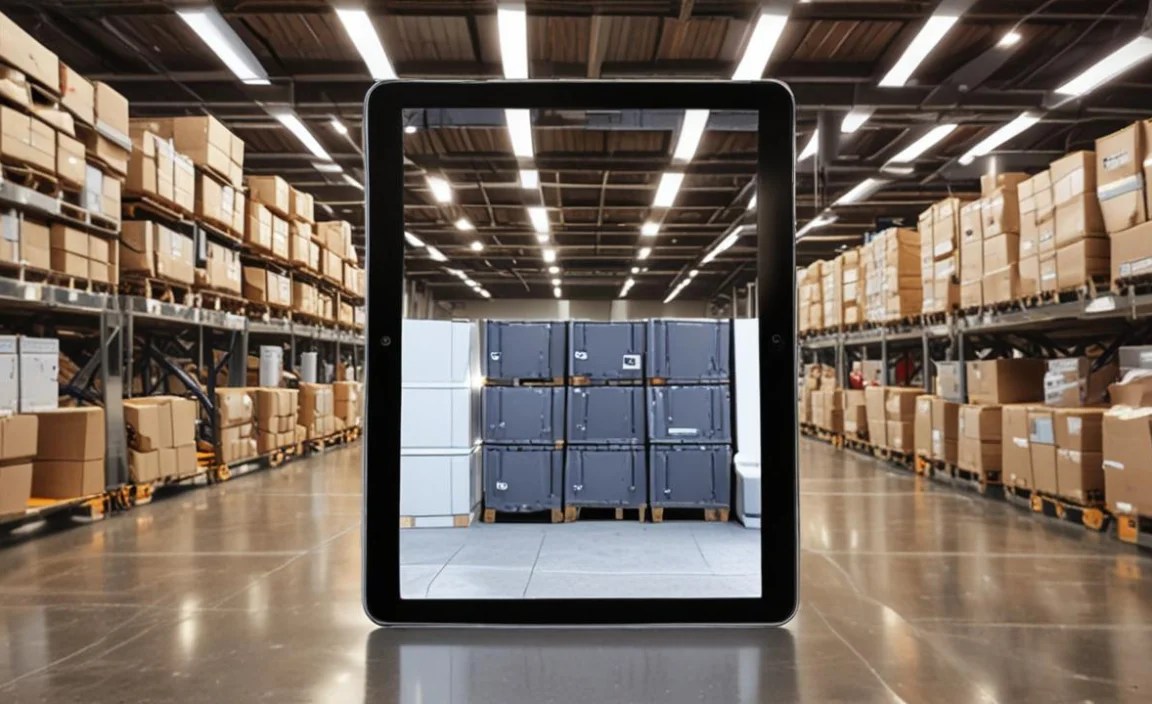
Ready to make a decision? Follow these steps to ensure you choose the best lightweight tablets for your warehouse:
Step 1: Assess Your Specific Needs and Environment
What tasks will the tablets be used for? (Inventory scanning, order picking, data entry, delivery tracking, asset management, etc.)
What is your warehouse environment like? (Dusty, wet, temperature fluctuations, likely to be dropped?)
What software will you be running? (Check system requirements.)
What are your connectivity needs? (Only Wi-Fi, or cellular too?)
How important is battery life across an entire shift?
Who will be using the tablets? (Consider user comfort and familiarity with technology.)
Step 2: Define Your Budget
Rugged tablets can be a significant investment. Determine your budget per device and overall. Remember to factor in recurring costs like software licenses, potential repairs, and accessories.
Step 3: Research Brands and Models
Based on your needs assessment, begin researching tablets that fit your criteria. Focus on manufacturers known for their durable or enterprise-grade devices.
Key Manufacturers to Consider: Zebra Technologies, Honeywell, Panasonic, Getac, Dell, HP, Samsung (Business/Rugged lines), Lenovo (Rugged lines).
Step 4: Compare Specifications and Features
Create a comparison chart (like the example below) to systematically go through your shortlisted models. Pay close attention to:
Durability ratings (IP, MIL-STD)
Screen brightness (nits)
Battery size (mAh) and if it’s removable
Processor and RAM
Storage capacity
Connectivity options
Weight and dimensions
Example Comparison Table: Lightweight Warehouse Tablets
| Feature | Model A (Rugged) | Model B (Semi-Rugged) | Model C (Business + Case) |
| :—————— | :——————– | :——————– | :———————— |
| Weight | 1.2 lbs (544g) | 0.9 lbs (408g) | 0.7 lbs (317g) |
| Screen Size | 8 inches | 10 inches | 10.5 inches |
| Brightness | 700 nits | 500 nits | 400 nits (Base) |
| IP Rating | IP65 | IP54 | N/A (Depends on Case) |
| MIL-STD Rating | 810H | 810G (select drops) | N/A |
| Battery Life | 10-12 hours (hot swap)| 8-10 hours | 6-8 hours |
| Processor | Snapdragon 662 | Snapdragon 480 | Snapdragon 778G |
| RAM | 4GB | 4GB | 6GB |
| Storage | 64GB | 64GB | 128GB |
| OS | Android 11 | Android 11 | Android 13 |
| Connectivity | Wi-Fi 5, BT 5.0, LTE | Wi-Fi 5, BT 5.0, LTE | Wi-Fi 6, BT 5.2 |
| Special Features| Integrated scanner option | Stylus support | Optional rugged case |
| Approx. Price | $900 – $1200 | $600 – $800 | $400 + $100 (case) |
Step 5: Read Reviews and Consult Experts
Look for professional reviews from tech sites and user reviews from other businesses. If possible, consult with IT solutions providers or manufacturers’ representatives who can offer specific advice for your industry. Consider sources like TechTarget for definitions of rugged computing.
Step 6: Request Demos or Trial Units
This is arguably the most crucial step. Before committing to a large purchase, get your hands on a few different models. Let your warehouse staff test them in real-world conditions. See if they are comfortable to hold, if the screen is visible, and if the software runs smoothly. This real-world testing will reveal potential issues that specs alone can’t.
Step 7: Consider Accessories and Support
Cases: If not buying fully rugged, invest in sturdy protective cases.
Screen Protectors: Essential for preventing scratches.
Carrying Straps/Holsters: For easier carrying and security.
Stylus Pens: If detailed input is needed.
Warranty and Support: What kind of warranty is offered? What is the repair turnaround time? For business-critical devices, good support is vital.
Best Practices for Implementing Tablets in Your Warehouse

Once you’ve chosen your tablets, successful implementation is key to realizing their benefits.
Employee Training: Don’t underestimate the need for thorough training. Ensure all users understand how to operate the tablets, use the critical software, and care for the devices.
Staggered Rollout: Introduce tablets to one team or department first, gather feedback, and make adjustments before rolling out to the entire warehouse.
Device Management System: Consider using a Mobile Device Management (MDM) solution. MDMs allow you to remotely configure, secure, monitor, and update your fleet of tablets, saving IT time and ensuring compliance.
Charging Stations and Battery Management: Set up dedicated charging areas. If using hot-swappable batteries, establish a clear process for swapping and charging them.
* Regular Updates: Keep the operating system and applications updated to ensure security and performance.
Frequently Asked Questions (FAQs)
What is the main difference between rugged and consumer tablets?
Rugged tablets are specifically engineered to withstand harsh conditions like drops, dust, water, and extreme temperatures. Consumer tablets, while capable, are generally designed for indoor, less demanding use and lack these protective features.
Do I need special cases for my warehouse tablets?
If you’re using fully rugged tablets, they likely come with built-in protection. However, if you opt for semi-rugged or consumer-grade tablets in a warehouse environment, a good quality rugged case is essential to provide adequate protection against drops and impacts.
How much battery life should I look for?
For a standard 8-hour shift, aim for tablets that can reliably provide 8-10 hours of continuous use on a single charge. If your operations run longer or require intense usage, look for even longer battery life or, ideally, batteries that are hot-swappable.
Are lightweight tablets more expensive?
“Lightweight” itself doesn’t dictate price. However, tablets built for demanding environments (which often include lightweight, durable materials) tend to be more expensive than

Your tech guru in Sand City, CA, bringing you the latest insights and tips exclusively on mobile tablets. Dive into the world of sleek devices and stay ahead in the tablet game with my expert guidance. Your go-to source for all things tablet-related – let’s elevate your tech experience!