Most popular tablets for business comparison: The best business tablets offer portability, power, and long battery life. Our guide breaks down top models like the iPad Pro, Microsoft Surface Pro, and Samsung Galaxy Tabs, comparing features essential for productivity and collaboration so you can choose the perfect fit.
Choosing a new tablet for work can feel overwhelming. With so many options, how do you know which one will actually help you get more done and feel less stressed? You want something that’s powerful enough for your tasks but also easy to carry and use on the go.
Don’t worry, we’re here to help! Tabletzoo has done the research to bring you a clear, simple guide to the most popular tablets businesses are choosing right now. We’ll look at what makes each one great for work, making it easy for you to find the perfect device.
Why Tablets Are a Smart Choice for Business

Tablets have become more than just entertainment devices; they are powerful tools that can transform the way businesses operate. Their lightweight design, long battery life, and touch-screen interfaces make them incredibly versatile for a wide range of professional tasks. From sales presentations and client meetings to field work and on-site data collection, tablets offer an unparalleled level of mobility and instant access to information.
Think about it: no more lugging heavy laptops to every client visit. Instead, you can pull out a sleek tablet that’s ready to go in seconds. This agility can significantly boost productivity and efficiency. Moreover, the interactive nature of tablets can enhance customer engagement and streamline internal workflows.
The integration of productivity apps, cloud services, and specialized business software means that a tablet can often replace or supplement traditional computing devices for many professionals. This guide will help you navigate the landscape of popular business tablets and make an informed decision.
Key Features to Consider for Business Tablets

When selecting a tablet for business, it’s important to look beyond just screen size and brand. Several key features directly impact productivity, security, and overall usability in a professional setting. Here’s what to keep an eye on:
- Performance: A fast processor and ample RAM are crucial for multitasking, running demanding applications smoothly, and ensuring quick response times.
- Battery Life: Long-lasting battery power is essential for professionals who are constantly on the move, work remotely, or travel frequently. Aim for devices that can last a full workday or longer on a single charge.
- Operating System: The choice between iOS (Apple), Android, or Windows depends on your existing ecosystem and software needs.
- Display Quality: A crisp, bright display with good color accuracy is important for presentations, reviewing documents, and any visual work.
- Storage: Sufficient internal storage is needed for apps, files, and data. Consider options with expandable storage (via microSD card) or cloud integration.
- Connectivity: Wi-Fi is standard, but built-in LTE or 5G connectivity can be a game-changer for those needing constant internet access away from Wi-Fi hotspots.
- Portability and Durability: A lightweight design with a sturdy build is ideal for professional use. Features like rugged cases or water resistance can add value depending on your work environment.
- Accessory Support: The availability of compatible keyboards, styluses, and docking stations can significantly enhance a tablet’s functionality for business tasks.
- Security Features: Biometric authentication (fingerprint or facial recognition) and robust data encryption are vital for protecting sensitive business information.
The Top Contenders: Most Popular Tablets for Business Comparison

Let’s dive into some of the most popular and highly-regarded tablets that businesses are choosing today. Each offers a unique set of strengths, catering to different needs and preferences.
1. Apple iPad Pro (M2 Chip)
The iPad Pro remains a dominant force in the tablet market, consistently cited for its powerful performance, excellent display, and vast ecosystem of apps. For businesses, it offers a compelling blend of power and portability.
- Performance: Powered by the M2 chip, it handles demanding tasks like video editing, graphic design, and complex spreadsheets with ease.
- Display: The Liquid Retina XDR display (on the 12.9-inch model) offers stunning visuals with incredible brightness and contrast, perfect for presentations and detailed work.
- Ecosystem: Seamless integration with other Apple devices and a vast library of high-quality iPadOS apps, including robust productivity suites like Microsoft 365 and Google Workspace.
- Accessories: The Magic Keyboard and Apple Pencil 2nd generation transform the iPad Pro into a near-laptop experience, ideal for content creation and note-taking.
- Connectivity: Wi-Fi 6E and optional 5G provide fast, reliable internet access on the go.
- Software: iPadOS is intuitive and user-friendly, with features like Stage Manager enhancing multitasking capabilities.
Best for: Creative professionals, executives, and businesses that are already invested in the Apple ecosystem, needing top-tier performance and a premium user experience.
2. Microsoft Surface Pro 9
Microsoft’s Surface Pro series is designed to offer the versatility of a tablet with the power of a laptop, running a full-blown desktop operating system.
- Performance: Featuring Intel Core processors (or ARM-based for specific models), it delivers robust performance capable of running most Windows applications smoothly.
- Operating System: Runs Windows 11, offering full compatibility with legacy business software and familiar desktop environments.
- Display: The 13-inch PixelSense display is bright, sharp, and responsive, with a 120Hz refresh rate for smoother scrolling and drawing.
- Versatility: The iconic kickstand allows for multiple viewing angles, and when paired with the Surface Keyboard (sold separately), it becomes a highly capable laptop replacement.
- Connectivity: USB-C ports with Thunderbolt 4 support allow for easy connection to a wide range of peripherals and external displays. Optional 5G connectivity is available.
- Pen Support: Excellent stylus support (Surface Slim Pen 2) makes it ideal for digital inking, markup, and detailed design work.
Best for: Professionals who need full Windows compatibility, want a device that can truly double as a laptop, and require a familiar desktop operating system for their work.
3. Samsung Galaxy Tab S9 Series
Samsung’s premium Galaxy Tab S series offers a powerful Android alternative with a stunning display and excellent stylus integration, making it a strong contender for business use.
- Performance: Equipped with high-end Qualcomm Snapdragon processors, these tablets offer smooth performance for multitasking and running business apps.
- Display: The Dynamic AMOLED 2X displays are vibrant, sharp, and offer excellent color reproduction, perfect for viewing documents, designs, and multimedia content.
- S Pen Included: The S Pen comes in the box and offers precise input, natural writing feel, and handy Air Actions for remote control of the device.
- DeX Mode: Samsung DeX transforms the tablet’s interface, providing a desktop-like experience when connected to an external monitor or used in its tablet form, enhancing productivity.
- Build Quality: These tablets boast premium build quality with IP68 water and dust resistance, offering added peace of mind in various work environments.
- Storage and Expandability: Generous internal storage options and microSD card support for expandable storage.
Best for: Android users, professionals who value a stylus for note-taking and sketching, and those who want a high-quality display with desktop-like multitasking capabilities via DeX mode.
4. Apple iPad Air (M1 Chip)
The iPad Air strikes an excellent balance between the Pro models and the standard iPad, offering great performance and features at a more accessible price point for business users.
- Performance: With the M1 chip found in some MacBooks, it provides more than enough power for the vast majority of business tasks, including light content creation.
- Display: Features a beautiful 10.9-inch Liquid Retina display that’s sharp and color-accurate.
- Portability: Its thinner and lighter design compared to some competitors makes it exceptionally easy to carry around.
- Accessories: Supports the Apple Pencil 2nd generation and Magic Keyboard, offering enhanced productivity.
- Ecosystem: Benefits from the extensive iPadOS app store and seamless integration within the Apple ecosystem.
Best for: Professionals looking for strong performance and a premium Apple experience without the top-tier price of the iPad Pro, ideal for everyday productivity and collaboration.
5. Microsoft Surface Go 3
The Surface Go 3 is Microsoft’s most affordable and compact Surface device, designed for ultimate portability and essential productivity tasks.
- Portability: Its 10.5-inch screen and lightweight design make it incredibly easy to carry and use in tight spaces or while standing.
- Price: It’s the most budget-friendly option among the high-profile business tablets, making it accessible for smaller businesses or as a secondary device.
- Windows Experience: Runs full Windows 11, offering compatibility with essential business applications.
- Versatility: With the optional Type Cover and Pen, it can function as a small laptop or a digital notepad.
- Connectivity: Includes USB-C for charging and accessories.
Good for: Field workers, front-line staff, or businesses needing a basic, highly portable Windows device for tasks like point-of-sale, inventory checking, or simple data entry.
Comparison Table: Key Features at a Glance
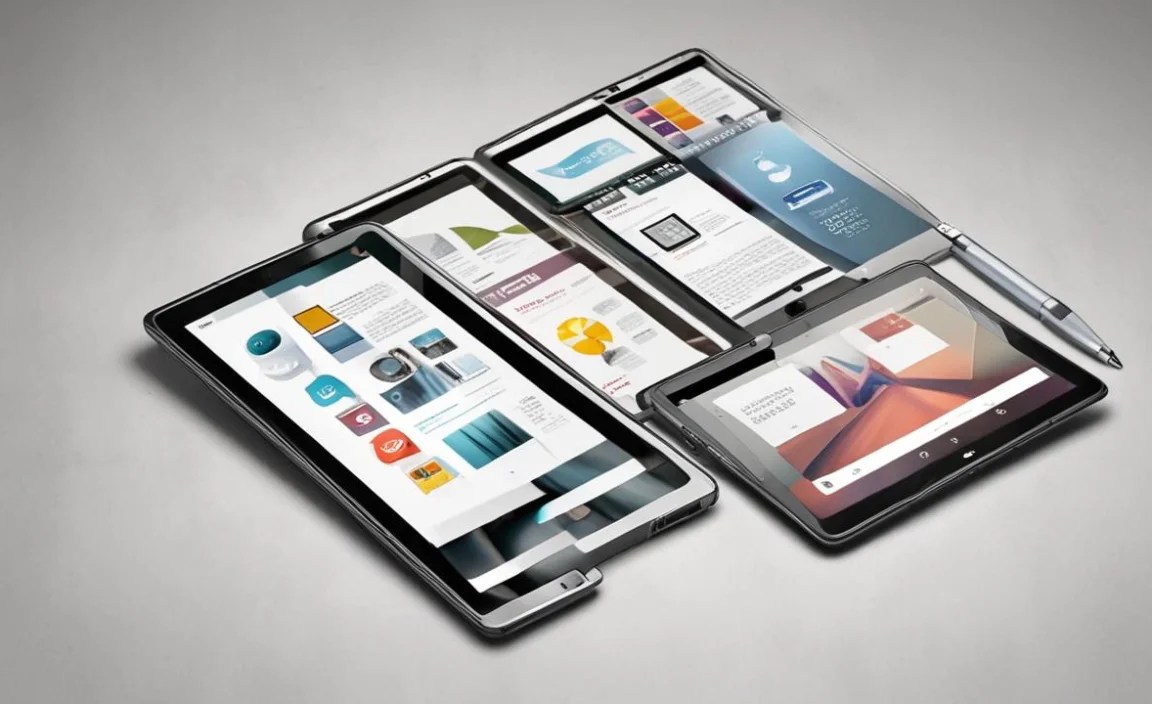
To help you visualize the differences, here’s a quick comparison of some of the most popular business tablets:
| Feature | Apple iPad Pro (M2) | Microsoft Surface Pro 9 | Samsung Galaxy Tab S9 | Apple iPad Air (M1) | Microsoft Surface Go 3 |
|---|---|---|---|---|---|
| Operating System | iPadOS | Windows 11 | Android | iPadOS | Windows 11 |
| Screen Size | 11-inch or 12.9-inch | 13-inch | 11-inch, 14.6-inch | 10.9-inch | 10.5-inch |
| Processor | Apple M2 | Intel Core 12th Gen / ARM | Qualcomm Snapdragon | Apple M1 | Intel Pentium Gold / Core i3 |
| Stylus Support | Apple Pencil 2 (Optional) | Surface Slim Pen 2 (Optional) | S Pen (Included) | Apple Pencil 2 (Optional) | Surface Pen (Optional) |
| Keyboard Option | Magic Keyboard (Optional) | Type Cover (Optional) | Book Keyboard (Optional) | Magic Keyboard (Optional) | Type Cover (Optional) |
| Starting Price (Approx.) | $$$ | $$$ | $$ | $$ | $ |
| Key Strength | Top Performance, Ecosystem | Full Windows Laptop Power | Display, S Pen, DeX | Performance Balance, Portability | Compact, Affordable Windows |
Note: Pricing is relative ($ – $$$) as exact figures fluctuate.
Choosing the Right Tablet for Your Business Needs

The best tablet for your business isn’t a one-size-fits-all answer. It depends on your specific workflow, budget, and existing technology infrastructure. Here’s how to narrow down your choices:
If You Need Full Desktop Software Compatibility:
The Microsoft Surface Pro 9 (or even the Surface Go 3 for a more budget-friendly option) is likely your best bet. Running Windows 11 means you can install and run all your familiar desktop applications without compromise. This is crucial for businesses that rely on legacy software or specific Windows-only programs.
If You’re Deep in the Apple Ecosystem:
The Apple iPad Pro or iPad Air are natural choices. They offer exceptional performance, a vast library of optimized apps, and seamless integration with iPhones, Macs, and other Apple services. The iPad Pro edges out the Air for users who need the absolute best performance for demanding tasks like video production or 3D modeling.
If You Value a Stylus for Note-Taking and Drawing:
Both the Samsung Galaxy Tab S9 Series and the Apple iPad Pro/Air excel here. Samsung includes its excellent S Pen in the box, offering a very natural writing and drawing experience. Apple’s Pencil 2 is also fantastic, and when paired with iPadOS’s robust note-taking apps, it’s a powerful tool for brainstorming, sketching, and annotation.
If Portability and Affordability Are Top Priorities:
The Microsoft Surface Go 3 is hard to beat. It’s compact, lightweight, and runs Windows, making it ideal for front-line staff or those who need a device for quick checks or basic tasks on the move without breaking the bank.
If You Need a Desktop-like Experience with a Tablet:
The Samsung Galaxy Tab S9 with its DeX mode offers a clever way to get a desktop interface on your tablet, especially when connected to an external monitor. The Microsoft Surface Pro 9 also achieves this by simply running Windows desktop.
Making Your Business Tablet More Productive

Once you’ve chosen your tablet, several accessories and tips can amplify its usefulness for business:
- External Keyboards: For anything beyond light typing, a physical keyboard is essential. Companies like Logitech, Brydge, as well as first-party options (Magic Keyboard, Surface Type Cover), offer great choices.
- Styluses: For note-taking, sketching, signing documents, or precise markups, a stylus is invaluable.
- Protective Cases: Given the mobile nature of tablets, a durable case is a must to protect your investment. Some cases even offer extra stands or card slots.
- Mobile Hotspots or LTE/5G: For true mobility, ensure your tablet has cellular connectivity or invest in a mobile hotspot device.
- Cloud Storage: Utilize services like OneDrive, Google Drive, or Dropbox to keep files accessible across devices and for easy collaboration.
- Productivity Apps: Ensure you have the right apps installed. Microsoft 365, Google Workspace, Adobe Creative Cloud, and specialized CRM or project management apps are common.
- Security Software: Implement strong passwords, biometric security, and consider mobile device management (MDM) solutions for larger fleets. For Windows devices, BitLocker encryption is a strong built-in option. Find more information on Windows security features from Microsoft.
Frequently Asked Questions (FAQ)
What is the best tablet for business if I need to run desktop software?
If running full desktop applications is essential, you’ll want a tablet that runs a desktop operating system. The Microsoft Surface Pro 9, running Windows 11, is the top choice for this, offering compatibility with most Windows software.
Are iPads good for business use?
Yes, iPads are excellent for business, especially if you leverage apps from the App Store. They offer great performance, long battery life, and a seamless user experience. The iPad Pro and iPad Air are particularly well-suited for professional tasks due to their power and accessory support.
Which tablet has the best battery life for business travel?
Most modern premium tablets offer good battery life, often lasting a full workday. The Apple iPad Pro and iPad Air are known for their consistent and long-lasting battery performance. Samsung’s Galaxy Tab S9 series also offers competitive battery life. Always check reviews for real-world usage tests.
Is a tablet or a laptop better for business?
This depends on your workflow. For maximum portability, touch interaction, and fast startup, a tablet is often better. If you need extensive typing, complex multitasking with multiple windows, or specialized desktop software, a laptop might be more suitable. Hybrids like the Surface Pro aim to bridge this gap.
Do I need cellular (LTE/5G) connectivity on a business tablet?
If you

Your tech guru in Sand City, CA, bringing you the latest insights and tips exclusively on mobile tablets. Dive into the world of sleek devices and stay ahead in the tablet game with my expert guidance. Your go-to source for all things tablet-related – let’s elevate your tech experience!