Most popular tablets for comic books don’t need to break the bank! Look for great screens with vibrant colors, good battery life for binge-reading, and enough storage for your growing digital library. The Apple iPad (9th Gen), Samsung Galaxy Tab A8, and Amazon Fire HD 10 are fantastic, affordable choices for an immersive comic book experience.
Most Popular Tablets For Comic Books: Essential Guide
Love diving into epic graphic novels and colorful comic book series? You’re not alone! Many of us enjoy the convenience of carrying our entire comic collection in one place. But when it comes to picking the right tablet, the choices can seem overwhelming. Don’t worry! This guide is here to help you find the perfect device to bring your favorite stories to life, screen by vibrant screen. We’ll break down what to look for and highlight some of the best options available, making your comic reading journey a joyous one.
Why a Tablet is Perfect for Comic Books
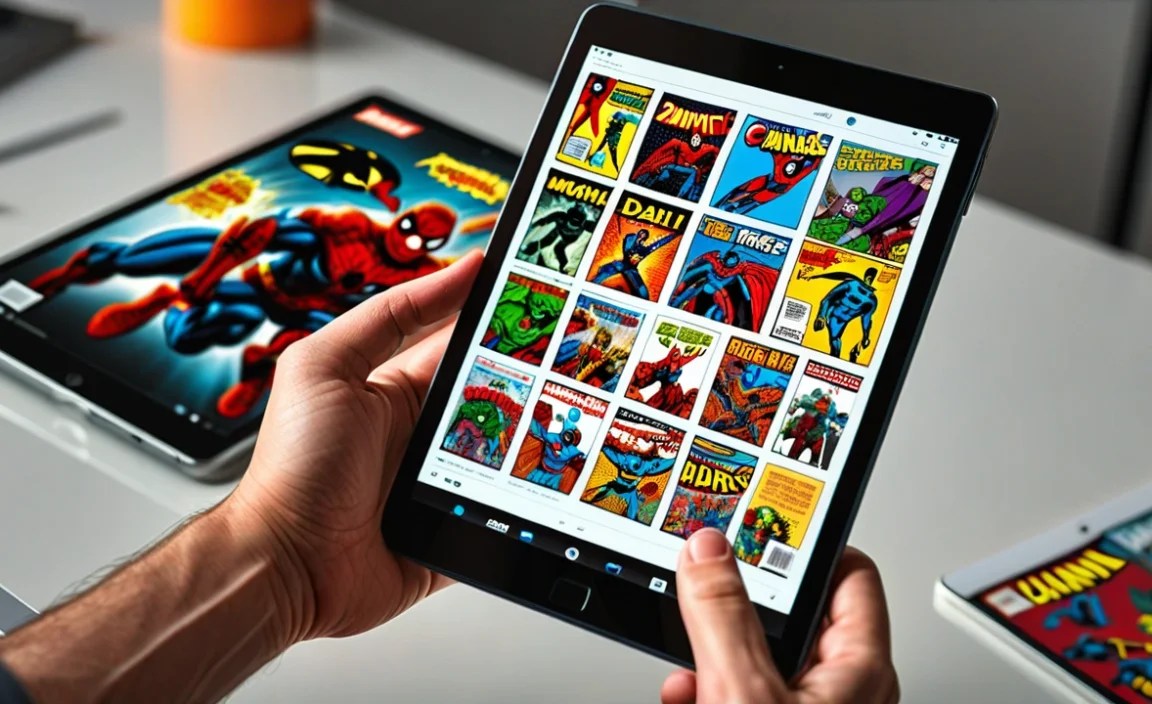
Tablets offer a fantastic way to read comics digitally. They’re lightweight, portable, and provide a much more immersive experience than a smartphone. With a tablet, you get a larger screen that can display panels clearly, often in their intended aspect ratio, without constant zooming or scrolling. Plus, many comic book apps, like Comixology, Marvel Unlimited, and DC Universe Infinite, are designed to look and function beautifully on a tablet.
Imagine holding a digital canvas that can display the stunning artwork of your favorite comic creators in all its glory. That’s what a good tablet can do for you. It’s like having a personal, portable comic convention in your hands, ready whenever inspiration strikes.
Key Features to Look For in a Comic Book Tablet

When searching for the best tablet for reading comics, a few key features will make a big difference in your reading experience. Let’s break them down:
1. Screen Quality Matters Most
This is arguably the most critical factor for comic readers. You want a screen that makes colors pop and details crisp.
- Display Type: Look for IPS LCD or AMOLED displays. AMOLED screens generally offer deeper blacks and more vibrant colors, which can make comic art really stand out.
- Resolution: Higher resolution means sharper images. Aim for at least Full HD (1920 x 1080 pixels). Some higher-end tablets offer even sharper resolutions, which is great for intricate artwork.
- Screen Size: A larger screen (10 inches or more) generally provides a more comfortable reading experience, allowing you to see more of a panel at once. However, smaller tablets can still be great if portability is your top priority.
- Brightness and Color Accuracy: A bright screen is essential for reading in different lighting conditions. Good color accuracy ensures that the artist’s intended colors are represented faithfully.
2. Storage Space for Your Collection
Digital comics, especially high-resolution ones, can take up a surprising amount of space. You’ll want enough storage to hold your favorite series without constantly having to delete and re-download.
- Internal Storage: Aim for at least 64GB of internal storage. If you plan on downloading many comics or other media, 128GB or more is preferable.
- Expandable Storage: Many Android tablets offer a microSD card slot, allowing you to easily and affordably expand your storage. This is a huge plus for building a massive digital library.
3. Battery Life for Binge-Reading
Nothing kills the reading momentum like a tablet dying mid-issue. Good battery life is crucial for uninterrupted reading sessions.
- Long Hours: Look for tablets that promise around 8-10 hours of battery life for typical web browsing and media consumption. This usually translates to many hours of reading.
- Fast Charging: While not essential, fast charging can be a lifesaver if you need a quick battery top-up before a reading marathon.
4. Processor and RAM for Smooth Performance
While you don’t need the absolute fastest processor for simply reading comics, a decent một one ensures smooth page turns, quick app loading, and a frustration-free experience.
- Smooth Navigation: A capable processor and sufficient RAM (at least 4GB is recommended) will prevent lag when opening apps or flipping through pages.
- App Compatibility: Most modern tablets will handle comic reader apps with ease.
5. Operating System and App Ecosystem
The operating system (OS) determines which apps you can use and how you interact with your tablet.
- iPadOS (Apple iPads): Known for its smooth performance, premium app experience, and excellent stylus support if you’re into drawing comics too. The App Store has a vast selection of comic reader apps.
- Android (Samsung, Amazon, Lenovo, etc.): Offers more variety in hardware and price points. The Google Play Store also has a wide array of comic reader apps. Amazon Fire tablets run a modified version of Android with access to the Amazon Appstore.
Top Popular Tablets for Comic Book Readers

Based on screen quality, storage options, battery life, and overall value, here are some of the most popular tablets that comic fans rave about. We’ll focus on options that offer a great reading experience without necessarily costing a fortune.
1. Apple iPad (9th Generation)
The standard iPad has long been a go-to for tablet users, and it remains an excellent, affordable choice for comic readers. It strikes a great balance between performance, screen quality, and price.
Pros:
- Excellent Retina display with vibrant colors and sharp text.
- Access to a vast library of apps, including top-tier comic readers.
- Smooth performance thanks to Apple’s A13 Bionic chip.
- Good battery life, typically lasting a full day of reading.
- Supports the Apple Pencil (1st gen) for note-taking or drawing.
- Reliable iOS updates and long device support.
Cons:
- Base storage is only 64GB, which might be limiting for some.
- Non-laminated display (you can see a slight gap between glass and pixels).
- Older design with thicker bezels.
Ideal For:
Beginners looking for a reliable, user-friendly tablet with a great screen and access to a strong app ecosystem. It’s a fantastic entry point into the Apple tablet world for comic enthusiasts.
2. Samsung Galaxy Tab A8
Samsung’s Galaxy Tab A series often provides excellent value, and the Tab A8 is a strong contender. It offers a large screen experience at a budget-friendly price.
Pros:
- Bright and spacious 10.5-inch display, great for immersive reading.
- Available with up to 128GB of internal storage, expandable via microSD.
- Good battery life that can easily get you through several reading sessions.
- Decent performance for everyday tasks and comic apps.
- Sleek, modern design with slim bezels.
- Runs on Android, offering flexibility and access to the Google Play Store.
Cons:
- Resolution is slightly lower than some competitors (1920 x 1200).
- Processor might struggle with very demanding multitasking.
- Colors, while good, may not be as punchy as on AMOLED displays.
Ideal For:
Mid-range users seeking a large display and good storage capacity on an Android tablet without spending premium prices. It’s perfect for those who want plenty of room to store their comic library.
3. Amazon Fire HD 10 (2023)
Amazon’s Fire tablets are known for their incredible affordability, and the Fire HD 10 is a sweetheart deal for budget-conscious readers. While it runs a modified Android OS (Fire OS), it’s optimized for media consumption.
Pros:
- One of the most affordable large-screen tablets available.
- 10.1-inch Full HD display is surprisingly good for the price.
- Offers decent battery life for extended reading.
- Supports microSD cards for expandable storage.
- Especially good if you use Amazon’s Kindle app or Prime Video.
- Available in various storage sizes, often 32GB or 64GB at this price point.
Cons:
- Amazon Appstore is more limited than Google Play or Apple’s App Store; some comic apps might not be available or require workarounds.
- Performance is adequate but not blazing fast.
- Colors can look a bit less vibrant than on premium tablets.
- Proprietary charging port (USB-C on newer models, but still a factor).
Ideal For:
Extremely budget-savvy readers who primarily use Amazon services or are willing to explore alternative app solutions. It’s an excellent value for the screen size and core functionality.
4. Lenovo Tab P11 Plus / Tab P12
Lenovo offers a range of Android tablets that often compete well on specs and price. The Tab P11 Plus and its successor, the Tab P12, are good options for a well-rounded tablet experience.
Pros:
- Bright, high-resolution display (often 2K or higher on the P12) with good color reproduction.
- Decent processing power for smooth performance.
- Good battery life.
- Often comes with or supports accessories like a keyboard and stylus, making it versatile.
- Expandable storage typically available via microSD.
- Runs on a clean version of Android.
Cons:
- Availability can vary by region.
- UI might feel a bit less polished than Samsung’s or Apple’s.
Ideal For:
Users looking for a solid Android tablet with a great screen, good performance, and flexibility, often at a price point below top-tier Samsung or Apple models.
A Quick Comparison Table
To help you visualize the differences, here’s a simplified comparison of some of the most popular choices. Prices can vary greatly depending on sales and retailer, so these are approximate starting points.
| Tablet Model | Screen Size & Type | Resolution | Storage Options | Expandable Storage | Approx. Starting Price (USD) | Operating System |
|---|---|---|---|---|---|---|
| Apple iPad (9th Gen) | 10.2″ IPS LCD | 2160 x 1620 | 64GB, 256GB | No | $329 | iPadOS |
| Samsung Galaxy Tab A8 | 10.5″ LCD | 1920 x 1200 | 32GB, 64GB, 128GB | Yes (microSD) | $170 | Android |
| Amazon Fire HD 10 (2023) | 10.1″ IPS LCD | 1920 x 1200 | 32GB, 64GB | Yes (microSD) | $140 | Fire OS (Android-based) |
| Lenovo Tab P12 | 12.7″ LCD | 2944 x 1840 | 128GB, 256GB | Yes (microSD) | $250 – $300 | Android |
Note: Prices are approximate and subject to change. Always check current pricing from reputable retailers.
Tips for Enhancing Your Comic Reading Experience
Once you have your tablet, you can take a few extra steps to make your comic reading even better:
- Download Comic Reader Apps:
- ComiXology / Amazon Kindle: A massive library of comics, from indie to major publishers. Kindle integration is seamless.
- Marvel Unlimited: Official app for Marvel comics. Subscription required.
- DC Universe Infinite: Official app for DC comics. Subscription required.
- Tapas / Webtoon: Great for webcomics and digital-first content.
- Librera Reader PDF/ePub: A versatile reader for downloaded comic files (CBZ, CBR, PDF, EPUB), good for those with local collections.
- Adjust Display Settings:
- Brightness: Find a comfortable level. Too dim strains your eyes, too bright can be harsh.
- Color Temperature/Night Mode: Some tablets allow you to adjust the color warmth. A slightly warmer tone can be easier on the eyes, especially at night.
- Organize Your Comics: If you’re downloading files directly, use a file manager app to create folders for your series. This makes finding your next read much easier.
- Consider a Stylus: If you’re interested in drawing or annotating comics, a compatible stylus can be a game-changer. The Apple Pencil or Samsung’s S Pen are excellent if the tablet supports them.
- Protection and Comfort: A good case not only protects your tablet but can also act as a stand for comfortable viewing. A screen protector can prevent scratches.
Can I read comics on an e-reader?
While e-readers like the Amazon Kindle Paperwhite are fantastic for text-based books, they are generally not ideal for comic books. This is primarily due to their monochrome, e-ink screens, which are designed for text and lack the color and refresh rate needed to display vibrant comic art effectively. Comic books rely heavily on color and intricate panel art, which e-ink simply can’t replicate. For comics, a color tablet is the way to go. For more information on e-readers, you can check out resources from the American Library Association.
FAQs About Tablets for Comic Books
Here are some frequently asked questions from comic book enthusiasts looking to buy their first tablet:
Q1: Do I need a super-expensive tablet to read comics?
A: Not at all! As you’ve seen, excellent and affordable options like the Amazon Fire HD 10 and Samsung Galaxy Tab A8 are fantastic for comic reading. Your primary focus should be on screen quality and sufficient storage.
Q2: What’s the difference between reading comics on an iPad vs. an Android tablet?
A: The main differences lie in the operating system (iPadOS vs. Android), app availability, and hardware variety. iPads offer a very polished experience with excellent app optimization. Android tablets, on the other hand, provide more hardware choices across different price ranges and storage expansion options. Both can deliver a great comic reading experience.
Q3: How much storage do I really need?
A: For a casual reader with a few favorite series, 32GB might suffice. However, if you plan on building a substantial digital library or downloading larger graphic novels, 64GB is a good minimum, and 128GB or more is ideal. Always consider if the tablet has a microSD card slot for future expansion.
Q4: Are tablets with AMOLED screens better for comics?
A: AMOLED screens are generally superior for comics due to their vibrant colors, true blacks, and excellent contrast. This makes artwork pop beautifully. However, high-quality IPS LCD screens on tablets like the standard iPad are still very capable and can be more affordable.
Q5: Is it better to buy comics through an app subscription or purchase them individually?
A: This depends on your reading habits and which publishers you follow. Subscription services like Marvel Unlimited and DC Universe Infinite are cost-effective if you read a lot from those publishers. For a wide variety of publishers or if you only read a few series, purchasing individual comics or using platforms like ComiXology might be more economical.
Q6: Can I read comics downloaded from the internet on any tablet?
A: Yes, generally speaking. Most Android tablets and iPads can use apps that read common comic file formats like CBR, CBZ, and PDF. You’ll need to ensure you use a compatible reader app from the respective app store. Always ensure you are downloading content legally and from trusted sources.
Conclusion
Choosing the right tablet for your comic book adventures doesn’t have to be complicated. By focusing on screen quality, storage, and battery life, you can find a device that transforms your reading experience. Whether you opt for the polished ecosystem of an iPad, the versatile options of an Android tablet, or the unbeatable value of an Amazon

Your tech guru in Sand City, CA, bringing you the latest insights and tips exclusively on mobile tablets. Dive into the world of sleek devices and stay ahead in the tablet game with my expert guidance. Your go-to source for all things tablet-related – let’s elevate your tech experience!