Choosing the most popular tablets for preschoolers can feel overwhelming. We’ve got you covered! Our guide highlights top, kid-friendly devices balancing durability, educational content, and parental controls, ensuring a safe and engaging digital experience for your little one.
Finding the right tablet for your preschooler is a big task! So many options, and you want the best without breaking the bank. It’s easy to get lost in technical specs or worry about screen time. But don’t fret! We’re here to make it simple. We’ll walk you through some of the most popular and best-value tablets perfect for little hands. Get ready to discover tech that’s both fun and educational!
Why Tablets Are Great for Preschoolers

Tablets have become a staple in many households, and for good reason! They offer a fantastic gateway for young children to learn and explore in engaging ways. For preschoolers, a tablet can be a magical tool that unlocks a world of creativity, early literacy skills, and problem-solving fun.
Think about it: the vibrant colors, interactive games, and engaging stories that come alive on a tablet screen are incredibly captivating for young minds. These devices can introduce letters, numbers, shapes, and even coding concepts in a playful, bite-sized manner. Plus, with the right apps, they can foster fine motor skills and hand-eye coordination as little fingers tap, swipe, and drag.
The key is finding a tablet that’s designed for them – durable enough to withstand the inevitable drops, intuitive enough for them to navigate with minimal help, and loaded with age-appropriate content. We’ll explore which devices fit that bill perfectly.
Key Features to Look For in Preschooler Tablets

When you’re shopping for a tablet for your little sprout, some features are more important than others. We want something that can handle curious hands and minds, while also keeping them safe and learning. Here’s what we’ll be focusing on:
- Durability: Preschoolers are known for their…enthusiasm! A rugged case, a reinforced screen, and a sturdy build are essential. Look for tablets specifically marketed as “kid-friendly” or those with robust bumper cases available.
- Parental Controls: This is a big one. You need to be able to manage what apps your child can access, set screen time limits, and ensure they aren’t stumbling upon inappropriate content. Strong built-in parental controls are a must-have.
- Educational Content & Apps: The best tablets for preschoolers come pre-loaded with or have easy access to a wide range of educational apps. Think ABCs, 123s, storytelling, and creative drawing tools. We’ll highlight devices that excel in this area.
- Screen Size & Resolution: A screen that’s too small can be frustrating, while one that’s too large might be difficult for little hands to hold. A good balance is key, along with a display that’s bright and clear enough to make educational content pop.
- Battery Life: Long-lasting battery life means fewer interruptions and more playtime or learning sessions. You don’t want the tablet dying halfway through a favorite educational video!
- Storage Space: With all the educational apps and games, you’ll need decent storage. Look for at least 32GB, or devices that support expandable storage via microSD cards.
- User Interface: A simple, intuitive interface is crucial for young children. Large icons and easy navigation will help them explore independently.
Top Picks: The Most Popular Tablets for Preschoolers

After much research and looking at what real parents are loving, here are some of the most popular and highly-regarded tablets for your little learners. These devices offer a fantastic blend of features that make them ideal for preschoolers.
1. Amazon Fire HD Kids (8-inch and 10-inch)
The Amazon Fire HD Kids tablets are consistently at the top of wish lists for a reason. They are designed from the ground up with children in mind, making them one of the most popular choices for a good reason.
- Why it’s a hit: These tablets come with a generous 2-year worry-free guarantee and a kid-proof case with a built-in stand. They also include a year of Amazon Kids+ (formerly FreeTime Unlimited), which offers thousands of ad-free apps, games, videos, and books. Parental controls are robust and easy to use, giving you peace of mind.
- Educational Value: Amazon Kids+ is packed with content from PBS Kids, Nickelodeon, Disney, and educational developers, covering all sorts of learning areas like reading, math, and science.
- Durability: The included case is super tough, designed to withstand drops, spills, and bumps. It’s arguably one of the most durable options out of the box.
- Ease of Use: The interface is simple and kid-friendly, with large icons and easy navigation. Kids can usually figure it out quickly.
- Versions: Available in 8-inch and 10-inch screen sizes, depending on your preference.
2. Apple iPad (Standard Model)
While not exclusively a “kids” tablet, the standard Apple iPad is a powerful and versatile option that, with the right setup and parental controls, can be an excellent device for preschoolers. Its popularity stems from its high-quality build, vast app ecosystem, and robust features.
- Why it’s a hit: iPads are known for their premium build quality, excellent performance, and incredibly user-friendly interface. The App Store offers an unparalleled selection of high-quality educational apps, many of which are specifically designed for young children.
- Educational Value: The sheer volume and quality of educational apps on iOS are a major draw. From interactive storybooks to virtual science labs and creative art studios, the possibilities are endless. Apple’s own robust parental controls, integrated into iOS through “Screen Time,” allow you to restrict app access, set time limits, and monitor usage.
- Durability: This is Where iPads fall short out-of-the-box. They aren’t built for drops and spills. You will absolutely need to invest in a good quality, shock-absorbent kid-proof case for an iPad used by a preschooler. Brands like OtterBox and UAG offer excellent options.
- Ease of Use: iOS is incredibly intuitive. Once you set it up with child-friendly restrictions, your preschooler can likely navigate through their approved apps with ease.
- Considerations: iPads are more expensive upfront, and you’ll need to budget for a protective case. Also, most content will be purchased individually through the App Store (though some subscription services are available).
3. Samsung Galaxy Tab A Series (e.g., Tab A7 Lite, Tab A8)
Samsung’s Galaxy Tab A series offers a strong Android-based alternative that balances performance, features, and affordability. They are often considered a great middle ground.
- Why it’s a hit: These tablets provide a solid Android experience with good displays and decent performance for the price. Samsung’s One UI is clean and user-friendly. They also offer “Samsung Kids,” a dedicated parental control mode accessible from the quick panel.
- Educational Value: Samsung Kids provides a safe environment with curated content and apps, along with parental controls for managing time and access. The Google Play Store also offers a vast library of educational apps.
- Durability: Like the iPad, the standard Galaxy Tabs aren’t inherently rugged. You’ll want to get a protective case to shield them from childhood mishaps. Many third-party cases are available.
- Ease of Use: The interface is generally straightforward, and Samsung Kids mode simplifies things further for younger users.
- Value: Often found at competitive price points, especially during sales, making them a budget-friendly option.
4. LeapFrog Epic Tablet
LeapFrog has a long-standing reputation for creating engaging and educational tech for children, and the LeapFrog Epic tablet is a prime example of their commitment.
- Why it’s a hit: This tablet is specifically designed for kids, with a kid-tough build and a focus on learning through play. It comes pre-loaded with popular characters and games, and has access to the LeapFrog App Center, which is curated for educational content.
- Educational Value: LeapFrog excels in educational content. The Epic tablet features interactive stories, games, and creative tools focused on reading, math, science, and problem-solving. Their proprietary system ensures content is age-appropriate and safe.
- Durability: Built to withstand drops and rough handling, it usually comes with a protective frame.
- Ease of Use: The interface is very simple and intuitive, designed for young children to navigate easily.
- Kid-Focused Environment: It’s a closed system, meaning it’s primarily designed for the LeapFrog ecosystem, which can be a pro for parents wanting a highly controlled experience, but also a con if you want broader app access.
Comparing the Top Tablets for Preschoolers

To help you visualize the differences, here’s a quick comparison of the leading contenders:
| Feature | Amazon Fire HD Kids | Apple iPad (Standard) | Samsung Galaxy Tab A Series | LeapFrog Epic Tablet |
|---|---|---|---|---|
| Price Range | Mid-range ($sim$ $100 – $200) | High-end ($sim$ $330+) | Budget to Mid-range ($sim$ $150 – $250) | Mid-range ($sim$ $100 – $150) |
| Durability (Out of the Box) | Excellent (with case & stand) | Poor (requires separate case) | Fair (requires separate case) | Very Good (built-in protection) |
| Parental Controls | Excellent (Amazon Kids+) | Excellent (Screen Time) | Very Good (Samsung Kids) | Excellent (LeapFrog Ecosystem) |
| App Selection | Very Good (Kindle Store & Amazon Kids+) | Exceptional (App Store) | Very Good (Google Play Store) | Good (LeapFrog App Center, limited) |
| Content Bundled | 1 Year Amazon Kids+ | None (requires purchase) | Some pre-installed apps | Extensive pre-loaded educational content |
| Recommended For | Budget-conscious families prioritizing safety & bundled content. | Families who already use Apple devices & want premium experience/apps. | Value seekers wanting a good Android tablet with decent controls. | Young families focused purely on curated, kid-specific learning. |
Making the Choice: What’s Best for Your Family?

The “best” tablet isn’t a one-size-fits-all answer. It truly depends on your family’s needs, budget, and what you prioritize for your child’s digital experience.
- For the Utmost in Durability and Bundled Simplicity: The Amazon Fire HD Kids tablets are tough to beat. The included case, the extensive content library with Amazon Kids+, and the worry-free guarantee make it incredibly appealing for parents. It’s a fantastic all-in-one package for young children.
- For Families Already in the Apple Ecosystem: If your household is built around Apple products and you want access to the widest array of high-quality educational apps, a standard Apple iPad is a strong contender. Just remember to factor in the cost of a robust protective case.
- For a Solid Android Experience on a Budget: The Samsung Galaxy Tab A Series offers a great balance of features and price. It provides a reliable Android tablet experience with good parental controls through Samsung Kids, and it’s generally more affordable than an iPad.
- For Pure, Focused Educational Immersion: If your primary goal is a tablet loaded with educational games and learning experiences from a trusted brand, and you don’t need access to the full spectrum of apps, the LeapFrog Epic Tablet is a compelling choice.
Tips for Using Tablets Safely with Preschoolers
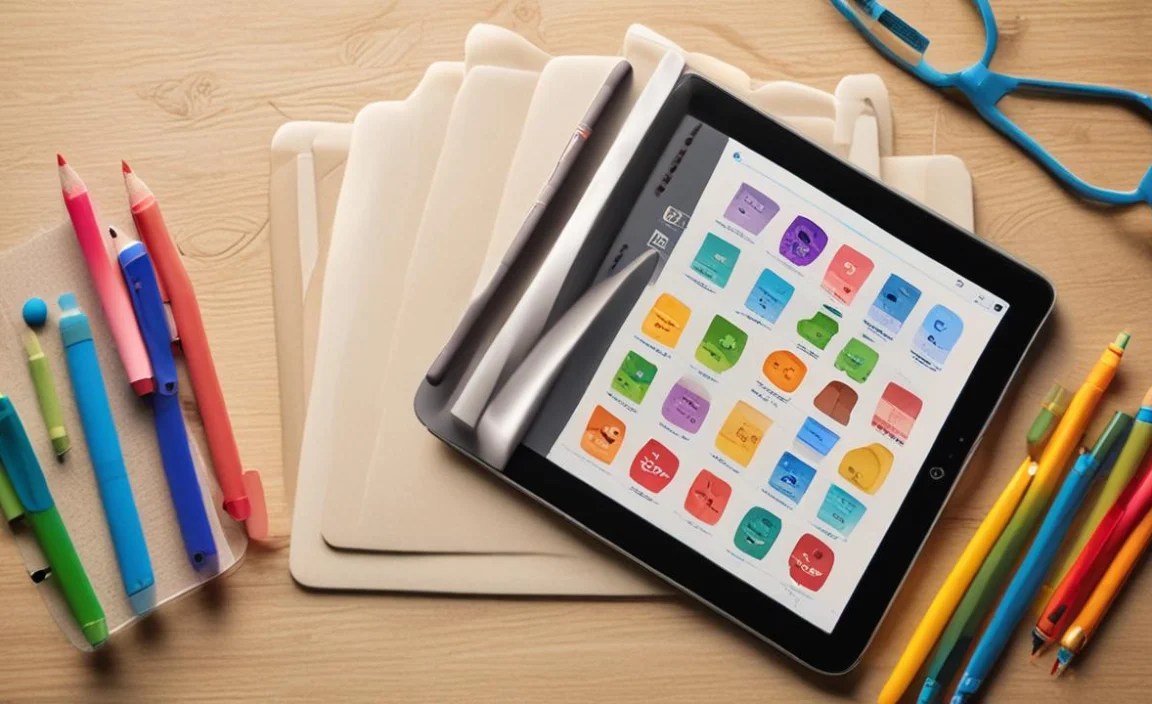
Once you’ve picked the perfect tablet, it’s crucial to set it up for success and ensure a safe, beneficial experience for your preschooler. Here are some essential tips:
- Master Parental Controls: Dive deep into the tablet’s parental control settings before handing it over. Set up child profiles, restrict app downloads and purchases, manage screen time, and filter content. Resources like Internet Matters offer comprehensive guides on setting up parental controls across different devices.
- Curate the Apps: Don’t just let them download anything. Choose educational apps that align with their developmental stage and your learning goals. Look for apps from reputable developers and check reviews. Many child development experts recommend apps that encourage creativity, problem-solving, and early literacy.
- Set Clear Time Limits: Preschoolers don’t need hours of screen time daily. Establish consistent limits and stick to them. Many tablets have built-in timers, or you can use smart home devices to help manage usage. A good rule of thumb is to follow guidelines from organizations like the World Health Organization (WHO), which recommends limited screen time for very young children.
- Co-Play and Co-Watch: Whenever possible, engage with your child during their tablet time. Ask them about what they’re doing, play simple games with them, or watch educational videos together. This makes the experience more interactive and helps you guide their learning.
- Balance is Key: Tablets should complement, not replace, other essential childhood activities like outdoor play, reading physical books, and social interaction. Ensure they have plenty of “unplugged” playtime.
- Regularly Review Usage: Check in on the apps they’re using and how much time they’re spending on the device. Adjust settings as they grow or if you notice any concerning habits.
Frequently Asked Questions (FAQs)
Here are some common questions parents have when looking for tablets for their little ones:
Q1: Is it safe for preschoolers to use tablets?
Yes, it can be safe and beneficial when used appropriately. The key is utilizing strong parental controls, selecting age-appropriate content, and managing screen time. Tablets can offer educational benefits, but unsupervised use can expose children to inappropriate content or excessive screen time.
Q2: How much should I expect to spend on a good preschooler tablet?
You can find excellent options ranging from around $100 to $200, especially the Amazon Fire HD Kids series or budget Samsung Galaxy Tabs. More premium options like the standard iPad will cost upwards of $330, plus the added cost of a protective case.
Q3: Do I need to buy separate educational apps?
It depends on the tablet. The Amazon Fire HD Kids comes with a year of Amazon Kids+ which includes thousands of apps. The LeapFrog Epic is also heavily pre-loaded. For iPads and standard Android tablets, you’ll likely need to purchase individual apps or subscriptions from their respective app stores, though many free educational apps are also available.
Q4: How do I protect the tablet from damage?
For any tablet a preschooler will use, invest in a high-quality, kid-proof case with good padding and a built-in stand. Tempered glass screen protectors are also a smart addition for extra screen protection.
Q5: What are the main advantages of dedicated “kids” tablets versus a regular tablet with parental controls?
Dedicated kids’ tablets (like the Amazon Fire HD Kids or LeapFrog Epic) often come with rugged cases, simplified interfaces, and curated content ecosystems specifically designed for children. Regular tablets (like iPads or standard Galaxy Tabs) offer more flexibility and a wider app selection, but require more effort to secure with robust parental controls and protective accessories.
Q6: How much screen time is too much for a preschooler?
Experts generally advise limiting screen time for preschoolers. The World Health Organization (WHO) suggests less than 1 hour per day. Prioritizing interactive, co-viewed, or educational content can make that time more valuable. It’s also vital to ensure plenty of other physical play and learning activities.
Conclusion
Choosing the most popular tablet for your preschooler is about finding that sweet spot between fun, learning, durability, and safety. Whether you lean towards the all-in-one convenience of the Amazon Fire HD Kids, the expansive app world of the Apple iPad, the value of the Samsung Galaxy Tab A series, or the focused learning environment of the LeapFrog Epic, there’s a fantastic option out there for your family.

Your tech guru in Sand City, CA, bringing you the latest insights and tips exclusively on mobile tablets. Dive into the world of sleek devices and stay ahead in the tablet game with my expert guidance. Your go-to source for all things tablet-related – let’s elevate your tech experience!