The Most Popular Tablets for Toddlers Guide: Essential Picks highlight durable, kid-friendly devices with robust parental controls and engaging educational apps. Prioritize safety, ease of use, and age-appropriate content for a positive digital experience.
Choosing the right tablet for your little one can feel like navigating a maze! You want something fun and engaging, but also safe and built to withstand toddler-sized adventures. It’s a common worry for parents: how do I balance screen time with my child’s development and safety? Don’t fret! This guide is here to simplify things. We’ll walk you through the best tablets designed specifically for toddlers, breaking down what makes them great. Get ready to find a tablet that your child will love and you can feel good about.
Most Popular Tablets for Toddlers Guide: Essential Picks
As parents, we’re always looking for tools that can both entertain and educate our little ones. Tablets have become incredibly popular for this very reason, offering a world of interactive games, stories, and learning experiences right at their fingertips. However, the sheer number of options can be overwhelming. For toddlers, a tablet needs to be more than just a screen; it needs to be durable, safe, and packed with content that is appropriate for their age and developmental stage. This guide will explore the most popular tablets that fit these criteria, helping you make an informed decision.
Why Choose a Tablet Specifically for Toddlers?

It might be tempting to hand over your own tablet, but specialized toddler tablets offer several distinct advantages:
- Durability: Toddlers are notoriously hard on their belongings. Tablets designed for them often come with rugged cases, spill-resistant designs, and shatterproof screens.
- Parental Controls: These devices typically have robust parental controls that make it easy to set screen time limits, filter content, and manage app access.
- Kid-Friendly Interface: The user interface is usually simplified, with larger icons and easier navigation that toddlers can manage independently.
- Educational Content: Many toddler tablets come pre-loaded with educational apps and games designed to teach letters, numbers, shapes, and colors in an engaging way.
- Safety Features: They often lack direct access to the internet or app stores without parental approval, preventing accidental purchases or exposure to inappropriate content.
Key Features to Look For in a Toddler Tablet

When scouting for the perfect tablet for your little explorer, keep these essential features in mind:
- Age Appropriateness: Ensure the content and interface are designed for toddlers (ages 2-5).
- Durability and Build Quality: Look for shock-absorbent cases, tempered glass screens, and sturdy construction.
- Parental Controls: Essential for managing screen time, app downloads, and web browsing.
- Screen Size and Resolution: A display that’s easy on the eyes and large enough for little fingers to tap accurately.
- Battery Life: Long-lasting battery is a plus for extended play sessions or travel.
- Storage Space: Enough room for downloadable apps, games, and videos.
- Camera: A front-facing camera can be fun for video calls or taking silly pictures.
- Audio Quality: Clear sound for educational content and interactive games.
Our Top Picks: Most Popular Tablets for Toddlers

After extensive research and considering what parents and kids love, here are some of the most popular and highly-rated tablets for toddlers:
1. Amazon Fire HD 8 Kids Pro
The Amazon Fire HD 8 Kids Pro is a perennial favorite for a reason. It strikes an excellent balance between affordability, kid-friendly features, and robust parental controls.
What Makes It Great:
- Built for Kids: Comes with a sturdy, kid-proof case and a 2-year worry-free guarantee. If it breaks, Amazon will replace it.
- Amazon Kids+ Subscription: Includes one year of free access to thousands of kid-friendly books, games, videos, and more from Amazon Kids+.
- Parent Dashboard: Powerful parental controls allow you to manage screen time, content, and profiles for each child.
- Performance: Decent processing power for smooth app and video playback.
- Camera: Front and rear cameras for fun photos and video chats.
- Age Range Flexibility: The “Pro” version is designed for slightly older kids (6-12) but works exceptionally well for a directed toddler experience with appropriate app selection and parental controls.
Considerations:
While incredibly durable, the operating system is based on Amazon’s Fire OS, which is a modified version of Android. Access to the full Google Play Store is limited.
2. LeapFrog Epic Academy Edition
LeapFrog has a long-standing reputation for educational toys, and their tablets are no exception. The Epic Academy Edition is designed from the ground up for learning.
What Makes It Great:
- Exceptional Educational Content: Comes with over 20 pre-loaded apps, including games and creative tools, focusing on reading, math, and problem-solving.
- LeapSearch Browser: A walled-garden web browser that only allows access to child-appropriate websites curated by LeapFrog.
- Durable Design: Features a shatterproof screen and a tough, kid-friendly casing.
- Parental Controls: Easy-to-use controls for managing playtime and approving new content.
- Rechargeable Battery: Offers hours of learning fun on a single charge.
Considerations:
The app library is curated by LeapFrog, which means it’s more limited than a traditional tablet. However, this is also a strength for parents seeking controlled educational experiences.
3. Samsung Galaxy Tab A Series (with Kids Mode)
Samsung offers a more traditional tablet experience with its Galaxy Tab A series, which includes a fantastic “Kids Mode” that transforms the device into a safe and engaging platform for young children.
What Makes It Great:
- Versatility: When not in Kids Mode, it’s a fully functional Android tablet for adults.
- Samsung Kids: A secure, dedicated environment with colorful characters, games, and learning activities. Parents can easily set time limits and monitor usage.
- Good Build Quality: While not as rugged as dedicated kids’ tablets out-of-the-box, many parents opt for a good protective case.
- Regular Tablet Functionality: Access to the full Google Play Store, allowing you to download a vast array of educational apps and games.
- Screen Readability: Bright and clear display.
Considerations:
You’ll likely need to purchase a separate rugged case for toddler-proofing. The default interface is not kid-friendly, so reliance on Samsung Kids is key.
4. Apple iPad (with Restrictions Enabled)
While the Apple iPad is a premium device, it can be a powerful and safe option for toddlers when properly configured with its extensive parental controls, known as Screen Time.
What Makes It Great:
- Exceptional Performance and Display: The iPad offers a top-tier user experience with vibrant visuals and smooth performance.
- Robust Parental Controls (Screen Time): Apple’s Screen Time feature is incredibly comprehensive, allowing you to set time limits, restrict specific apps, manage content, and more.
- Vast App Store: Access to millions of high-quality educational apps for all ages.
- Build Quality: iPads are well-built, but a good protective case is essential for toddlers.
- Longevity: An iPad can grow with your child, transitioning from toddler apps to more advanced educational tools and entertainment as they get older.
Considerations:
The biggest drawback is the price. iPads are the most expensive option, and you will absolutely need to invest in a good protective case from the start.
5. Amazon Fire 7 Kids Edition
A more budget-friendly version of its larger sibling, the Fire 7 Kids Edition offers many of the same benefits for younger toddlers.
What Makes It Great:
- Affordability: Typically the most budget-friendly option among the popular choices.
- Kid-Proof Case and Guarantee: Comes with a durable case and the same 2-year worry-free guarantee as the HD 8 Kids.
- Amazon Kids+ Access: Includes one year of educational content.
- Easy Parental Controls: Simple to use and effective for managing child usage.
Considerations:
The screen resolution and processing power are less impressive than the Fire HD 8 or other tablets on this list, which can lead to slightly slower performance.
Comparing Toddler Tablets: A Quick Look
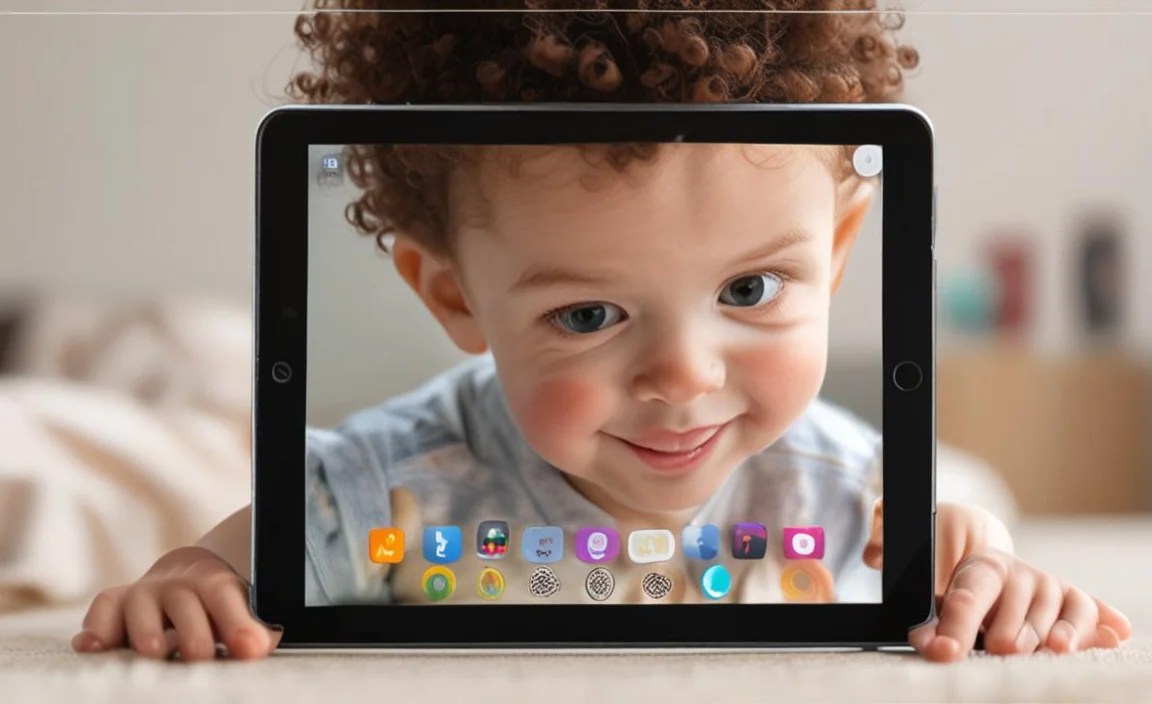
To help you make a decision, here’s a comparison of some key features:
| Feature | Amazon Fire HD 8 Kids Pro | LeapFrog Epic Academy Edition | Samsung Galaxy Tab A Series (Kids Mode) | Apple iPad (with Screen Time) | Amazon Fire 7 Kids Edition |
|—|—|—|—|—|—|
| Price Range | Mid-Range | Mid-Range | Mid-Range to High-End (depending on model) | High-End | Budget |
| Durability (Out-of-box) | Excellent | Excellent | Good (requires case) | Good (requires case) | Excellent |
| Parental Controls | Excellent | Excellent | Excellent | Excellent | Excellent |
| Pre-loaded Content | Amazon Kids+ (1 year included) | Extensive educational apps | Basic Samsung Kids environment; vast app store | N/A (access to App Store) | Amazon Kids+ (1 year included) |
| Web Browser | Limited (via Amazon Kids) | Walled Garden (LeapSearch) | Limited (via Samsung Kids/parental controls) | Limited (via Screen Time restrictions) | Limited (via Amazon Kids) |
| App Store Access | Amazon Appstore | LeapFrog App Center | Google Play Store | Apple App Store | Amazon Appstore |
| Recommended Age | 3-7+ (Pro version) | 3-9 | 3-8 (with Kids Mode) | 3-7+ (with Screen Time) | 3-7 |
Making the Most of Your Toddler’s Tablet Time

Once you’ve picked the perfect tablet, here are some tips to ensure a positive and beneficial experience for your child:
- Set Clear Limits: Use the built-in parental controls to establish daily screen time limits. Consistency is key!
- Curate Content: Regularly review and approve apps and games. Look for educational content that aligns with your child’s interests and developmental stage. Websites like Common Sense Media can be invaluable for app reviews.
- Co-Play and Co-Watch: Whenever possible, engage with your child during their tablet time. Play games together, discuss what they’re learning, or watch educational videos as a family. This turns passive screen time into an interactive experience.
- Balance Screen Time with Other Activities: Ensure the tablet is just one part of your child’s day, not the main event. Plenty of outdoor play, reading physical books, creative art, and social interaction are crucial for development. The American Academy of Pediatrics offers excellent guidance on balancing media use.
- Regularly Update Software: Keep the tablet’s operating system and apps updated to ensure the best performance and security.
- Create a Designated “Tech Time”: Schedule specific times for tablet use rather than allowing it freely throughout the day.
Safety First: Digital Citizenship for Toddlers
While tablets designed for toddlers have built-in safety features, it’s important to remember that digital safety is an ongoing conversation. For this age group, it primarily means:
- Physical Safety: Ensuring the tablet is used in a supervised environment and is not a tripping hazard.
- Content Safety: Relying on robust parental controls and curated app lists to prevent exposure to inappropriate material.
- Purchase Safety: Ensuring all in-app purchases require parental approval.
As your child grows, you can gradually introduce more independence and discuss online etiquette and the concept of privacy, but for toddlers, the focus is on creating a secure, contained digital world.
Frequently Asked Questions (FAQ)
Q1: What is the best tablet for a 2-year-old?
For a 2-year-old, durability and simplicity are paramount. The Amazon Fire 7 Kids Edition or the LeapFrog Epic Academy Edition are excellent starting points due to their rugged design and pre-loaded, age-appropriate content. They offer a less overwhelming experience than full-featured tablets.
Q2: Can my toddler use my regular tablet?
Yes, but it requires significant setup. You would need to install a robust parental control app, set strict time limits, and carefully curate available applications. A protective case is also a must. Dedicated kids’ tablets are generally easier to manage for this age group.
Q3: How much screen time is too much for a toddler?
The American Academy of Pediatrics recommends that children aged 2-5 years have limited sedentary screen time, focusing on high-quality programming. For this age, co-viewing and interactive use are encouraged. Setting daily limits using the tablet’s parental controls is the best approach.
Q4: Are educational apps on tablets truly beneficial?
Yes, when chosen carefully and used in moderation and with parental engagement. Educational apps can help develop early literacy, numeracy, problem-solving skills, and creativity. However, they should supplement, not replace, hands-on learning and real-world experiences.
Q5: What if my toddler tries to connect to the internet?
Most dedicated toddler tablets and carefully configured regular tablets prevent unsupervised internet access. Features like Amazon Kids, Samsung Kids, and Apple’s Screen Time allow you to disable web browsing entirely or restrict it to a pre-approved list of safe websites.
Q6: Is the Amazon Kids+ subscription worth it for toddlers?
For many parents, yes. It provides a vast library of curated, ad-free books, games, videos, and educational apps that are safe and appropriate for young children. It simplifies content discovery and can be very cost-effective compared to purchasing individual apps and subscriptions.
Conclusion
Navigating the world of toddler tablets doesn’t have to be a challenge. By focusing on durability, safety, and age-appropriate educational content, you can find a device that brings joy and learning to your little one. The Amazon Fire HD 8 Kids Pro, LeapFrog Epic Academy Edition, Samsung Galaxy Tab A with Kids Mode, and even a well-configured iPad or Fire 7 Kids Edition all offer strong solutions. Remember to utilize the powerful parental controls available, curate content wisely, and engage with your child during their tech time. With the right tablet and a mindful approach, screen time can be a positive and enriching part of your toddler’s development.

Your tech guru in Sand City, CA, bringing you the latest insights and tips exclusively on mobile tablets. Dive into the world of sleek devices and stay ahead in the tablet game with my expert guidance. Your go-to source for all things tablet-related – let’s elevate your tech experience!