The most popular tablets for warehouse environments are rugged, reliable, and offer excellent battery life, crucial for managing inventory and operations efficiently. Our guide highlights top picks proven to withstand demanding conditions and boost productivity, ensuring you find the perfect fit for your needs.
Running a warehouse is a demanding job, and in today’s fast-paced world, efficiency is key. You might be wondering how to make your operations smoother, especially when it comes to managing inventory, tracking shipments, and keeping everything organized. Tablets can be incredibly helpful tools for this! But with so many options out there, choosing the right one can feel overwhelming. Don’t worry, that’s where we come in. We’ll walk you through what makes a tablet great for warehouse work and introduce you to some of the most popular and reliable choices. Let’s get your warehouse operations running like a well-oiled machine!
Why Tablets Are Essential for Modern Warehouses

Warehouses are experiencing a digital transformation, and tablets are at the forefront of this evolution. Gone are the days of bulky clipboards and paper-based systems. Tablets offer a dynamic, portable, and powerful solution for a multitude of warehouse tasks.
- Inventory Management: Quickly scan barcodes, update stock levels, and perform cycle counts with ease.
- Order Fulfillment: Access pick lists, confirm orders, and manage shipping directly from the warehouse floor.
- Asset Tracking: Monitor the location and status of equipment, forklifts, and other valuable assets.
- Data Access: Employees can access real-time data, product information, and safety guidelines instantly.
- Communication: Facilitate better communication between shifts, departments, and management.
- Training: Provide on-the-go training modules and access to operational manuals.
The benefits are clear: increased speed, reduced errors, improved accuracy, and ultimately, a more productive and cost-effective operation. But not all tablets are created equal, especially when facing the rigors of a warehouse environment.
What to Look for in Warehouse Tablets: Key Features

Selecting the right tablet for warehouse use goes beyond just picking the cheapest or most feature-rich consumer model. Durability, connectivity, and practical usability are paramount. Here’s what you should prioritize:
1. Durability and Ruggedness
This is arguably the most critical factor. Warehouse environments can be harsh, with dust, dirt, moisture, accidental drops onto concrete floors, and extreme temperatures. Look for:
- IP Rating: This indicates how well a device is protected against solids (like dust) and liquids. Aim for devices with an IP54 rating or higher for dust resistance and IP65 or higher for water resistance. For extreme conditions, seek IP67 or IP68. You can learn more about IP Ratings from the International Electrotechnical Commission (IEC).
- MIL-STD-810G/H Compliance: This is a U.S. military standard that ensures devices can withstand drops, shocks, vibrations, extreme temperatures, and other environmental stresses.
- Screen Protection: Reinforced screens, often made of toughened glass like Corning Gorilla Glass, are essential to prevent cracks and scratches.
- Sealed Ports and Chassis: Protection against dust ingress and water splashes is vital.
2. Battery Life and Power Options
Downtime due to a dead battery is a productivity killer. Warehouse tasks can be continuous, so long battery life is non-negotiable.
- Extended Battery Life: Look for a minimum of 8-12 hours of continuous use.
- Hot-Swappable Batteries: Some rugged tablets offer batteries that can be replaced on the fly without shutting down the device, ensuring uninterrupted operation.
- Charging Options: Consider convenient charging solutions like charging docks or multi-bay chargers for easy management.
3. Connectivity
Reliable connectivity is crucial for real-time data access and communication.
- Wi-Fi: Robust Wi-Fi capabilities (Wi-Fi 6 is ideal for speed and handling multiple devices) are essential for connecting to your warehouse management system (WMS).
- Cellular (LTE/5G): If your warehouse has spotty Wi-Fi or you need connectivity outside the building, cellular options are a huge advantage.
- Bluetooth: For connecting to scanners, printers, and other peripherals.
4. Display and Input
The screen needs to be visible in various lighting conditions, and input methods should be efficient.
- Sunlight-Readable Display: Bright displays with anti-glare coatings are necessary for warehouses with natural lighting or bright overheads.
- Glove Touch Capability: Many warehouse workers wear gloves. Tablets that can be operated with gloves on are a significant advantage.
- Stylus Support: For precise input or drawing if needed.
5. Performance and Storage
While you don’t typically need the absolute highest-end processor, the tablet should be responsive enough for your WMS and other applications.
- Processor & RAM: Enough power to run your essential warehouse software smoothly.
- Internal Storage: Sufficient space for the operating system, applications, and any cached data.
- Expandable Storage: MicroSD card slots can be useful for adding more space.
6. Barcode Scanning Capabilities
Many warehouse tablets come with integrated barcode scanners, which can significantly speed up workflows. This eliminates the need for a separate handheld scanner.
- Integrated Scanners: Built-in 1D and 2D (QR code) scanners are common.
- Scanning Speed & Accuracy: Test or research how well the scanner performs in your typical warehouse conditions.
7. Operating System
The choice primarily comes down to Android or Windows, depending on your existing infrastructure and software compatibility.
- Android: Widely used, intuitive, and has a vast ecosystem of apps. Many rugged devices run Android.
- Windows: Offers full desktop-class applications if your software is Windows-based.
8. Ergonomics and Portability
Tablets are used for extended periods. They should be comfortable to hold and handle.
- Weight and Size: A balance between screen real estate and manageable weight is important.
- Grip and Handle Options: Many rugged tablets come with integrated handles or can accommodate them.
Most Popular Tablets for Warehouse: Proven Essentials

Based on durability, performance, and features tailored for industrial environments, here are some of the most popular and well-regarded tablets for warehouse operations. These devices are built to last and perform in demanding settings.
1. Zebra Rugged Tablets (ET Series)
Zebra is a powerhouse in enterprise mobile computing, and their rugged tablets are designed from the ground up for harsh environments. The ET Series, including models like the Zebra ET51 and ET56, are often cited for their versatility.
- Pros: Exceptional durability (MIL-STD-810G), excellent barcode scanning options (integrated), long-lasting battery, sunlight-readable displays, choice between Android and Windows (on some models), wide range of accessories.
- Cons: Can be on the pricier side.
- Ideal for: Warehouses needing robust scanning, extreme durability, and integration with Zebra’s broader ecosystem of data capture solutions.
2. Honeywell Rugged Tablets (RT Series)
Honeywell is another leading name in rugged mobility solutions. Their RT Series, such as the Honeywell RT10, offers a compelling blend of durability and functionality.
- Pros: High durability ratings (IP65, MIL-STD-810H), powerful processors, long battery life, pressure-sensitive touchscreens that work with gloves, integrated scanning options, good display visibility.
- Cons: May require specific training for some advanced features.
- Ideals for: Logistics and distribution centers needing reliable data capture, robust performance, and a user-friendly interface.
3. Panasonic Toughbook Tablets
Panasonic’s Toughbook line has a long-standing reputation for extreme ruggedness. Models like the Panasonic Toughbook S1 (fully rugged tablet) or the Toughbook A3 are built to withstand the toughest conditions.
- Pros: Unrivaled ruggedness (MIL-STD-810G/H, IP65/IP67), excellent performance, fanless design for dust resistance, long battery life, configurable ports, good for extreme environments.
- Cons: Often the most expensive option, can be bulkier.
- Ideal for: Those operating in the most challenging environments where failure is not an option, such as outdoor logistics, construction sites, or heavy industrial warehouses.
4. Getac Rugged Tablets
Getac offers a comprehensive range of fully rugged and semi-rugged tablets designed for demanding mobile workforces. The Getac T800 or the Getac F110 are popular choices.
- Pros: Excellent durability, good performance, versatile configurations, sunlight-readable screens, hot-swappable batteries on some models, strong security features.
- Cons: Pricing can vary widely depending on configuration.
- Ideal for: Warehouses needing a balance of ruggedness, performance, and extensive customization options.
5. Samsung Galaxy Tab Active Series
For a more budget-friendly yet still rugged option, Samsung’s Galaxy Tab Active line (e.g., Galaxy Tab Active3, Active4 Pro) offers a solid balance of features and affordability.
- Pros: Decent ruggedness (IP68, MIL-STD-810H), included S Pen stylus, good battery life with hot-swappable option on some, good display, integrates well with other Samsung devices, cost-effective.
- Cons: Not as robust as fully rugged devices, may not have integrated barcode scanners (requiring external peripherals or app-based scanning).
- Ideal for: Warehouses looking for a more affordable rugged solution, good for indoor use with moderate exposure to dust and drops, and those who benefit from stylus input.
6. Microsoft Surface Go / Pro (with rugged cases)
While not inherently rugged, the Microsoft Surface Go and Surface Pro can be made suitable for warehouse use with the addition of robust rugged cases. This offers the flexibility of a Windows environment.
- Pros: Full Windows OS capability, familiar interface for many, good performance, lightweight (Go model), wide range of software compatibility.
- Cons: Requires investment in a high-quality rugged case for protection, battery life can be less consistent under heavy load compared to dedicated rugged devices.
- Ideal for: Warehouses already heavily invested in Windows-based software and applications, or those needing a versatile device for both warehouse tasks and office work.
Comparison Table: Popular Warehouse Tablets
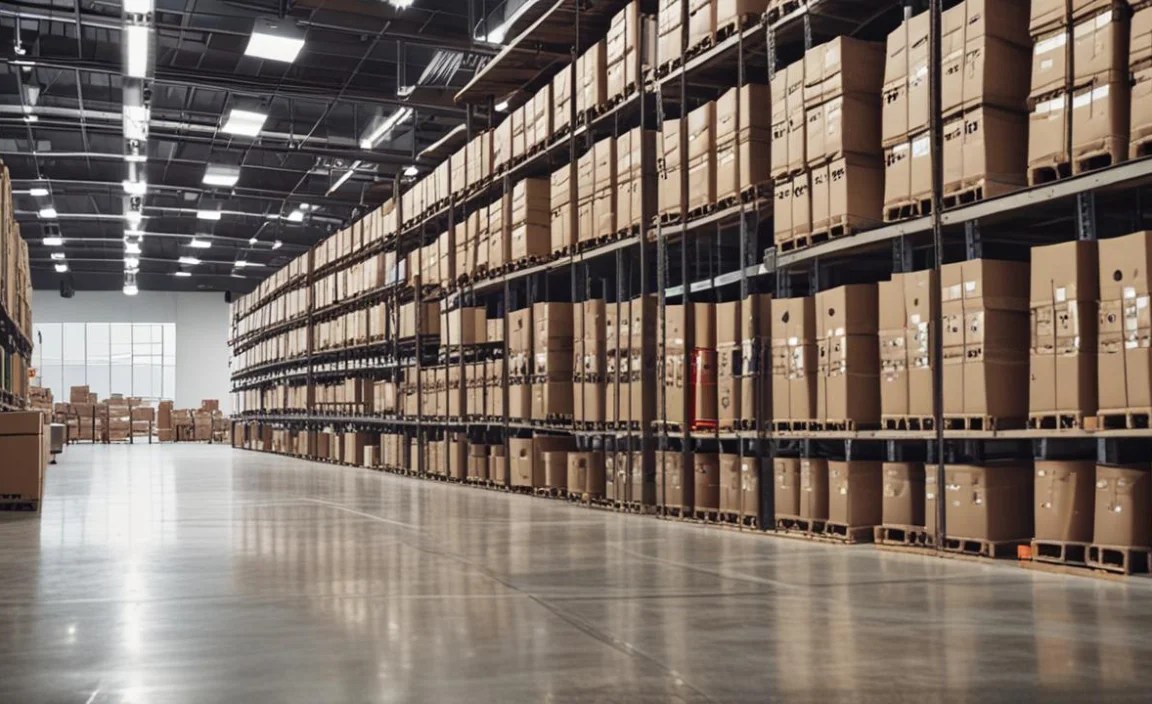
To help visualize the differences, here’s a look at some key specifications for a few popular models. Remember that configurations can vary, so always check the exact specs for the model you’re considering.
| Tablet Model | Ruggedness Rating (Typical) | Operating System | Screen Size (Typical) | Integrated Scanner? | Battery Life (Estimated) | Price Range (Estimate) |
|---|---|---|---|---|---|---|
| Zebra ET51/ET56 | IP65, MIL-STD-810G | Android | 8.3 inches | Yes (Optional) | 10-18 hours | $$$$-$$$$$ |
| Honeywell RT10 | IP65, MIL-STD-810H | Android | 10.1 inches | Yes (Optional) | 12-15 hours | $$$$-$$$$$ |
| Panasonic Toughbook S1 | IP67, MIL-STD-810G | Android | 7 inches | Yes (Optional) | 14-24 hours | $$$$$ |
| Getac T800 | IP65, MIL-STD-810G | Windows or Android | 8.1 inches | Yes (Optional) | 10-15 hours | $$$$-$$$$$ |
| Samsung Galaxy Tab Active4 Pro | IP68, MIL-STD-810H | Android | 10.1 inches | No (App-based scanning) | 8-12 hours (Hot-swappable) | $$ – $$$ |
Note: Price ranges are estimates and vary based on configuration, vendor, and promotions.
Implementing Tablets in Your Warehouse: A Step-by-Step Approach

Adopting tablets into your warehouse workflow can be a game-changer. Here’s how to do it effectively:
- Assess Your Needs:
- What specific tasks will the tablets be used for (inventory, picking, receiving, shipping, etc.)?
- What software (WMS, ERP) will they need to run?
- What are the environmental conditions (dust, moisture, temperature, drop risks)?
- What is your budget per device and for accessories?
- Research and Select Devices: Based on your needs assessment, narrow down your choices to a few models that best fit your criteria for ruggedness, features, OS, and budget.
- Consider Accessories: Think about what essential accessories you’ll need, such as rugged cases, screen protectors, charging docks, vehicle mounts, or external barcode scanners if not integrated. Tools like barcode scanners are a critical part of warehouse operations, and ensuring compatibility is key. You can find more information on barcode scanner technology from resources like GS1.
- Pilot Program: Before a full rollout, conduct a pilot program with a small group of employees. Gather feedback on usability, performance, and any issues encountered. This is invaluable for refining your strategy.
- Develop Training: Create comprehensive training materials and sessions for your staff. Ensure they understand how to use the tablets, the associated software, and proper care and maintenance.
- Deployment and IT Support: Roll out the devices to your team. Ensure your IT department is prepared to handle setup, software installation, troubleshooting, and security management. Mobile Device Management (MDM) solutions can be very helpful here.
- Monitor and Optimize: After deployment, continuously monitor tablet usage, performance, and employee feedback. Make adjustments to software, processes, or device assignments as needed to maximize efficiency.
Tips for Maximizing Tablet Use in the Warehouse
To get the most out of your investment in warehouse tablets, consider these practical tips:
- Invest in a Good Mobile Device Management (MDM) Solution: MDM software allows you to remotely manage, secure, and deploy applications to all your tablets. This is crucial for security and efficiency, especially with a large fleet of devices.
- Standardize Software: Ensure all necessary applications are pre-installed and updated. Use consistent configurations across all devices.
- Optimize Your WMS for Mobile: Make sure your Warehouse Management System has a user-friendly mobile interface. This is often the key to a smooth workflow.
- Implement a Charging Strategy: Designate clear charging stations. Consider purchasing extra batteries or swappable battery solutions for continuous operation.
- Encourage Regular Updates: Keep operating systems and applications updated to ensure security and access to the latest features.
- Provide Clear Use Policies: Establish guidelines on responsible use, data privacy, and device care to protect your assets.
- Regular Maintenance Checks: While rugged tablets are tough, regular cleaning and inspection for damage can prevent minor issues from becoming major problems.
Frequently Asked Questions (FAQs)
Q1: Do I really need a “rugged” tablet for my warehouse?
For most warehouse environments, yes. Standard consumer tablets are not built to withstand drops, dust, and potential moisture commonly found on a warehouse floor. Rugged tablets are designed for these conditions, offering much better longevity and reliability, which saves you money in the long run by reducing repair and replacement costs.
Q2: What’s the difference

Your tech guru in Sand City, CA, bringing you the latest insights and tips exclusively on mobile tablets. Dive into the world of sleek devices and stay ahead in the tablet game with my expert guidance. Your go-to source for all things tablet-related – let’s elevate your tech experience!