RCA Tablet 10 Viking Pro Specs: Get Essential Features for Under $100! Discover if this budget-friendly tablet meets your needs for everyday tasks and entertainment without breaking the bank.
Finding a tablet that’s both capable and kind to your wallet can feel like searching for a needle in a haystack, right? Many of us need a device for simple things like browsing the web, checking emails, or letting the kids watch their favorite shows. But stepping into the world of tablets often means facing confusing tech jargon and surprisingly high prices. It’s easy to feel overwhelmed! Don’t worry; I’m here to help. We’ll dive deep into the RCA Tablet 10 Viking Pro and see exactly what you get for under $100. Let’s get this sorted so you can make a smart choice.
RCA Tablet 10 Viking Pro Specs: Your Essential Under $100 Guide
When you’re on the hunt for a new tablet, especially on a tight budget, it’s natural to wonder what you can realistically expect. The RCA Tablet 10 Viking Pro has emerged as a popular choice for those seeking a functional device without a hefty price tag. But what exactly do its specs mean for you? Let’s break down the RCA Tablet 10 Viking Pro’s key features and see how they stack up for everyday use, keeping that friendly sub-$100 price point firmly in mind.
What is the RCA Tablet 10 Viking Pro?
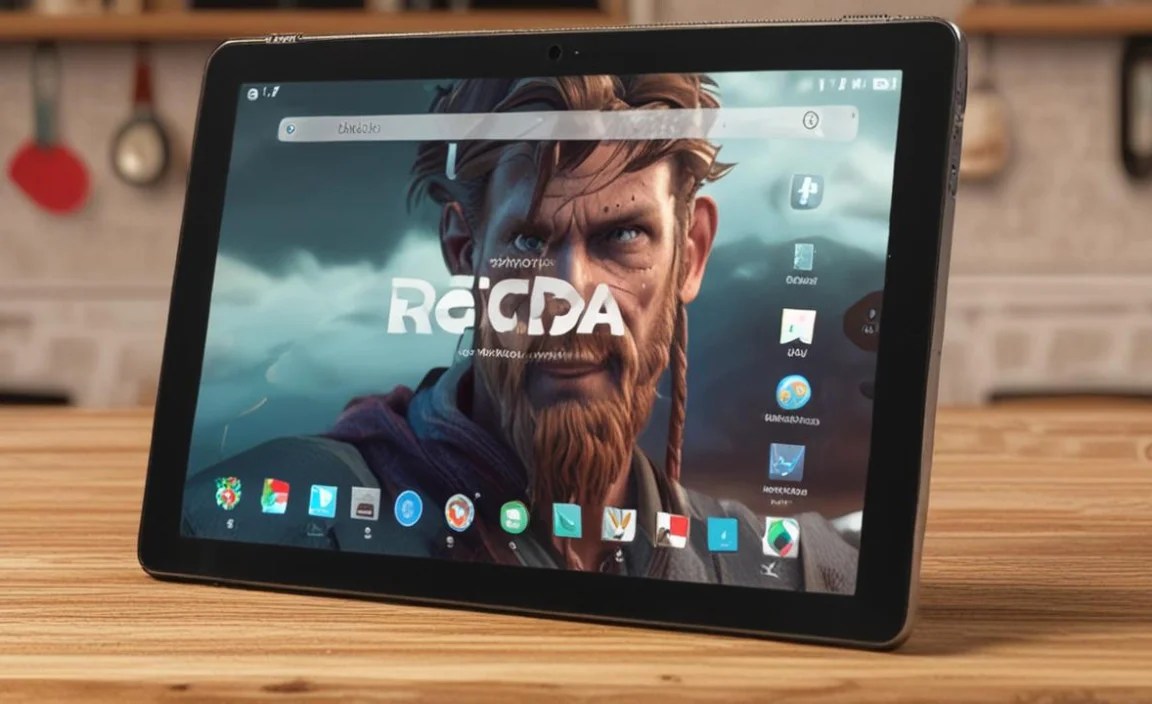
The RCA Tablet 10 Viking Pro is an entry-level tablet designed to offer basic functionality for a wide range of users. It’s part of RCA’s commitment to providing affordable electronics, aiming to make technology accessible to more people. Think of it as your go-to device for everyday browsing, media consumption, and light productivity tasks. It’s not aiming to compete with high-end devices, but rather to be a reliable companion for simpler needs.
Core Specs Demystified

Let’s peel back the layers and look at the essential specifications of the RCA Tablet 10 Viking Pro. Understanding these will help you know what to expect performance-wise.
Display: Size and Resolution
The “10” in RCA Tablet 10 Viking Pro refers to its screen size. It boasts a 10-inch display, which is a nice, comfortable size for most tasks. It’s large enough for watching videos and browsing websites without feeling cramped, but still portable enough to carry around.
Screen Resolution: Most versions of the Viking Pro 10 come with a screen resolution of 720p (1280 x 800 pixels). While this isn’t the sharpest resolution you’ll find on the market, it’s generally considered standard for budget tablets. For everyday use like reading articles, watching YouTube, or browsing social media, it’s perfectly adequate. For extremely detailed images or text, you might notice a slight softness compared to higher-resolution screens.
Performance: Processor and RAM
This is where budget tablets often make compromises, and the Viking Pro is no exception. These components dictate how fast and responsive the tablet feels.
- Processor: The RCA Tablet 10 Viking Pro typically features a quad-core processor. While the exact model can vary, a quad-core CPU means it has four processing cores. This is sufficient for handling multiple basic applications simultaneously and for running everyday apps smoothly.
- RAM (Random Access Memory): Most models come with 1GB or 2GB of RAM. RAM is like the tablet’s short-term memory; more RAM means it can handle more tasks without slowing down. 1GB is on the lower side and might lead to some lag if you open many apps or very demanding ones. 2GB offers a noticeable improvement for smoother multitasking.
What this means for you: For tasks like browsing the internet, checking email, using social media apps, and watching videos, this performance level is generally fine. If you plan on playing graphics-intensive games, editing large videos, or running very complex applications, you might find it struggles.
Storage: Internal and Expandable
How much space do you have for apps, photos, and other files?
- Internal Storage: The RCA Tablet 10 Viking Pro usually comes with 32GB of internal storage. This is a decent starting point, allowing you to install a good number of basic apps and store some personal files.
- Expandable Storage: Crucially, most RCA Viking Pro tablets include a microSD card slot. This allows you to expand the storage capacity significantly, often up to 64GB or even 128GB. This is a huge advantage for budget devices, as it means you can easily add space for more photos, videos, or music without buying a more expensive tablet.
Connectivity: Wi-Fi and Bluetooth
Staying connected is key, and the Viking Pro covers the essentials.
- Wi-Fi: It supports standard Wi-Fi connectivity (usually 802.11n or similar), allowing you to connect to your home network or public Wi-Fi hotspots for internet access.
- Bluetooth: Bluetooth capability is generally included, enabling you to connect wireless accessories like headphones, speakers, or keyboards.
Note: These tablets typically do not come with cellular data capabilities (3G/4G/5G). You will need to be within the range of a Wi-Fi signal to access the internet.
Battery Life
Battery life is always a critical factor for any portable device. The RCA Tablet 10 Viking Pro is usually equipped with a battery that aims to provide several hours of use on a single charge. Real-world battery life will depend heavily on usage: screen brightness, what apps you’re running, and Wi-Fi usage all impact how long the battery lasts. Expect it to be suitable for a few hours of continuous use, which is typical for tablets in this price range, but you might need to recharge it daily with regular use.
Operating System
The RCA Tablet 10 Viking Pro typically runs on a version of Google’s Android operating system. The specific version may vary, but it will give you access to the Google Play Store, where you can download millions of apps. It’s important to check the specific model, as older tablets might be running older versions of Android, which could mean missing out on some of the latest app features or security updates. For the latest information on Android versions and security, you can refer to Android’s security documentation.
Camera
Don’t expect professional-grade photography from this device. The Viking Pro 10 usually features front and rear cameras, but they are typically basic:
- Rear Camera: Often around 2MP (megapixels). Suitable for quick snapshots or scanning QR codes.
- Front Camera: Usually around 0.3MP or 2MP. Adequate for video calls on apps like Skype or Google Meet, but don’t expect crystal-clear selfies.
These cameras are functional for their intended purpose – basic communication and quick photos – but not for photography enthusiasts.
Ports and Other Features
You’ll typically find standard ports and features:
- Micro-USB Port: For charging the tablet and potentially for data transfer (though Wi-Fi or cloud storage is more common now).
- Headphone Jack: A standard 3.5mm headphone jack for wired audio.
- MicroSD Card Slot: As mentioned, for expanding storage.
- Built-in Speaker: For audio playback without headphones.
RCA Tablet 10 Viking Pro Specs: A Quick Comparison Table

To make it even easier, here’s a direct look at the key specs:
| Feature | Specification (Typical) |
|---|---|
| Display Size | 10 inches |
| Display Resolution | 1280 x 800 (720p) |
| Processor | Quad-Core |
| RAM | 1GB or 2GB |
| Internal Storage | 32GB |
| Expandable Storage | Yes, MicroSD card slot (up to 64GB/128GB) |
| Connectivity | Wi-Fi, Bluetooth |
| Operating System | Android |
| Front Camera | 0.3MP – 2MP |
| Rear Camera | 2MP |
| Ports | Micro-USB, Headphone Jack |
| Battery | All-day use (variable based on usage) |
| Price | Under $100 |
Is the RCA Tablet 10 Viking Pro Under $100 Worth It?

This is the big question, isn’t it? For a price point consistently under $100, the RCA Tablet 10 Viking Pro offers a surprising amount of usability. Here’s a breakdown of who it’s best for and where it might fall short.
Who is the RCA Tablet 10 Viking Pro For?
- Basic Browsing and Social Media: If you primarily want a device to surf the web, keep up with Facebook, Instagram, or Twitter, and read news, it’s a solid choice.
- Kids’ Entertainment: This tablet is great for younger children. They can use it for educational apps, watching cartoons on YouTube Kids or Netflix, and playing simple games without you worrying about an expensive device being damaged.
- E-readers: The 10-inch screen is comfortable for reading books and magazines. You can download popular reading apps from the Google Play Store.
- Light Productivity: For very basic tasks like checking and responding to simple emails, using a digital notepad, or accessing cloud documents, it can suffice.
- Travel Companion: For long trips where you want a larger screen than your phone for watching movies or playing games without draining your primary device’s battery, it’s a good option.
- First-Time Tablet Users: If you’re new to tablets and want to try one out without a significant investment, the Viking Pro is an excellent entry point.
When Might It Not Be the Best Fit?
- Heavy Gaming: If you’re a serious mobile gamer looking for high-end graphics and fast performance, this tablet won’t meet your expectations.
- Professional Use: For demanding work tasks, video editing, high-resolution photo editing, or running complex business software, this tablet is not designed for that.
- High-Quality Media Creation: The cameras are basic, so if you plan to shoot videos or take photos for professional or artistic purposes, you’ll need a more advanced device.
- Multitasking Power Users: While it can handle a few apps, opening many demanding applications simultaneously might lead to slowdowns, especially with 1GB of RAM.
- Latest Software and Security: As with many budget devices, it may not always receive the very latest Android updates or security patches as quickly as premium tablets. For more on Android security updates, you can check Android’s official update site.
Tips for Getting the Most Out of Your RCA Tablet 10 Viking Pro
Once you have your RCA Tablet 10 Viking Pro, here are some tips to ensure you have the best possible experience, especially on a budget:
- Manage Storage Wisely: With 32GB of internal storage, it’s crucial to utilize that MicroSD card slot. Buy a decent-sized card (32GB, 64GB, or 128GB) and set it up as your primary storage location for photos, videos, and downloaded media.
- Keep it Clean: Regularly uninstall apps you no longer use. This frees up internal storage and reduces the number of background processes that could slow down your tablet.
- Optimize App Usage: Stick to lighter versions of apps if available, or choose apps known for being less resource-intensive. For example, some social media platforms offer “Lite” versions.
- Adjust Screen Brightness: Lowering screen brightness can significantly improve battery life. The tablet is usually bright enough for indoor use at a moderate setting.
- Close Unused Apps: While Android is good at managing apps, manually closing applications you’re finished with can help free up RAM and improve responsiveness.
- Keep Software Updated: Check for system updates periodically. While you might not get the cutting-edge features, updates often include performance improvements and security patches.
- Consider a Protective Case and Screen Protector: Even on a budget device, protecting your investment is smart. A simple case can prevent damage from accidental drops, which are more common with kids or during travel.
- Use it for What it Excels At: Embrace its strengths! It’s fantastic for media consumption, reading, and basic web tasks. Don’t try to push it beyond its limits.
Alternatives and Competitors
While the RCA Tablet 10 Viking Pro is a strong contender in the sub-$100 market, it’s worth knowing a few other options you might see:
- Amazon Fire Tablets: Amazon’s Fire tablets often come in around the same price point, offering their own ecosystem (Fire OS, based on Android) and integration with Amazon services. They are excellent for media consumption within the Amazon ecosystem.
- Other Budget Brands: Various other brands offer similar tablets (e.g., Contixo, Dragon Touch, Alldocube) with comparable specs. It’s always good to compare current deals and user reviews.
- Refurbished or Older Models: Sometimes, you can find slightly older or refurbished models from more established brands (like Samsung or Lenovo) in the same price range, which might offer slightly better performance or build quality.
When comparing, always look at the screen resolution, RAM, and internal storage, as these are the most impactful specs for daily use.
Frequently Asked Questions (FAQ)
Q1: Is 1GB of RAM enough for the RCA Tablet 10 Viking Pro?
For very basic tasks like email, web browsing, and simple games, 1GB of RAM can be sufficient. However, you may experience noticeable slowdowns if you try to run multiple apps at once or use more demanding applications. If possible, opt for a model with 2GB of RAM for a smoother experience.
Q2: Can I download apps from the Google Play Store on this tablet?
Yes, the RCA Tablet 10 Viking Pro runs on Android and typically provides access to the Google Play Store, allowing you to download a vast array of apps and games.
Q3: Does the RCA Tablet 10 Viking Pro have cellular data (4G/5G)?
Generally, no. Most RCA Viking Pro tablets in this price category are Wi-Fi only. You will need to connect to a Wi-Fi network to access the internet.
Q4: Can I connect a keyboard and mouse to the RCA Tablet 10 Viking Pro?
Yes, via Bluetooth. If your tablet has Bluetooth capability, you can pair wireless keyboards and mice to enhance productivity, although performance will still be limited by the tablet’s processing power.
Q5: How good are the cameras on this tablet?
The cameras are very basic. The rear camera is usually around 2MP, and the front camera is often lower. They are suitable for casual video calls or quick snapshots in good lighting, but not for high-quality photography or videography.
Q6: Is the RCA Tablet 10 Viking Pro good for watching movies and streaming?
Yes, for its price point, it’s quite capable for watching movies and streaming video content from services like Netflix, YouTube, or Hulu. The 10-inch screen is comfortable for viewing, and the resolution is adequate for most streaming.
Q7: What is the typical battery life?
Battery life varies with usage. You can generally expect several hours of continuous use, similar to other budget tablets. For light tasks like reading or browsing, it might last through a good portion of the day. Heavy use, like video playback or gaming, will drain the battery faster.
Conclusion
The RCA Tablet 10 Viking Pro truly delivers on its promise: essential functionality for under $100. It’s a testament to the fact that you don’t always need to spend a lot to get a tablet that can handle your everyday digital needs. Whether you’re looking for a device for casual browsing, a safe bet for kids’ entertainment, or a simple e-reader

Your tech guru in Sand City, CA, bringing you the latest insights and tips exclusively on mobile tablets. Dive into the world of sleek devices and stay ahead in the tablet game with my expert guidance. Your go-to source for all things tablet-related – let’s elevate your tech experience!