RCA Tablet 10 Viking Pro Specs: Essential Reading for Everyday Users
Looking for the RCA Tablet 10 Viking Pro specs? This guide breaks down everything you need to know about this popular tablet in simple terms, helping you understand its features, performance, and what it’s best suited for. Whether you’re a student, a digital artist, or just want a reliable device for entertainment, we’ve got the essential details to make your choice easier.
RCA Tablet 10 Viking Pro Specs: Essential Reading for Everyday Users
Welcome to Tabletzoo! I’m Walter Moore, and I’m here to help you navigate the world of tablets. Today, we’re diving deep into the RCA Tablet 10 Viking Pro. Picking a new tablet can feel overwhelming with all the technical jargon out there. But don’t worry, I’ll break down the RCA Tablet 10 Viking Pro specs in a way that’s easy to grasp. We’ll look at what makes it tick, who it’s best for, and what you can expect from this versatile device.
What is the RCA Tablet 10 Viking Pro?

The RCA Tablet 10 Viking Pro is a mid-range Android tablet designed to offer a good balance of features and affordability. It’s often chosen by users who need a capable device for everyday tasks like browsing the web, watching videos, social media, and light productivity. RCA is known for producing budget-friendly electronics, and the Viking Pro is a prime example of their commitment to making technology accessible.
Who is the RCA Tablet 10 Viking Pro For?
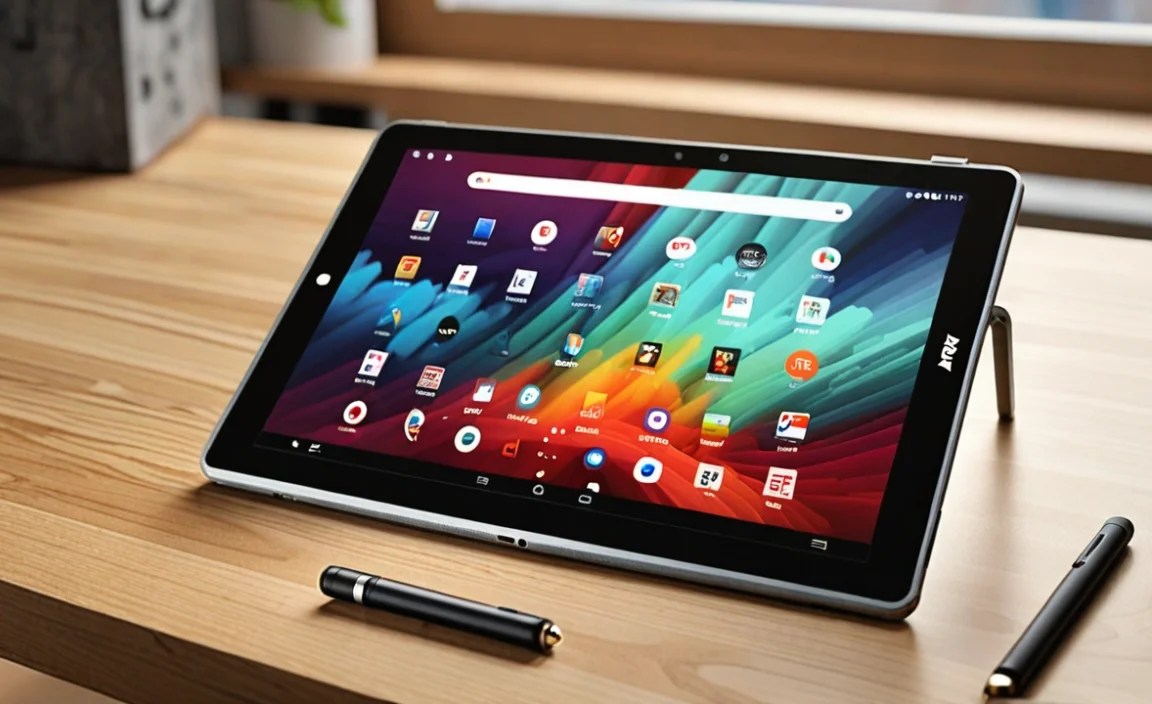
This tablet is a fantastic option for several types of users:
Students: For taking notes, researching assignments, and staying connected with classmates.
Families: A shared device for entertainment, games, and educational apps for kids.
Budget-Conscious Buyers: Those who want a functional tablet without breaking the bank.
Casual Users: Anyone looking for a dependable tablet for browsing, emails, and media consumption.
Key RCA Tablet 10 Viking Pro Specs Explained

Let’s get into the nitty-gritty, but don’t worry, we’ll keep it simple! Understanding these specs will help you see how the tablet performs in everyday use.
Display: Screen Size and Quality
The “10” in RCA Tablet 10 Viking Pro refers to its 10-inch display. This is a good size for most users, offering enough screen real estate for comfortable viewing and typing.
Screen Size: 10 inches. This is a comfortable middle ground, not too small for reading and watching, and not too large to handle easily.
Resolution: Typically, this tablet features a resolution of 1280 x 800 pixels. While not the sharpest on the market, it’s generally sufficient for everyday apps and streaming content. Lower resolutions mean less demanding graphics processing, which can be a plus for battery life and performance on less powerful hardware.
Touchscreen Technology: It uses a capacitive touchscreen, which is standard for modern tablets. This means it’s responsive to your touch, allowing for smooth scrolling and intuitive interactions.
Processor: The Brains of the Operation
The processor, or CPU, is what makes your tablet run. The RCA Tablet 10 Viking Pro usually comes with a quad-core processor.
Type: Quad-core (meaning it has four processing cores).
Speed: Clock speeds can vary, but typically hover around 1.3 GHz.
What it means for you: A quad-core processor is decent for multitasking basic applications. You can run apps like web browsers, email clients, and social media platforms smoothly. For more demanding tasks like high-end gaming or complex video editing, it might show its limitations, but for general use, it’s perfectly adequate.
RAM: Memory for Multitasking
RAM (Random Access Memory) is like a tablet’s short-term memory. More RAM means the tablet can handle more tasks at once without slowing down.
Amount: The RCA Tablet 10 Viking Pro typically comes with 1GB or 2GB of RAM.
What it means for you: With 1GB of RAM, you’ll want to keep your active apps to a minimum for the best experience. 2GB offers a noticeable improvement, allowing for smoother switching between apps and generally a more responsive feel. It’s enough for light multitasking.
Storage: Where Your Files Live
This is where your apps, photos, videos, and documents are stored.
Internal Storage: You’ll usually find 32GB of internal storage.
Expandable Storage: Crucially, most RCA Viking Pro models offer a microSD card slot. This is a big deal for budget tablets!
What it means for you: 32GB is enough for the operating system and a good number of essential apps. However, if you plan to download many movies, store lots of photos, or keep large files, the microSD card slot is your best friend. You can easily add more storage for a relatively low cost, expanding your tablet’s capacity significantly. For more details on storage types, you can check out resources like the Electronic Frontier Foundation.
Camera: Capturing Moments
The Viking Pro usually includes both front and rear cameras.
Rear Camera: Typically around 2MP or 5MP. Good for casual snapshots, scanning QR codes, or participating in video calls in good lighting.
Front Camera: Usually around 2MP. Perfect for video chats with friends and family.
What it means for you: Don’t expect professional-grade photography. These cameras are functional for basic needs but are not a substitute for a dedicated digital camera or a smartphone with high-end camera capabilities.
Battery Life: Powering Your Day
Battery life is always a key concern. The RCA Tablet 10 Viking Pro aims to provide a full day of moderate use.
Typical Battery Size: Often around 5000mAh.
Expected Usage: You can expect several hours of continuous use for activities like video streaming or web browsing, though this will vary based on screen brightness, network activity, and the apps you’re running.
What it means for you: For light use – checking emails, reading – it should last most of the day. For more intensive use like gaming or prolonged video watching, you might need to top it up before the day is out.
Connectivity: Staying in Touch
This tablet keeps you connected in several ways.
Wi-Fi: Essential for internet access at home or in Wi-Fi hotspots.
Bluetooth: Allows you to connect wireless accessories like headphones, speakers, or keyboards.
Ports: Typically includes a micro USB port for charging and data transfer, and a headphone jack.
Optional: Some models might come with cellular connectivity (3G/4G), but this is less common for the Viking Pro series. Most users rely on Wi-Fi.
Operating System: The Software Experience
The RCA Tablet 10 Viking Pro runs on the Android operating system.
Android Version: You’ll likely find it running on a version of Android like Lollipop, Marshmallow, or Nougat.
Google Play Store: Access to millions of apps, games, movies, and books. This is a huge advantage of Android – a vast ecosystem of content.
What it means for you: You’ll be familiar with Android if you’ve used an Android smartphone. It’s intuitive and offers a lot of customization. Keep in mind that older Android versions may not support the very latest app updates, but for most common apps, it’s still very usable. For an overview of Android versions, you can consult resources like Android’s official developer documentation.
RCA Tablet 10 Viking Pro: A Closer Look at Core Components

Let’s visualize the key specs in a table. This can be helpful for quick comparisons.
| Component | Typical Specification | Impact on User Experience |
|---|---|---|
| Display | 10-inch, 1280 x 800 resolution | Good for viewing content, adequate sharpness for everyday tasks. |
| Processor | Quad-core @ ~1.3 GHz | Handles basic apps and multitasking well; may struggle with demanding games. |
| RAM | 1GB or 2GB | 1GB is functional for light use; 2GB provides smoother app switching. |
| Internal Storage | 32GB | Sufficient for essential apps; expandable via microSD. |
| Rear Camera | ~2MP – 5MP | Functional for casual photos and QR codes. |
| Front Camera | ~2MP | Suitable for basic video calls. |
| Battery | ~5000mAh | Offers several hours of mixed usage; may require mid-day charging for heavy use. |
| Connectivity | Wi-Fi, Bluetooth | Standard for internet and accessory connection. |
| Operating System | Android (older versions like Lollipop/Marshmallow/Nougat) | Access to Google Play Store, familiar interface. |
Pros and Cons of the RCA Tablet 10 Viking Pro
Like any device, the RCA Tablet 10 Viking Pro has its strengths and weaknesses.
Pros:
Affordability: This is often the biggest draw. It’s a cost-effective way to own a 10-inch tablet.
Large Screen Size for the Price: A 10-inch display is great for media consumption and provides more space for reading and working than smaller tablets.
Expandable Storage: The microSD card slot is a huge plus, allowing you to significantly increase storage capacity affordably.
Google Play Store Access: You get access to a vast library of apps and entertainment.
Decent for Basic Tasks: It performs well for web browsing, email, social media, and watching videos.
Cons:
Performance Limitations: With the typical RAM and processor, it’s not built for demanding games or heavy multitasking.
Older Android Versions: You might miss out on some newer features and security updates found in the latest Android versions.
Camera Quality: The cameras are basic and best suited for simple tasks rather than photography.
Screen Resolution: While acceptable, the resolution isn’t as sharp as higher-end tablets, which might be noticeable for sharp text or detailed images.
Tips for Getting the Most Out of Your RCA Tablet 10 Viking Pro
Even with a budget-friendly tablet, you can optimize your experience.
1. Manage Your Apps: For 1GB of RAM, keep the number of apps running in the background to a minimum. Close apps you aren’t actively using.
2. Utilize Cloud Storage: Services like Google Drive, Dropbox, or OneDrive can help manage your files and free up internal storage.
3. Invest in a MicroSD Card: If you plan to store media or apps, get a good quality microSD card (up to 32GB is commonly supported and recommended for price-performance). This is one of the best ways to boost usable storage.
4. Adjust Display Settings: Lowering screen brightness can significantly extend battery life. You can also experiment with font sizes if readability is an issue.
5. Keep it Clean: Regularly clear the cache of your apps and restart your tablet to keep it running smoothly.
6. Download Offline Content: For streaming services, download movies and shows when you’re on Wi-Fi to save data and battery during playback.
RCA Tablet 10 Viking Pro vs. Other Options
When considering the RCA Tablet 10 Viking Pro, it’s helpful to see where it stands. On the budget end, it competes with other brands offering similar tablet sizes and specifications.
VS. Amazon Fire Tablets: Amazon’s Fire tablets are also very budget-friendly and have a strong ecosystem for media. However, they run Fire OS (a fork of Android) which has a more curated app store and interface focused on Amazon services. The Viking Pro offers a more standard Android experience.
VS. Other Budget Android Brands: Brands like TCL, Lenovo, or lesser-known manufacturers often have tablets in a similar price range. The Viking Pro’s appeal often lies in its straightforward Android OS and widely available specifications.
* VS. Higher-End Tablets (e.g., Samsung Galaxy Tab, iPad):** These devices offer vastly superior performance, better screens, more advanced cameras, and the latest software. However, they come at a much higher price point. The Viking Pro is a compromise, focusing on essential functionality at a low cost.
For a detailed comparison of tablet categories, you might find guides from reputable tech review sites like CNET or TechRadar insightful.
RCA Tablet 10 Viking Pro: What Users Say
While official specs are important, real-world user experiences offer valuable insights. Many users praise the RCA Tablet 10 Viking Pro for its excellent value proposition. It’s frequently highlighted as a great option for children or as a secondary tablet for casual use and media. Users who manage expectations regarding performance for demanding tasks are generally satisfied. The expandable storage and decent screen size for the price are consistent points of positive feedback. However, some users note the slower performance when too many apps are open or when running more resource-intensive applications.
FAQ: Your RCA Tablet 10 Viking Pro Questions Answered
Here are some common questions about the RCA Tablet 10 Viking Pro, explained simply.
Q1: Can I use this tablet for schoolwork?
Yes, absolutely! The RCA Tablet 10 Viking Pro is great for basic school tasks like taking notes, doing research online, accessing educational apps, and reading e-books. Its 10-inch screen makes it comfortable for reading and typing compared to smaller devices.
Q2: Is the RCA Tablet 10 Viking Pro good for gaming?
It’s best for casual and older games. If you enjoy simple games or puzzles, it should work fine. However, for demanding, graphically-intensive games, the processor and RAM might struggle, leading to slower performance or lag.
Q3: How much storage does it have, and can I add more?
The tablet typically comes with 32GB of internal storage. Yes, you can add more storage using a microSD card, which is a fantastic feature for this price range. This allows you to store many more photos, videos, and apps.
Q4: Can I connect a keyboard to this tablet?
Yes, you can! The RCA Tablet 10 Viking Pro usually has Bluetooth connectivity, which allows you to easily pair a wireless Bluetooth keyboard. This can significantly improve your typing experience for writing or note-taking.
Q5: What version of Android does it run?
The RCA Tablet 10 Viking Pro typically runs on older versions of Android, such as Lollipop, Marshmallow, or Nougat. While it might not have the very latest features, it still provides access to the Google Play Store for downloading apps.
Q6: How is the battery life?
The battery life is generally decent for everyday use, often providing several hours of continuous activity like watching videos or browsing the web. Heavy usage will drain it faster, so you might need to charge it daily, depending on how you use it.
Q7: Is it easy to set up?
Yes, setting up an Android tablet like the RCA Tablet 10 Viking Pro is straightforward. You’ll be guided through the initial setup process, including connecting to Wi-Fi, signing into your Google account, and downloading your preferred apps from the Google Play Store.
Conclusion
The RCA Tablet 10 Viking Pro stands out as a solid choice for anyone seeking an affordable, functional 10-inch tablet. Its strengths lie in its generous screen size for media consumption and casual use, its expandable storage, and its overall value. While it’s not designed for high-performance tasks, it excels at everyday activities like browsing, social media, email, and enjoying entertainment.
By understanding the RCA Tablet 10 Viking Pro specs, you can confidently determine if it’s the right fit for your needs. Whether you’re a student, a parent looking for a family device, or simply want a reliable tablet for everyday tasks without a hefty price tag, the Viking Pro offers a compelling package.
Remember, the key to enjoying any tablet is to match its capabilities with your expectations. For a budget-friendly device, the RCA Tablet 10 Viking Pro delivers on its promise of accessibility and usability.
Happy tablet exploring from Tabletzoo!

Your tech guru in Sand City, CA, bringing you the latest insights and tips exclusively on mobile tablets. Dive into the world of sleek devices and stay ahead in the tablet game with my expert guidance. Your go-to source for all things tablet-related – let’s elevate your tech experience!