Looking for affordable tablet power? The RCA Tablet 10 Viking Pro offers a solid balance for everyday tasks, entertainment, and light productivity. This guide breaks down its key specs, helping you understand if it’s the right fit for your needs.
Choosing a new tablet can feel a bit overwhelming, right? With so many options out there, it’s easy to get lost in a sea of technical terms. But don’t worry! If you’re curious about the RCA Tablet 10 Viking Pro and what it can do, you’ve come to the right place. We’ll walk through its specifications step-by-step, making it simple to understand. Let’s dive in and discover if this tablet is perfect for you!
Understanding the RCA Tablet 10 Viking Pro

The RCA Tablet 10 Viking Pro is designed to be a budget-friendly yet capable device for a variety of users. It aims to bridge the gap between basic tablets and more expensive, high-end models, offering a good experience for general use.
Whether you’re a student needing a device for note-taking and research, someone looking for a media consumption companion, or a professional needing a secondary device for emails and browsing, understanding the specs is crucial to know if it fits your workflow.
Key Specifications at a Glance
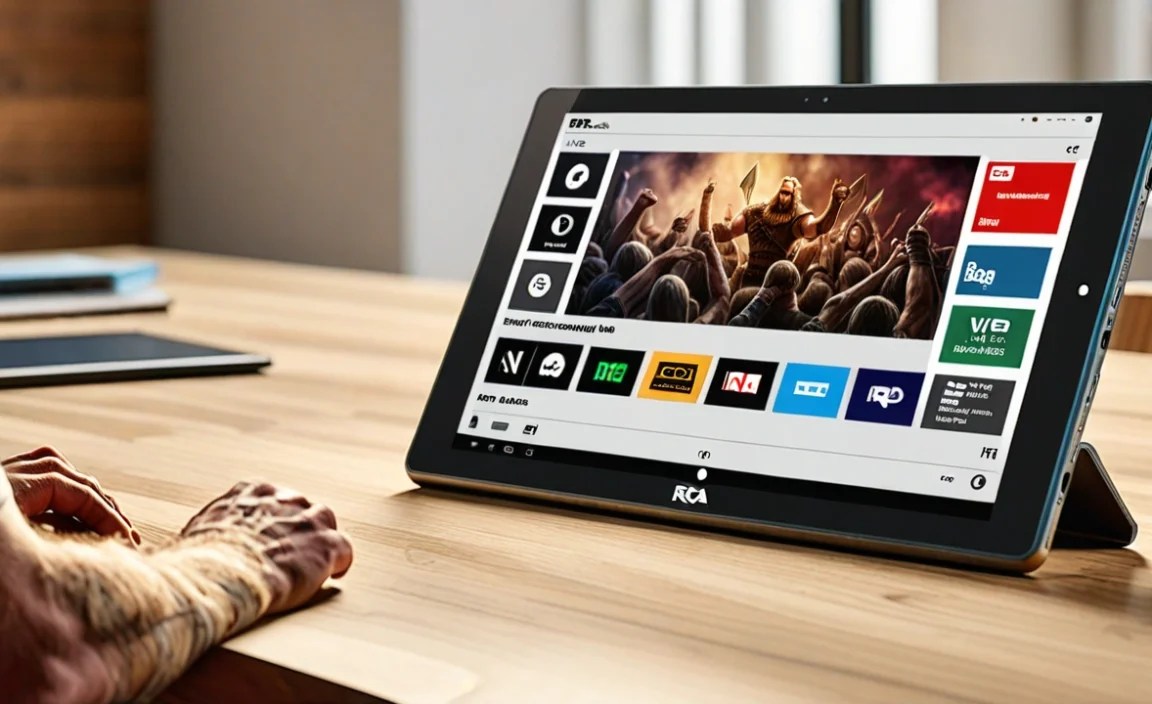
Let’s get straight to the heart of what makes the RCA Tablet 10 Viking Pro tick. Here’s a breakdown of its most important features:
| Specification | Details |
|---|---|
| Display Size | 10.1 inches |
| Display Resolution | 1280 x 800 pixels (HD) |
| Processor | Quad-Core (specific model varies by production batch) |
| RAM | 1GB or 2GB (varies by model) |
| Storage | 32GB internal storage |
| Expandable Storage | Yes, via microSD card (up to 128GB supported) |
| Operating System | Android (version varies, typically older versions like Android 6.0 Marshmallow or newer) |
| Connectivity | Wi-Fi, Bluetooth |
| Ports | Micro USB, 3.5mm Headphone Jack |
| Camera | Front-facing and Rear-facing cameras (typically 2MP front, 5MP rear) |
| Battery | Non-removable Lithium-ion battery (capacity varies, provides a few hours of use) |
| Included Accessories | Often includes a detachable keyboard and stylus |
Display Quality
The 10.1-inch display is a good size for most tasks. It’s large enough for comfortable reading, browsing, and watching videos. The resolution of 1280 x 800 pixels is considered HD, which means you’ll get a clear picture for everyday content.
While it might not be as sharp as tablets with higher resolutions, it’s perfectly adequate for casual use. For seniors, this larger screen size can be a significant benefit, making text and icons easier to see without straining.
Processing Power and Performance
At its core, the RCA Tablet 10 Viking Pro usually features a quad-core processor. This means it has four processing cores working together. For basic activities like web browsing, checking emails, using social media, and running common apps, this processor does a decent job.
The amount of RAM (Random Access Memory) is important for how smoothly your tablet can multitask. Models come with either 1GB or 2GB of RAM. If you find yourself opening many apps at once or switching between them frequently, 2GB of RAM will provide a smoother experience than 1GB.
Tip for Seniors: If you’re primarily using the tablet for simple tasks like reading the news, video calls with family, or playing basic games, the quad-core processor and sufficient RAM should be perfectly fine. Avoid expecting it to handle demanding games or complex video editing.
Storage and Expandability
The tablet comes with 32GB of internal storage. This is where your apps, photos, videos, and downloaded files are saved. For light usage, 32GB can be enough. However, if you plan to download many apps, take lots of photos, or store movies, you might find it fills up quickly.
The good news is that the RCA Tablet 10 Viking Pro supports external storage through a microSD card. You can typically add a card up to 128GB. This is a fantastic feature because it allows you to significantly expand your storage space without buying a more expensive tablet. You can store photos, videos, and music on the microSD card, freeing up internal space.
Actionable Tip: Consider purchasing a 64GB or 128GB microSD card if you plan on storing a lot of media or downloading many apps. This is a cost-effective way to increase your tablet’s capacity, making it perfect for carrying a library of movies or music.
Operating System and Software
The RCA Tablet 10 Viking Pro runs on the Android operating system. The specific version can vary, often being an older but stable release such as Android 6.0 Marshmallow or a slightly newer iteration. While it might not have the absolute latest features found on newer Android versions, it will provide access to the vast majority of applications available on the Google Play Store.
Keep in mind that older operating systems might not receive the latest security updates as frequently. For basic browsing and app usage, this is usually not a significant concern, but it’s something to be aware of.
Connectivity Options
For internet access, the tablet relies on Wi-Fi. This means you’ll need a wireless internet connection at home or in public Wi-Fi hotspots to get online. It also features Bluetooth, which is handy for connecting to wireless headphones, speakers, or other Bluetooth-enabled devices.
Ports and Audio
You’ll find a standard micro USB port for charging the tablet and transferring files. It also includes a 3.5mm headphone jack, a familiar port for most wired headphones and earbuds. This is great for private listening without needing Bluetooth.
Camera Capabilities
The RCA Tablet 10 Viking Pro typically comes with two cameras: a front-facing camera (often around 2MP) and a rear-facing camera (usually around 5MP). The front camera is suitable for video calls with family and friends, allowing them to see you clearly enough. The rear camera can be used to take occasional photos or scan documents, but don’t expect professional-quality images. They are functional for their intended purposes of basic communication and quick snapshots.
Battery Life
Battery life on budget tablets can vary. The RCA Tablet 10 Viking Pro’s battery should provide several hours of usage on a single charge. This is usually enough for a few hours of browsing, watching videos, or reading. For extended use away from a power source, you might want to keep a charger handy or consider a portable power bank.
What Makes the Viking Pro Stand Out? Often Included Accessories

One of the most appealing aspects of many RCA Tablet 10 Viking Pro packages is the inclusion of accessories. Often, these tablets come bundled with:
- Detachable Keyboard: This transforms the tablet into a more laptop-like device, making typing documents, emails, and even coding much easier and more comfortable. It’s perfect for students or professionals who need to do more typing.
- Digital Stylus: For those who enjoy drawing, taking handwritten notes, or annotating documents, the included stylus can be a great tool. It offers a more precise way to interact with the screen than a finger.
Having these accessories included can significantly boost the value proposition of the RCA Tablet 10 Viking Pro, offering a more versatile user experience right out of the box without additional costs.
RCA Tablet 10 Viking Pro Specs for Seniors: A Closer Look

When considering a tablet for seniors, certain specifications become particularly important. The RCA Tablet 10 Viking Pro can be a very suitable choice due to several factors:
- Screen Size: The 10.1-inch display is a significant advantage. Larger text, icons, and images are easier to see and interact with, reducing eye strain and frustration.
- Simplified Interface: While it runs standard Android, its straightforward interface and the ability to use it with a keyboard can make tasks like emailing and browsing more accessible.
- Affordability: Budget-friendly means less financial pressure, especially if the tablet is for occasional use or for someone who might not be overly tech-savvy.
- Included Keyboard: For seniors who find on-screen typing difficult, a physical keyboard makes communication and writing tasks much more manageable.
- Media Consumption: Watching videos, looking at photos, and reading articles are comfortable on the larger screen. Access to apps like YouTube and news readers makes it a great entertainment device.
Important Note for Seniors: It’s recommended to set up the tablet upon purchase, customizing font sizes, screen brightness, and app shortcuts. You might also consider installing a simplified launcher if the standard Android interface feels too complex. Online resources like Pew Research statistics on older adults and technology highlight the growing digital engagement among seniors, showing the importance of accessible devices.
Pros and Cons of the RCA Tablet 10 Viking Pro

Like any device, the RCA Tablet 10 Viking Pro has its strengths and weaknesses. Understanding these will help you make an informed decision.
Pros
- Affordable Price Point: One of the most attractive features is its budget-friendly cost, making technology accessible to more people.
- Good Screen Size: The 10.1-inch display is suitable for various activities, offering a comfortable viewing experience.
- Included Accessories: Often comes with a keyboard and stylus, adding significant value and versatility.
- Expandable Storage: MicroSD card support allows for increased storage capacity at a low cost.
- Decent for Basic Tasks: Handles web browsing, email, social media, and casual gaming well.
- User-Friendly for Seniors: Large screen and potential for simplified setup make it a good option for older users.
Cons
- Performance Limitations: Not designed for heavy multitasking, demanding games, or complex applications.
- Older Android Versions: May not benefit from the latest features or security updates.
- Display Quality: Resolution is HD, which is adequate but not as sharp as premium tablets.
- Camera Quality: Cameras are basic and best suited for casual use or video calls.
- Battery Life: May not last a full day of heavy use on a single charge.
Who is the RCA Tablet 10 Viking Pro Best Suited For?
The RCA Tablet 10 Viking Pro shines for specific user groups:
- Budget-Conscious Students: For note-taking, research, and accessing online learning materials, especially with the included keyboard.
- Casual Users: Those who primarily use a tablet for browsing the web, checking email, social media, and watching videos.
- Seniors or Novice Users: Individuals who need a simple, easy-to-use device with a larger screen for basic tasks.
- Families: As a secondary tablet for children’s educational apps or for less demanding household tasks.
- Light Productivity Needs: If you need a device for occasional document editing or replying to emails while on the go.
It’s important to match the device to your expectations. If you’re looking for a high-performance powerhouse for gaming, advanced photo editing, or running professional software, this tablet might not meet those demands. However, for the tasks it’s designed for, it offers excellent value.
Getting the Most Out of Your RCA Tablet 10 Viking Pro
To ensure you have the best experience with your RCA Tablet 10 Viking Pro, here are a few tips:
- Utilize MicroSD for Storage: Immediately invest in a microSD card to expand your storage. This will prevent you from running out of space for apps and media.
- Optimize App Usage: Stick to apps that don’t heavily tax the processor or RAM. Think of lighter versions of apps if available, or well-optimized popular apps.
- Keep it Updated (as possible): Check for any available system updates. While it might be an older OS version, any updates can improve stability and security.
- Manage Battery: Close apps you’re not using and dim the screen slightly to conserve battery life.
- Explore Accessories: If your model didn’t come with a keyboard or stylus, consider purchasing them if needed. They greatly enhance productivity and creative possibilities. Websites like Android Authority often review budget-friendly tablets and accessories, which can provide further insight.
- Clean Regularly: A soft, dry cloth is great for wiping down the screen and keeping it dust-free.
Frequently Asked Questions (FAQ)
What Android version does the RCA Tablet 10 Viking Pro use?
The RCA Tablet 10 Viking Pro typically runs an older version of Android, such as Android 6.0 Marshmallow or a slightly newer stable release. It’s not the latest version, but it provides access to most apps.
Can I upgrade the Android version on this tablet?
Official Android version upgrades are generally not available for this model. Manufacturers typically stop providing updates for older hardware. However, you can still download and use most apps from the Google Play Store.
How much storage does it have, and can I add more?
The RCA Tablet 10 Viking Pro comes with 32GB of internal storage. Yes, you can add more storage by inserting a microSD card (up to 128GB is typically supported).
Is this tablet good for playing games?
It’s suitable for casual, less demanding games. If you enjoy graphically intensive or fast-paced gaming, you might find its performance lacking. For simple puzzle games or board games, it works well.
What is the screen resolution, and is it sharp enough?
The screen resolution is 1280 x 800 pixels (HD). This is generally considered sharp enough for everyday use, including reading text, browsing websites, and watching videos. It may not be as crisp as higher-end tablets with full HD or QHD displays.
Does it have Bluetooth?
Yes, the RCA Tablet 10 Viking Pro includes Bluetooth connectivity, allowing you to connect wireless headphones, speakers, and other compatible devices.
<

Your tech guru in Sand City, CA, bringing you the latest insights and tips exclusively on mobile tablets. Dive into the world of sleek devices and stay ahead in the tablet game with my expert guidance. Your go-to source for all things tablet-related – let’s elevate your tech experience!