The RCA Tablet 11 Galileo charger is essential for keeping your device powered. This guide explains how to identify the correct charger, troubleshoot common issues, and ensure optimal charging for your RCA Tablet 11 Galileo, making it a must-have resource for all users.
Hey there! Walter Moore here from Tabletzoo, and if you’ve found yourself staring at a blank screen on your RCA Tablet 11 Galileo, you’re definitely not alone. It’s a super common situation: you need to charge your tablet, but you’re not quite sure which charger is the right one, or maybe your current one just isn’t cutting it anymore. It can feel a bit frustrating, right?
Don’t worry, we’ve all been there! Finding the right charger is like finding the right key for a lock – it needs to fit perfectly to work its magic. In this guide, we’ll walk through everything you need to know about your RCA Tablet 11 Galileo charger. We’ll cover how to pick the right one, what to do if it’s not charging, and some handy tips to keep your trusty tablet powered up and ready to go. Stick with me, and by the end, you’ll be a charging pro!
RCA Tablet 11 Galileo Charger: Your Essential Guide
When it comes to keeping your RCA Tablet 11 Galileo running smoothly, the charger is one of its most critical accessories. It’s not just about plugging it in; it’s about ensuring you’re using compatible and reliable power to keep your device healthy and functioning at its best. Whether you’ve lost your original charger, need a backup, or are just curious about what makes a good charger, this article is for you. We’ll break down the specifics of the RCA Tablet 11 Galileo charger, making it easy for anyone to understand.
Why the Right Charger Matters for Your RCA Tablet 11 Galileo

It might seem like any USB charger can power up your tablet, but that’s not quite the case, especially for specific models like the RCA Tablet 11 Galileo. Using an incompatible charger can lead to a few problems:
- Slow Charging: Your tablet might charge at a snail’s pace, making it inconvenient when you need a quick power boost.
- Not Charging at All: Some chargers simply won’t provide enough power or the right voltage, leaving your tablet dead.
- Damage to the Battery: Over time, using the wrong charger can stress your tablet’s battery, reducing its lifespan and overall performance. This is why it’s important to get it right from the start.
- Device Malfunction: In rare, extreme cases, an incorrect charger with the wrong power output could potentially cause issues with your tablet’s internal components.
Think of it like feeding your tablet. It needs the right kind of energy to perform at its peak. The RCA Tablet 11 Galileo is designed to work with specific power requirements, and using anything less can cause problems down the line.
Identifying the Correct RCA Tablet 11 Galileo Charger

So, how do you know if you have the right charger? Let’s break down the key features to look for. The RCA Tablet 11 Galileo typically uses a standard micro-USB or USB-C charging port, depending on the exact sub-model. However, the charger itself has specific characteristics.
Key Specifications to Check:
- Voltage (V): Most travel chargers for tablets operate at 5 Volts (5V). This is a standard for USB power.
- Amperage (A) / Current: This indicates how much power the charger can deliver. For the RCA Tablet 11 Galileo, a charger with a rating of 1.5A to 2.0A is usually ideal. Chargers with lower amperage (like 0.5A or 1A, commonly found on older phone chargers) will charge your tablet very slowly. Chargers with higher amperage (e.g., 2.4A, 3A) are generally safe as the tablet will only draw the power it needs, but it’s best to stick close to the recommended range if possible.
- Connector Type: Make sure the charging cable connector matches the port on your RCA Tablet 11 Galileo. It’s usually either Micro USB or USB-C.
- Brand and Model: While generic chargers can work, using an official RCA charger or one specifically designed for your tablet model often provides the most reliable performance.
You can usually find these specifications printed on the charger brick itself. Look for small text around the prongs or on the underside.
What If I Can’t Find My Original Charger?
If your original charger went missing, don’t panic! You can often find compatible replacements online from retailers like Amazon, Best Buy, or directly from RCA if they offer parts. When searching, use terms like “RCA Tablet 11 Galileo charger” or “5V 2A USB charger for RCA tablet.” Always check the product description carefully to ensure it matches the specifications we discussed.
Common Charging Issues and Solutions
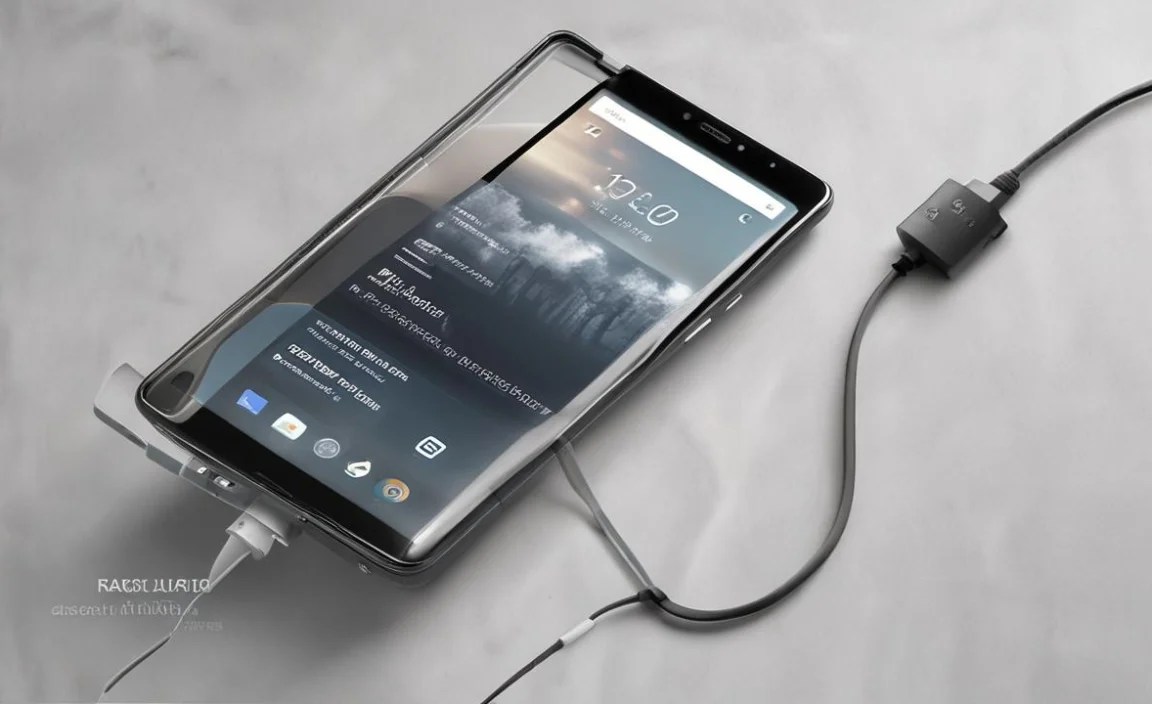
Even with the right charger, you might encounter charging problems. Here are some common issues and how to fix them:
Issue 1: Tablet Not Charging or Charging Very Slowly
Possible Causes:
- Dirty Charging Port: Lint, dust, and debris can accumulate in the tablet’s charging port, preventing a good connection.
- Damaged Cable or Charger: The charging cable or the charger brick might be frayed, bent, or internally damaged.
- Faulty Power Outlet: The wall socket you’re using might not be providing power.
- Software Glitch: Sometimes, the tablet’s software can affect charging recognition.
- Incorrect Charger: You might be using a charger with insufficient amperage.
Solutions:
- Clean the Charging Port: Carefully use a dry cotton swab, a soft brush, or compressed air to gently clean the charging port. Never use anything metallic or sharp.
- Inspect the Cable and Charger: Check for any visible signs of damage. Try using a different, known-working compatible cable and charger to see if the problem persists.
- Try a Different Power Outlet and Source: Plug the charger into a different wall socket. If you’re using a power strip, try plugging directly into the wall. You can also try charging from a computer’s USB port (though this is usually much slower) to test if the outlet is the issue.
- Restart Your Tablet: A simple restart can often resolve temporary software glitches that might be interfering with charging.
- Verify Charger Specs: Ensure your charger provides at least 1.5A output. If it’s less, it will charge very slowly or might not be recognized at all under heavy usage.
- Check the Wall Adapter vs. Computer USB: A wall adapter typically provides more power than a computer’s USB port. If your tablet charges via USB from a computer but not the wall adapter, the adapter might be the issue.
Issue 2: Tablet Overheating While Charging
Possible Causes:
- Using the Tablet While Charging: Running demanding apps or games can cause the tablet to generate heat, and charging adds to this.
- Faulty Charger or Cable: A charger or cable that isn’t functioning correctly can lead to excessive heat.
- Damaged Battery: A swollen or damaged battery can overheat.
- Environmental Factors: Charging in direct sunlight or a very hot room can cause overheating.
Solutions:
- Avoid Heavy Use During Charging: Let your tablet charge without running intensive applications.
- Inspect Charger and Cable: As before, check for damage. If the cable or charger feels unusually hot to the touch, discontinue use immediately and replace them.
- Check Battery Health: If you suspect the battery is the issue, contact RCA support or a professional repair service. Do not attempt to repair a damaged battery yourself due to safety risks.
- Charge in a Cool Environment: Ensure your tablet is in a well-ventilated area away from direct sunlight and heat sources.
Issue 3: Charger or Tablet Gets Very Hot To the Touch
If the charger brick or cable itself becomes excessively hot during charging, this is a sign of a potential problem. While a charger might get slightly warm, it should never feel uncomfortably hot. This could indicate an internal fault in the charger, a short circuit, or a problem with the tablet’s charging circuitry.
Solution: Immediately unplug the charger from both the tablet and the power outlet. Do not use the affected charger or cable again. This is a safety concern, and you should look for a certified replacement.
Choosing the Best Replacement Charger

When buying a replacement charger for your RCA Tablet 11 Galileo, consider these options and factors:
Official RCA Chargers
If you can find an official RCA charger for your specific tablet model, this is often the safest bet. They are guaranteed to be compatible and designed to meet the tablet’s power requirements.
Reputable Third-Party Chargers
Many reputable brands manufacture excellent USB chargers. Look for chargers from well-known tech accessory brands that clearly state compatibility with RCA tablets or lists the required specifications (5V, 1.5A-2A, correct connector). Brands like Anker, RAVPower, and Belkin are known for quality and safety.
Universal Chargers
Some universal chargers offer adjustable voltage or multiple USB ports. Ensure the one you choose can be set to 5V and provides at least 1.5A-2A per port you intend to use for your RCA tablet. Always read reviews and check compatibility lists.
Important Note on Power Output: While it’s good to match the original amperage, you can safely use a charger with a higher amperage (e.g., 2.4A or 3A) than the original. Your tablet will only draw the amount of power it needs, so a higher amperage charger won’t “overcharge” it. It might even charge slightly faster if the tablet can handle it. However, using a charger with lower amperage will result in very slow charging.
For authoritative information on USB charging standards and power delivery, you can refer to resources like the USB Implementers Forum (USB-IF) which outlines the technical specifications and best practices.
Maintaining Your Charger and Battery Health

Taking good care of your charger and battery can extend their lifespan and ensure your RCA Tablet 11 Galileo performs reliably.
Charger Care Tips:
- Avoid Bending Cables Sharply: Don’t wrap the cable too tightly around the charger brick or bend it at sharp angles. This can damage the internal wires.
- Keep Dry: Protect your charger and cable from moisture.
- Store Properly: When not in use, store them in a place where they won’t be stepped on or damaged.
- Unplug When Not in Use (Optional but Recommended): While modern chargers have safety features, unplugging them when not charging can reduce wear and tear and is a good practice.
Battery Health Tips:
- Avoid Extreme Temperatures: Lithium-ion batteries, like those in your tablet, degrade faster in very hot or very cold conditions. Try to keep your tablet within a moderate temperature range.
- Don’t Leave It Plugged In 24/7 (Modern Approach): While older advice suggested fully discharging and recharging, modern batteries and charging systems are quite smart. Most manufacturers build in overcharge protection. It’s generally fine to leave it plugged in overnight. However, excessive heat generated from constant charging can still be detrimental.
- Avoid Deep Discharges: Letting your battery drain to 0% regularly can stress it. Try to plug it in when it gets down to around 20-30%.
- Calibrate if Necessary: If you notice the battery percentage jumping erratically, you might need to calibrate it. This involves letting it discharge fully and then charging it uninterrupted to 100%. Consult RCA support for specific calibration instructions for your model.
For more insights into battery care, reputable sources like The U.S. Department of Energy often provide general information on battery technologies and care.
RCA Tablet 11 Galileo Charger: A Comparison Table
To help you quickly identify what you need, here’s a comparison of typical charger types you might encounter:
| Charger Type | Typical Amperage (A) | Compatibility with RCA 11 Galileo | Pros | Cons |
|---|---|---|---|---|
| Original RCA Charger | 1.5A – 2.0A | Excellent | Guaranteed compatibility, optimal charging speed. | Can be difficult to replace if lost or broken. |
| Generic Micro-USB/USB-C Charger | 0.5A – 2.4A+ | Varies (check specs) | Widely available, often inexpensive. | Quality can be inconsistent; some may not charge effectively. Requires careful checking of specs. |
| Reputable Third-Party Charger (e.g., Anker, RAVPower) | 1.5A – 3.0A+ | Good to Excellent (check model/specs) | Reliable, safe, often with fast-charging technology. | Slightly more expensive than generic options. |
| Computer USB Port | 0.5A – 0.9A (USB-A) / 1.5A – 3A+ (USB-C) | Slow to Moderate | Convenient for on-the-go. | Significantly slower charging speeds; computer must be on. Older USB-A ports are very slow. |
When in doubt, always err on the side of caution and check the listed output voltage and amperage. The tablet itself will only take what it needs.
Frequently Asked Questions (FAQ)
Q1: Can I use an iPhone charger to charge my RCA Tablet 11 Galileo?
A1: If your RCA Tablet 11 Galileo uses a USB-C port and the iPhone charger is a USB-C charger with sufficient amperage (5V/2A or higher), it will likely work. If your RCA tablet uses a Micro USB port, you’d need a Micro USB to USB-A cable and an iPhone’s older USB-A charger. However, it’s generally best to use chargers designed for your specific device type to ensure optimal compatibility and charging speed.
Q2: My RCA Tablet 11 Galileo charger is warm. Is this normal?
A2: Yes, it’s normal for a charger and cable to become slightly warm during the charging process. This is due to the electrical resistance. However, if it becomes uncomfortably hot to the touch, you should stop using it immediately as it could indicate a fault.
Q3: How do I know if I have a Micro USB or USB-C port on my RCA Tablet 11 Galileo?
A3: USB-C ports are small, oval-shaped, and reversible (you can plug the cable in either way up). Micro USB ports are typically trapezoidal and only fit one way. Check the port at the bottom of your tablet to see which type it is.
Q4: Will a higher amperage charger damage my RCA Tablet 11 Galileo?
A4: No, a higher amperage charger will not damage your tablet when used with the correct voltage (5V). Your tablet will only draw the amount of power it is designed to accept. A higher amperage charger simply means it can supply more power, which might lead to faster charging if the tablet supports it or ensure it charges reliably.
Q5: Can I charge my RCA Tablet 11 Galileo using a power bank?
A5: Yes, as long as the power bank provides a 5V output and sufficient amperage (at least 1.5A). Many modern power banks are designed for tablets and will work perfectly.
Q6: My tablet won’t charge in the car with my phone charger. Why?
A6: Car chargers (adapters that plug into the cigarette lighter) vary greatly in their power output. Your phone charger might be outputting too little amperage for the tablet, or the car charger itself might be faulty or not designed for higher-power devices like tablets.

Your tech guru in Sand City, CA, bringing you the latest insights and tips exclusively on mobile tablets. Dive into the world of sleek devices and stay ahead in the tablet game with my expert guidance. Your go-to source for all things tablet-related – let’s elevate your tech experience!