Finding information about specific tablet accessories, like which stylus works with your RCA Tablet 8 Delta Pro and what the best price is, can feel like searching for a needle in a haystack. Many budget-friendly tablets don’t come with stylus support built-in, leaving you wondering if you can even use one. This guide is here to take the guesswork out of it!
We’ll break down stylus compatibility for the RCA Tablet 8 Delta Pro, explore pricing options, and help you make an informed decision. You’ll discover practical tips and the best ways to enhance your tablet experience without breaking the bank.
RCA Tablet 8 Delta Pro Price & Stylus Compatibility: Your Essential Guide
So, you’ve got your hands on an RCA Tablet 8 Delta Pro, a popular choice for its affordability and decent performance. Now, you’re probably wondering about maximizing its potential, especially if you’re eyeing stylus use for note-taking, drawing, or just easier navigation. The big question on many minds is: “Does the RCA Tablet 8 Delta Pro support a stylus, and what’s the deal with the price?”
This is a common query for budget-friendly tablets. Manufacturers often simplify features to keep costs down, and stylus compatibility isn’t always a standard offering. But don’t worry! We’re here to cut through the confusion and give you the clearest picture possible regarding stylus compatibility, smart pen options, and where to find the best prices for your RCA Tablet 8 Delta Pro.
Understanding Stylus Compatibility with the RCA Tablet 8 Delta Pro

When we talk about stylus compatibility, there are generally two main types to consider for tablets:
- Capacitive Styluses: These are the most common type. They are designed to mimic the conductivity of your finger, allowing them to interact with the touchscreen. Most capacitive styluses require no special technology built into the tablet itself.
- Active Styluses (or Digital Pens): These are more advanced and communicate with the tablet via Bluetooth or specific Wacom EMR (Electromagnetic Resonance) technology. They often offer pressure sensitivity, tilt support, and programmable buttons, providing a more pen-like experience. These require specific hardware and software support on the tablet.
Now, let’s get specific about the RCA Tablet 8 Delta Pro.
RCA Tablet 8 Delta Pro: The Stylus Verdict
The RCA Tablet 8 Delta Pro, being an entry-level tablet, typically does not have built-in support for active styluses. This means you won’t be able to use advanced digital pens that require Bluetooth pairing or specific EMR technology. These types of styluses are usually found on higher-end tablets from brands like Samsung (S Pen), Apple (Apple Pencil), and Microsoft (Surface Pen).
However, this doesn’t mean you’re out of luck for stylus use! The RCA Tablet 8 Delta Pro, like virtually all modern touch-screen devices, is fully compatible with standard capacitive styluses.
What is a Capacitive Stylus?
Think of a capacitive stylus as a sophisticated finger. It has a soft rubber or mesh tip that conducts electricity. When you touch the screen with the stylus, it completes a circuit with the tablet’s touchscreen, allowing it to register a tap or swipe.
Benefits of Capacitive Styluses:
- Universal Compatibility: They work with almost any touchscreen device, including your RCA Tablet 8 Delta Pro.
- Affordability: Capacitive styluses are significantly less expensive than active styluses.
- Simplicity: No batteries, no charging, no Bluetooth pairing. Just pick it up and use it.
- Precision over Finger: Offers a finer point than your finger, making it easier for small buttons, typing on a virtual keyboard, or light drawing.
- Keeps Screen Clean: Reduces finger smudges on your tablet screen.
Limitations of Capacitive Styluses:
- No Pressure Sensitivity: They cannot detect how hard you press, so they aren’t ideal for detailed digital art where stroke thickness varies with pressure.
- No Palm Rejection: You can’t rest your hand on the screen while writing without potentially causing unwanted input.
- No Advanced Features: Lacks features like programmable buttons or tilt functionality.
For the RCA Tablet 8 Delta Pro, a capacitive stylus is the way to go for enhanced interaction.
What to Look for in a Capacitive Stylus for Your RCA Tablet 8 Delta Pro
When choosing a capacitive stylus, consider these factors:
- Tip Material:
- Mesh Tips: Durable and highly conductive, but can sometimes feel a bit “sticky” on screen.
- Rubber Tips: Offer smoother gliding and a more traditional feel. Look for soft, pliable rubber tips.
- Clear Disc Tips: These have a small plastic disc near the tip. They offer excellent precision, allowing you to see exactly where you’re touching. They are a popular choice for general use and basic drawing.
- Build Quality: A stylus should feel comfortable in your hand. Look for one with a sturdy barrel made from aluminum or a similar material.
- Length and Weight: Choose a stylus that feels balanced and comfortable for your grip and writing style.
- Replaceable Tips: Some styluses come with extra tips, which is a great bonus for longevity.
- Color and Style: While not essential for function, you might want a stylus that matches your tablet or personal preference.
Recommended Capacitive Stylus Types (Not Specific Brands):
While I can’t recommend specific brands without knowing current market stock and reviews, look for well-reviewed capacitive styluses that highlight features like:
- “Universal Touchscreen Stylus”
- “Capacitive Stylus Pen with Fine Tip”
- “Stylus with Clear Disc Tip”
You can often find good quality capacitive styluses from major online retailers like Amazon, Best Buy, or directly from accessory manufacturers.
RCA Tablet 8 Delta Pro Price: Finding the Best Value

The “price” of the RCA Tablet 8 Delta Pro can fluctuate quite a bit depending on where and when you buy it. RCA positions its tablets as budget-friendly options, making them accessible for many users. Here’s what influences the price and how to find the best deals:
Factors Affecting the RCA Tablet 8 Delta Pro Price
- Retailer: Prices can vary significantly between major electronics stores (like Best Buy), large online marketplaces (like Amazon, Walmart.com), and smaller online shops.
- Sales and Promotions: Keep an eye out for holiday sales (Black Friday, Cyber Monday, Amazon Prime Day), back-to-school promotions, or any special offers the retailer might be running.
- Condition: You’ll find different prices for brand-new units versus possibly refurbished or open-box items.
- Bundles: Sometimes, tablets are sold in bundles that might include accessories like a case or pre-loaded software, which can affect the overall price.
- Release Date: As new models come out, older models like the Delta Pro might see price drops to clear inventory.
Where to Find the Best RCA Tablet 8 Delta Pro Price
To get the most bang for your buck, it’s wise to shop around. Here are some of the most reliable places to check:
- Amazon: Often has competitive pricing, a wide selection, and frequent deals. Use their price comparison tools and check customer reviews.
- Walmart: Known for its everyday low prices and frequent sales on electronics.
- Best Buy: A trusted electronics retailer that often has sales and exclusive offers.
- Target: Another major retailer that carries budget-friendly electronics and runs promotional events.
- Manufacturer Website (RCA): While less common for direct sales of older models, it’s worth checking their official site for any clearance items or direct sales announcements.
Tip: Use price tracking websites or browser extensions that alert you when the price of a product drops. This can be incredibly helpful for snagging the best deal over time.
Typical Price Range (Estimated)
The RCA Tablet 8 Delta Pro typically falls into the sub-$100 category when new, often priced between $50 and $80. Refurbished or used units might be even cheaper. It’s essential to check current listings, as prices are dynamic.
Enhancing Your RCA Tablet 8 Delta Pro Experience with a Stylus

Even with a simple capacitive stylus, you can significantly improve your interaction with the RCA Tablet 8 Delta Pro. Here are some ways to make the most of it:
1. Better Note-Taking and Journaling
While not a replacement for digital notes on an iPad or Surface Pro, a capacitive stylus can make jotting down quick notes in apps like Google Keep, Microsoft OneNote (basic usage), or any simple notepad app much easier than using your finger. You get more control over where you tap and swipe.
2. Improved Navigation and Typing
For some users, a stylus provides a more precise way to tap on small icons, select text, or navigate through complex menus—especially if they have larger fingers or find touch targets fiddly. Typing on the on-screen keyboard can also feel more accurate with a stylus.
3. Basic Drawing and Sketching
For casual doodling, sketching out ideas, or marking up photos, a capacitive stylus is perfectly adequate. Apps like Sketchbook or Adobe Photoshop Sketch (if compatible with the tablet’s OS version) can be used for creative expression, though you won’t get pressure sensitivity.
4. Reading and Annotation
If you read documents, eBooks, or web pages on your tablet, a stylus can make it easier to highlight text, make quick annotations, or circle important information without “fat-fingering” the screen.
5. Gaming
Certain games, especially those requiring precise taps or directional swipes (like strategy games or puzzle games), can be more enjoyable and accurate with a stylus.
Considerations for Stylus Shopping
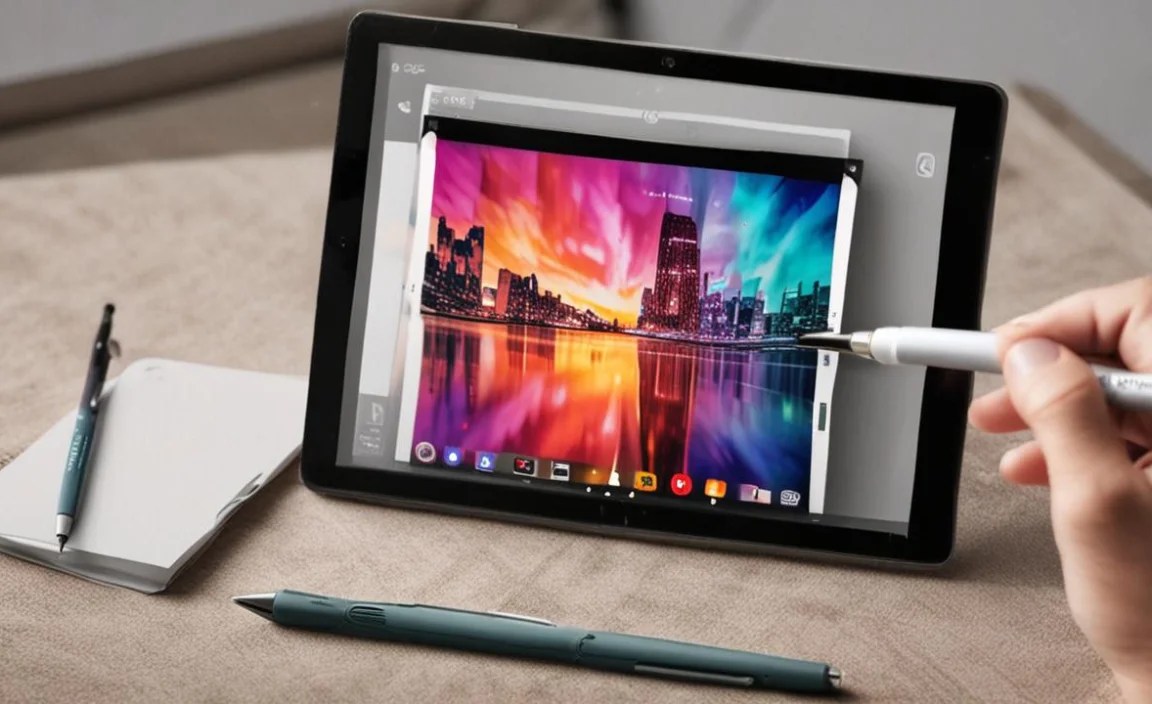
When you’re ready to buy a capacitive stylus, here are a few practical points:
Stylus Price: Affordable Add-on
The good news is that capacitive styluses are incredibly budget-friendly. You can typically find a good quality one for anywhere between $5 and $20. This makes it a very low-cost addition to your RCA Tablet 8 Delta Pro setup.
Where to Buy Capacitive Styluses:
| Retailer | Pros | Cons |
|---|---|---|
| Amazon | Vast selection, competitive pricing, customer reviews. | Can be overwhelming to choose; ensure it’s a true capacitive stylus. |
| Best Buy | In-person browsing, knowledgeable staff, often has accessory bundles. | Selection might be more curated; prices can sometimes be higher than online. |
| Walmart | Affordable options, convenient for store pickup. | Product availability can vary; online selection might be better. |
| Office Supply Stores (Staples, Office Depot) | Often carry basic capacitive styluses. | Limited selection and brands typically available. |
| Directly from Accessory Brands | Sometimes offer better value or specific designs. | Requires knowing which brands to trust; shipping costs can add up. |
What to Avoid
- “Active Pen” or “Digital Pen” marketed as universal without mention of EMR or Bluetooth. If it doesn’t explicitly state it and mention compatibility with specific devices (like Wacom EMR or a particular tablet model), it’s likely just a fancy capacitive stylus.
- Styluses that require batteries or charging unless they specifically state compatibility with a technology your RCA Tablet 8 Delta Pro might support (which is unlikely for this model).
- Generic, unbranded styluses with no reviews from unknown sellers. Stick to reputable brands or those with ample positive customer feedback.
Maintaining Your RCA Tablet 8 Delta Pro and Stylus

To keep both your tablet and your new stylus in top condition:
- Clean Your Screen Regularly: Use a microfiber cloth to wipe away smudges and dust. Avoid harsh chemicals.
- Store Your Stylus Properly: If your stylus comes with a cap or a sleeve, use it. This protects the tip and prevents it from rolling away.
- Handle with Care: While capacitive styluses are durable, avoid dropping them or bending the tip.
- Keep Tips Clean: Sometimes, dust or debris can accumulate on the stylus tip, affecting its performance. Wipe it gently with a clean microfiber cloth.
Frequently Asked Questions (FAQ)
Q1: Can I use an Apple Pencil with my RCA Tablet 8 Delta Pro?
No, an Apple Pencil is designed specifically for Apple iPads and will not work with the RCA Tablet 8 Delta Pro. The RCA Tablet 8 Delta Pro requires a standard capacitive stylus.
Q2: Does the RCA Tablet 8 Delta Pro have palm rejection?
No, the RCA Tablet 8 Delta Pro does not support palm rejection. Standard capacitive styluses do not offer this feature, and the tablet itself is not built for it. You’ll need to be mindful of where you rest your hand while using a stylus.
Q3: How much does a good capacitive stylus for my RCA Tablet 8 Delta Pro cost?
You can find a good quality capacitive stylus for your RCA Tablet 8 Delta Pro typically for between $5 and $20. They are very affordable accessories.
Q4: What’s the difference between a capacitive stylus and an active stylus?
A capacitive stylus works like your finger, using conductivity to interact with the screen and is universally compatible. An active stylus uses battery power and Bluetooth or specific technology (like Wacom EMR) to communicate with compatible tablets, offering features like pressure sensitivity. The RCA Tablet 8 Delta Pro only works with capacitive styluses.
Q5: Can I draw detailed art on my RCA Tablet 8 Delta Pro with a stylus?
You can do basic doodling and sketching, but for detailed art requiring pressure sensitivity (varying line thickness based on pressure), the RCA Tablet 8 Delta Pro with a capacitive stylus is not suitable. For serious digital art, you would need a tablet with active stylus support.
Q6: Where can I buy the RCA Tablet 8 Delta Pro at the best price?
You can find the best prices for the RCA Tablet 8 Delta Pro by shopping around at major retailers like Amazon, Walmart, and Best Buy, especially during sale events. Prices typically range from $50 to $80.
Q7: Do I need to install any drivers or software for a capacitive stylus?
No, absolutely not! Capacitive styluses are plug-and-play. Just start using it on your tablet’s touchscreen. There’s no software installation required.
Conclusion: Stylus Fun Awaits Your RCA Tablet 8 Delta Pro!
Navigating tablet accessory compatibility doesn’t have to be a headache, and it’s certainly not an insurmountable obstacle for your RCA Tablet 8 Delta Pro. As we’ve explored, your budget-friendly tablet is indeed fully capable of enhancing your user experience with a stylus, provided you understand the type to look for.
The RCA Tablet 8 Delta Pro is perfectly compatible with any standard capacitive stylus. These are widely available, incredibly affordable (think $5-$20), and require no special setup. They offer a more precise touch experience than your finger, making note-taking, navigation, and even casual drawing more comfortable and accurate.
When hunting for the best RCA Tablet 8 Delta Pro price, remember to compare offers across major retailers like Amazon, Walmart, and Best Buy, and always keep an eye out for sales. The tablet itself is usually found in the $50-$80 range.
By choosing a well-reviewed capacitive stylus with a comfortable tip (especially a clear disc tip for precision), you can unlock a new level of interaction with your RCA Tablet 8 Delta Pro without spending much. So go ahead, grab a stylus, and enjoy a more precise and enjoyable tablet experience!

Your tech guru in Sand City, CA, bringing you the latest insights and tips exclusively on mobile tablets. Dive into the world of sleek devices and stay ahead in the tablet game with my expert guidance. Your go-to source for all things tablet-related – let’s elevate your tech experience!