For aspiring digital artists, finding the best recommended tablets for drawing means balancing features, performance, and budget. Our expert picks highlight devices that offer excellent pen sensitivity, screen quality, and portability, ensuring a smooth and enjoyable drawing experience for every skill level.
Drawing on a tablet can feel like diving into a whole new world! You see amazing art online and think, “I want to do that!” But then comes the big question: which tablet is right for you? It’s easy to get lost in all the technical terms. Don’t worry, though! Here at Tabletzoo, we break it all down. We’re here to guide you through the options, making sure you find the perfect digital canvas for your creative journey. Get ready to discover some genius picks that will have you creating in no time!
Recommended Tablets For Drawing: Genius Picks

The Essential Tools for Digital Artists
So, you’ve got the itch to create, to bring your imagination to life with a digital stylus. That’s fantastic! But before you start sketching out masterpieces, you need the right tools. For digital artists, the tablet is your canvas, your sketchbook, and your entire studio, all rolled into one portable package.
Choosing the right tablet for drawing isn’t just about picking the cheapest or the most expensive one. It’s about finding a device that feels natural in your hand, translates your every stroke accurately, and lets your creativity flow without interruption. We’re talking about things like how sensitive the screen is to your pen pressure, how vibrant the colors look, and how smoothly the stylus glides. Think of it like a painter choosing their brushes and paints – the right ones make all the difference!
At Tabletzoo, we’ve done the heavy lifting for you. We’ve researched, tested, and compared a wide range of tablets to bring you our top recommendations. These are the “genius picks” that offer the best blend of performance, usability, and value for anyone looking to draw, sketch, paint, or design digitally. Let’s get started on finding your perfect creative companion!
What Makes a Tablet Great for Drawing?
Before we jump into specific models, let’s quickly cover what you should look for in a tablet designed for drawing. It’s not just about screen size; several key features contribute to a great digital art experience:
- Pen Sensitivity & Accuracy: This is perhaps the most important factor. A good drawing tablet should detect subtle changes in pressure (how hard you press) and tilt. This allows for varied line thickness and natural shading, much like traditional drawing. Look for tablets that support active styluses with high levels of pressure sensitivity (e.g., 4096 levels or more) and tilt recognition.
- Screen Quality: You want a display that shows colors accurately and vibrantly. This includes good color gamut coverage (like 100% sRGB or Adobe RGB) and a decent resolution (Full HD or higher). A matte or anti-glare finish can also mimic the friction of paper, making drawing feel more natural and reducing reflections.
- Stylus Quality: The stylus itself should be comfortable to hold, ideally with customizable buttons, and should require no charging or have a long battery life. Features like palm rejection (so your hand doesn’t register as drawing input) are also crucial.
- Performance: For complex artwork, especially if you’re using detailed brushes or multiple layers in demanding software, your tablet needs enough processing power (CPU, RAM) to handle it without lag.
- Portability & Battery Life: If you plan to draw on the go, consider the device’s weight, size, and how long it can last on a single charge.
- Operating System & Software: Do you prefer drawing apps on iOS, Android, or Windows/macOS? Some tablets are designed to run full desktop creative software, while others rely on mobile apps.
Our Top Recommended Tablets for Drawing: Genius Picks for Every Artist

Now, let’s get to the exciting part! We’ve selected tablets that excel in various areas, ensuring there’s a perfect fit for your needs and budget. We’ll cover everything from powerful professional machines to portable, affordable options.
1. Apple iPad Pro (with Apple Pencil 2nd Gen) – The Creative Powerhouse

For many digital artists, the iPad Pro is the gold standard. It’s incredibly powerful, boasts a stunning Liquid Retina display, and the Apple Pencil 2nd generation is a marvel of design and functionality.
- Why it’s a Genius Pick:
- Display: Gorgeous, color-accurate Liquid Retina XDR or Liquid Retina displays with ProMotion (120Hz refresh rate for buttery-smooth drawing).
- Apple Pencil 2nd Gen: Attaches magnetically to the iPad Pro for charging and pairing, offers excellent pressure and tilt sensitivity, and has a double-tap gesture for switching tools. It feels incredibly responsive.
- Performance: Powered by Apple’s M-series chips (M1, M2, M4), these iPads offer desktop-class performance, easily handling demanding apps like Procreate, Adobe Photoshop, and Clip Studio Paint.
- App Ecosystem: The App Store has an unparalleled selection of high-quality drawing and creative apps, with Procreate being a standout favorite for many artists.
- Portability: Slim, lightweight, and with excellent battery life.
- Who it’s for: Professionals, serious hobbyists, and anyone who wants the absolute best performance and a seamless creative experience.
- Considerations: It’s a premium product with a premium price tag, and you’ll need to purchase the Apple Pencil separately.
2. Microsoft Surface Pro 9 / Surface Pro 10 (with Surface Pen) – The Versatile Transformer
Microsoft’s Surface Pro line offers a unique blend of tablet and laptop functionality, running a full Windows operating system. This makes it incredibly versatile for artists who also need a powerful computer.
- Why it’s a Genius Pick:
- Full Windows OS: Runs the same desktop software you’d use on a laptop – Adobe Creative Suite, Corel Painter, SketchUp, etc.
- Surface Pen: The Surface Slim Pen 2 offers tilt and pressure sensitivity, a low writing angle, and haptic feedback for a more tactile feel. It tucks away neatly into the keyboard cover.
- Display: High-resolution PixelSense displays with a 3:2 aspect ratio, which is great for productivity and offers more vertical screen real estate for drawing compared to 16:9 displays.
- Performance: Available with Intel Core processors, offering robust performance for creative tasks.
- Versatility: Easily transforms from a tablet to a laptop with the attachable Surface Keyboard (sold separately), making it a true 2-in-1 device.
- Who it’s for: Artists who need a device that can do it all – draw, paint, take notes, and run full desktop applications. Ideal for mixed-media artists and those who use Windows exclusively.
- Considerations: The Surface Pen and keyboard are often sold separately. The glossy screen can be reflective, though the pen input is excellent.
3. Samsung Galaxy Tab S9 Series (with S Pen) – The Android Powerhouse with a Brilliant Screen

Samsung has been pushing the boundaries of Android tablets, and the Galaxy Tab S series is a strong contender for digital artists, especially those who prefer the Android ecosystem.
- Why it’s a Genius Pick:
- Included S Pen: The S Pen comes bundled with the tablet, which is a huge plus! It offers low latency, pressure sensitivity, and tilt support.
- Stunning AMOLED Displays: The Tab S9 series features gorgeous Dynamic AMOLED 2X displays with vibrant colors and deep blacks, making for a visually immersive drawing experience.
- DeX Mode: Samsung’s DeX mode offers a desktop-like interface when connected to an external monitor or used on the tablet itself, enhancing multitasking and productivity.
- Performance: Powered by Qualcomm Snapdragon processors, these tablets offer smooth performance for mobile art apps like Sketchbook, Infinite Painter, and Krita.
- Build Quality: Premium design with IP68 water and dust resistance on the Tab S9, S9+, and S9 Ultra models.
- Who it’s for: Android users, artists who appreciate vibrant OLED screens, and those looking for a great stylus experience that’s included right out of the box.
- Considerations: While Android art apps are improving rapidly, the selection and depth of features might not match some desktop applications or iPadOS exclusives like Procreate.
4. Lenovo Yoga Tab 13 / Tab P12 Pro – The Artist’s Media Hub

Lenovo’s Yoga Tab series often stands out with unique designs and impressive multimedia capabilities, and their drawing-friendly models are no exception.
- Why it’s a Genius Pick:
- Large, Vivid Displays: The Yoga Tab 13 (now known as the Tab P12 Pro successor) typically features large, high-resolution displays with good color accuracy, ideal for detailed artwork.
- Optional Precision Pen 2: Lenovo offers an optional stylus (like the Precision Pen 2) that provides good pressure sensitivity and tilt support, making it a capable drawing tool.
- Unique Design: Some Yoga tabs feature a built-in kickstand, which is incredibly useful for artists who want to prop up their tablet at an angle for drawing.
- Performance: Generally equipped with capable processors that handle most art apps smoothly.
- Who it’s for: Artists who prioritize screen real estate and a solid multimedia experience, and appreciate versatile kickstand designs.
- Considerations: Stylus is often an optional purchase. Performance might not rival the absolute top-tier iPads or Surfaces for extremely demanding tasks.
5. Wacom Intuos Pro Paper Edition – The Pro’s Professional Choice

While not a standalone tablet in the same vein as an iPad or Surface, Wacom is the undisputed king of professional pen displays and graphics tablets. The Intuos Pro Paper Edition bridges the gap between traditional and digital.
- Why it’s a Genius Pick:
- Professional-Grade Pen Technology: Wacom’s EMR (Electro-Magnetic Resonance) pen technology is industry-standard. It offers exceptional pressure sensitivity, tilt recognition, and an incredibly natural drawing feel. Accuracy is unmatched.
- Paper-to-Digital Workflow: The “Paper Edition” allows you to sketch on real paper placed over the tablet surface. The tablet can then save this sketch as a digital file, which you can refine on your computer.
- Surface Feel: The textured surface of the Intuos Pro mimics the feel of drawing on paper, offering just the right amount of resistance for control.
- Connectivity: Connects wirelessly or via USB to your computer (Windows or macOS).
- Who it’s for: Professional illustrators, concept artists, and graphic designers who demand the highest level of pen accuracy and control, and appreciate the ability to integrate traditional sketching.
- Considerations: This is a graphics tablet, meaning it’s not a standalone device. You need to connect it to a computer or laptop and view your work on that screen. It has a learning curve and requires dedicated desk space.
6. Huion Kamvas Pro 16 (2.5K) – The High-Value Pen Display

Huion is another excellent brand that offers professional-grade pen displays at more accessible price points than industry leaders like Wacom. The Kamvas Pro series is a fantastic option for budding professionals.
- Why it’s a Genius Pick:
- Stunning 2.5K Display: Offers a crisp, detailed visual experience with excellent color coverage (often 120%+ sRGB) and good brightness.
- Battery-Free Pen: The included PW517 pen uses battery-free EMR technology and boasts 8192 levels of pressure sensitivity and ±60° tilt support for nuanced strokes.
- Textured Anti-Glare Glass: Mimics the feel of drawing on paper and reduces glare for a more comfortable drawing session.
- Value for Money: Provides professional features and build quality at a significantly lower cost than comparable Wacom models.
- Connectivity: Supports USB-C connectivity for a single-cable solution with compatible laptops/desktops, and HDMI for broader computer compatibility.
- Who it’s for: Artists looking for a professional-grade pen display without the Wacom price tag. Great for illustration, animation, and photo editing.
- Considerations: Like the Wacom, this is a pen display requiring connection to a computer.
7. XP-Pen Artist 24 Pro – The Budget-Friendly Large Screen

XP-Pen offers a compelling alternative in the pen display market, focusing on delivering large screens and robust features at competitive prices. The Artist 24 Pro is a standout for its size.
- Why it’s a Genius Pick:
- Massive 23.8-inch 2K Display: Offers an expansive drawing surface and a sharp 2560 x 1440 resolution, perfect for detailed work.
- Accurate Color Reproduction: Boasts 94% Adobe RGB color coverage, ensuring your colors are true to life.
- Versatile Pen: Comes with two pens featuring 8192 levels of pressure sensitivity and tilt support.
- Ergonomic Design: Includes a sturdy, adjustable stand to find your perfect drawing angle.
- Value: Delivers a large, high-resolution pen display experience at a price point that’s hard to beat.
- Who it’s for: Artists who need a large drawing area for detailed work and multi-tasking, and are looking for a cost-effective pen display solution.
- Considerations: Requires connection to a computer. Its size means it will take up significant desk space.
Table: Quick Comparison of Top Drawing Tablets
Here’s a quick glance at how some of our top picks stack up:
| Tablet Model | Type | Included Stylus? | Screen Size | Standout Feature | Best For |
|---|---|---|---|---|---|
| Apple iPad Pro | Standalone Tablet | No (Purchase Apple Pencil separately) | 11″ or 12.9″ | Best-in-class app ecosystem (Procreate) & performance | Professional & serious hobbyists |
| Microsoft Surface Pro 9/10 | Standalone Tablet (2-in-1) | No (Purchase Surface Pen separately) | 13″ | Full Windows OS & versatile laptop/tablet modes | Mixed-media artists, Windows users |
| Samsung Galaxy Tab S9 Series | Standalone Tablet | Yes (S Pen included) | 11″, 12.4″, or 14.6″ | Brilliant AMOLED display & included S Pen | Android users, great value |
| Wacom Intuos Pro Paper Edition | Graphics Tablet | Yes (Pro Pen 2) | Medium (9×6″) or Large (12.9×8.5″) | Industry-leading pen accuracy & paper-to-digital workflow | Professional illustrators & designers |
| Huion Kamvas Pro 16 (2.5K) | Pen Display | Yes (PW517) | 15.6″ | Excellent 2.5K display at a great price | Budget-conscious aspiring professionals |
| XP-Pen Artist 24 Pro | Pen Display | Yes (2 pens) | 23.8″ | Huge 2K screen for an immersive experience | Artists needing a large, affordable drawing surface |
Choosing the Right Tablet: Standalone vs. Pen Display
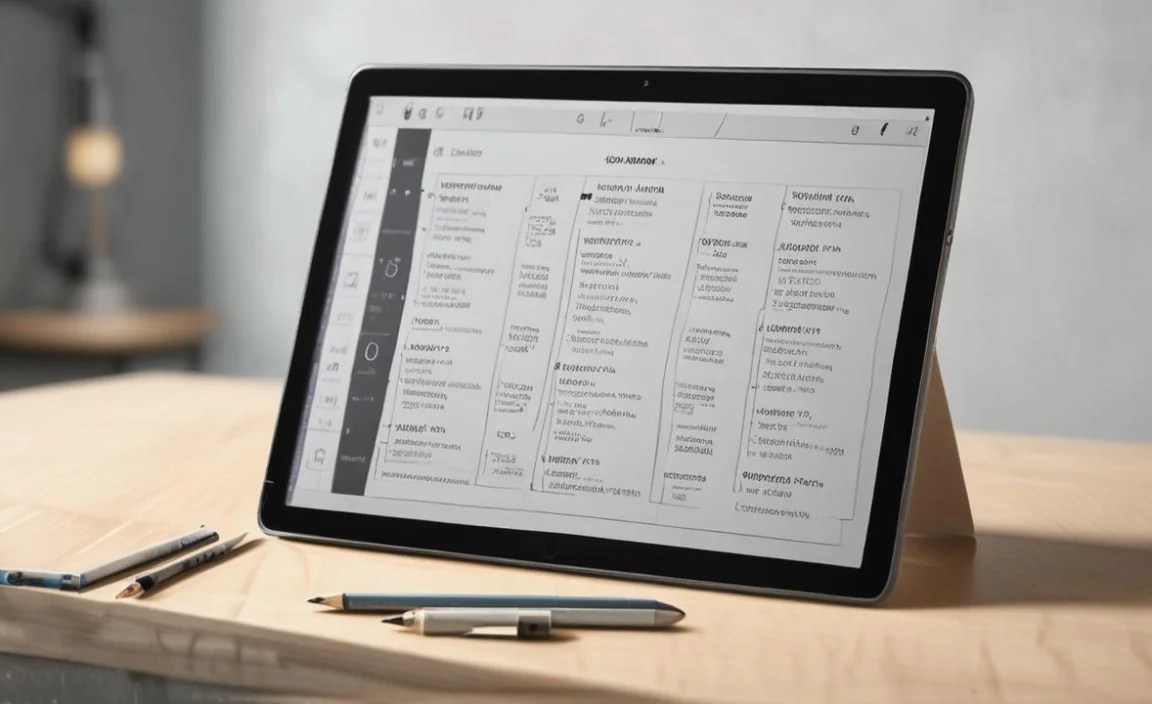
It’s important to understand the two main categories of drawing devices:
- Standalone Tablets (e.g., iPad Pro, Galaxy Tab S9, Surface Pro): These are self-contained devices that run their own operating systems and apps. You draw directly on their screens. They offer incredible portability and can be used for many tasks beyond drawing. The downsides can be the cost of accessories (like styluses) and sometimes limitations in software compared to desktop applications.
- Pen Displays (e.g., Wacom Intuos Pro, Huion Kamvas, XP-Pen Artist): These devices have screens that you draw on, but they must be connected to a computer (laptop or desktop) to function. They essentially act as a monitor with a drawing surface. Pen displays often offer the most natural drawing feel and the highest levels of precision, especially in professional models designed to work with powerful desktop software like Adobe Photoshop or Illustrator. The drawback is that

Your tech guru in Sand City, CA, bringing you the latest insights and tips exclusively on mobile tablets. Dive into the world of sleek devices and stay ahead in the tablet game with my expert guidance. Your go-to source for all things tablet-related – let’s elevate your tech experience!