Finding the right tablet for homeschooling can feel overwhelming, but with the right guidance, it’s a breeze! We’ve narrowed down the best options to ensure a smooth, engaging, and productive learning experience for your child, no matter their age or learning style. Get ready to discover some truly genius picks that will make homeschooling a joy.
Welcome! If you’re diving into or refining your homeschooling journey, you’ve likely realized how much a good tablet can amplify the experience. It’s like having a portable classroom, library, and creative studio all in one! But with so many choices out there, picking the perfect one can feel like a quest in itself. Don’t worry, we’re here to simplify things.
This guide is designed to help you navigate the options with ease. We’ll break down what makes a tablet great for homeschooling and highlight some top contenders that offer fantastic value and functionality. Get ready to find a device that sparks curiosity and supports learning every step of the way.
Why Tablets Are a Homeschooling Game-Changer

Tablets have become incredibly popular for education, and for good reason! They offer a dynamic and interactive way to learn that traditional methods sometimes can’t match. Imagine having access to a universe of educational apps, virtual field trips, and interactive lessons right at your fingertips. This flexibility is key for tailoring learning to each child’s pace and interests.
One of the biggest advantages is portability. A tablet can go anywhere – from a cozy reading nook to a park bench for some outdoor science observation. They often come with built-in cameras, microphones, and touchscreens, making them perfect for hands-on activities like recording experiments, drawing digital art, or participating in live online classes. Plus, with the right apps, you can easily track progress and reinforce concepts.
Key Features to Look for in Homeschooling Tablets

When you’re choosing a tablet for your homeschooling needs, focus on a few crucial elements. It’s not just about the brand; it’s about how well the device will suit your specific educational goals and your child’s learning style. Think of these as your essential checklist before you even start looking at models.
1. Operating System (OS) Simplicity and App Availability
The operating system is the brain of the tablet. The most common are iOS (for Apple iPads) and Android (found on many different brands like Samsung, Amazon, and Lenovo). Both have vast app stores filled with educational content. The key is choosing an OS that is easy for you and your child to navigate.
- iOS (Apple iPads): Known for its user-friendly interface and robust app ecosystem. The App Store has a large selection of high-quality educational apps.
- Android: Offers more variety in hardware and pricing. The Google Play Store also has a wealth of educational apps, though sometimes the quality can vary more than on iOS.
2. Durability and Build Quality
Homeschooling often means kids are using devices everywhere, so durability is a major plus! Look for tablets with sturdy construction. Many manufacturers offer rugged cases as an accessory or even build them into the tablet itself, which is fantastic for younger learners prone to drops.
Consider features like:
- Reinforced corners: To absorb impact from accidental drops.
- Water and dust resistance: Though less common, it’s a bonus for active learning environments.
- Screen protection: A strong, scratch-resistant display is essential.
3. Screen Size and Resolution
A good screen makes a big difference for reading, watching educational videos, and interactive exercises. For younger children, a screen around 7-8 inches might be manageable. For older students who will be doing more typing, research, and potentially coding, a larger 10-inch or even 11-inch screen offers a more comfortable experience.
- Resolution: A higher resolution means sharper text and images, which is easier on the eyes during long study sessions. Look for at least Full HD (1920 x 1080 pixels).
4. Battery Life
You don’t want class to be interrupted by a dead battery! Look for tablets that offer at least 8-10 hours of continuous use on a single charge. This ensures your child can get through a full day of lessons, activities, and research without needing to be tethered to an outlet.
5. Storage Capacity
Educational apps, downloaded videos, e-books, and student projects all take up space. Aim for at least 32GB of internal storage, but 64GB or more is ideal for longer-term use and for families with multiple children or who download a lot of content.
- Expandable storage: Some Android tablets offer microSD card slots, which is a cost-effective way to add more space later.
6. Parental Controls and Safety Features
This is paramount for homeschooling. You’ll want to ensure your child is accessing appropriate content and can’t stray into online spaces that aren’t suitable. Most major operating systems offer robust parental controls.
- App limits: Set time limits for specific apps or categories.
- Content filtering: Block websites or app store searches for inappropriate material.
- Account management: Create child-specific profiles with curated app access.
For more information on online safety for children, the Federal Communications Commission (FCC) offers valuable resources.
7. Versatility and Accessories
Consider how the tablet will be used. Will it need a keyboard for typing essays? A stylus for drawing or handwriting notes? Many tablets offer these as optional accessories, expanding their functionality significantly and making them more versatile for different subjects and tasks.
Top Recommended Tablets for Homeschooling

Now that we know what to look for, let’s dive into some of the best tablets that consistently get high marks for homeschooling. These are devices that balance features, performance, and affordability, making them smart investments for your educational setup.
1. Apple iPad (Standard Model)
The 10th generation iPad is a fantastic all-rounder for homeschooling, offering a blend of performance, ease of use, and access to Apple’s stellar app library.
| Feature | Details |
|---|---|
| Operating System | iPadOS |
| Screen Size | 10.9 inches |
| Storage Options | 64GB, 256GB |
| Key Strengths | Intuitive interface, vast App Store with curated educational apps, excellent performance for its price, good battery life, supports Apple Pencil (1st gen) and a USB-C keyboard. |
| Considerations | Stylus and keyboard sold separately. Older Apple Pencil generation might feel less natural than newer ones for some. |
Why it’s great for homeschooling: The iPadOS is incredibly straightforward, making it easy for kids and parents to navigate. The App Store is a treasure trove of educational offerings, from interactive math games to virtual science labs. Its reliability and long software support mean it’s a device that can grow with your child.
2. Apple iPad Air
If you’re looking for a step up in performance and design without jumping to the Pro models, the iPad Air is a brilliant choice. It offers a more premium feel and enhanced capabilities.
| Feature | Details |
|---|---|
| Operating System | iPadOS |
| Screen Size | 10.9 inches |
| Storage Options | 64GB, 256GB |
| Key Strengths | Powerful M1 chip for smooth multitasking, sleek design, supports Apple Pencil (2nd gen) and Magic Keyboard, vibrant Liquid Retina display. |
| Considerations | Higher price point than the standard iPad. Accessories are an additional cost. |
Why it’s great for homeschooling: The M1 chip makes this tablet incredibly fast, perfect for demanding apps, video editing, or even light coding. It’s ideal for older students who need a device that can handle more complex tasks. The compatibility with the Apple Pencil 2nd generation and the Magic Keyboard offers a laptop-like experience for extensive typing and detailed drawing.
3. Samsung Galaxy Tab S9 FE / S9 FE+
Samsung offers excellent Android alternatives, and the “Fan Edition” models provide a great balance of premium features at a more accessible price point than their flagship counterparts.
| Feature | Details |
|---|---|
| Operating System | Android |
| Screen Size | 10.9 inches (S9 FE), 12.4 inches (S9 FE+) |
| Storage Options | 128GB, 256GB (expandable via microSD) |
| Key Strengths | Includes S Pen stylus, good performance for everyday tasks, vibrant displays, expandable storage, robust Samsung ecosystem, often bundled with accessories. IP68 water and dust resistance. |
| Considerations | Android app selection for education can be more varied in quality than iOS. |
Why it’s great for homeschooling: The inclusion of the S Pen right in the box is a huge win, making it ready for digital note-taking, drawing, and annotation from day one. The option for expandable storage is a big plus for keeping costs down while maximizing space. The larger screen on the S9 FE+ is excellent for multitasking and deep dives into subjects.
4. Amazon Fire HD 10
For budget-conscious families, the Amazon Fire HD 10 is a standout. It’s affordable, durable, and offers access to a wealth of kid-friendly content through Amazon’s ecosystem.
| Feature | Details |
|---|---|
| Operating System | Fire OS (based on Android) |
| Screen Size | 10.1 inches |
| Storage Options | 32GB, 64GB (expandable via microSD) |
| Key Strengths | Very affordable, durable design, excellent battery life, access to Amazon Kids+ content subscription, good selection of apps via Amazon Appstore. |
| Considerations | App selection is more limited compared to Google Play or Apple App Store. Performance is suitable for basic tasks but not demanding applications. |
Why it’s great for homeschooling: If your primary focus is on reading, watching educational videos, and using core learning apps, the Fire HD 10 is an exceptional value. The Amazon Kids+ subscription bundles a vast library of books, games, and videos designed specifically for children. Its sturdy build makes it a safe bet for younger users.
5. Lenovo Tab P11 (or P12)
Lenovo offers a range of Android tablets that often hit a sweet spot for features and price, making them solid contenders for homeschooling.
| Feature | Details |
|---|---|
| Operating System | Android |
| Screen Size | 11 inches (P11), 12.7 inches (P12) |
| Storage Options | Varies by model, often 128GB+ (expandable via microSD) |
| Key Strengths | Large, bright displays, good audio for media, often supports a stylus and keyboard for productivity. Good value for the features offered. |
| Considerations | Performance can vary; always check specific model reviews. App selection is standard Android. |
Why it’s great for homeschooling: Lenovo tablets often provide a great visual experience with their larger screens and good speakers, perfect for immersive learning. They are frequently compatible with stylus and keyboard accessories, offering flexibility for different learning styles and subjects. They can be a great middle-ground option, offering more than a budget tablet but less than a premium one.
Tips for Maximizing Your Homeschooling Tablet Setup
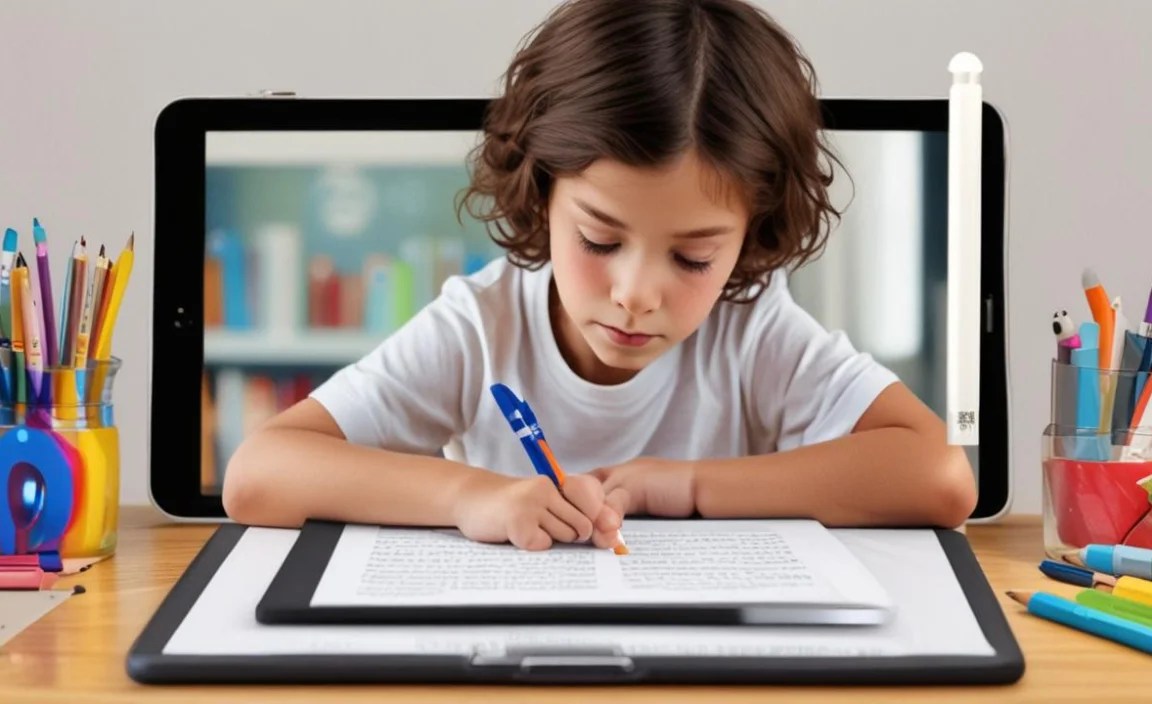
Once you’ve chosen your tablet, a few simple steps can transform it into a truly optimized homeschooling tool. It’s all about making the technology work for your educational goals.
1. Organize with Educational Apps
Curate a collection of high-quality educational apps. Look for apps that align with your curriculum and your child’s interests. Consider apps for:
- Core Subjects: Math, reading, science, history.
- Creativity: Drawing, music composition, coding.
- Organizational Tools: Note-taking apps, calendars, study planners.
- Interactive Learning: Educational games, virtual labs.
2. Set Up Robust Parental Controls
This is crucial for a safe and productive learning environment. Take the time to explore and configure the parental controls available on your chosen device’s operating system. This ensures your child stays focused on educational content and avoids unwanted distractions or risks.
For Apple devices, explore Screen Time. For Android, check out Google Family Link. Amazon Fire tablets have Amazon Kids+ and general parental controls.
3. Invest in Essential Accessories
Depending on the tablet and your child’s needs, accessories can greatly enhance the learning experience.
- Protective Case: A must-have, especially for younger children, to protect against drops and spills. Look for rugged options with kickstands.
- Stylus: Ideal for digital handwriting, drawing, and annotating documents. Ensure it’s compatible with your tablet.
- Keyboard: If your child will be doing a lot of writing, an external keyboard can turn the tablet into a mini-laptop.
- Screen Protector: Adds an extra layer of defense against scratches.
4. Create a Designated Learning Space
While tablets are portable, having a comfortable and organized spot for focused learning can improve concentration. This could be a desk with the tablet docked, or a cozy chair with good lighting.
5. Balance Screen Time
Even with educational content, it’s important to encourage breaks and physical activity. Use the tablet’s built-in screen time management tools or simply set regular intervals for movement and different types of learning.
Frequently Asked Questions (FAQ)
Q1: Can I use any tablet for homeschooling?
A1: While technically you can use any tablet, some are much better suited for educational purposes due to their durability, app selection, performance, and parental controls. The ones recommended in this guide are specifically chosen for their homeschooling advantages.
Q2: Which is better for homeschooling: an iPad or an Android tablet?
A2: It often comes down to personal preference and budget. iPads are known for their user-friendly interface and high-quality, curated app store. Android tablets offer more hardware variety, often at lower price points, and expandable storage. Both platforms have excellent educational apps.
Q3: Do I need a stylus for homeschooling?
A3: A stylus is highly recommended if your child will be doing a lot of handwriting, drawing, annotating PDFs, or taking digital notes. It significantly enhances the tablet’s usability for creative and academic tasks. Some tablets, like the Samsung Galaxy Tab S9 FE, include one.
Q4: How much storage do I need?
A4: For homeschooling, aim for at least 64GB of storage. If your budget allows, 128GB or more is ideal, especially if you plan to download many educational videos, e-books, and apps, or if you have multiple children using the device. Keep an eye out for expandable storage options via microSD cards on Android tablets.
Q5: Are cheaper tablets, like the Amazon Fire HD, good enough for homeschooling?
A5: Yes, for many basic homeschooling needs, a tablet like the Amazon Fire HD 10 is perfectly adequate. They are excellent for reading, watching educational videos, and using many popular learning apps. However, they may not be as powerful or have as broad an app selection as more expensive options for demanding tasks like complex coding or advanced creative software.
Q

Your tech guru in Sand City, CA, bringing you the latest insights and tips exclusively on mobile tablets. Dive into the world of sleek devices and stay ahead in the tablet game with my expert guidance. Your go-to source for all things tablet-related – let’s elevate your tech experience!