Discover the best recommended tablets for nurses with our essential comparison, focusing on durability, battery life, and ease of use for critical patient care and efficient workflow.
Recommended Tablets for Nurses: An Essential Comparison
Navigating the world of technology for your nursing career can feel a bit overwhelming. With so many options available, how do you choose the right tablet to help you manage patient charts, access important medical information, and communicate effectively on the go?
It’s a common challenge many dedicated nurses face: finding a device that’s not just a gadget, but a reliable workhorse in a demanding healthcare environment. You need something that can keep up with your fast-paced shifts, offer clear displays for vital data, and be easy to hold and use, even when your hands are busy.
Don’t worry, we’re here to simplify this decision. This guide will break down the top contenders, highlighting what makes each one a great choice for nurses. We’ll look at key features, compare specifications, and help you confidently pick the perfect tablet that fits seamlessly into your professional life. Let’s dive in and find the perfect tech companion for your nursing journey!
Why Tablets Are a Nurse’s Best Friend

In today’s healthcare settings, tablets have become indispensable tools for nurses. They offer a mobile, intuitive way to access and input vital patient information, track vital signs, administer medications, and communicate with the healthcare team. Think of them as a digital clipboard that’s always up-to-date and packed with powerful features.
The benefits of using tablets in nursing are numerous:
- Improved Patient Care: Quick access to patient records, drug databases, and treatment protocols leads to faster, more informed decisions.
- Enhanced Efficiency: Streamline workflows by digitizing charting, order entry, and communication, reducing time spent at stationary workstations.
- Better Communication: Secure messaging and video conferencing capabilities keep care teams connected and informed.
- Accessibility to Information: Access to medical journals, research, and educational resources on the unit or at home.
- Portability: Lightweight and easy to carry, allowing nurses to stay connected while moving between patients and departments.
However, not all tablets are created equal when it comes to the unique demands of a nursing environment. You need a device that’s robust, has excellent battery life, offers good screen visibility, and runs the necessary healthcare applications smoothly.
Key Features to Look for in a Nurse’s Tablet

When selecting a tablet for your nursing duties, some features are more critical than others. Prioritizing these will ensure you get a device that truly enhances your work, rather than becoming a hindrance.
1. Durability and Build Quality
Hospitals can be tough environments. Tablets can be dropped, bumped, or come into contact with various substances. Look for devices with:
- Rugged Design: Many tablets are built with reinforced corners, spill-resistant screens, and sturdy casings.
- Screen Protection: Consider devices with Gorilla Glass or similar technologies for scratch and shatter resistance.
- Easy to Sanitize: Smooth, non-porous surfaces are easier to clean and disinfect, which is crucial for infection control. Many healthcare-grade tablets are specifically designed for frequent sanitization.
2. Battery Life
Long shifts demand long battery life. You can’t afford to have your tablet die mid-documentation or when you need to look up critical patient data. Aim for:
- Extended Usage: Look for devices that promise 8-12 hours of active use on a single charge.
- Quick Charging: The ability to charge up quickly is a bonus, especially if you can top up during a break.
- Removable Batteries (Rare but Ideal): Some specialized devices offer swappable batteries, allowing for continuous use.
3. Screen Size and Visibility
You’ll be looking at patient charts, EKG readouts, and medication details. A clear, bright, and appropriately sized screen is essential.
- Resolution: Higher resolutions (e.g., Full HD or higher) provide sharper text and images.
- Brightness: A bright screen is easier to read in well-lit hospital environments or outdoors if your work takes you there.
- Size: 8-10 inches is often a sweet spot, offering enough screen real estate for comfortable viewing and typing without being too bulky to carry.
4. Performance and Storage
Your tablet needs to run healthcare applications smoothly and store necessary files without lag.
- Processor: A reasonably powerful processor (e.g., mid-range Snapdragon, Apple A-series, or Intel Core) ensures apps open quickly and multitasking is seamless.
- RAM: 4GB of RAM is a good minimum for smooth operation with multiple apps. 6GB or 8GB is even better.
- Storage: 64GB is a good starting point, but 128GB or more is recommended if you plan to store many large files, images, or offline data.
5. Operating System and App Compatibility
Your hospital or clinic likely uses specific software. Ensure the tablet’s operating system supports these applications.
- iOS (Apple): Known for its user-friendly interface and strong app ecosystem. Many healthcare apps are optimized for iPad.
- Android (Google): Offers a wide range of devices and customization options. Most major healthcare apps are available.
- Windows: Often preferred for full desktop-like functionality and compatibility with legacy systems.
6. Connectivity
Reliable internet access is paramount.
- Wi-Fi: Ensure it supports the latest Wi-Fi standards for fast and stable connections within the hospital network.
- Cellular (LTE/5G) Option: If you need constant connectivity outside of Wi-Fi, consider models with cellular capabilities.
7. Security Features
Protecting patient data is non-negotiable. Look for:
- Biometric Authentication: Fingerprint scanners or facial recognition for quick and secure logins.
- Encryption: Hardware-level encryption protects data if the device is lost or stolen.
- Regular Security Updates: Ensure the manufacturer provides ongoing security patches.
Recommended Tablets for Nurses: Top Picks
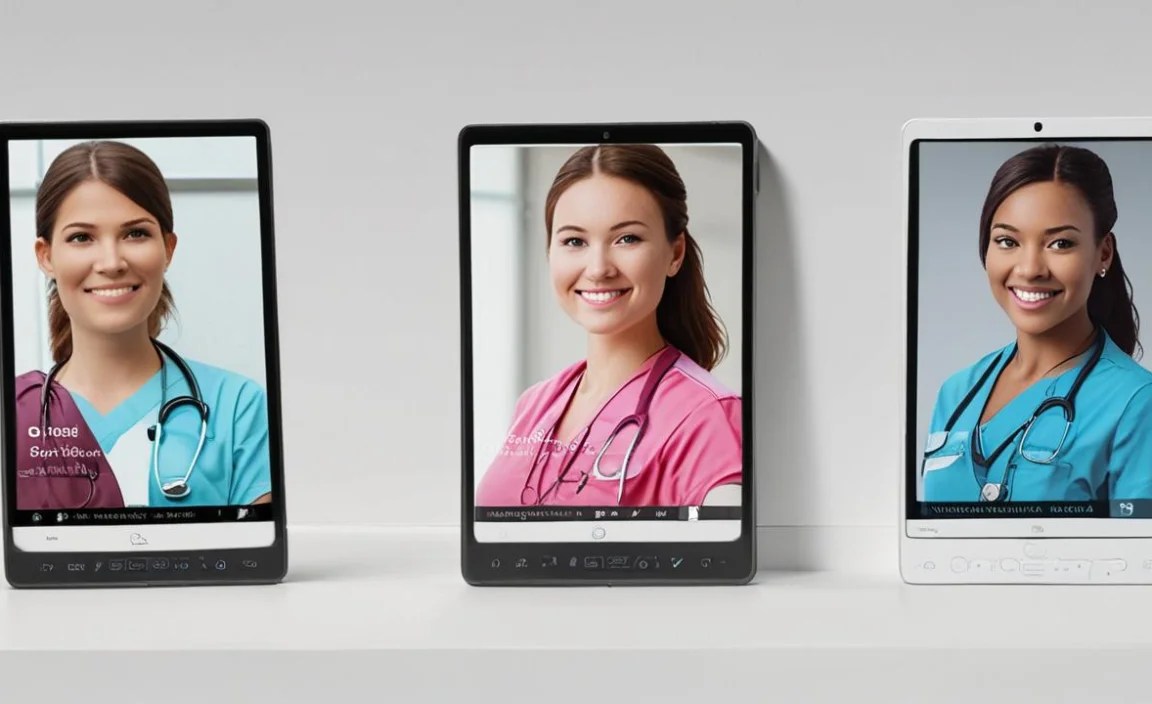
Based on the essential features for nursing, here are some of the most recommended tablets that offer a strong balance of performance, durability, and usability. We’ll consider different operating systems and price points.
1. Apple iPad (Standard Model)
The standard iPad remains a top choice for its balance of affordability, performance, and the vast iOS app ecosystem. It’s incredibly user-friendly, making it easy to pick up and use even for those less technologically inclined.
- Why it’s Great for Nurses: Access to a huge library of healthcare apps, intuitive interface, excellent build quality, and strong security features. Battery life is reliable for a full shift.
- Pros:
- User-friendly interface
- Wide range of high-quality healthcare apps
- Good performance for everyday tasks
- Excellent resale value
- Reliable battery life
- Cons:
- Not as rugged as specialized medical tablets
- Storage isn’t expandable (must choose capacity at purchase)
- Can be pricier than some Android alternatives
- Ideal for: Nurses who prefer iOS, need access to specific iPad-exclusive healthcare apps, and value ease of use.
2. Apple iPad Air
The iPad Air offers a step up from the standard iPad with a thinner design, more powerful processor, and a slightly larger, more advanced display. It bridges the gap between the standard iPad and the more professional iPad Pro.
- Why it’s Great for Nurses: Improved performance means smoother multitasking with multiple apps. The slightly larger screen can be beneficial for reading detailed information.
- Pros:
- Powerful performance (M-series chips in newer models)
- Sleek, lightweight design
- Clear, vibrant Liquid Retina display
- Supports Apple Pencil 2 for more precise input
- Cons:
- Higher price point than the standard iPad
- Still requires a protective case for ruggedness
- Ideal for: Nurses who need more processing power for demanding apps or appreciate a more premium feel and display.
3. Samsung Galaxy Tab S Series (e.g., Tab S9)
Samsung’s flagship Galaxy Tab S line offers premium Android tablets that rival the best iPads. They boast gorgeous AMOLED displays, powerful performance, and the flexibility of the Android operating system.
- Why it’s Great for Nurses: High-resolution screens are excellent for viewing medical images and detailed data. Samsung DeX offers a desktop-like experience for more complex tasks.
- Pros:
- Stunning AMOLED displays
- Powerful processors for demanding tasks
- S Pen included for precise note-taking and annotation
- Android flexibility and customization
- Samsung DeX for enhanced productivity
- Cons:
- Can be expensive
- While durable, still benefits greatly from a rugged case
- App optimization can sometimes lag behind iOS
- Ideal for: Nurses who prefer Android, need high-quality displays for medical imaging, and appreciate stylus input for note-taking.
4. Microsoft Surface Go 3
For nurses who need a full Windows experience in a tablet form factor, the Surface Go 3 is a compelling option. It can run desktop applications and offers a familiar interface for many.
- Why it’s Great for Nurses: Runs full Windows, meaning it can handle any desktop healthcare software your facility might use. It’s also a laptop when paired with the Type Cover.
- Pros:
- Runs full Windows 11
- Familiar interface for many professionals
- Can function as a laptop with optional Type Cover keyboard
- Compact and lightweight
- Cons:
- Performance can be sluggish with demanding applications
- Battery life is often mediocre
- Screen size is on the smaller side
- Surface Pen and Type Cover are separate purchases
- Ideal for: Nurses who absolutely need to run Windows desktop applications and prefer a more traditional computing experience.
5. Rugged Tablets (e.g., Zebra, Getac, Panasonic Toughbook)
These are not your typical consumer tablets. Rugged tablets are built from the ground up for demanding environments like hospitals, warehouses, and field service. They are often more expensive but offer unparalleled durability.
- Why it’s Great for Nurses: Designed to withstand drops, dust, water, and extreme temperatures. Many come with sanitizable surfaces and advanced security features. Long battery life is standard.
- Pros:
- Extreme durability and MIL-STD-810G certification
- Water and dust resistance (IP ratings)
- Long battery life, often with hot-swappable options
- Sunlight-readable displays
- Designed for easy sanitization
- Often run Windows, but Android versions also exist
- Cons:
- Significantly more expensive than consumer tablets
- Bulkier and heavier
- Performance might not be as cutting-edge as high-end consumer tablets in the same price bracket
- App selection might be more limited on some specialized OS versions
- Ideal for: Nurses working in high-risk areas, those who have a history of damaging devices, or facilities that require devices with specific certifications for healthcare use.
Comparison Table: Nurse-Friendly Tablets

Here’s a quick look at how some of these top contenders stack up:
| Feature | Standard iPad (10th Gen) | iPad Air (5th Gen) | Samsung Galaxy Tab S9 | Microsoft Surface Go 3 | Example Rugged Tablet (e.g., Zebra ET40) |
|---|---|---|---|---|---|
| Operating System | iPadOS | iPadOS | Android | Windows 11 | Android / Windows |
| Screen Size | 10.9 inches | 10.9 inches | 11 inches | 10.5 inches | 8-10 inches (varies) |
| Durability | Good (needs case) | Good (needs case) | Good (needs case) | Moderate (needs case) | Excellent (MIL-STD, IP Rated) |
| Typical Price Range | $$ | $$$ | $$$ | $$ | $$$$ |
| Battery Life | 8-10 hours | 8-10 hours | 8-10 hours | 6-8 hours | 10+ hours (often swappable) |
| Stylus Support | Yes (1st Gen Pencil) | Yes (2nd Gen Pencil) | Yes (S Pen included) | Yes (Surface Pen optional) | Varies, some support active pens |
| Best For | General use, app access, budget-conscious | Performance, premium display, stylus ease | Android users, high-quality display, stylus | Windows users, desktop app compatibility | Extreme durability, specific environments |
Note: Price ranges: $ = Affordable, $$ = Mid-range, $$$ = Premium, $$$$ = Enterprise/Specialty
Tips for Maximizing Your Tablet’s Usability on Duty
Once you’ve chosen your tablet, a few smart practices can make a big difference in your daily workflow:
- Invest in a Good Case: Even if you choose a consumer tablet, a rugged case with a kickstand and perhaps a hand strap can drastically improve usability and protection. Look for cases specifically designed for healthcare environments that are easy to sanitize.
- Learn Your Hospital’s Wi-Fi: Ensure you know how to connect to the hospital’s secure network reliably.
- Download Essential Apps: Have your EMR/EHR app, drug reference guides (like Epocrates or Lexicomp), and communication tools readily available.
- Optimize Battery Settings: Lower screen brightness slightly, close unused apps, and enable battery saver modes when needed.
- Practice Hygiene: Regularly clean your tablet with approved disinfectants. Alcohol wipes (70% isopropyl alcohol) are generally safe for most screens and surfaces, but always check the manufacturer’s recommendations. You can find more information on recommended cleaning practices from reputable sources like the CDC.
- Explore Stylus Features: If your tablet supports a stylus, learn to use it for quick annotations on orders, patient notes, or diagrams.
- Security First: Always use a strong passcode, fingerprint, or facial recognition. Log out of sensitive applications when not in use.
Frequently Asked Questions
Q1: Do I need a specific “medical tablet” or can I use a regular one?
A1: For many roles, a high-quality consumer tablet like an iPad or Galaxy Tab, protected by a rugged case, can work perfectly. However, specialized “medical tablets” or ruggedized devices offer enhanced durability, specific certifications for healthcare environments, and sometimes better sanitization properties.
Q2: Is an iPad or an Android tablet better for nurses?
A2: It often depends on the apps your hospital uses and your personal preference. Both platforms have excellent apps for nursing. iPads are known for their user-friendliness and strong app quality, while Androids offer more customization and a wider range of hardware options.
Q3: How much storage do I need on a tablet for nursing?
A3: For most nursing tasks—accessing EHRs, using reference apps, and basic communication

Your tech guru in Sand City, CA, bringing you the latest insights and tips exclusively on mobile tablets. Dive into the world of sleek devices and stay ahead in the tablet game with my expert guidance. Your go-to source for all things tablet-related – let’s elevate your tech experience!