Rugged tablets are a surprisingly essential tool for music production, offering durability and performance for creators on the go or in demanding environments. This review covers key features, benefits, and top picks to help you choose the right rugged tablet for your music-making needs.
Are you a musician or producer who finds yourself working in less-than-ideal conditions? Maybe you’re jamming at a park, recording outdoors, or simply want a device that can withstand the occasional drop in your busy studio. Traditional tablets are often too fragile for these situations, leaving you with limited options. It can be frustrating when your creative flow is interrupted by worries about damaging your precious gear. But what if there was a solution that combined the power of a tablet with the toughness of a tank? Fear not! This guide will walk you through everything you need to know about rugged tablets for music production, making your decision-making process as smooth as a perfectly mixed track.
We’ll break down what makes a tablet “rugged,” what features are crucial for music production, and highlight some of the best options available. Get ready to discover how these robust devices can become your reliable creative partner.
Why Consider Rugged Tablets for Music Production?

For many, music production conjures images of sterile studios with pristine equipment. However, the reality for many artists is much more dynamic. Whether you’re a live performer using software synths and backing tracks, a field recordist capturing ambient sounds, or a producer who likes to sketch out ideas on the go, a traditional tablet might just not cut it. This is where rugged tablets shine.
- Durability: This is the big one. Rugged tablets are built to withstand shocks, drops, dust, water, and extreme temperatures. Think of them as your musical toolkit’s built-in shock absorber.
- Portability with Peace of Mind: You can take them anywhere – to a dusty outdoor festival, a chaotic rehearsal space, or even into the rain – without the constant anxiety of damaging your expensive equipment.
- Reliability: Designed for tough environments, they are less prone to malfunctions caused by minor impacts or environmental factors that could cripple a standard tablet.
- Long Battery Life: Many rugged tablets are designed for extended use in the field, meaning they often boast impressive battery life, crucial for those long creative sessions away from power outlets.
- Versatile Connectivity: With robust I/O options, they can often integrate better with professional audio interfaces and controllers than their consumer-grade counterparts.
What Makes a Tablet “Rugged”?

When we talk about “rugged,” we’re not just talking about a tough case. Rugged tablets are engineered from the ground up with specific certifications to prove their resilience. The most common certifications you’ll see are:
- IP Ratings (Ingress Protection): This is a two-digit code. The first digit indicates protection against solids (like dust), and the second indicates protection against liquids (like water).
- IP65: Dust-tight and protected against water jets.
- IP67: Dust-tight and protected against immersion in water up to 1 meter for 30 minutes.
- IP68: Dust-tight and protected against continuous immersion in water under conditions specified by the manufacturer (often deeper or longer than IP67).
- MIL-STD-810G/H: This is a U.S. military standard (and now an international standard) that tests devices against a range of harsh environmental conditions. These can include:
- Drop tests from specific heights onto hard surfaces.
- Extreme temperature operation (both hot and cold).
- Humidity resistance.
- Vibration resistance.
- Shock and impact resistance.
So, when looking at a rugged tablet, don’t just look for the “rugged” label. Check for these specific ratings. The higher the numbers and the more comprehensive the MIL-STD tests passed, the more durable the tablet is likely to be.
Essential Features for Music Production on a Rugged Tablet

While durability is king, a rugged tablet is still a tool for music production. Here’s what you should prioritize beyond its toughness:
1. Processing Power and RAM
Music production software, especially Digital Audio Workstations (DAWs) and virtual instruments, can be resource-intensive. You’ll want a tablet with a capable processor (like Intel Core i5/i7 or equivalent ARM processors) and ample RAM (at least 8GB, but 16GB or more is ideal) to handle complex projects without lag or stuttering.
2. Storage Space
Audio files, VST plugins, loops, and sample libraries can eat up storage very quickly. Look for tablets with at least 256GB of internal storage. If that’s not enough, ensure it has an expandable storage option via microSD card or a USB-C port that supports external drives.
3. Display Quality and Touchscreen Responsiveness
You’ll be interacting with your music software using the touchscreen. A bright, high-resolution display is important for seeing details, and good touch responsiveness is crucial for precise editing and performance. Some rugged tablets also offer stylus support, which can be invaluable for detailed work.
4. Connectivity Ports (USB-C, USB-A etc.)
Connecting audio interfaces, MIDI controllers, external hard drives, and other peripherals is essential for a music production workflow. Look for tablets with multiple, versatile ports. USB-C is a must for modern accessories, and having a full-size USB-A port can be a lifesaver for older gear. Wi-Fi and Bluetooth are also standard, but check the version for better wireless audio connectivity.
5. Operating System
The OS dictates what software you can run.
- Windows: Offers the widest compatibility with professional DAWs and plugins (like Ableton Live, FL Studio, Cubase, Pro Tools). Rugged Windows tablets often provide the most desktop-like experience.
- macOS: While Apple doesn’t make rugged tablets, some users opt for ruggedized cases for iPads. However, native rugged options are more common on Windows.
- Android/iOS: Excellent for mobile music creation apps (like GarageBand on iOS, BandLab or Caustic 3 on Android), but often have limitations with professional desktop-class software and audio interfaces compared to Windows.
6. Battery Life
As mentioned, long battery life is critical for working away from a power source. Aim for a device that can last a full working day (8+ hours) on a single charge, especially if you plan on using it for extensive recording or live performance.
7. Built-in Speakers and Microphone (Optional, but nice to have)
While you’ll likely use headphones or external monitors for serious mixing, decent built-in speakers can be handy for quickly checking ideas or playing back demos on the go. A good quality microphone can capture ambient sounds or quick voice memos.
Top Rugged Tablets for Music Production (Review)

Finding the perfect rugged tablet is about balancing ruggedness, performance, and your specific needs. Here are a few categories and examples of rugged devices that could work well for music production. Please note that the “best” option is highly subjective and depends on your budget and primary use case.
For the Windows Power User:
If you’re deep in the Windows ecosystem and need to run professional desktop DAWs, rugged Windows tablets are your best bet. They offer near-laptop-level performance and software compatibility.
1. Panasonic Toughbook Series (e.g., CF-33, FZ-G2)
Panasonic is a titan in the rugged computing world. Their Toughbook line is legendary for its extreme durability, often exceeding MIL-STD-810H standards. They typically feature Intel Core processors, ample RAM, and robust port selections. The tablet-first designs (like the CF-33, which can detach from its keyboard) make them versatile.
- Pros: Unmatched ruggedness, excellent performance for Windows applications, highly configurable, long battery life options.
- Cons: Can be very expensive, bulky design, displays might not be as vibrant as consumer tablets.
- Ideal for: Field recording engineers, live sound technicians, musicians working in extreme environments where failure is not an option.
2. Getac F110 / UX10 Tablet
Getac is another major player in the rugged market, offering devices that rival Panasonic in durability and performance. Their tablets are built for demanding industries and are equally suited for creative professionals who need reliability.
- Pros: Very tough, good performance with Intel processors, solid port options, often more affordable than equivalent Panasonic models.
- Cons: Still a significant investment, can be heavy.
- Ideal for: Anyone needing a robust Windows tablet that can handle moderate to heavy music production tasks without breaking.
For the Mobile Creator on Android/iOS (with caveats):
While less common for professional, complex DAWs, rugged Android or iOS tablets are great for mobile sketching, using specialized music apps, and simpler production tasks. Remember, official “rugged” Android tablets are more prevalent than rugged iPads (though rugged cases exist for iPads).
1. Samsung Galaxy Tab Active Series
Samsung offers ruggedized versions of its popular tablets, such as the Tab Active series. These devices focus on durability (often IP68 and MIL-STD-810G) while providing a solid Android experience. They’re great for running Android DAWs, sample apps, and connecting basic audio gear via USB-C (with adapters).
- Pros: Good balance of ruggedness and standard tablet features, Android ecosystem is vast for apps, often more affordable than high-end Windows rugged devices.
- Cons: Performance might be a bottleneck for heavy desktop-class DAWs, limited professional audio interface compatibility compared to Windows.
- Ideal for: Sketching song ideas, using mobile music apps, field recording with basic setups, producers who prefer the Android mobile experience.
2. Unspecified Rugged Android Tablets (Various Brands)
There are many lesser-known brands offering rugged Android tablets. These can be very budget-friendly but require careful research into their actual build quality and performance specifications for music production. Always check reviews carefully.
- Pros: Very affordable.
- Cons: Durability and performance can be inconsistent, software support may be lacking, often use lower-end processors.
- Ideal for: The absolute budget-conscious user who needs basic ruggedness and can live with performance limitations.
What About iPads in Rugged Cases?
You won’t find many “rugged” iPads direct from Apple. However, the iPad ecosystem is fantastic for music production with apps like GarageBand, Logic Pro for iPad, Cubasis, and many others. For those who love their iPad but need durability, investing in a high-quality rugged case is the most practical approach. Brands like UAG (Urban Armor Gear) or OtterBox offer cases that provide significant drop and element protection.
- Pros: Access to the excellent iOS/iPadOS music app ecosystem, great performance on higher-end iPads, touch interface is intuitive.
- Cons: The iPad itself isn’t inherently rugged; protection relies entirely on the case.
- Ideal for: iPad users who want to expand their production capabilities into more demanding environments without switching platforms.
Performance Considerations for Music Production
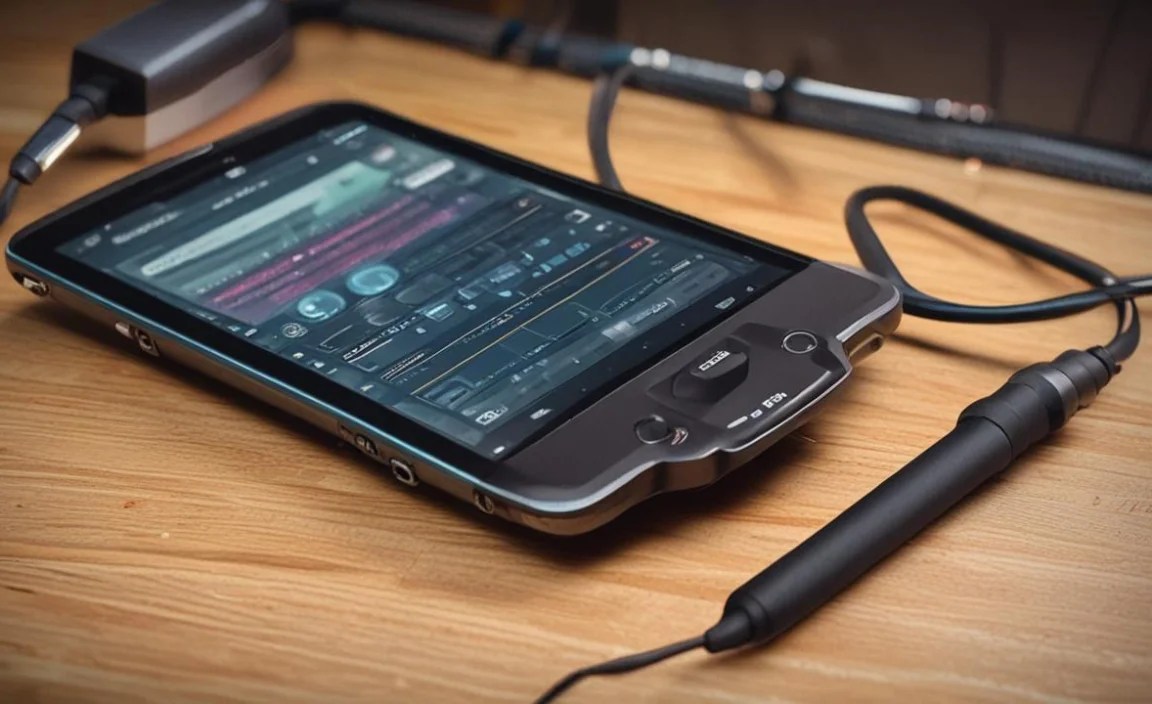
When choosing any tablet for music production, performance is key, but rugged tablets add an extra layer of consideration. You’re often trading some of the sleekness and raw processing power of a high-end consumer tablet for durability.
CPU and RAM: The Heart of the Machine
For Windows rugged tablets, look for Intel Core i5 or i7 processors (or their newer equivalents like 11th Gen or 12th Gen Intel Core). These will provide the horsepower needed for multi-track recording, complex virtual instruments, and effects processing. Paired with at least 8GB of RAM, you should have a smooth experience with most common DAWs. For more demanding work, 16GB or 32GB is highly recommended.
On the Android side, processors will vary. You’ll want a capable ARM chip. While specific model numbers can be confusing, look for devices marketed for productivity or with higher-end specifications within the Android rugged tablet space. Performance here will generally be better suited for app-based music creation rather than running full desktop DAWs.
Storage: Don’t Get Caught Short
Sample libraries and instrument presets can be enormous. A 256GB SSD (Solid State Drive) is a good starting point for Windows rugged tablets. If you plan on using a lot of large orchestral libraries, you might need 512GB or even 1TB. For Android, storage is also crucial; ensure it has ample internal space or a reliable microSD card slot for expansion.
Cooling and Throttling
One challenge with powerful processors in compact devices, especially rugged ones that often have sealed casings for water/dust resistance, is heat management. Intense processing tasks can generate heat, leading to CPU throttling (where the processor slows down to prevent overheating). While rugged devices are built to operate in a wider temperature range, sustained peak performance might be more limited than in a well-ventilated laptop. This is less of an issue for moderate music production tasks but something to be aware of for very demanding projects.
Connectivity: Your Production Lifeline
How your tablet talks to the outside world is vital for music production. A rugged tablet needs to be more than just tough; it needs to be functional.
Ports, Ports, Ports
- USB-C: Essential for modern audio interfaces, MIDI controllers, and fast data transfer. Thunderbolt 3 or 4 (often found on higher-end Windows tablets) offers even faster speeds and display output capabilities.
- USB-A: Still useful for older MIDI keyboards, USB microphones, and flash drives. A full-size USB-A port is a big plus.
- SD Card Reader: Great for importing field recordings or expanding storage.
- Headphone Jack: Always useful, though many modern interfaces connect via USB.
- HDMI/DisplayPort (less common on tablets): Useful if you ever need to connect to an external monitor, though often handled via USB-C with adapters.
When reviewing specifications, check the type of USB-C port. Is it just for charging and data, or does it support DisplayPort Alternate Mode and Power Delivery? This can significantly impact its versatility.
Wireless Connectivity
- Wi-Fi: Check for Wi-Fi 6 (802.11ax) for faster, more stable wireless connections, which is beneficial for streaming samples or collaborating online.
- Bluetooth: Version 5.0 or higher is recommended for reliable connections with wireless MIDI controllers and headphones, minimizing latency.
Software Options for Music Production
The software you use will largely dictate the type of rugged tablet you need.
- Windows: The king of professional DAWs. You can run industry-standard software like:
- Ableton Live
- FL Studio
- Cubase
- Pro Tools (with a compatible interface)
- Reaper
- Logic Pro X (not on Windows, but relevant if considering macOS alternatives or thinking about future proofing. Correction: Logic Pro is macOS and iPadOS only.)
You’ll also have access to a vast library of VST plugins and virtual instruments.
- macOS/iPadOS: If you’re an Apple fan, a ruggedized iPad is a compelling option.
- GarageBand (free, great for beginners)
- Logic Pro for iPad (powerful, paid app)
- Cubasis 3
- Koala Sampler
- Various synth apps and effects
The iPad’s touch interface is very intuitive for many mobile music tasks.
- Android: Offers a growing number of capable music apps.
- BandLab (free, collaborative DAW)
- Caustic 3 (powerful synth/sequencer)
- FL Studio Mobile
- Korg Gadget 2 (can be expensive)
- Numerous synth, sampler, and effect apps available on the Google Play Store.
Android excels in flexibility and a wide range of app options.
For serious production, especially if you’re already invested in a particular software ecosystem, a Windows rugged tablet is often the most direct path. If mobile creativity and app-based production are your focus, an iPad or Android tablet in a rugged case (or a dedicated rugged Android device) can be a fantastic, more affordable solution.
User Experience and Practicality
Beyond raw specs, how does it feel to use a rugged tablet for music production?
Weight and Ergonomics
Rugged tablets are inherently bulkier and heavier than their consumer counterparts. This is a trade-off for their durability. Holding a heavy tablet for extended periods can be tiring. Consider how you’ll hold it

Your tech guru in Sand City, CA, bringing you the latest insights and tips exclusively on mobile tablets. Dive into the world of sleek devices and stay ahead in the tablet game with my expert guidance. Your go-to source for all things tablet-related – let’s elevate your tech experience!