Choosing the right rugged tablet for reading books can feel overwhelming. Our guide cuts through the jargon, offering clear, actionable advice. We’ll help you find a durable, user-friendly device that makes reading a joy, even on the go. Get ready to discover your perfect reading companion that’s built to last!
Rugged Tablets for Reading Books: Why They’re a Smart Choice

Reading should be a relaxing escape, but for many of us, it happens in less-than-ideal conditions. Whether you’re an avid traveler who loves to read on the plane, a student who needs a device that can survive college life, or someone who enjoys a good book by the pool or in the garden, a standard tablet might not cut it. This is where rugged tablets shine.
Think about it: a regular tablet can be delicate, prone to screen cracks, water damage, or dust infiltration. A rugged tablet, on the other hand, is designed from the ground up to withstand drops, spills, and extreme temperatures. This makes them not just durable, but remarkably practical for enhancing your reading experience, no matter where life takes you.
But what exactly makes a tablet “rugged,” and what should you look for when you’re specifically planning to use it for reading books? Don’t worry, it sounds more complicated than it is. We’ve broken down all the essential tips to help you make a confident purchase. Let’s dive into what makes these tough devices the perfect books companions!
Understanding Rugged Tablet Features for Reading
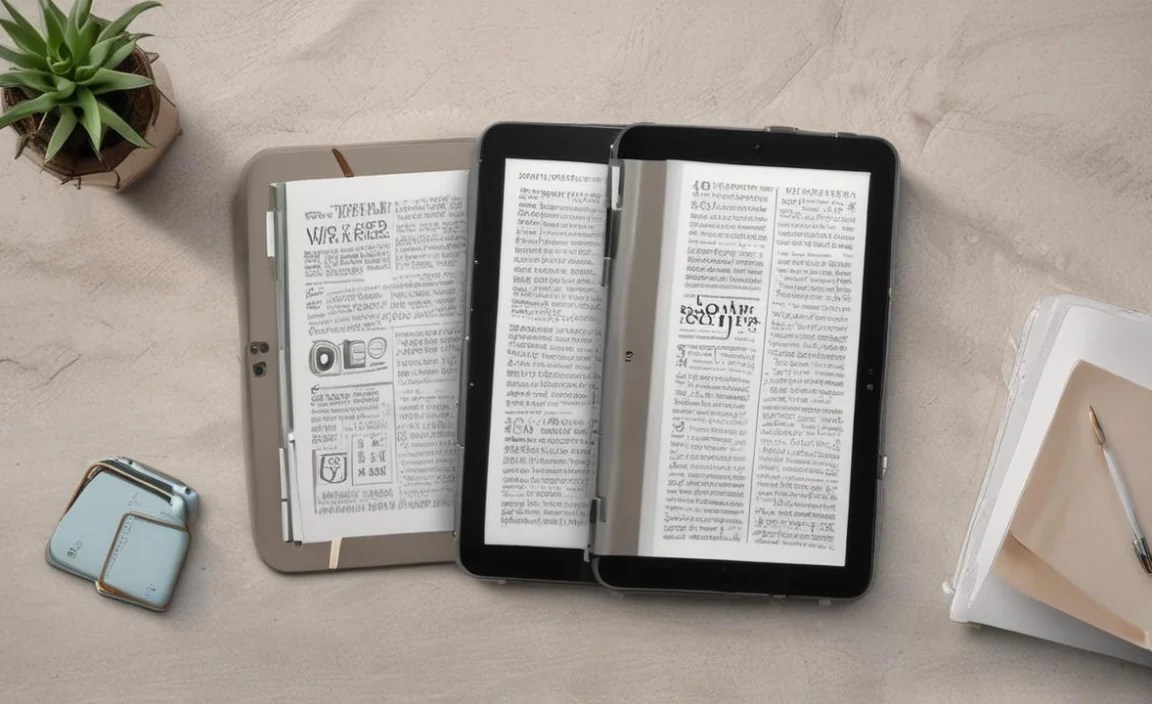
When you hear “rugged tablet,” you might picture something bulky and industrial. While they are built tough, modern rugged tablets offer a surprisingly sleek design and powerful features that are perfect for reading.
Durability Ratings: What Do They Mean?
The key to understanding ruggedness lies in its official ratings. The most common ones you’ll encounter are:
- IP Ratings (Ingress Protection): These ratings tell you how well a device is protected against solid objects (like dust) and liquids. The first digit is for solids, and the second is for liquids. For example, an IP68 rating means it’s dust-tight (the highest level) and can withstand continuous immersion in water. For reading near pools or in the rain, look for at least an IPX7 or higher.
- MIL-STD-810G/H: This is a U.S. military standard that tests devices against a range of environmental stresses, including drops, altitude, temperature extremes, humidity, and vibration. A tablet meeting this standard is tested to survive substantial falls onto hard surfaces.
For reading, focus on high IP ratings for water and dust resistance, and MIL-STD certification for drop protection. This ensures your e-books are safe from accidental splashes or tumbles.
Screen Quality: Your Window to the Words
When reading, screen quality is paramount. You want something that’s easy on the eyes and visible in various lighting conditions.
- Sunlight Readability: Many rugged tablets have anti-glare coatings and high brightness levels, making them excellent for reading outdoors without squinting. Look for screens that boast a high nits (brightness) count (e.g., 500 nits or more) and matte finishes over glossy ones.
- Resolution: For text, a good resolution (like Full HD or 1920 x 1200 pixels) ensures crisp, clear characters. While you don’t need the absolute highest resolution for reading simple text, it makes a noticeable difference in clarity.
- Screen Size: This is personal preference, but for reading books, a 7-inch to 10-inch screen offers a good balance between portability and comfortable reading. Larger screens can feel more like a traditional book page.
Battery Life: Never Run Out of Pages Mid-Chapter
A device that dies mid-chapter is frustrating! Rugged tablets often excel in battery life due to their larger form factors accommodating bigger batteries and their focus on endurance.
- mAh Capacity: Look for tablets with batteries in the 7,000 mAh to 10,000 mAh range or higher. This can translate to 10-15+ hours of continuous reading time.
- Power Saving Features: Some rugged tablets come with software optimizations to extend battery life further.
Processing Power and Storage
While you don’t need a powerhouse for reading, a decent processor ensures a smooth experience when flipping pages, navigating menus, or downloading new books. For storage, consider how many books you plan to keep on your device. Most e-books are small, but if you also plan to store audiobooks or other media, look for at least 32GB of internal storage with the option to expand via a microSD card.
Connectivity
For downloading books from online stores or syncing with cloud services, you’ll want reliable Wi-Fi. If you plan to read and download books while on the go, a model with cellular (4G/5G) capabilities can be very useful, though it often adds to the cost.
Key Considerations for Rugged Tablets for Reading Books

Beyond the basic rugged features, several specific points enhance the reading experience on these durable devices.
1. Weight and Ergonomics
Rugged tablets are inherently heavier and bulkier than their consumer-grade counterparts due to their protective casings. This is a crucial factor if you plan to hold the tablet for extended reading sessions.
- Grip: Look for textured grips or rubberized edges that make it easier and more comfortable to hold for longer periods. Some rugged tablets even offer integrated hand straps for extra security and comfort.
- Balance: A well-balanced device will feel less cumbersome. Try to find reviews that discuss the ergonomics and how the weight is distributed.
2. Screen Type: E-Ink vs. LCD/OLED
This is a significant decision for any e-reader, and it applies to rugged tablets too, though rugged options are more commonly LCD/OLED. However, some niche rugged devices might incorporate e-ink for specific use cases.
- E-Ink: Mimics real paper, offers superb sunlight readability, and is extremely easy on the eyes for long reading sessions with no backlight glare. It’s also incredibly power-efficient. However, it’s typically slower for navigation and doesn’t handle color or video well. E-ink rugged tablets are rare but ideal for pure reading.
- LCD/OLED: These are standard tablet screens. They offer vibrant colors (though less critical for text), faster performance, and are more versatile for other tasks. They can be harder to read in direct sunlight without significant brightness and may cause eye strain for some due to the backlight.
For a primary reading device, an e-ink screen on a rugged tablet would be ideal if available. Realistically, most rugged tablets use LCD/OLED. In that case, prioritize excellent anti-glare coatings and high brightness.
3. Software and App Ecosystem
What kind of books do you read, and where do you get them?
- Operating System: Most rugged tablets run Android or Windows. Android offers a vast ecosystem of reading apps like Kindle, Kobo, Google Play Books, and Libby. Windows offers different flexibility but might have fewer dedicated e-reader apps that are as streamlined. For pure reading, Android is generally more accessible and user-friendly.
- Pre-installed Reading Apps: Some manufacturers might pre-load specific reading applications. Check if these meet your needs.
- E-reader Compatibility: Ensure the tablet can easily run your preferred e-reading app or access your digital library, whether that’s through subscriptions (like Kindle Unlimited) or direct downloads.
4. Connectivity Options
Beyond Wi-Fi, consider other connectivity:
- Bluetooth: Useful for connecting wireless headphones if you listen to audiobooks or for connecting keyboard accessories if you occasionally want to jot notes.
- Cellular (LTE/5G): As mentioned, this is for internet access away from Wi-Fi. Essential if you travel frequently and want instant access to download new books or browse your library without hunting for Wi-Fi hotspots. Keep in mind that this will require a separate data plan.
- GPS: While not directly for reading, many rugged tablets include GPS. This can be handy if you plan to use your tablet for navigation during travel, making it a multi-functional device.
5. Accessories
Think about what you might need:
- Stylus: If you like to annotate books, take notes, or sketch while reading, a compatible stylus can be a game-changer.
- Keyboard: For longer writing sessions or note-taking, a Bluetooth keyboard can turn your rugged tablet into a more robust productivity tool.
- Carrying Cases/Straps: While already rugged, additional protection or more comfortable carrying options can be beneficial.
Top Rugged Tablet Picks for Reading (and Why)

While specific models change, here are types of rugged tablets and brands renowned for their durability and suitability for readers. Always check the latest specifications and reviews for current offerings.
| Brand/Series Example | Typical Durability | Screen Size Focus | Best For | Considerations |
|---|---|---|---|---|
| Panasonic Toughbook | MIL-STD-810G/H, IP65/IP67 | 10-inch and larger | Extreme environments, professionals requiring maximum durability. | Often Windows-based, can be heavy and expensive. Great for demanding field use. |
| Getac | MIL-STD-810H, IP67/IP68 | 8-inch to 12-inch | Field service, construction, logistics, and demanding outdoor users. | Robust build quality, excellent sunlight-readable screens. Typically Windows or Android. |
| Dell Latitude Rugged Series | MIL-STD-810G, IP52/IP65 | 11-inch to 14-inch | Mobile workforce, field operations needing Windows continuity. | More business-oriented, but durable enough for rough conditions. Excellent keyboards. |
| Samsung Galaxy Tab Active Series | IP68, MIL-STD-810H | ~8-inch | Workers needing a tough, manageable Android tablet with S Pen support. | Fewer ruggedness certifications than enterprise models but still very tough. Good balance of features and ruggedness. Great for note-taking alongside reading. Learn more about Samsung’s commitment to durability. |
| Amazon Fire Max 11 (with Rugged Case) | IP52 (with case), MIL-STD-810H drops (with case) | 11-inch | Budget-conscious users wanting a more affordable, reasonably protected tablet. | Not inherently rugged but becomes quite resilient with official rugged case. Excellent value for Amazon ecosystem users. |
Note: Many smaller brands also offer rugged tablets. Always research reviews and certifications carefully before purchasing.
When is a Non-Rugged Tablet with a Rugged Case Enough?
If your “rough” environment is more about an occasional drop in the living room or a few splashes from kids, a standard tablet combined with a high-quality rugged case might suffice. Many cases offer:
- Drop Protection: Thick silicone or rubber bumpers that absorb impact.
- Screen Protection: Built-in screen protectors or raised bezels to guard the display.
- Kickstands and Handles: Added usability features.
Brands like UAG (Urban Armor Gear) and OtterBox offer excellent rugged cases for popular tablets. This is a more budget-friendly option if you don’t need the comprehensive, integrated durability of a purpose-built rugged device. However, true waterproof and dustproof capabilities (like IP ratings) are generally only found in dedicated rugged tablets.
How to Choose Your Ideal Rugged Tablet for Reading: A Step-by-Step Approach
Let’s walk through a simple process to pinpoint the perfect rugged tablet for your reading needs.
- Assess Your “Ruggedness” Needs:
- Will it mostly be used indoors, with occasional outdoor use near water? (Aim for IPX7+)
- Will it be used on construction sites, in workshops, or dropped frequently? (Aim for MIL-STD-810G/H and IP65/67+)
- Is extreme temperature resistance a factor? (Check MIL-STD specs)
- Prioritize Screen Quality for Reading:
- Do you read mostly in bright sunlight? Look for high brightness (500+ nits) and anti-glare.
- Are you sensitive to screen glare or blue light? Consider a matte screen or a device with good blue light filtering software. E-Ink, if you can find it, is superior here.
- What screen size feels most comfortable for book pages? (7-10 inches is common for reading.)
- Evaluate Battery Life:
- How long do you typically read in one sitting? Aim for a battery that can last at least 8-10 hours of active use. Check reviews for real-world battery performance.
- Consider the Ecosystem and Software:
- What e-reading apps do you use (Kindle, Kobo, Libby, etc.)? Ensure the tablet’s OS supports them (usually Android or iOS if there’s an iPad rugged option).
- Do you prefer digital books, audiobooks, or both?
- Check Ergonomics and Portability:
- Read reviews about the tablet’s weight and how comfortable it is to hold.
- Do you need any specific grip features or hand straps for added security?
- Set Your Budget:
- Rugged tablets range significantly in price. Enterprise-grade models from Panasonic or Getac can cost over $1000, while consumer-oriented ones like the Samsung Tab Active series are more affordable. Decide what you’re willing to spend.
- Read Reviews and Watch Videos:
- Look for reviews specifically mentioning reading experiences or prolonged use. User reviews on retail sites can be very helpful. The U.S. General Services Administration offers guidance on rugged mobile computing, highlighting key features to consider for various environments.
Pros and Cons of Rugged Tablets for Reading
Every device has its advantages and disadvantages. Let’s weigh them for rugged tablets used as e-readers.
Pros:
- Unmatched Durability: Protects against drops, water, dust, and extreme temperatures, giving you peace of mind.
- Excellent for Outdoor Reading: Many have screens designed for bright sunlight.
- Long Battery Life: Designed for extended use in demanding conditions.
- Versatility: Can be used for more than just reading – note-taking, light work, navigation, etc.
- Reduced Worry: You don’t have to baby them, making them ideal for travel, outdoor hobbies, or busy households.
Cons:
- Weight and Bulk: They are heavier and thicker than standard tablets.
- Cost: Generally more expensive than comparable non-rugged models.
- Performance: While adequate for reading, they may not be as powerful as premium consumer tablets for gaming or intensive multitasking.
- Screen Technology: Most use LCD/OLED, which can be less ideal for extended reading than e-ink for some users.
- Aesthetics: Their rugged design might not appeal to everyone.
Frequently Asked Questions (FAQ) About Rugged Tablets for Reading Books
Q1: Can I use any e-book app on a rugged tablet?
Generally, yes! Most rugged tablets run Android or Windows. If the app is available for that operating system (like Kindle, Kobo, Google Play Books, Libby), you can install and use it. Android is most common and offers the widest range of dedicated e-reader apps.

Your tech guru in Sand City, CA, bringing you the latest insights and tips exclusively on mobile tablets. Dive into the world of sleek devices and stay ahead in the tablet game with my expert guidance. Your go-to source for all things tablet-related – let’s elevate your tech experience!