Rugged tablets are tough, reliable tools for writers who need devices that can handle demanding environments, ensuring your work stays safe and accessible anywhere.
Hey there, fellow wordsmiths! Ever dreamed of writing that next great novel from a mountaintop, a bustling café, or even a slightly dusty attic? The freedom to capture your thoughts whenever inspiration strikes is magical. But let’s be honest, carrying your precious laptop or standard tablet everywhere can feel a bit… precarious. What if you’re working outdoors, and a sudden sprinkle appears? Or maybe your coffee cup has a mind of its own? That’s where the unsung heroes of the tech world come in: rugged tablets. They’re built tough, designed to survive adventures, and perfect for writers who don’t want to be tied to a desk. Stick around, and I’ll guide you through choosing and using these durable companions to power your prose, no matter where your story takes you.
Rugged Tablets For Writers: Essential Tips For Beginners
As a writer, your tools are extensions of your thoughts. You need a device that’s not just functional but also dependable. For those of us who crave portability without sacrificing durability, rugged tablets offer a fantastic solution. Unlike their sleek, consumer-grade counterparts, these powerhouses are engineered to withstand drops, dust, water, and extreme temperatures. This means you can write from virtually anywhere – from a remote cabin to a busy construction site – with peace of mind.
But the world of rugged tech can seem a bit intimidating at first. What makes a tablet “rugged”? What features should you prioritize? And how do you even begin to choose one when you’re new to this? Don’t worry, I’m Walter Moore from Tabletzoo, and I’m here to break it all down for you. Think of me as your friendly guide through the resilient landscape of rugged tablets. We’ll cover everything from understanding industry ratings to finding the perfect tablet that can keep up with your most ambitious writing adventures.
Why Consider a Rugged Tablet for Writing?
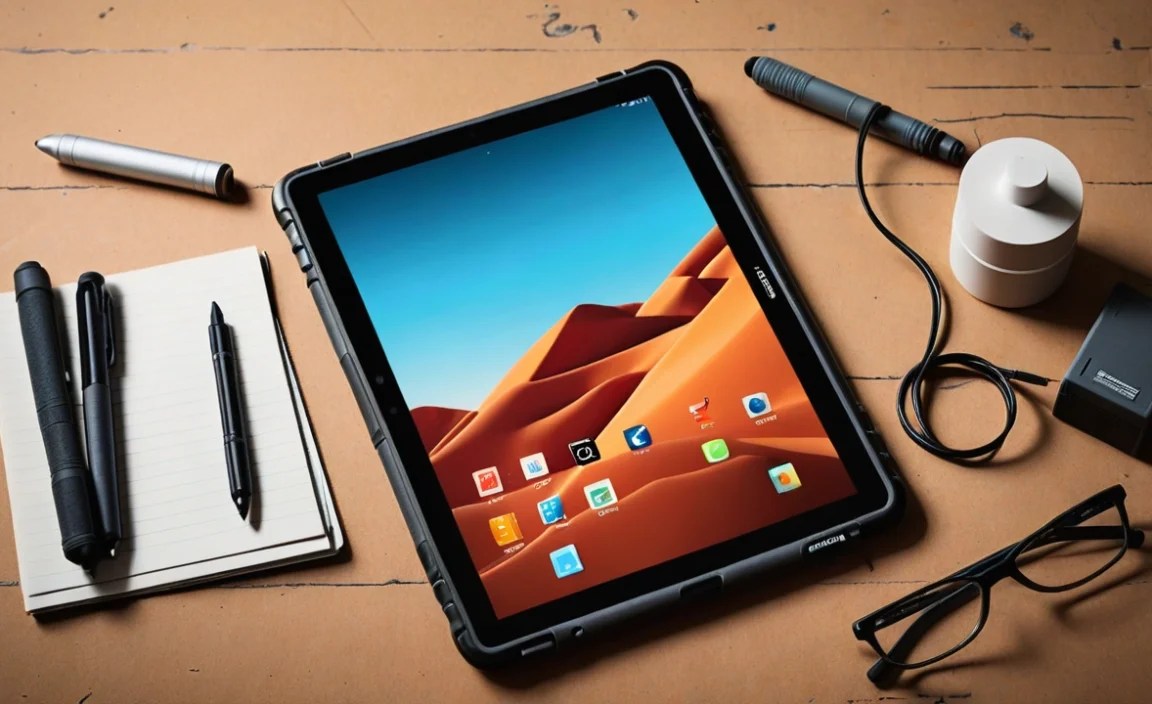
Let’s face it, writers aren’t always confined to quiet, climate-controlled offices. We might be aspiring travel bloggers documenting our journeys, journalists on assignment in dynamic environments, or simply individuals who prefer the fresh air of a park bench for creative thinking. In these scenarios, a standard tablet or laptop is vulnerable. A dropped device can mean lost work, expensive repairs, or a completely new purchase. A splash of rain can be catastrophic.
This is where the robustness of a rugged tablet shines. They are built with specific features to combat the elements and the accidents of everyday (and not-so-everyday) life:
- Durability: The primary advantage. They can survive drops, bumps, and vibrations that would shatter a regular tablet.
- Environmental Resistance: Many are waterproof, dustproof, and can operate in a wide range of temperatures, making them ideal for outdoor or industrial settings.
- Long Battery Life: Often designed for extended use away from power sources, crucial for remote work.
- Screen Visibility: Some models feature high-brightness screens that are easier to read in direct sunlight.
- Connectivity: Usually come with robust Wi-Fi and often optional cellular connectivity, ensuring you can access cloud storage or research materials anywhere.
For writers, this translates to less worry about device damage and more focus on crafting compelling narratives. You can take your manuscript out to the campsite, draft notes during a field research trip, or simply enjoy the security of knowing your device can handle the occasional mishap.
Understanding Rugged Certifications: MIL-STD and IP Ratings Explained

When you start looking at rugged tablets, you’ll quickly encounter terms like “MIL-STD” and “IP.” These aren’t just random letters and numbers; they are industry-standard certifications that tell you just how tough a device truly is. Understanding these will empower you to make an informed decision. Think of them as the seals of approval for durability.
IP Ratings: Dust and Water Resistance
IP stands for “Ingress Protection.” An IP rating consists of two digits. The first digit indicates protection against solid objects (like dust), and the second indicates protection against liquids (like water).
- First Digit (Solids):
- 0: No protection.
- 1: Protected against large body parts (e.g., hand).
- 2: Protected against fingers.
- 3: Protected against tools.
- 4: Protected against wires.
- 5: Protected against dust ingress (limited dust-free).
- 6: Dust-tight.
- Second Digit (Liquids):
- 0: No protection.
- 1: Protected against condensation.
- 2: Protected against sprayed water (at any angle).
- 3: Protected against sprinkling water.
- 4: Protected against splashing water.
- 5: Protected against water jets (low pressure).
- 6: Protected against powerful water jets.
- 7: Protected against the effects of temporary immersion in water (up to 1 meter for 30 minutes).
- 8: Protected against continuous immersion in water under conditions which shall be specified by the manufacturer.
Key IP Ratings for Writers: For writers, look for at least an IP54 or higher. An IP65 or IP67 rating is even better, offering excellent protection against dust and water. An IP67 device can handle being submerged briefly, which is great for accidental drops near water.
MIL-STD (or MIL-SPEC): Military-Grade Durability
MIL-STD stands for “Military Standard.” These are rigorous testing protocols originally developed by the U.S. Department of Defense. When a device is MIL-STD-810G or MIL-STD-810H certified, it means it has passed a series of tests designed to simulate harsh environmental conditions.
These tests can include:
- Altitude: Operating and surviving at high altitudes.
- Temperature: Functioning in extreme hot and cold temperatures.
- Humidity: Withstanding moist environments.
- Shock: Surviving multiple drops from a specified height (often around 4-6 feet).
- Vibration: Enduring prolonged shaking.
- Sand and Dust: Testing resistance to solid particle ingress.
Key MIL-STD Ratings for Writers: Look for MIL-STD-810G or the newer MIL-STD-810H. Specific tests within these standards, like resistance to drops from 4 feet, are particularly relevant for writers who might be working on the go.
Where to find this info: Always check the product specifications page of the manufacturer or reputable tech reviewers. Don’t just assume a device is rugged; look for these certifications!
What to Look for in a Rugged Tablet for Writing

Beyond the rugged certifications, several other factors are crucial for a writer’s needs. Portability, keyboard compatibility, screen size, and processing power all play a role in your writing experience. Let’s break these down.
1. Screen Size and Quality
As a writer, you’ll be spending a lot of time looking at your screen. For productivity, a larger screen generally offers more real estate for your writing application and any research windows you might have open. However, very large screens can impact portability.
- 7-8 inches: Very portable, similar to a large e-reader or small book. Good for quick notes or outlining but can feel cramped for extensive writing.
- 9-11 inches: A popular sweet spot. Offers a good balance between screen space for comfortable typing and managing multiple apps, while still being relatively portable. This is often ideal for writers.
- 10+ inches: Provides the most screen real estate, akin to a small laptop. Excellent for multitasking and immersive writing but less portable.
Screen Brightness: If you plan to write outdoors, look for tablets with high brightness ratings (measured in nits). A screen that can push 500-1000 nits will be much more readable in direct sunlight than one with a standard 300-400 nits.
2. Keyboard Options and Input Methods
Typing on a touchscreen for extended periods can be tiring. For serious writing, you’ll likely want a physical keyboard. Rugged tablets often have a few options:
- Integrated/Optional Keyboard Docks: Many rugged tablets offer specialized keyboard docks. These are often spill-resistant and connect securely, turning your tablet into a mini-laptop. Some are built into the rugged casing itself.
- Bluetooth Keyboards: You can pair any standard Bluetooth keyboard, but consider a ruggedized Bluetooth keyboard to match your tablet’s durability if you’ll be using it in demanding environments.
- Stylus Support: While not for typing, a good stylus can be invaluable for quick note-taking, annotation, or even mind-mapping ideas. Look for pressure sensitivity and good palm rejection.
Tip: Always check if keyboard accessories are sold separately or included. Compatibility is key!
3. Processing Power and RAM (Don’t Get Overwhelmed!)
Okay, let’s simplify this. For standard writing tasks (word processing, web browsing for research, email), you don’t need top-of-the-line specs. Focus on a processor that can comfortably run your operating system and applications without lag.
- Processor: Intel Core i3/i5 or AMD Ryzen 3/5 equivalent, or a capable ARM processor (often found in Windows and Android rugged devices) should be more than sufficient.
- RAM (Memory): 8GB of RAM is a good minimum for smooth multitasking. If you often have many browser tabs open or use complex writing software, consider 16GB.
Key takeaway: Most modern rugged tablets designed for productivity will offer good enough performance for writing. Don’t get bogged down in the technical details unless you’re also planning to do heavy video editing or gaming on the side.
4. Storage: SSD is Your Friend
Storage is where your files and applications live. For speed and reliability, flash storage is superior to older hard drives.
- SSD (Solid State Drive): Significantly faster than HDDs, leading to quicker boot times, faster application loading, and snappier overall performance. This is the standard for most tablets and highly recommended.
- Storage Capacity: 128GB is a minimum for basic use. 256GB or 512GB is recommended if you plan to store a lot of documents, large project files, or offline media.
Tip: Many rugged tablets also feature microSD card slots for expanding storage affordably. This is great for keeping project files separate or backing up work.
5. Battery Life
This is non-negotiable for writers who want to work on the go. Rugged tablets are often built with larger batteries than their consumer counterparts, designed to last a full workday or more.
- Aim for 8+ hours: While manufacturers’ claims can vary based on usage, look for devices explicitly rated for 8, 10, or even 12+ hours of typical use.
- Hot-swappable batteries: Some high-end rugged devices offer hot-swappable batteries, allowing you to replace a depleted battery with a charged one without shutting down the device. This is a professional-grade feature that’s incredibly convenient.
6. Operating System (OS)
The choice of OS can significantly impact your workflow and software compatibility.
- Windows: Offers the most compatibility with traditional desktop software (Microsoft Office, Scrivener, etc.). Ideal if you’re already in the Windows ecosystem.
- Android: Known for its vast app ecosystem (Google Play Store), simplicity, and touch-friendly interface. Great for mobile-first apps and cloud-based writing services.
- iPadOS (Apple): While Apple doesn’t have a dedicated “rugged” line, some rugged cases can make iPads more resistant. If you prefer the Apple ecosystem, this is an option, but true ruggedness might require a third-party solution.
For writing: If you rely on specific desktop software, Windows is often the most straightforward choice. If you prefer a simpler, app-centric experience and primarily use cloud-based tools like Google Docs or Ulysses (on iPadOS/macOS), Android or iPadOS can work beautifully.
Top Rugged Tablet Brands and Models to Consider

The rugged tablet market is dominated by a few key players known for their commitment to durability and reliability. Here’s a look at some strong contenders, keeping in mind that specific models and availability can change.
Disclaimer: Specific model numbers are examples. Always check the latest offerings from these manufacturers.
| Brand | Typical Rugged Tablet Lines | Key Strengths for Writers | Considerations |
|---|---|---|---|
| Panasonic | Toughbook | Extreme durability, extensive testing (MIL-STD, IP), hot-swappable batteries, robust security features. Often favored in field professions. | Can be more expensive, bulkier designs. |
| Getac | UX series, F110, T800 | High IP and MIL-STD ratings, excellent sunlight-readable displays, various configuration options. Strong in industrial and public safety sectors. | Premium pricing, less consumer-friendly interfaces on some models. |
| Dell | Latitude Rugged Extreme / Latitude Rugged | Well-integrated Windows experience, good port selection, decent performance. A balance of ruggedness and familiar laptop-like features. | Can be heavier than some counterparts, professional-grade pricing. |
| Zebra | ET51/ET56, L10 | Excellent connectivity options, robust build, good for barcode scanning (if relevant to your research), often Android-first but Windows options exist. | Focus can be more on field service/logistics, may have slightly less comfortable typing experience out-of-the-box. |
| DT Research | DT301, DT307 (examples) | Good balance of ruggedness and user-friendliness, often come with built-in scanners or other modules, Windows-based. | Less common brand name for consumers, check specific durability ratings carefully. |
Where to find these devices: Look on the manufacturers’ official websites, as well as specialized industrial and rugged computing resellers. Major retailers might carry some less extreme models.
Tips for Maximum Productivity on Your Rugged Tablet

Owning a rugged tablet is just the first step. Here’s how to make it your ultimate writing companion:
- Optimize Your Writing App:
- Cloud Sync: Use services like Google Drive, Dropbox, or OneDrive to sync your work across devices. This is crucial for backups and seamless switching.
- Offline Access: Ensure your chosen writing app (like Microsoft Word, Google Docs, or dedicated writing software) offers robust offline functionality.
- Keyboard Shortcuts: Learn and utilize keyboard shortcuts for your writing software to speed up editing and formatting.
- Invest in a Quality Keyboard: As mentioned, a good keyboard is essential for comfort and speed. If your tablet doesn’t come with one, research ruggedized Bluetooth options or high-quality detachable keyboards.
- Screen Protectors and Case Alternatives: While your tablet is rugged, an extra layer of screen protection (tempered glass) can save you from minor scratches and improve usability in bright light. Consider a rugged case for more standard tablets if rugged models are too pricey.
- External Storage: For large projects or manuscript archives, use a USB-C external SSD or a high-capacity microSD card. This keeps your tablet’s internal storage lean and fast. Check out resources on digital file management from organizations like the U.S. National Archives and Records Administration for best practices.
- Power Management: Learn to optimize battery settings. Dimming the screen (unless you need full brightness outdoors), disabling unnecessary background apps, and using power-saving modes when available can extend your writing sessions.
- Declutter Your Apps: Only install applications necessary for your writing workflow. Fewer apps mean a faster, more stable system and less strain on battery life.
- Regular Backups: Even with ruggedness, always have a backup strategy. Cloud syncing is great, but also consider periodic manual backups to an external drive or a separate cloud service.

Your tech guru in Sand City, CA, bringing you the latest insights and tips exclusively on mobile tablets. Dive into the world of sleek devices and stay ahead in the tablet game with my expert guidance. Your go-to source for all things tablet-related – let’s elevate your tech experience!