Choosing the right rugged tablet for your yoga apps ensures a durable, reliable companion for your practice. Look for water resistance, long battery life, and a bright screen for any environment. This guide simplifies the process, helping you find the perfect device to enhance your yoga journey.
Rugged Tablets For Yoga Apps: Essential Guide
Are you looking for a tablet that can keep up with your active lifestyle and your yoga practice, even off the mat? Maybe you’ve tried using a regular tablet at the park, by the pool, or even just during a particularly sweaty yoga session, only to worry about accidental spills or drops. It can be frustrating! But don’t worry, there’s a perfect solution out there: rugged tablets. These devices are built tough to handle more than just your digital life. They’re ideal for anyone who needs a reliable screen for their yoga apps, no matter where they choose to practice.
In this guide, we’ll break down exactly what makes a rugged tablet a great choice for yoga enthusiasts. We’ll explore the key features to look for, some popular options, and how these durable devices can truly enhance your yoga experience. Get ready to say goodbye to tablet anxiety and hello to worry-free practice!
Why Consider a Rugged Tablet for Your Yoga Apps?

Let’s be honest, traditional tablets are often quite delicate. One wrong move – a slip of the hand, a splash of water during an outdoor session, or a tumble in your yoga bag – and you could be looking at a cracked screen or a water-damaged device. This is where rugged tablets shine. They are specifically engineered with durability in mind, making them the ideal companion for a more adventurous or active yoga practice.
Think about practicing outdoors, perhaps in a park or by the beach. Rain can start unexpectedly, or dust and sand can get everywhere. Even at home, a juice box spill near your practice space can be a disaster for a regular tablet. A rugged tablet offers peace of mind, ensuring your yoga apps, meditation guides, and workout videos are always accessible and protected.
Key Benefits for Yogis:
- Durability: Built to withstand drops, bumps, and scrapes that would cripple a standard tablet.
- Water & Dust Resistance: Many are IP-rated, meaning they can handle splashes, rain, and even submersion for short periods.
- Extreme Temperature Tolerance: Some models can operate in conditions that would cause regular electronics to fail.
- Sunlight Readability: Bright screens often make it easier to see your yoga app’s instructions, even in direct sunlight.
- Long Battery Life: Essential for longer practice sessions or when you’re away from a power source.
What Makes a Tablet “Rugged”? Understanding the Standards

When we talk about “rugged,” it’s not just a marketing term. Rugged tablets are built to meet specific industry standards for durability. The most important ones to know about are the MIL-STD-810G (or the newer MIL-STD-810H) and IP ratings.
-
MIL-STD-810G/H (Military Standard)
This isn’t a certification that a device is “military-grade” in the way you might first think, but rather it means the device has been tested against a series of rigorous environmental tests conducted by the U.S. military. These tests simulate extreme conditions like:
- Altitude
- Temperature extremes (hot and cold)
- Humidity
- Shock (drops)
- Vibration
- Sand and dust
A tablet that meets MIL-STD-810 standards has been subjected to these trials and performed as expected. For yogis who practice in varied environments, this offers a strong assurance of resilience.
-
IP Ratings (Ingress Protection)
IP ratings tell you how well a device is protected against solids (like dust) and liquids (like water). They are represented by two digits. The first digit is for solids, and the second is for liquids.
- First Digit (Solids): Ranges from 0 (no protection) to 6 (total dust protection).
- Second Digit (Liquids): Ranges from 0 (no protection) to 9K (protection against high-pressure, high-temperature water jets).
For yoga apps, you’ll likely want at least an IP54 (splash-proof and dust-protected) or ideally an IP65 (dust-tight and protected against water jets) or higher. An IP67 or IP68 rating means it can even be submerged in water for a period, which is fantastic for accidental spills.
Understanding these standards helps you compare different rugged tablets and know exactly what level of protection you’re getting. For instance, a tablet with an IP65 rating is great for outdoor practices where dust or rain might be a concern, while an IP67 rating offers even more reassurance against accidental dunks!
Essential Features for Rugged Tablets Used with Yoga Apps

Beyond the ruggedness, several other features are crucial for a great yoga app experience on a tablet. Think about how you’ll use it during your practice and what will make that experience smooth and enjoyable.
1. Screen Quality and Brightness
You need to be able to clearly see your yoga instructor on screen or read the instructions for your chosen app, even if you’re practicing outdoors. Look for tablets with:
- High Brightness Levels (Nits): Aim for 400 nits or higher for good outdoor visibility. Some rugged tablets offer even more.
- Good Resolution: A decent resolution (like Full HD or 1080p) ensures your videos and images are sharp.
- Anti-Glare/Anti-Reflective Coating: This significantly improves usability in bright sunlight.
- Touchscreen Responsiveness: Even with thicker, protective screen layers, the touchscreen should respond accurately to your touch, especially if you’re using it with slightly damp hands.
2. Battery Life
Nothing interrupts a flow more than a tablet running out of power mid-session. For yoga, you want a tablet that can last through multiple practices or long meditation sessions without needing a recharge. Look for devices that boast:
- Long Advertised Battery Hours: While manufacturer claims are often optimistic, a device advertised with 10+ hours of typical use is usually a good sign.
- Large Battery Capacity (mAh): A higher milliamp-hour (mAh) number generally means longer battery life.
- Fast Charging Capabilities: If you do need to top up, fast charging can get you back to practicing in no time.
3. Portability and Ergonomics
While rugged tablets are built tough, they can sometimes be bulkier than their consumer-grade counterparts. Consider:
- Weight: Is it manageable to hold or place on a mat stand?
- Grip: Does it have textured or rubberized edges that make it easy to hold securely, even with sweaty hands?
- Mounting Options: Some rugged tablets have built-in stands or standard VESA mounting points, which can be useful for propping them up during practice.
4. Connectivity
This is about more than just Wi-Fi. Think about:
- Wi-Fi and Bluetooth: Essential for downloading yoga apps and connecting to accessories.
- Optional Cellular (4G/5G): If you plan to practice without Wi-Fi access, a cellular model is a game-changer, allowing you to stream or use apps anywhere with a signal.
- GPS: Useful if your yoga app tracks outdoor activities or helps you find nearby studios.
5. Processing Power and Storage
For most yoga apps, you won’t need a super-powered gaming rig. However:
- Smooth App Performance: A modest processor and RAM (e.g., 4GB RAM or more) will ensure your apps run without lag.
- Storage Space: Consider how many apps, videos, and downloaded meditation guides you’ll want to keep. 64GB or 128GB of internal storage is usually ample, but many rugged tablets also support microSD card expansion for added space.
Top Rugged Tablet Use Cases for Yoga Apps

Let’s get specific. How can a rugged tablet make your yoga life easier and more enjoyable?
1. Outdoor Yoga Practices:
Imagine attending a sunrise yoga session in the park or practicing on your patio. A rugged tablet handles the elements beautifully. Sunlight readability means you can follow along with your favorite YouTube yoga channel, while its resistance to dust and moisture protects it from dew, light rain, or a stray splash.
2. At-Home Studio Companion:
Even in the comfort of your home, accidents happen. A yoga studio needs to be mindful of a fluid environment. A spill from a water bottle, a dropped mala bead kit, or even just the general wear and tear of being moved around can be stressful for a delicate device. A rugged tablet eliminates this worry, allowing you to focus entirely on your poses.
3. Travel and Retreats:
If you travel for yoga retreats or simply want to practice in different locations, a rugged tablet is your perfect travel buddy. It can withstand the bumps of transit, varying temperatures in different climates, and the general hustle and bustle without fuss.
4. Interactive Yoga Apps:
Many modern yoga apps go beyond simple video playback. They offer interactive features, pose correction guidance, and progress tracking. A rugged tablet ensures these features are always accessible and reliable during your sessions.
Recommended Rugged Tablet Brands and Models (Beginner-Friendly Overview)

While the rugged tablet market might seem niche, several brands offer excellent options for everyday users looking for durability. Here’s a look at some popular choices known for their toughness and functionality, along with what makes them suitable for yoga app users.
| Brand | Popular Rugged Series/Models | Key Features for Yoga | Best For |
|---|---|---|---|
| Panasonic | Toughbook series (e.g., CF-20, FZ-G1) | Exceptional MIL-STD-810G/H and IP ratings, very bright screens, long battery life supports extended practices. Often comes with Windows OS for maximum app compatibility. | Users needing maximum durability for extreme environments and robust multitasking. |
| Getac | UX10, F110 | High MIL-STD ratings, excellent screen brightness (often 1000+ nits), glove-touch functionality, significant battery options. Runs Windows. | Professionals and serious outdoor enthusiasts seeking top-tier ruggedness and display clarity. |
| Samsung | Galaxy Tab Active series (e.g., Tab Active3, Tab Active4 Pro) | Good IP and MIL-STD ratings, Samsung DeX for desktop-like experience, often includes an S Pen for notes, good balance of ruggedness and consumer-friendly features. Runs Android. | Android users who want a well-rounded tablet with an optional stylus for note-taking or journaling about their practice. |
| Doogee | Doogee S-series tablets (e.g., S88 Pro, S98) | Focus on affordability and decent ruggedness (IP68/IP69K), often with large batteries. Running Android. | Budget-conscious users who need basic rugged protection for outdoor use and apps. |
| Blackview | Tab series (e.g., Tab 8, Tab 10) | Good IP ratings, large displays, and competitive pricing. Running Android. | Value seekers looking for a large screen and solid protection for everyday yoga app use. |
Note: Specific model availability and specifications can vary by region and change over time. Always check the latest product details and reviews before purchasing.
When choosing, think about your primary use case. Are you mostly practicing indoors but want protection against spills? A Galaxy Tab Active might be perfect. Do you plan to take your practice to the most rugged outdoor locations? Then a Panasonic Toughbook or Getac might be the better investment.
Setting Up Your Rugged Tablet for Yoga

Once you’ve chosen your rugged tablet, here’s a quick guide to getting it ready for your yoga sessions.
-
Charge It Up:
Fully charge your tablet before its first use, and keep it charged for maximum practice time.
-
Download Your Yoga Apps:
Visit your device’s app store (Google Play Store for Android, Microsoft Store for Windows) and download your preferred yoga apps. Look for apps that offer guided meditations, pose breakdowns, or online classes.
Popular Yoga App Examples:
- Down Dog
- Alo Moves
- Glo
- Yoga Studio
- Daily Yoga
-
Connect to Wi-Fi/Cellular:
Connect to your home Wi-Fi or, if you have a cellular model, ensure your data plan is active. This is crucial for downloading content and streaming if needed.
-
Adjust Screen Settings:
For outdoor practice, maximize screen brightness. You might also enable “outdoor mode” if your tablet has one. Consider turning off auto-brightness to ensure it stays at its highest level.
-
Configure Storage:
If you plan to download many yoga videos or classes for offline use, check your storage settings. Move files to an SD card if your tablet supports it to save internal storage space.
-
Set Up a Kickstand or Mount (Optional):
If your tablet has a built-in kickstand, experiment with angles that work best for viewing during your practice. If not, consider a compatible tablet mount for your yoga mat or a stable surface nearby. You can find many adjustable mounts designed for tablets, often with a clamp to attach to poles or stands.
-
Test Audio:
Ensure the speakers are functional if you rely on audio cues or music. For a more immersive experience, pair your tablet with Bluetooth headphones or speakers.
With these steps, your rugged tablet will be perfectly primed to support your yoga journey, wherever it takes you.
Tips for Using Your Rugged Tablet During Yoga
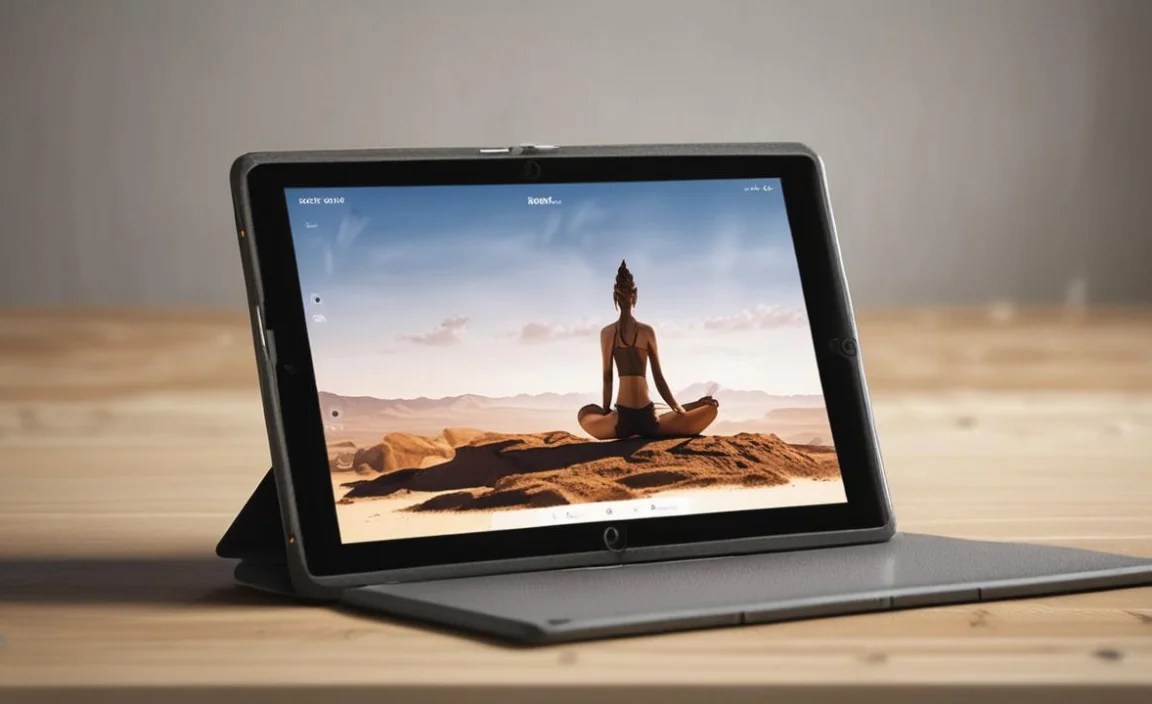
To get the most out of your rugged tablet during your yoga practice, keep these practical tips in mind:
-
Positioning is Key:
Even though it’s rugged, try to avoid placing it directly on the floor where it could be stepped on, or have sweat drip onto it continuously. Use a mat stand, a small tripod, or prop it up against a stable object using its kickstand.
-
Protecting the Screen for Touch:
While many rugged tablets have screens designed to be used with gloves, very wet or oily hands can still sometimes affect touch responsiveness. Consider having a small towel handy to wipe your hands and the screen if needed.
-
Battery Management:
For longer sessions, consider lowering screen brightness slightly when not actively following along with a video, or close unused background apps. If your tablet supports it, enable battery saver modes.
-
Audio Options:
If you’re practicing outdoors or in a group setting, Bluetooth earbuds are perfect for private audio. For home use, enjoy the built-in speakers or connect to a portable speaker.
-
Keep it Clean:
Regularly wipe down your tablet with a microfiber cloth. For deeper cleaning, use a slightly damp cloth or a screen-safe cleaning solution. Avoid harsh chemicals.
-
Durability is Not Invincibility:
Remember that even a rugged tablet has limits. While it’s designed to survive drops and water, extreme impacts or prolonged submersion can still cause damage. Treat it with care to ensure its longevity.
Comparing Traditional Tablets vs. Rugged Tablets for Yoga
It’s worth taking a moment to explicitly compare why a rugged tablet might be a better fit for a yoga enthusiast than a standard consumer tablet.
| Feature | Traditional Tablet (e.g., iPad, Galaxy Tab) | Rugged Tablet (e.g., Panasonic Toughbook, Samsung Tab Active) |
|---|---|---|
| Durability | Low. Prone to damage from drops, slips, and impacts. Requires |

Your tech guru in Sand City, CA, bringing you the latest insights and tips exclusively on mobile tablets. Dive into the world of sleek devices and stay ahead in the tablet game with my expert guidance. Your go-to source for all things tablet-related – let’s elevate your tech experience!