Top tablets for blogging combine portability with productivity, offering a comfortable typing experience, long battery life, and powerful performance to make content creation on the go a breeze.
Hey there, fellow content creators! Ever dreamt of writing your next blog post from a cozy cafe, a sun-drenched park, or even a faraway adventure? Tablets make that dream a reality, offering a perfect balance of portability and power as your go-to blogging gear. But with so many options out there, picking the right one can feel a bit overwhelming. Don’t worry, I’m here to help!
We’ll break down exactly what makes a tablet a blogging powerhouse and explore some of the top contenders that will have you typing away with joy. Get ready to find your perfect writing companion!
Why a Tablet Might Be Your Next Blogging Essential

Laptops are fantastic, no doubt. But sometimes, they can feel a bit clunky. That’s where tablets shine for bloggers. They are incredibly lightweight and sleek, making them super easy to carry around in your bag. Imagine ditching the heavy laptop and just taking your tablet and a slim keyboard – pure freeing!
They boot up in seconds, meaning you can jump straight into writing without waiting for a slow startup. Plus, the touchscreens are amazing for quick edits, navigating your blog interface, or even sketching out ideas. And let’s not forget battery life – many tablets can keep going all day, so you’re not constantly hunting for a power outlet.
Key Features to Look for in a Blogging Tablet

When you’re choosing a tablet for blogging, there are a few things that really make a difference:
- Screen Size & Quality: You’ll be spending a lot of time looking at your screen, so a bright, clear display is key. For writing, a screen size of 10 inches or larger is generally recommended to give you enough space to work comfortably.
- Performance (Processor & RAM): You want a tablet that can handle your writing apps, web browsing, and maybe even some photo editing without slowing down. A decent processor and at least 4GB of RAM are good starting points.
- Storage: Think about how many blog posts, photos, and other files you’ll need to store. 64GB is a minimum, but 128GB or more will give you plenty of breathing room.
- Battery Life: This is crucial for on-the-go blogging. Look for devices that promise at least 8-10 hours of active use.
- Connectivity: Wi-Fi is a must. If you plan to blog from places without Wi-Fi, consider a model with LTE/5G capability so you can use your cellular data.
- Accessory Support (Keyboard & Stylus): This is super important for blogging. Most tablets can connect to Bluetooth keyboards, but some have dedicated, more integrated keyboard cases that feel more like a mini-laptop. A stylus can be handy for jotting notes or marking up drafts.
- Operating System: This affects the apps you can use and how you interact with the tablet. iOS (Apple), iPadOS (Apple), Android, and Windows are the main players.
The Top Tablets For Blogging: Our Picks
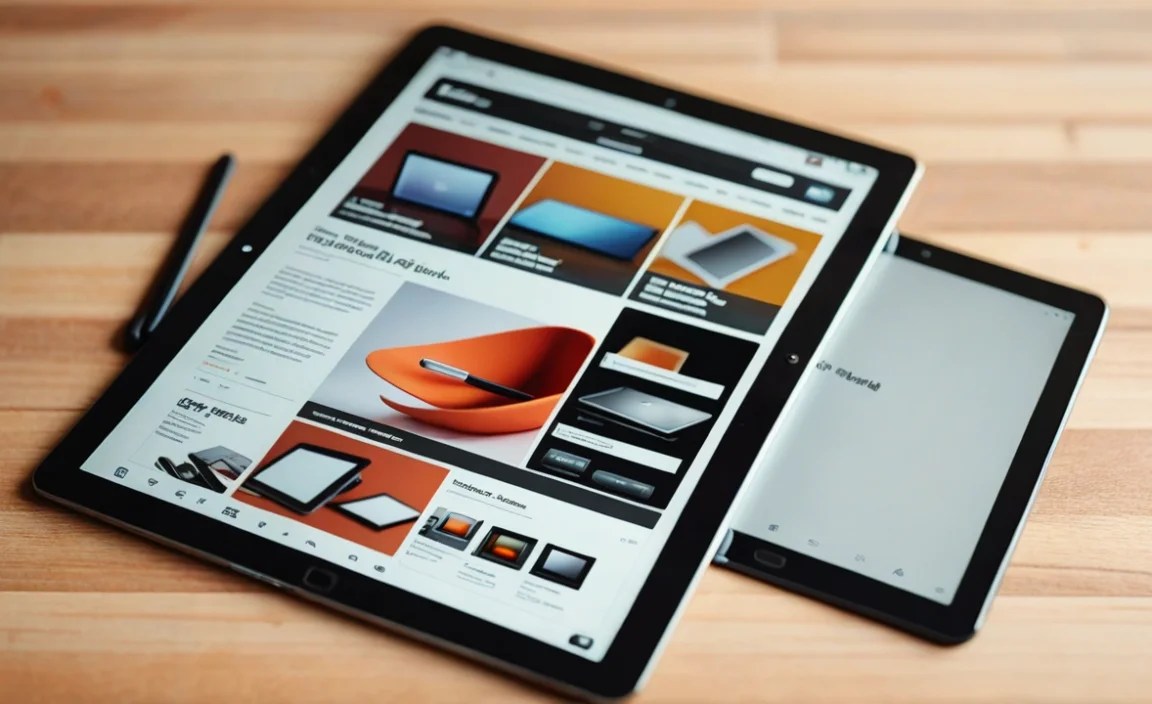
Alright, let’s dive into some of the best tablets out there that are perfect for your blogging adventures. I’ve categorized them to help you find the best fit for your needs and budget.
1. Apple iPad Air (M2) – The Versatile Powerhouse
If you’re looking for a tablet that balances performance, a premium feel, and a robust ecosystem, the iPad Air is a fantastic choice. It runs on iPadOS, which is incredibly optimized for tablet use and has a huge library of apps.
- Why it’s great for bloggers: The screen is beautiful and bright. It handles multitasking like a champ, and the Apple Pencil (2nd gen) and Magic Keyboard accessories are top-notch, turning it into a very capable writing machine. The M2 chip ensures it’s fast for anything you throw at it.
- Key Specs (approximate): 10.9-inch Liquid Retina display, M2 chip, 8GB RAM, 128GB/256GB storage options, USB-C port, supports Apple Pencil (2nd gen) and Magic Keyboard.
- Pros: Excellent performance, beautiful display, vast app selection, premium build, great accessory support.
- Cons: Accessories are an additional cost and can be pricey.
- Best for: Bloggers who want a premium experience, seamless integration with other Apple devices, and the flexibility to do more than just write.
2. Microsoft Surface Go 4 – The Windows Option
For those who live and breathe Windows or need full desktop software compatibility, the Surface Go 4 is a compelling option. It’s essentially a mini Windows laptop in tablet form.
- Why it’s great for bloggers: You get the full Windows operating system, meaning you can run any blogging platform or software you use on your desktop, like WordPress.com or different content management systems without compromise. The optional Type Cover keyboard is excellent for typing.
- Key Specs (approximate): 10.5-inch PixelSense touchscreen, Intel N-series processor, 8GB RAM, 128GB/256GB storage options, USB-C, headphone jack, supports Surface Pen and Type Cover.
- Pros: Full Windows experience, excellent keyboard accessory, compact and lightweight, versatile as a tablet and laptop.
- Cons: Performance is good for productivity but not for heavy tasks, screen resolution is decent but not the sharpest.
- Best for: Bloggers who need a full desktop OS, are already in the Windows ecosystem, or require specific desktop software for their workflow.
3. Samsung Galaxy Tab S9 FE – Top-Tier Android, Friendly Price
Samsung consistently delivers excellent Android tablets, and the Galaxy Tab S9 FE is a fantastic balance of features, performance, and value. It comes with the S Pen stylus included, which is a nice bonus.
- Why it’s great for bloggers: The large, vibrant display is great for long writing sessions. Samsung’s DeX mode can transform the interface to mimic a desktop experience, making multitasking and using apps more like a laptop. The included S Pen is perfect for note-taking or editing.
- Key Specs (approximate): 12.4-inch LCD display, Exynos 1380 processor, 6GB/8GB RAM, 128GB/256GB storage, expandable storage via microSD, USB-C, includes S Pen, supports Book Cover Keyboard.
- Pros: Large, beautiful display, S Pen included, DeX mode enhances productivity, good performance for the price, expandable storage.
- Cons: LCD screen, while good, isn’t as vibrant as AMOLED found on higher-end Samsungs.
- Best for: Android fans who want a large screen, a stylus for flexible input, and a productivity-focused interface without breaking the bank.
4. Amazon Fire Max 11 – The Budget-Friendly Champion
If your budget is a major concern but you still need a capable tablet for writing and browsing, the Amazon Fire Max 11 is surprisingly good. It’s built on the Fire OS, which is a streamlined version of Android.
- Why it’s great for bloggers: It offers a large 11-inch screen at a very attractive price point. You can install essential writing apps and browse the web easily. The optional magnetic keyboard case is affordable and functional, making it a solid budget blogging setup.
- Key Specs (approximate): 11-inch 2K IPS LCD display, Mediatek MT8188 processor, 4GB RAM, 64GB/128GB storage, expandable storage via microSD, USB-C, supports Amazon’s stylus and keyboard case.
- Pros: Very affordable, large screen for the price, decent performance for everyday tasks, slim and lightweight design, good battery life.
- Cons: Fire OS is more limited than full Android or iPadOS in app availability, Amazon ecosystem integration is heavy.
- Best for: Budget-conscious bloggers, students, or casual writers who need a reliable device for content creation without many expenses.
5. Lenovo Tab P11 Gen 2 – Solid All-Rounder
Lenovo often hits a sweet spot with its tablets, offering good features and build quality at a reasonable price. The Tab P11 Gen 2 is a strong contender for everyday blogging tasks.
- Why it’s great for bloggers: It provides a comfortable viewing experience with its larger display and decent speakers, which can be nice if you ever do video editing or listen to music while writing. It supports a keyboard accessory and offers a smooth Android experience.
- Key Specs (approximate): 11.5-inch 2K IPS LCD display, MediaTek Helio G99 processor, 4GB/6GB RAM, 64GB/128GB storage, expandable storage via microSD, USB-C, supports Lenovo Tab Pen and keyboard.
- Pros: Good display, solid build quality, offers a clean Android experience, expandable storage, affordable.
- Cons: Processor is good for everyday use but not for demanding applications, accessory availability can sometimes be limited.
- Best for: Bloggers looking for a reliable Android tablet with a good screen for writing and general use that won’t break the bank.
Essential Accessories for Your Blogging Tablet

While the tablet itself is important, a few accessories can dramatically enhance your blogging experience. Think of these as the supporting cast that makes your star shine!
- External Keyboard: This is the most crucial accessory. Look for comfortable key travel, good layout, and reliable connectivity (Bluetooth or POGO pins). Whether it’s a dedicated case or a separate unit, a good keyboard is a game-changer for serious typing. Some popular options include:
- Apple Magic Keyboard (for iPads)
- Microsoft Type Cover (for Surface Go)
- Samsung Book Cover Keyboard (for Galaxy Tabs)
- Logitech K380 Multi-Device Bluetooth Keyboard (a great universal option)
- Stylus: If you like to take handwritten notes, sketch out ideas, or make precise edits directly on the screen, a stylus is invaluable. Many tablets come with one (like Samsung’s S Pen), or you can buy compatible ones.
- Protective Case/Sleeve: Your tablet will be traveling with you. A good case protects it from bumps and scratches, and some even have built-in stands for comfortable viewing or typing.
- Portable Power Bank: For those extra-long writing sessions away from a plug, a power bank ensures your tablet stays juiced up.
- Screen Protector: A simple addition that guards against scratches and can improve the writing feel if you use a stylus.
How to Set Up Your Tablet for Blogging Success
Once you’ve got your tablet and a keyboard, here’s how to get your blogging workflow humming:
- Install Your Blogging App(s): Download the official WordPress app, Blogger app, or any other platform-specific apps you use. Most platforms have excellent mobile apps now.
- Set Up Cloud Storage: Services like Google Drive, Dropbox, or iCloud are essential for syncing your files, photos, and drafts across devices. This also acts as a basic backup.
- Organize Your Files: Create folders for drafts, published posts, images, and research. A tidy filing system saves you time and frustration.
- Download Essential Writing Apps: Beyond your main blogging app, consider note-taking apps (Evernote, OneNote), grammar checkers (Grammarly – though its mobile integration can vary), and even simple text editors.
- Configure Your Keyboard: Pair your Bluetooth keyboard and customize any settings if available. Ensure you’re comfortable with the layout.
- Optimize Battery Settings: Adjust screen brightness, background app refresh, and location services to maximize battery life for those long writing days.
- Consider a Mobile Hotspot or Data Plan: If you plan to blog from anywhere, ensure you have a reliable internet connection. A mobile hotspot device or a tablet with an LTE/5G SIM can be a lifesaver.
Tablets vs. Laptops for Blogging: A Quick Comparison
It’s natural to wonder if a tablet can truly replace a laptop for blogging. Here’s a quick breakdown:
| Feature | Tablet (with accessories) | Laptop |
|---|---|---|
| Portability | Very High (lightweight, slim) | Medium to High (can be heavier/bulkier) |
| Boot-up Speed | Very Fast (instant on) | Moderate to Fast |
| Typing Experience | Good to Excellent (with external keyboard) | Excellent (built-in) |
| Touchscreen/Gesture Use | Excellent | Limited (unless 2-in-1) |
| Battery Life | Generally Excellent (all-day use common) | Good to Excellent (varies greatly) |
| Software Compatibility | App-based; desktop apps possible on Windows tablets | Full desktop software compatibility |
| Price | Varies; can be more affordable for basic setups | Varies; can be more expensive for high-end models |
| Versatility | Excellent for media consumption, light productivity, notes | Excellent for heavy multitasking, demanding software, complex workflows |
For many bloggers, especially those who primarily write, edit, and manage their blog, a tablet with a keyboard offers a perfectly adequate and often more enjoyable experience. For those who do heavy video editing, complex graphic design, or run very specific desktop software, a laptop might still be the better primary tool. However, a tablet can certainly be a fantastic secondary tool for content creation on the go.
Where to Find Reliable Information and Support
When you’re researching which tablet is best for you, always check reliable sources. For detailed spec comparisons and honest reviews, sites like:
- GSMArena provide in-depth technical specifications and reviews.
- TechRadar offers buying guides and comparisons for the latest tech.
- The Verge delivers news and reviews with a focus on user experience.
- For operating system specifics, you can often find helpful user guides on manufacturer websites like Apple’s iPadOS overview or Microsoft’s tablet offerings.
Don’t hesitate to check out user reviews on retail sites too – they can offer real-world insights into how well a tablet holds up for everyday tasks like blogging. Sometimes, watching video reviews on YouTube can also give you a great feel for the device’s usability.
Frequently Asked Questions About Blogging Tablets
Q1: Can I use any tablet for blogging?
For the most part, yes! If your blogging platform has a web version or a mobile app, you can likely use it on any modern tablet. However, the experience will vary greatly depending on the tablet’s screen quality, performance, and accessory support.
Q2: Do I really need a keyboard for my blogging tablet?
If you plan to do any significant amount of writing, a keyboard is almost non-negotiable. Typing on a touchscreen is slow and prone to errors. An external Bluetooth keyboard or a dedicated keyboard case will make your blogging experience exponentially better.
Q3: Which tablet operating system is best for blogging?
There’s no single “best.”
- iPadOS is known for its smooth performance, excellent app optimization, and robust accessories.
- Android offers more variety in hardware and price, with Samsung’s DeX mode adding a desktop-like feel.
- Windows (on Surface devices) gives you full desktop software compatibility, which is crucial if you rely on specific Windows applications.
Ultimately, it depends on your preferences and what ecosystem you’re already in.

Your tech guru in Sand City, CA, bringing you the latest insights and tips exclusively on mobile tablets. Dive into the world of sleek devices and stay ahead in the tablet game with my expert guidance. Your go-to source for all things tablet-related – let’s elevate your tech experience!