Affordable tablets for classroom use are readily available, offering essential features for learning without breaking the bank. Focus on durability, battery life, and screen size for the best budget-friendly options.
Finding the right tech for the classroom can feel like a puzzle, especially when you’re trying to keep costs down. You want devices that are helpful for learning, durable enough for busy school days, and won’t empty your wallet. It’s a common concern for parents, educators, and students alike. But don’t worry! This guide is here to help you navigate the world of budget-friendly tablets, making it simple to choose the perfect device. We’ll break down what truly matters and highlight some fantastic, affordable options.
Affordable Tablets for Classroom: Essential & Budget-Friendly
Bringing technology into the classroom is a fantastic way to enhance learning, spark creativity, and equip students with essential digital skills. However, the thought of outfitting a classroom, or even a personal learning setup, with tablets can quickly lead to sticker shock. Thankfully, the term “affordable” doesn’t have to mean “low quality.” Many manufacturers offer excellent tablets that are designed with education in mind and come at a budget-friendly price.
At Tabletzoo, we believe that every student deserves access to tools that can help them learn and grow. That’s why we’ve dedicated ourselves to finding the best value in the tablet market. This guide is packed with practical advice, from understanding what features are truly essential for a classroom setting to identifying specific models that strike a great balance between price and performance.
Why Consider Affordable Tablets for the Classroom?

The benefits of integrating tablets into education are numerous and well-documented. They can transform traditional learning methods into interactive experiences, provide access to a world of digital resources, and help students develop critical 21st-century skills. Here’s a closer look at why affordable tablets are a smart choice:
Enhanced Learning Engagement
Interactive apps, educational games, and multimedia content can make learning more engaging and fun. This is particularly beneficial for younger learners who thrive on visual and interactive stimuli. Affordable tablets can bring these experiences to a wider range of students.
Access to Digital Resources
Tablets offer instant access to e-books, online encyclopedias, educational websites, and collaborative learning platforms. This opens up a universe of information beyond textbooks, supporting diversified learning styles and research capabilities.
Development of Digital Literacy
In today’s world, digital literacy is as crucial as reading and writing. Using tablets in the classroom helps students become comfortable with technology, navigate digital environments, and develop essential skills for future academic and professional success.
Personalized Learning Experiences
Tablets can facilitate personalized learning paths. Students can work at their own pace, revisit challenging topics, or explore areas of interest in greater depth. Adaptive learning apps can even adjust difficulty based on a student’s performance.
Cost-Effectiveness for Institutions and Families
For schools with limited budgets or parents looking to supplement home learning, affordable tablets provide a cost-effective solution. Buying in bulk for a classroom can be significantly less expensive than with premium devices, and individual purchases are more accessible.
Key Features to Look for in an Affordable Classroom Tablet

When you’re on the hunt for budget-friendly tablets, it’s easy to get lost in a sea of specs. To simplify things, let’s focus on the features that truly matter for classroom use. These are the hallmarks of a good, reliable, and usable educational tablet:
Durability
Classrooms can be tough environments. Look for tablets with sturdy builds, reinforced corners, and preferably, screen protectors or cases designed for everyday knocks and bumps. This is often more important than having the latest processor.
Battery Life
No one wants a tablet dying mid-lesson. Aim for devices that offer at least 8-10 hours of battery life on a single charge. This ensures uninterrupted learning throughout the school day without the constant need for power outlets.
Screen Size and Resolution
A screen that’s too small can be frustrating for reading and interactive tasks. A screen size between 8 and 10 inches is generally a good sweet spot for comfortable viewing and use. A decent resolution (at least 1280 x 800) ensures text is crisp and images are clear.
Performance (Processor & RAM)
While you don’t need top-of-the-line specs, the tablet should be responsive enough to run educational apps smoothly. Look for at least 2GB of RAM (3GB or 4GB is even better) and a processor that can handle multitasking without significant lag. This ensures a frustration-free learning experience.
Storage Capacity
Students will need space for apps, e-books, downloaded materials, and projects. A minimum of 32GB of internal storage is recommended, with the option for expansion via a microSD card slot being a huge plus. Cloud storage can also supplement device storage.
Operating System and App Access
Consider the operating system: Android, iPadOS (for Apple, though less budget-friendly), or ChromeOS. Ensure the chosen OS supports the educational apps and software required for your curriculum. Android offers a wide range of affordable devices and Google Play Store has a vast selection of educational apps.
Connectivity (Wi-Fi, Optional Cellular)
Wi-Fi is essential for accessing online resources. For classroom or home use, Wi-Fi-only models are usually sufficient and more affordable. If off-site access is critical, consider cellular models, though these come at a higher price point.
Camera Quality
While not always a top priority, decent front and rear cameras can be useful for taking pictures of assignments, participating in video calls, or capturing educational moments. Don’t expect professional-grade cameras, but functional ones are a bonus.
Top Picks: Affordable Tablets for an Educational Environment

Now, let’s get to the exciting part – identifying some excellent affordable tablets that fit the bill for classroom use. These models are known for their value, reliability, and suitability for learning tasks. Prices can fluctuate, so it’s always a good idea to check current deals.
1. Amazon Fire HD Tablets
Amazon’s Fire HD tablets are consistently among the most affordable options, offering a solid experience for media consumption and basic educational apps. They run on Fire OS, a customized Android version.
- Pros: Extremely budget-friendly, surprisingly durable, long battery life, good integration with Amazon’s ecosystem (if applicable), kid-friendly features available with Amazon Kids+.
- Cons: Limited app selection compared to Google Play Store (though essential educational apps are usually available), ads on lock screen unless you pay to remove them.
- Good for: Younger students, reading, basic research, media consumption, and general educational apps.
Popular Models: Fire HD 8, Fire HD 10. Check out Amazon’s official site for the latest deals.
2. Samsung Galaxy Tab A Series
Samsung consistently delivers reliable Android tablets that strike a great balance between features and price. The Galaxy Tab A series is specifically designed for affordability without sacrificing performance for everyday tasks.
- Pros: Full Google Play Store access, decent build quality, good display for the price, user-friendly Android interface, often comes with Samsung Kids mode.
- Cons: May not receive the latest Android updates as quickly as flagship models, performance can be a bit slower with very demanding apps.
- Good for: A wide range of educational tasks, versatile for different age groups, students who need access to the full Android app ecosystem.
Popular Models: Galaxy Tab A7 Lite, Galaxy Tab A9. You can find these at major electronics retailers like Best Buy and on Samsung’s official website.
3. Lenovo Tab M Series
Lenovo offers a range of affordable Android tablets that are often praised for their solid build and good value. The M series is their budget-friendly line, perfect for educational purposes.
- Pros: Good build quality for the price, decent performance, access to Google Play Store, often cleaner Android experience, some models have eye-care modes.
- Cons: Software updates might not be as frequent, camera quality is typically basic.
- Good for: General learning, homework, browsing, and productivity tasks; a solid all-rounder for budget-conscious users.
Popular Models: Lenovo Tab M10. Look for deals at retailers like Amazon or Lenovo’s website.
4. Apple iPad (Older or Refurbished Models)
While iPads are generally premium devices, you can sometimes find older generations or refurbished models at prices that make them competitive for educational use, especially when considering their longevity and robust app ecosystem.
- Pros: Excellent build quality and performance, vast and high-quality app store (including many top-tier educational apps), long software support, great resale value.
- Cons: Higher upfront cost even for older/refurbished models, requires purchasing accessories like cases separately.
- Good for: Students who need access to specialized creative or academic apps, long-term investment, users who prefer the Apple ecosystem.
Where to Look: Apple Certified Refurbished store (highly recommended), reputable electronics retailers, and marketplaces like eBay (with caution and seller reviews). Buying directly from Apple’s official refurbished store is a safe bet for quality.
5. Entry-Level Chromebooks (Consider as an Alternative)
While not strictly tablets, some low-cost Chromebooks with touchscreens can function similarly and are worth considering for classroom environments that heavily rely on web-based tools and Google Workspace.
- Pros: Excellent integration with Google services, fast boot times, generally good security, designed for cloud-based work, often very affordable.
- Cons: Heavily reliant on internet connection, limited offline functionality, not a traditional tablet experience.
- Good for: Students primarily using Google Docs, Sheets, Slides, and online research; digital natives comfortable with web apps.
Where to Look: Major tech retailers like Best Buy, Amazon, and manufacturer websites (Acer, HP, Lenovo). Research models like the Acer Chromebook Spin 311.
Making the Most of Your Affordable Classroom Tablet
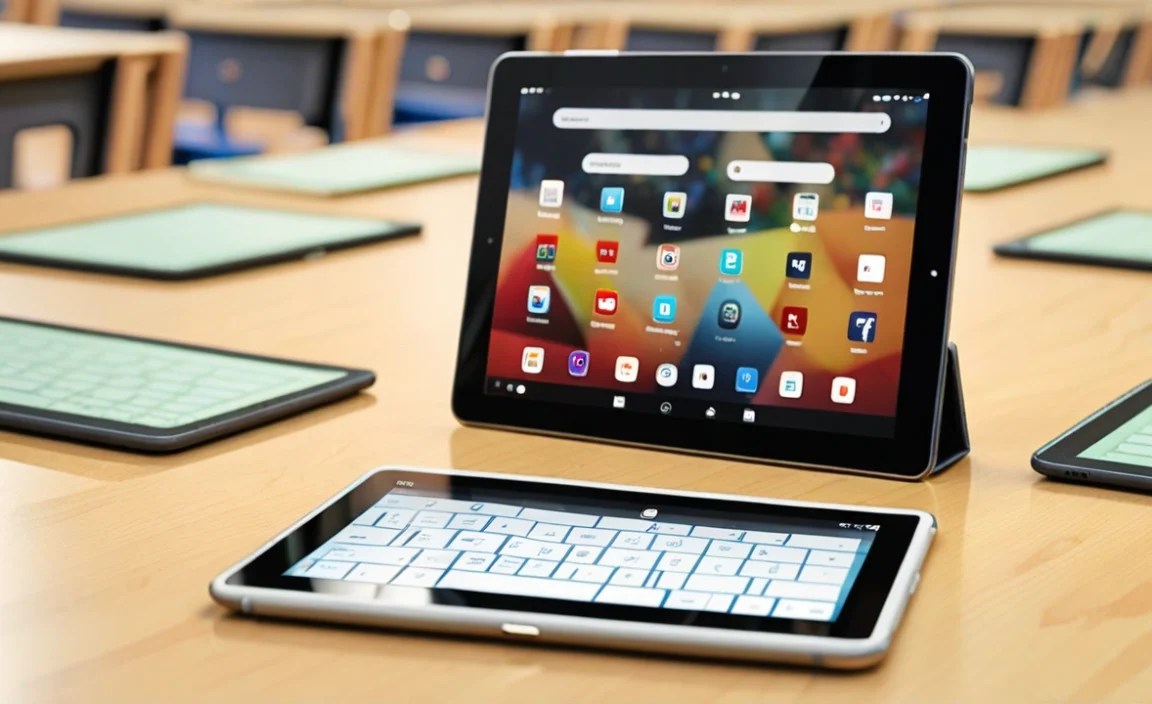
Once you’ve chosen your affordable tablet, the next step is to ensure it’s set up for success in an educational setting. Here are some tips to maximize its usability and longevity:
1. Invest in a Good Case
This is non-negotiable for any tablet intended for classroom use. A rugged, shock-absorbent case will protect the device from drops, bumps, and scratches, significantly extending its lifespan.
2. Manage Storage Wisely
Regularly clear unused apps and files. Utilize cloud storage services like Google Drive, OneDrive, or Dropbox to store documents and projects, freeing up internal space on the tablet.
3. Set Up Parental Controls or Student Accounts
Most operating systems offer robust parental control features or dedicated student account options. This allows you to manage app access, set screen time limits, and ensure a safe browsing experience.
For example, Google Family Link offers comprehensive tools for managing children’s Android devices.
4. Utilize Educational Apps and Resources
Explore curated lists of educational apps. Many websites, like Common Sense Media, provide reviews and recommendations for apps across various subjects and age groups.
5. Optimize Battery Usage
Lower screen brightness, disable unnecessary background app refresh, and turn off Wi-Fi or Bluetooth when not in active use to conserve battery power. Ensure students know how to charge their devices at the end of the day.
6. Keep Software Updated
Regularly update the operating system and installed applications. Updates often include security patches, performance improvements, and new features that can enhance the user experience.
Tablet Features Comparison: Budget-Friendly Options
To give you a clearer picture, here’s a quick comparison table of some popular affordable tablet series. Remember that specific models within each series will have different specs.
| Feature | Amazon Fire HD Series | Samsung Galaxy Tab A Series | Lenovo Tab M Series | Refurbished Apple iPad |
|---|---|---|---|---|
| Operating System | Fire OS | Android | Android | iPadOS |
| App Store | Amazon Appstore (Limited) | Google Play Store (Full) | Google Play Store (Full) | App Store (Vast & High Quality) |
| Durability | Good (basic build) | Average (consider case) | Good (metal builds available) | Excellent (premium build, needs case) |
| Battery Life | Very Good | Good | Good | Very Good |
| Price Range (Approx.) | $80 – $150 | $100 – $250 | $100 – $200 | $200 – $350+ (for older/refurbished) |
| Best For | Value, Media, Young Kids | All-round Android Use, Versatility | General Education, Solid Build | Performance, App Ecosystem, Longevity |
Please note: Prices are estimates and can vary based on model, storage, sales, and region. Always check current retail prices.
Common Questions About Affordable Classroom Tablets
Here are some frequently asked questions to help you make an informed decision:
1. What is the most affordable tablet brand for education?
Amazon’s Fire HD tablets are typically the most affordable upfront. However, Samsung’s Galaxy Tab A series and Lenovo’s Tab M series often offer better performance and access to more apps for a slightly higher, but still budget-friendly, price.
2. Do I really need a high-end tablet for classroom learning?
For most standard educational tasks like reading, research, note-taking, and using common educational apps, a high-end tablet is usually not necessary. Affordable tablets with decent specs can perform these tasks perfectly well.
3. How much storage space should I look for?
A minimum of 32GB is recommended. If the tablet supports microSD cards, this can be a great way to expand storage affordably for documents, photos, and offline content. Many core educational apps themselves don’t take up excessive space.
4. Are refurbished tablets a good option for classrooms?
Yes, refurbished tablets, especially from reputable sources like Apple Certified Refurbished or major retailers, can be an excellent way to get a higher-quality device at a lower price. They are tested, restored, and often come with a warranty.
5. What are the risks of buying very cheap, no-name tablets?
Very cheap tablets from unknown brands might lack durability, have poor performance, questionable security, limited software updates, or a lack of customer support, making them a false economy in the long run for educational use.
6. Can tablets replace traditional textbooks?
In many cases, yes. Digital textbooks and resources can be more interactive, up-to-date, and cost-effective over time when accessed via tablets. However, the choice depends on curriculum requirements and student/teacher preference.
7. What about internet connectivity in the classroom?
Most affordable tablets are Wi-Fi only. Ensure your classroom or learning environment has reliable Wi-Fi access. If consistent internet is not available, prioritize tablets with good offline capabilities or consider mobile hotspots.
Conclusion
Choosing affordable tablets for the classroom is entirely achievable without compromising on essential functionality or reliability. By focusing on key features like durability, battery life, and sufficient performance for educational apps, you can find excellent devices that empower learning without straining your budget.
Whether you lean towards the ultra-budget-friendly Amazon Fire series, the versatile Samsung Galaxy Tab A, the dependable Lenovo Tab M, or look for a deal on a refurbished iPad, there’s a technology solution ready to support your educational goals. Remember that a good case and smart management of storage and software will help your chosen tablets go the distance.
At Tabletzoo, we’re committed to helping you find the perfect tech fit. With this guide, you’re well-equipped to make a confident, informed decision that benefits students and educators alike. Happy tablet hunting!

Your tech guru in Sand City, CA, bringing you the latest insights and tips exclusively on mobile tablets. Dive into the world of sleek devices and stay ahead in the tablet game with my expert guidance. Your go-to source for all things tablet-related – let’s elevate your tech experience!