A rugged tablet is a smart choice for DJs seeking a reliable, damage-resistant device for managing music, effects, and setlists. This rugged tablets for DJing guide covers key features to look for, top considerations, and why they’re essential for your mobile setup.
Hey there, fellow music lovers and aspiring DJs! Ever found yourself at a gig, sweat palms and all, worrying if your trusty laptop or tablet might take a tumble or succumb to a spilled drink? It’s a common worry for mobile DJs who need gear that can handle the energetic environment of a party, club, or outdoor event. But don’t let a little stress break your stride! Finding the right tech doesn’t have to be a headache. We’re here to walk you through exactly what to look for in a robust tablet that’s built to keep the music playing, no matter what curveballs life (or the dance floor) throws your way. Get ready to discover the perfect companion for your DJing adventures!
Why Rugged Tablets Are a DJ’s Best Friend

As DJs, we’re often out on the front lines, performing in diverse environments. From dimly lit clubs with sticky floors to sun-drenched outdoor festivals where dust and the elements are a constant threat, our gear needs to be more than just functional – it needs to be tough. This is precisely where a rugged tablet shines. Unlike your average consumer tablet, these devices are engineered with durability in mind, offering superior protection against drops, spills, vibrations, and extreme temperatures. For a DJ, this means peace of mind, knowing your music library and control surface are secure.
Built to Last: Understanding Ruggedization
The term “rugged” isn’t just a marketing buzzword; it signifies a specific set of military-grade standards that these tablets are designed to meet. The most common standard you’ll come across is MIL-STD-810G or its successor, MIL-STD-810H. These standards are established by the U.S. Department of Defense and cover a wide range of environmental stress tests. When a device is certified to these standards, you can be confident it can withstand:
- Drops and Shocks: Accidental tumbles from your table or a mishap during transport.
- Water and Dust Ingress: Spilled drinks, rain, or dusty outdoor environments. Look for an IP (Ingress Protection) rating for specific details. IP65, for example, means it’s protected against dust and low-pressure water jets from any direction.
- Extreme Temperatures: Whether you’re playing a freezing outdoor gig or a hot summer festival.
- Vibrations: Essential if you’re transporting your gear frequently or performing near loud speakers.
For DJs, this level of resilience translates directly into reliability. Fewer dropped gigs due to equipment failure mean more bookings and a better reputation. It means spending less time worrying about your tech and more time focusing on what you do best: mixing incredible sets.
Key Features for Rugged Tablets in DJing

While ruggedness is the headline feature, several other aspects are crucial for a tablet to be a practical DJ tool. Let’s break down what you should be looking for:
1. Processing Power and RAM: The Engine of Your Set
DJ software, especially when you’re layering tracks, running effects, and managing a large music library, can be surprisingly demanding. You need a tablet with enough processing power and RAM (random access memory) to handle these tasks smoothly without stuttering or lagging. Even a slight delay can be the difference between a flawless transition and a jarring interruption.
- Processor: Look for tablets with modern, multi-core processors. Intel Core i-series, Intel Pentium, or AMD Ryzen processors are good indicators of solid performance. For ARM-based processors, look for higher-end offerings often found in premium consumer tablets, but with the added rugged benefit.
- RAM: A minimum of 8GB of RAM is highly recommended. 16GB will provide a much more comfortable and future-proof experience, allowing you to run more complex setups and multitasking without issue.
2. Storage Space: Your Entire Music Library Needs a Home
As a DJ, your music library is your most valuable asset. You need ample storage space for your tracks, software, and any necessary backups. While cloud storage is an option for some, having your music locally accessible is often preferred for speed and reliability during live sets.
- Internal Storage: Aim for at least 256GB of internal storage. 512GB or 1TB is even better if your budget allows, especially if you plan to store high-resolution audio files or a vast collection.
- Expandable Storage: A microSD card slot is a huge plus. This allows you to easily expand your storage capacity at a lower cost than upgrading internal storage, giving you flexibility.
3. Display: Visibility is Key
You’ll be interacting with your tablet screen frequently, often under various lighting conditions. A bright, clear, and responsive display is essential.
- Size: A screen size of 10 inches or larger is generally ideal for DJing, offering enough space to navigate controls and view waveforms without feeling cramped.
- Brightness: High brightness levels (measured in nits) are crucial for outdoor gigs or well-lit venues where glare can be an issue. Look for screens with at least 500-700 nits, or even higher.
- Touch Responsiveness: The touchscreen needs to be accurate and responsive. Some rugged tablets offer glove-touch capabilities, which can be a lifesaver in colder environments.
4. Connectivity: Staying Plugged In
Reliable connectivity is non-negotiable for a DJ. You’ll need ports for audio interfaces, external hard drives, MIDI controllers, and potentially other peripherals.
- USB Ports: Multiple USB-A and USB-C ports are ideal. USB-C is increasingly important for modern audio interfaces and faster data transfer. Ensure they support sufficient speeds (e.g., USB 3.0 or higher).
- Ports for Peripherals: Depending on your setup, you might need specific ports like HDMI for external displays, or even Ethernet for a stable wired internet connection if needed for streaming or software updates.
- Bluetooth: Essential for wireless connections to speakers, controllers, or headphones. Ensure it’s a recent version for stable, low-latency audio.
- Wi-Fi and Cellular (Optional but Recommended): Robust Wi-Fi is standard. Cellular connectivity (4G/5G) can be a lifesaver for accessing online music libraries, updating software on the go, or streaming if your setup requires it.
5. Battery Life: Power Through Your Set
You don’t want your tablet dying halfway through a performance, especially if you don’t have immediate access to power. Look for devices with long-lasting built-in batteries.
- Extended Battery Life: Aim for tablets that can offer 8-10 hours or more of active use on a single charge.
- Fast Charging: The ability to quickly top up the battery is also a significant advantage during shorter breaks.
6. Operating System: Software Compatibility
The operating system dictates which DJ software you can run. The most common choices are:
- Windows: Offers the widest compatibility with professional DJ software like Serato DJ Pro, Rekordbox, Traktor Pro, and VirtualDJ. If you’re used to a Windows environment, this is a natural choice. Many professional DJ controllers are also designed with Windows compatibility in mind.
- macOS: While fewer rugged tablets run macOS natively, if you are deeply embedded in the Apple ecosystem and using software like Serato DJ or Rekordbox, you might consider if a ruggedized laptop is a better fit, or look into tablet-like convertible devices.
- Android/iOS: These platforms have excellent DJ apps like djay Pro, but software and hardware controller compatibility can be more limiting compared to Windows. However, they offer very intuitive interfaces and are often more affordable.
Top Considerations When Buying Rugged Tablets for DJing

Now that we know what features to look for, let’s talk about the practical aspects of choosing the right rugged tablet.
1. Durability Ratings: Decoding the Specs
As mentioned, MIL-STD-810G/H and IP ratings are your best friends. Always check the specific ratings for the tablet you’re considering.
MIL-STD-810G/H (Common Tests):
- Method 516.6 (Shock)
- Method 514.6 (Vibration)
- Method 510.5 (Sand and Dust)
- Method 501.5 (High Temperature)
- Method 502.5 (Low Temperature)
- Method 506.5 (Rain)
- Method 510.5 (Humidity)
IP Ratings (Ingress Protection):
- The first digit indicates protection against solids (dust). A ‘6’ means dust-tight.
- The second digit indicates protection against liquids (water). A ‘5’ means protected against low-pressure water jets from any direction. A ‘7’ or ‘8’ means it can withstand submersion.
For DJs, a tablet with at least an IP65 and compliant with MIL-STD-810G/H is a solid baseline. For outdoor environments with potential for heavy rain, an IP67 or higher rating would be more advisable.
2. Brand Reputation and Support
When investing in rugged gear, brand reputation matters. Companies specializing in rugged devices often have better design, testing, and customer support for their durable products. Some well-regarded brands known for their rugged tablets include:
- Panasonic Toughbook: A long-standing leader in the ultra-rugged market.
- Getac: Offers a wide range of rugged laptops and tablets with excellent durability.
- DT Research: Known for its rugged tablets often used in industrial and field applications.
- Dell Latitude Rugged: A more accessible option that still offers robust protection.
- Rugged devices from consumer brands (e.g., Samsung Galaxy Tab Active series): These offer a good balance of consumer-friendly features with added ruggedness, often at a lower price point than industrial-grade devices.
Check reviews and warranty policies before making a purchase. A good warranty can be a lifesaver if something does go unexpectedly wrong.
3. Software Ecosystem and DJ Application Support
This point cannot be stressed enough: ensure the rugged tablet you choose can run your preferred DJ software. If you plan to use Serato DJ Pro or Traktor Pro, a Windows-based tablet is almost certainly your best bet. If you’re happy with djay Pro, an Android or iOS tablet might be sufficient and potentially more budget-friendly.
It’s also worth considering compatibility with your hardware controllers. While most professional controllers connect via USB, some might have specific driver requirements that could be OS-dependent.
4. Portability and Ergonomics
Rugged tablets are inherently bulkier and heavier than their consumer-grade counterparts due to their protective casings. Consider the weight and dimensions. Will it be comfortable to handle during setup and operation? Does it have a built-in handle or easy grip options? Often, they come with optional accessories like kickstands or mounting brackets which can enhance usability.
5. Price Point: Balancing Cost and Durability
Rugged tablets are typically more expensive than standard tablets. This is due to the advanced materials, specialized engineering, and rigorous testing involved. You’ll need to decide on your budget and find the best balance between the level of ruggedness, the performance specifications, and the cost. For a professional DJ, the investment in a durable device that prevents costly repairs or gig cancellations is often well worth it.
Comparing Rugged Tablets vs. Standard Tablets for DJs

It’s useful to see how rugged tablets stack up against their more delicate cousins:
| Feature | Rugged Tablet | Standard Consumer Tablet |
|---|---|---|
| Durability | Excellent (MIL-STD, IP ratings) | Poor (prone to damage from drops, spills) |
| Cost | Higher | Lower |
| Weight & Bulk | Heavier, bulkier | Lighter, sleeker |
| Screen Brightness | Often higher for outdoor use | Variable, often less bright |
| Port Selection | More varied, often includes legacy ports | Minimal, often USB-C only |
| Performance Options | Wide range, including industrial-grade | Wide range, consumer-focused |
| Repairability | Can be more difficult, but designed to avoid minor damage | Easier for some components, but severe damage is costly |
For the demanding life of a mobile DJ, the advantages of a rugged tablet usually outweigh the downsides. The peace of mind and reliability it offers are invaluable.
Example Rugged Tablet Configurations for DJs
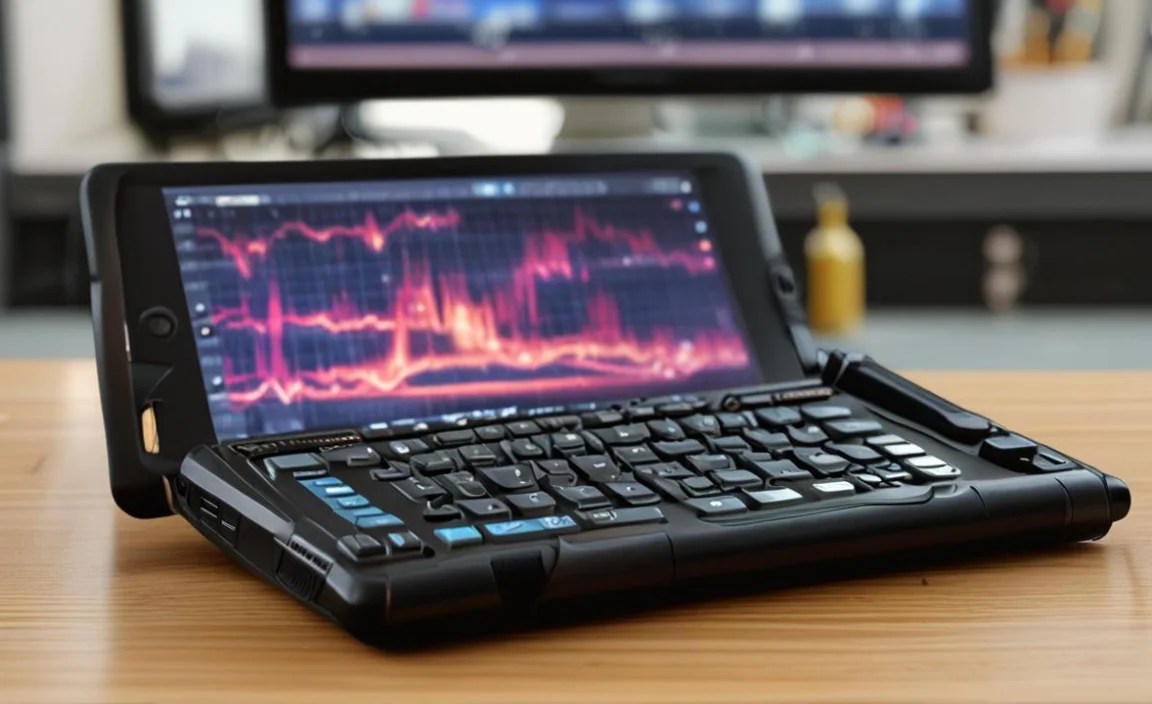
Let’s look at some hypothetical configurations that would serve a DJ well. These are general examples; specific models will vary.
1. The Professional Windows Workhorse
Ideal For: DJs using professional Windows-based software like Serato DJ Pro, Traktor Pro, or VirtualDJ with complex controller setups.
- Operating System: Windows 10 Pro / Windows 11 Pro
- Processor: Intel Core i5 or i7 (latest generation)
- RAM: 16GB DDR4
- Storage: 512GB NVMe SSD
- Display: 10.1-inch or 12-inch, 1920×1200 resolution, 700+ nits brightness, Glove/Wet Capable Touch
- Durability: MIL-STD-810H, IP65
- Ports: 2x USB-C (Thunderbolt support ideal), 1x USB-A, HDMI, MicroSD card reader
- Connectivity: Wi-Fi 6, Bluetooth 5.0, Optional 4G LTE
- Battery: 8-10+ hours of active use (swappable battery option is a bonus)
- Example Brands/Series: Panasonic Toughbook, Getac UX10/T800, Dell Latitude Rugged Tablet.
2. The Versatile Android Powerhouse
Ideal For: DJs who use Android DJ apps like djay Pro, or those who want a more streamlined interface and potentially lower cost while still needing ruggedness.
- Operating System: Android (latest stable version)
- Processor: Mid-range to high-end Qualcomm Snapdragon or similar
- RAM: 8GB
- Storage: 256GB (expandable via MicroSD up to 1TB)
- Display: 10-inch or larger, FHD resolution, 500+ nits brightness
- Durability: MIL-STD-810G, IP67
- Ports: 1x USB-C, MicroSD card reader
- Connectivity: Wi-Fi 5, Bluetooth 5.0, Optional 4G LTE
- Battery: 8-10+ hours
- Example Brands/Series: Samsung Galaxy Tab Active series, Zebra, specialized Android rugged tablets.
Essential Software and Accessories for Your Rugged DJ Tablet
Having the right hardware is only half the battle. You’ll also need the right software and accessories to complete your DJ setup.
DJ Software
As discussed, your choice of OS will heavily influence this. Here are some popular options:
- Windows: Serato DJ Pro, Traktor Pro, Rekordbox, VirtualDJ.
- Android/iOS: djay Pro, Cross DJ, BPM DJ Studio.
- Cross-Platform: Rekordbox is available on iOS and Android for library management, with DJ software integration for desktop.
Audio Interfaces
You’ll likely need an external audio interface to get multiple cue outputs (for headphones) and main outputs for your speakers. Choose one that is compatible with your chosen operating system and DJ software. Look for brands like:
- Focusrite (e.g., Scarlett series)
- Native Instruments (e.g., Traktor Kontrol Audio)
- Rane
- Reloop
<

Your tech guru in Sand City, CA, bringing you the latest insights and tips exclusively on mobile tablets. Dive into the world of sleek devices and stay ahead in the tablet game with my expert guidance. Your go-to source for all things tablet-related – let’s elevate your tech experience!