Looking for the perfect tablet to navigate your medical studies? We’ve narrowed down the top picks and essential features that will make note-taking, research, and accessing medical resources a breeze for aspiring doctors.
Best Tablets For Medical Students: Expert Picks
Embarking on the journey of medical school is incredibly exciting, but it also comes with a mountain of textbooks, research papers, and complex information to digest. Juggling physical books and constant note-taking can feel overwhelming. That’s where a good tablet can be a game-changer, offering a portable, digital hub for all your academic needs. But with so many options out there, how do you choose the right one? Don’t worry, we’re here to guide you through it.
We understand that as a medical student, your tablet needs to be more than just a fancy gadget. It needs to be a reliable workhorse that can handle demanding apps, long study sessions, and easy integration with your workflow. This guide is designed to cut through the tech jargon and help you find the best tablet that fits your budget and your specific study style. Let’s dive in!
Why Tablets Are Essential for Medical Students

The modern medical curriculum is increasingly digital. Textbooks are available as e-books, lectures are often recorded, and specialized medical apps can provide invaluable learning tools. A tablet offers a versatile platform that can replace multiple heavy books, facilitate interactive learning, and keep you organized.
Imagine carrying your entire anatomy atlas, pharmacology references, and lecture notes in a device that weighs less than a single textbook. That’s the power of a tablet for medical students. It allows for:
- Portability: Easily take it to lectures, the library, or study groups.
- Digital Notes: Use a stylus for handwritten notes that can be searched and organized.
- Access to Resources: Download medical apps, e-books, and access online journals.
- Multimedia Learning: Watch anatomical videos, review patient simulations, and collaborate on projects.
- Reduced Clutter: Consolidate notes, textbooks, and other study materials into one device.
Key Features to Look For in a Medical Student Tablet

When choosing a tablet for medical school, certain features are more critical than others. Here’s what to prioritize:
1. Display Quality and Size
You’ll be spending a lot of time looking at your screen, reading dense text, and reviewing detailed diagrams. A crisp, clear display is essential to reduce eye strain and improve readability.
- Resolution: Aim for at least a Full HD (1920×1080) resolution. Higher is better for sharper text and images.
- Size: A screen between 10 and 12 inches offers a good balance between usability and portability. It’s large enough to feel comfortable for reading and note-taking but still manageable to carry.
- Eye Comfort Features: Look for tablets with blue light filters or “night mode” settings to reduce eye strain during long study sessions.
2. Performance and Storage
Medical school apps, particularly anatomy simulators or large PDF textbooks, can be resource-intensive. You’ll need a tablet that can handle multitasking and store a significant amount of data.
- Processor: A robust processor ensures smooth app performance and quick loading times.
- RAM: 4GB of RAM is a good minimum, but 6GB or 8GB will offer a smoother multitasking experience.
- Storage: Medical students accumulate a lot of data. Opt for at least 128GB of internal storage. If budget allows, 256GB or more is ideal. Consider models with expandable storage via microSD card if you anticipate needing more space regularly, though this is less common on premium devices.
3. Stylus Support and Note-Taking Capabilities
For many medical students, the ability to handwrite notes, annotate PDFs, and sketch diagrams is paramount. A good stylus and the tablet’s software support are crucial.
- Active Stylus: Look for tablets that support active styluses (often sold separately) for precise input, pressure sensitivity, and tilt support.
- Palm Rejection: This feature allows you to rest your hand on the screen while writing without it registering as input.
- Note-Taking Apps: Consider how well the tablet integrates with popular note-taking apps like GoodNotes, Notability, OneNote, or native apps that come with the device.
4. Battery Life
You can’t afford for your tablet to die during a crucial lecture or an extended study session. Look for devices that promise all-day battery life.
- Advertised vs. Real-World: Manufacturer claims are often optimistic. Read reviews for real-world battery performance.
- Charging Speed: Faster charging can be a lifesaver when you’re pressed for time.
5. Operating System (OS)
The OS will heavily influence the apps available to you and the overall user experience. The two main players are iPadOS and Android.
- iPadOS (Apple): Known for its user-friendly interface, excellent app ecosystem, and strong integration with Apple’s hardware. Many popular medical apps are optimized for iPads.
- Android: Offers more customization and a wider range of hardware choices at various price points. The app selection is vast, though some specialized medical apps might be iPad-exclusive or better optimized on iPadOS.
Top Tablets for Medical Students: Expert Picks

After considering the essential features, here are some of the best tablets that consistently rank high for students, especially those in demanding fields like medicine. These picks offer a blend of performance, usability, and value.
1. Apple iPad Air (M-series Chip)
Often considered the gold standard for productivity and learning, the iPad Air offers a fantastic balance of power, portability, and features.
- Pros:
- Powerful M-series chip for smooth performance.
- Excellent display quality.
- Wide range of apps optimized for iPadOS.
- Superb Apple Pencil (2nd Gen) support for note-taking.
- Great battery life.
- Sleek and lightweight design.
- Cons:
- Apple Pencil and keyboard are separate, significant expenses.
- Less customizable than Android tablets.
- Ideal for: Students who want a premium, reliable device with a top-tier note-taking experience and access to the best educational apps.
2. Samsung Galaxy Tab S9 Series (or Tab S9 FE for budget)
Samsung’s flagship tablets are powerful Android alternatives that rival the iPad experience, especially with their included S Pen.
- Pros:
- Stunning AMOLED displays (on S9/S9+).
- S Pen is included in the box and offers excellent precision.
- Powerful performance for demanding tasks.
- Expandable storage via microSD card.
- Android OS offers more flexibility and customization.
- Samsung DeX mode provides a desktop-like experience.
- Cons:
- Some specialized medical apps may be better optimized for iPadOS.
- The “FE” (Fan Edition) models offer good value but with slightly less premium screens and processors.
- Ideal for: Students who prefer the Android ecosystem, want an included stylus, and appreciate the flexibility of a more open operating system.
3. Microsoft Surface Go 3
For students who want a full Windows experience in a portable tablet form factor, the Surface Go 3 is a compelling option.
- Pros:
- Full Windows 11 OS, compatible with all desktop software.
- Excellent for those already in the Microsoft ecosystem.
- Hybrid laptop/tablet functionality with optional Type Cover keyboard.
- Good for running Windows-specific medical software if needed.
- Cons:
- Can be pricey once you add the Surface Pen and Type Cover.
- Performance might be less snappy than iPads or high-end Android tablets for very demanding tasks.
- Battery life can be inconsistent depending on usage.
- App quality and optimization for touch can vary compared to iPadOS/Android.
- Ideal for: Students who need to run specific Windows desktop applications or prefer a traditional desktop OS in a tablet form.
4. Amazon Fire HD Tablets (e.g., Fire HD 10)
If budget is a major concern, Amazon’s Fire tablets offer incredible value for basic productivity and media consumption.
- Pros:
- Extremely affordable.
- Decent screen for everyday reading and browsing.
- Good battery life.
- Access to Amazon’s ecosystem and services.
- Cons:
- Limited app selection (Amazon Appstore, not Google Play by default).
- Performance is basic, can struggle with heavy multitasking or demanding apps.
- No active stylus support for precise note-taking.
- Not ideal for complex medical software or extensive research.
- Ideal for: Students on a very tight budget who need a device primarily for reading e-books, browsing, and light note-taking via a basic capacitive stylus. This is a supplemental device rather than a primary study tool for complex tasks.
Table Comparison: Key Specs at a Glance
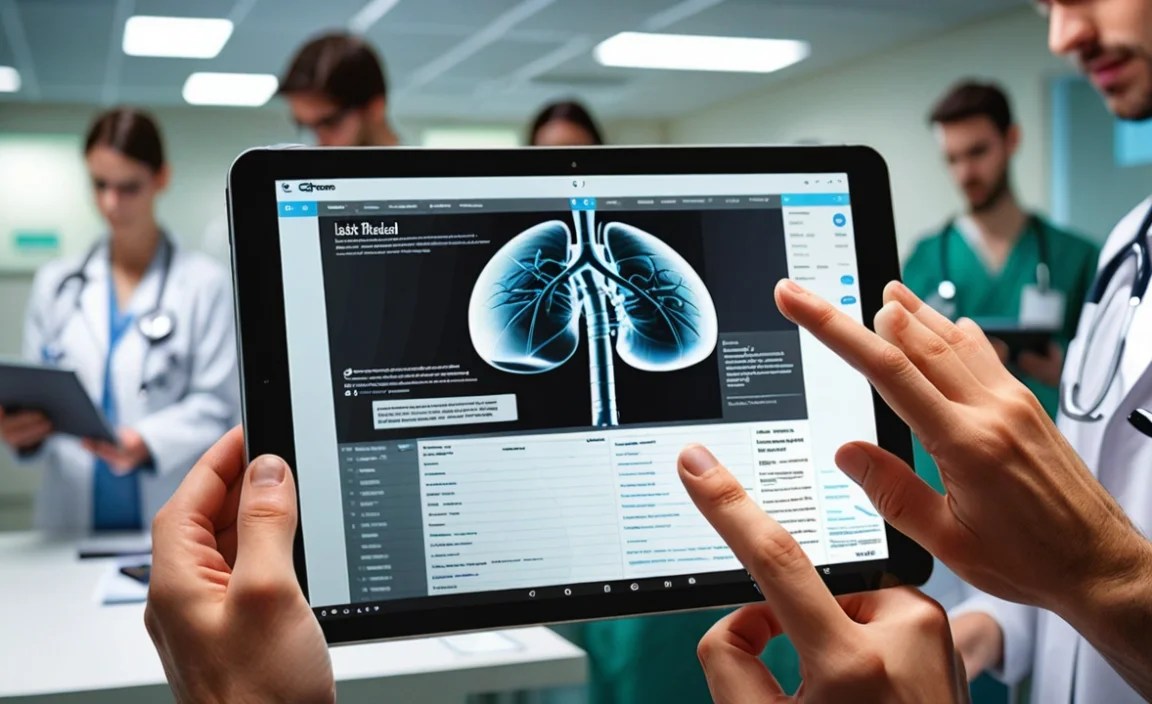
Here’s a quick look at how some of these popular choices stack up:
| Feature | Apple iPad Air (M-series) | Samsung Galaxy Tab S9 | Microsoft Surface Go 3 | Amazon Fire HD 10 |
|---|---|---|---|---|
| Display Size | 10.9 inches | 11 inches | 10.5 inches | 10.1 inches |
| Display Type | Liquid Retina IPS LCD | Dynamic AMOLED 2X | PixelSense (IPS) | IPS LCD |
| Stylus Support | Apple Pencil (2nd Gen) (Sold Separately) | S Pen (Included) | Surface Pen (Sold Separately) | Basic Capacitive Stylus Only |
| Processor | Apple M1/M2 Chip | Snapdragon 8 Gen 2 for Galaxy | Intel Pentium Gold / Core i3 | MediaTek MT8183 |
| Base Storage | 64GB / 256GB | 128GB / 256GB | 64GB / 128GB | 32GB / 64GB |
| Expandable Storage | No | Yes (microSD up to 1TB) | No | Yes (microSD up to 1TB) |
| Operating System | iPadOS | Android | Windows 11 | Fire OS (Android-based) |
| Price Range (Approximate) | $$$ | $$$ | $$ – $$$ | $ |
Essential Medical Apps for Your Tablet
Beyond the hardware, the software is what makes your tablet a powerful study tool. Here are some categories of apps that will be invaluable:
1. Anatomy and Physiology Apps
These offer 3D models, detailed illustrations, and interactive exploration of the human body. Many have quizzes and study modes.
- 3D Anatomy Atlas: Sites like Visible Body offer comprehensive 3D anatomical models.
- Complete Anatomy: Another highly-rated 3D anatomy application.
2. Pharmacology and Drug Reference Apps
Quickly look up drug dosages, side effects, interactions, and mechanisms of action.
- Epocrates: A widely used clinical tool for drug information, disease guidance, and more.
- Lexicomp: Comprehensive drug information, often available through institutional subscriptions.
3. Medical Calculators and Tools
Essential for quick calculations of BMI, GFR, dosage adjustments, and more. Many apps bundle several calculators.
- Search for “medical calculator” on your device’s app store. You’ll find many free and paid options.
4. Note-Taking and PDF Annotation Apps
As discussed, these are crucial for digitizing your notes, annotating lecture slides, and marking up textbooks.
- For iPad: GoodNotes, Notability, Concepts (for sketching).
- For Android: Samsung Notes, OneNote, Xodo PDF Reader & Editor.
- For Windows: OneNote, Drawboard PDF.
5. E-reader Apps
For accessing your digital textbooks and medical literature.
- Kindle: For Amazon Kindle e-books.
- Google Play Books: For books purchased through Google Play.
- Adobe Acrobat Reader: For PDFs and other document types.
6. Reference and Study Tools
These can include flashcard apps, spaced repetition systems, and access to research databases.
- Anki: A powerful, free flashcard app using spaced repetition (available on multiple platforms).
- Medscape: Provides medical news, drug information, and clinical references.
Many universities offer free access to certain apps or databases. Be sure to check your institution’s resources!
Tips for Maximizing Your Tablet for Medical Studies
Once you have your tablet, here’s how to make the most of it:
- Invest in a Good Stylus: If your tablet doesn’t come with one, a quality stylus will transform your note-taking experience.
- Organize Your Files: Create clear folder structures for different subjects, lectures, and assignments.
- Learn Your Apps: Take time to explore the features of your chosen note-taking and reference apps.
- Backup Regularly: Ensure your notes and important files are backed up to cloud storage (e.g., iCloud, Google Drive, OneDrive) or a computer.
- Consider a Keyboard: For extensive typing of notes or essays, a portable Bluetooth keyboard can be very useful, turning your tablet into a mini-laptop.
- Use Split-Screen and Multitasking Features: Most modern tablets allow you to run multiple apps side-by-side, which is great for comparing notes with textbooks or watching lectures while following along.
- Protect Your Investment: A sturdy case and screen protector are essential to keep your tablet safe from bumps and scratches.
Frequently Asked Questions (FAQ)
Q1: Do I really need a tablet for medical school?
While not strictly mandatory, a tablet can significantly enhance your study efficiency, portability, and access to digital resources. It helps declutter your bag and provides a modern, interactive way to learn.
Q2: Is an iPad or an Android tablet better for medical students?
Both are excellent. iPads are praised for their user-friendliness, robust app ecosystem, and hardware optimization for apps like Procreate and Notability. Android tablets offer more variety in hardware, customization, and often include a stylus. Your choice may depend on your existing tech ecosystem or personal preference.
Q3: Can I use my tablet for online classes and virtual simulations?
Yes! Tablets are perfect for attending online lectures, participating in video conferences, and running specialized medical simulation apps designed for educational purposes.
Q4: How much storage space do I need on a tablet for medical school?
Aim for at least 128GB. Medical textbooks, lecture notes, anatomy models, and reference apps can consume a lot of space. 256GB or more is ideal if your budget allows.
Q5: What’s the difference between a basic stylus and an active stylus?
A basic capacitive stylus works by mimicking your finger, offering no special features. An active stylus (like Apple Pencil or Samsung S Pen) connects to the tablet and offers precision, pressure sensitivity, tilt support, and palm rejection, making it ideal for writing and drawing.
Q6

Your tech guru in Sand City, CA, bringing you the latest insights and tips exclusively on mobile tablets. Dive into the world of sleek devices and stay ahead in the tablet game with my expert guidance. Your go-to source for all things tablet-related – let’s elevate your tech experience!