Finding budget-friendly tablets that are powerful enough for your business needs doesn’t have to be a headache. This guide will walk you through choosing the best cheap tablets for business, focusing on essential features and smart picks for beginners. Get ready to boost your productivity without breaking the bank!
Cheap Tablets for Business: Your Genius Beginner Guide
Running a business today often means being on the go, needing access to emails, documents, and client information wherever you are. Tablets have become incredibly useful tools for this, but the cost can sometimes feel daunting, especially for small businesses or those just starting out. You might look at all the fancy features and high price tags and think, “Is there a way to get what I need without spending a fortune?” The good news is, absolutely! You don’t need the most expensive gadget to be productive.
This guide is designed specifically for you – the beginner looking for affordable tablet solutions for your business. We’ll break down what really matters when choosing a business tablet on a budget, explore some excellent options, and help you make a confident decision. Forget the overwhelm; we’ll tackle this step-by-step, making sure you walk away with a clear understanding and a great plan.
Why Consider Cheap Tablets for Business?

You might be wondering if a “cheap” tablet can really handle the demands of running a business. The answer is a resounding yes, and here’s why:
- Cost-Effectiveness: This is the most obvious benefit! Investing in affordable tablets means you can equip multiple team members or have several devices for different tasks without a massive outlay. This frees up capital for other crucial areas of your business, like marketing, inventory, or hiring. For startups or solopreneurs, every dollar saved is a victory.
- Essential Functionality: Many modern business tasks don’t require super-high-end specs. Think email, web browsing, document editing, cloud storage access, video calls, and basic CRM use. These functions run perfectly well on many budget-friendly tablets. You’re paying for performance you actually need, not for bells and whistles you’ll never use.
- Portability and Convenience: Tablets offer a fantastic balance between the portability of a smartphone and the screen real estate of a laptop. They are light enough to carry around easily for meetings, client visits, or working from a coffee shop. This mobility is key for many business operations.
- Versatility: Beyond core business apps, tablets can run a vast array of productivity tools, project management software, and even specialized industry apps. Many can also be paired with affordable accessories like keyboards and styluses to enhance their functionality, transforming them into capable mini-workstations.
What to Look for in a Cheap Business Tablet

When you’re on the hunt for a bargain, it’s easy to get lost in specs. For business use, focus on these key areas:
1. Operating System (OS)
The operating system is the backbone of your tablet and dictates the apps you can use and how you interact with the device. The main contenders are:
- Android: Known for its open nature and wide variety of devices at different price points. Offers access to the Google Play Store, which has millions of apps, including many business-focused ones like Google Workspace (Docs, Sheets, Gmail), Microsoft Office apps, and project management tools. Great for customization and wide app support.
- iOS (Apple iPadOS): While iPads are often seen as premium, older models or refurbished units can sometimes fall into a more budget-friendly category, especially if you’re looking at just the tablet itself. Known for its user-friendly interface, strong app ecosystem (App Store), and excellent performance. If you can find a deal on an iPad, it’s a solid choice for general business use and has a very consistent user experience.
- Windows: Some tablets run full Windows. These can be very powerful and offer full desktop-like experiences, but often come at a higher price point. For beginner business users looking for cheap options, Windows tablets might be less common and potentially more complex than Android or iPadOS.
Recommendation for beginners: Android tablets usually offer the best balance of affordability, versatility, and app access for business needs. If your budget stretches slightly and you find a good deal on an older or refurbished iPad, that’s also an excellent, user-friendly option.
2. Screen Size and Resolution
For business, you’ll want a screen large enough to comfortably read documents, view spreadsheets, and participate in video calls. Smaller screens can feel cramped, leading to more errors and frustration.
- Size: Aim for tablets with screens between 8 and 11 inches. 8-inch tablets are very portable but can feel small for extended work. 10-11 inch tablets offer a good compromise between portability and screen real estate, making them ideal for multitasking and reading.
- Resolution: Higher resolution (e.g., Full HD or 1920×1080 pixels) means sharper text and images. This is important for professional presentations and ensuring client-facing materials look their best. While you don’t need the absolute highest resolution, avoid screens that look pixelated or blurry.
3. Performance (Processor and RAM)
You don’t need a powerhouse for basic tasks, but you do need enough juice to run your essential apps smoothly. Slow performance can kill productivity.
- Processor: Look for tablets with quad-core or octa-core processors. These are standard and provide sufficient speed for everyday business tasks. Brands like Qualcomm (Snapdragon series), MediaTek, and even some in-house tablet processors are common.
- RAM (Memory): This is crucial for multitasking – running multiple apps at once smoothly. For basic business use, 3GB or 4GB of RAM is generally the minimum you should consider. If you plan to switch between many apps frequently or use more demanding business software, aim for 6GB if your budget allows.
4. Storage Space
How much space do you need to store apps, documents, photos, and offline files?
- Internal Storage: 32GB is the absolute minimum, but it fills up quickly. Aim for at least 64GB. If you plan to store a lot of files offline or download large work files, 128GB would be a more comfortable option.
- Expandable Storage (microSD card slot): This is a lifesaver on a budget! Even if you buy a tablet with less internal storage, a microSD card slot allows you to add a significant amount of extra space very affordably. Check if the tablet supports it.
5. Battery Life
For business on the go, long battery life is non-negotiable. You don’t want your tablet dying halfway through an important client meeting or a long commute.
- Target: Look for tablets that promise at least 8-10 hours of continuous use on a single charge. Always check reviews, as manufacturer claims can be optimistic.
- Charging Speed: Some tablets support fast charging, which can be incredibly useful if you only have a short window to top up your battery.
6. Build Quality and Durability
A cheap tablet that breaks easily isn’t cheap in the long run. While you’re saving money, look for devices that feel reasonably solid in hand.
- Materials: Most budget tablets will be made of plastic, which is fine. Check for sturdy construction without too much flex.
- Protective Cases: Invest in a good, protective case and a screen protector as soon as you get your tablet. This is one of the best ways to keep a budget device in good condition for longer.
7. Connectivity
- Wi-Fi: Ensure it supports the latest Wi-Fi standards (Wi-Fi 5 or Wi-Fi 6) for faster and more reliable connections.
- Cellular (4G/5G): If you need internet access away from Wi-Fi hotspots (e.g., for sales reps in the field), consider models with cellular connectivity. These usually cost more upfront and require a separate data plan, so weigh whether you truly need it. Many business professionals use their smartphone as a hotspot for their Wi-Fi-only tablet.
- Ports: A USB-C port is standard and versatile for charging and data transfer. A headphone jack is still useful for calls.
Top Budget Tablet Categories for Business

When you’re looking for cheap tablets for business, you’ll generally find great value in these categories:
1. Entry-Level Android Tablets
These are often the most affordable and offer a good balance of features for basic business tasks. Brands like Amazon (Fire tablets, though with a specific OS) and various Android tablet manufacturers (e.g., Samsung’s budget A-series, Lenovo, Acer) are great places to start.
- Pros: Extremely affordable, wide range of choices, access to Google Play Store, good battery life, expandable storage often available.
- Cons: Performance might be slower for very demanding apps, screen quality can vary, build materials are often basic.
- Best for: Email, web browsing, note-taking, light document editing, quick client communication, basic sales apps.
2. Refurbished or Older Generation iPads
Apple products typically hold their value well, but buying a previous generation or a certified refurbished iPad can be a smart way to get a premium device at a lower cost. Look for models like older iPad Air or base iPad models.
- Pros: Excellent build quality, very user-friendly interface, superb performance for their age, vast and optimized app store, good resale value, long software support.
- Cons: Can still be pricier than Android equivalents, storage upgrades are expensive, less flexibility than Android.
- Best for: Professionals who value a polished experience, users already in the Apple ecosystem, reliable app performance, good for both productivity and presentations.
3. Tablets with Keyboard Compatibility
Some budget tablets (especially Android ones) are designed to work well with an attachable keyboard, effectively turning them into a laptop-like device for more typing-intensive tasks. This can be a cost-effective alternative to buying a separate laptop.
- Pros: Increased productivity for typing, good for document creation and data entry, offers more versatility.
- Cons: Keyboard may be an additional purchase, can add bulk, not always as seamless as a dedicated laptop experience.
- Best for: Writers, online researchers, anyone who needs to do a significant amount of typing.
Recommended Apps for Business on a Budget Tablet
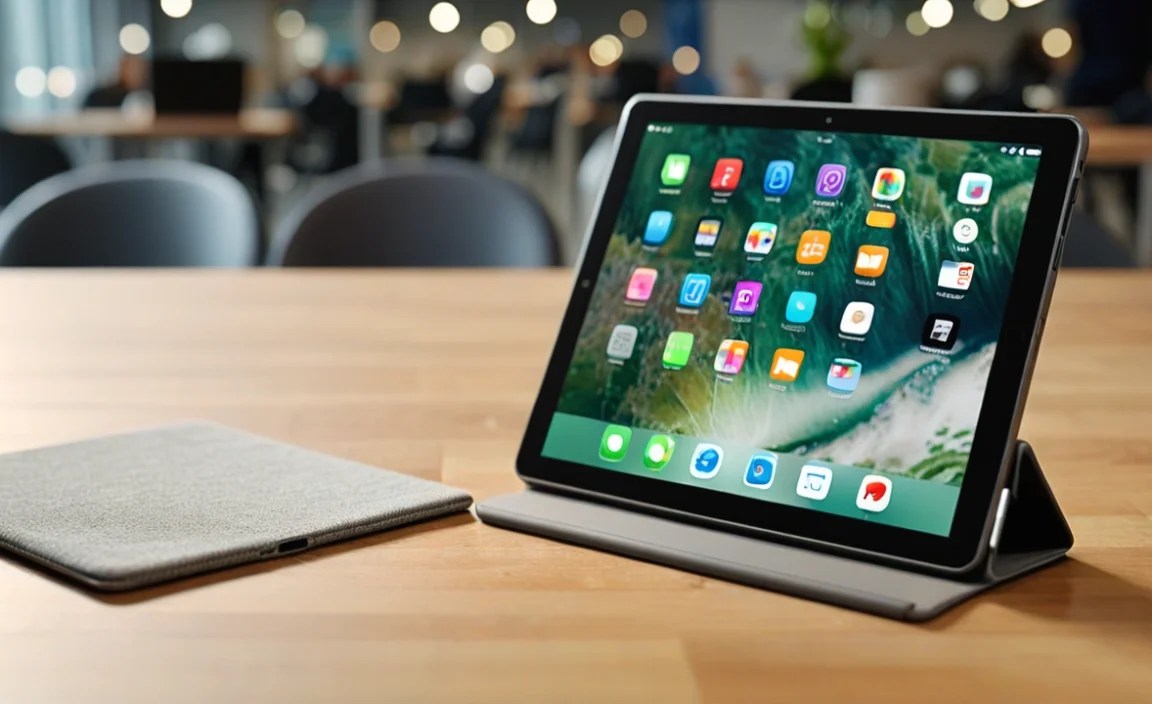
Once you have your tablet, you’ll want to load it up with apps to make it a true business tool. Here are some essentials, most of which have free versions or affordable subscriptions:
- Productivity Suites:
- Google Workspace (Docs, Sheets, Slides, Gmail): Free with a Google account, excellent for collaboration and cloud-based work. (Google Workspace)
- Microsoft Office (Word, Excel, PowerPoint, Outlook): Offers mobile versions, often free for basic use on smaller screens with a Microsoft account. Subscription needed for full features. (Microsoft 365)
- Communication & Collaboration:
- Zoom, Google Meet, Microsoft Teams: Essential for video conferencing.
- Slack: Great for team communication and staying organized.
- Note-Taking & Organization:
- Evernote: Keep notes, web clippings, and ideas organized.
- Google Keep: Simple, fast note-taking with reminders.
- OneNote: Powerful note-taking from Microsoft.
- Cloud Storage:
- Google Drive, Dropbox, OneDrive: Access your important files from anywhere.
- Project Management:
- Trello: Visual project management with boards and cards.
- Asana: Task management and team collaboration.
- PDF Readers/Editors:
- Adobe Acrobat Reader: For viewing and basic annotation.
Tips for Maximizing Your Cheap Business Tablet
Even with a budget device, you can make it work harder for you.
- Invest in Accessories:
- Protective Case: Essential for durability. Look for one with a built-in stand.
- Screen Protector: Prevents scratches and cracks.
- Bluetooth Keyboard and Mouse: Transforms your tablet into a mini-workstation for typing and navigation, especially useful for longer sessions.
- Stylus: If your work involves sketching, signing documents, or precise input, a stylus can be a game-changer.
- Utilize Cloud Services: Keep your important files in cloud storage (Google Drive, Dropbox, OneDrive) so you can access them from any device and free up your tablet’s internal storage. Many are integrated directly into the OS.
- Manage Your Apps: Uninstall apps you don’t use to keep your tablet running smoothly and save storage space.
- Regular Updates: Keep your operating system and your apps updated. Updates often include performance improvements and security patches. For security, it’s crucial to keep your software current. The Cybersecurity & Infrastructure Security Agency (CISA) emphasizes regular updates as a key security practice.
- Optimize Battery Usage: Adjust screen brightness, disable background app refresh for non-essential apps, and turn off Wi-Fi or Bluetooth when not in use to extend battery life.
- Consider a Business Plan from Your Mobile Carrier: If you opt for a cellular tablet, investigate plans that include a data-only SIM card.
Comparing Popular Budget Tablet Options (Illustrative Example)
Finding the absolute best “cheap” tablet can depend on sales and current market availability. However, here’s a general idea of what you might find and how they compare. Prices are approximate and highly variable.
| Feature | Amazon Fire HD 10 (Example) | Samsung Galaxy Tab A Series (Example) | Lenovo Tab M Series (Example) |
|---|---|---|---|
| Typical Price Range (New) | $100 – $180 | $150 – $250 | $120 – $220 |
| Operating System | Fire OS (Android-based, Amazon Appstore) | Android | Android |
| Screen Size | 10.1 inches | 8 to 10.1 inches | 8 to 11 inches |
| Processor | Octa-core | Octa-core (variable by model) | Octa-core (variable by model) |
| RAM | 2-3 GB | 3-4 GB | 3-4 GB |
| Storage | 32GB / 64GB (expandable via microSD) | 32GB / 64GB (expandable via microSD) | 32GB / 64GB (expandable via microSD) |
| Battery Life | Up to 12 hours | Up to 10 hours | Up to 10-12 hours |
| Key Strengths for Business | Very affordable, decent screen, good for media consumption and basic apps. | Good all-around performance, reliable, access to full Google Play Store. | Good value, often solid build quality and respectable performance for price. |
| Considerations | Limited Amazon Appstore (can sideload Google Play but it’s complex for beginners). | Performance varies significantly by model; aim for at least 3GB RAM. | Screen brightness/color might be less vibrant than premium options. |
Note: Specifications and prices are subject to change and vary by region and retailer. Always check the exact specs before purchasing. When looking for refurbished options, particularly iPads, explore Apple’s official Certified Refurbished store or reputable third-party sellers.
Frequently Asked Questions (FAQ) for Beginners
Q1: Can a cheap tablet actually replace my

Your tech guru in Sand City, CA, bringing you the latest insights and tips exclusively on mobile tablets. Dive into the world of sleek devices and stay ahead in the tablet game with my expert guidance. Your go-to source for all things tablet-related – let’s elevate your tech experience!