Proven Tablets: Best Video Conferencing
Looking for the best tablets for video conferencing? Our expert picks offer crystal-clear cameras, powerful processors, and vibrant displays, ensuring seamless virtual meetings for work or staying connected. Find your perfect device for effortless communication.
Juggling video calls on a glitchy tablet can be a real headache. Your screen freezes, the sound cuts out, or the camera quality is so poor people can barely see you. It’s frustrating when you’re trying to connect professionally or catch up with loved ones. But don’t worry, choosing the right tablet for video conferencing doesn’t have to be complicated!
At Tabletzoo, we believe in making tech easy. We’ve sifted through countless options to bring you a curated list of tablets that excel at video calls. We’ll guide you through what to look for and highlight the top contenders, so you can find a device that makes your virtual interactions smooth, clear, and enjoyable.
Get ready to upgrade your video conferencing game. Let’s dive into finding the perfect tablet for you!
Why Tablets Shine for Video Calls
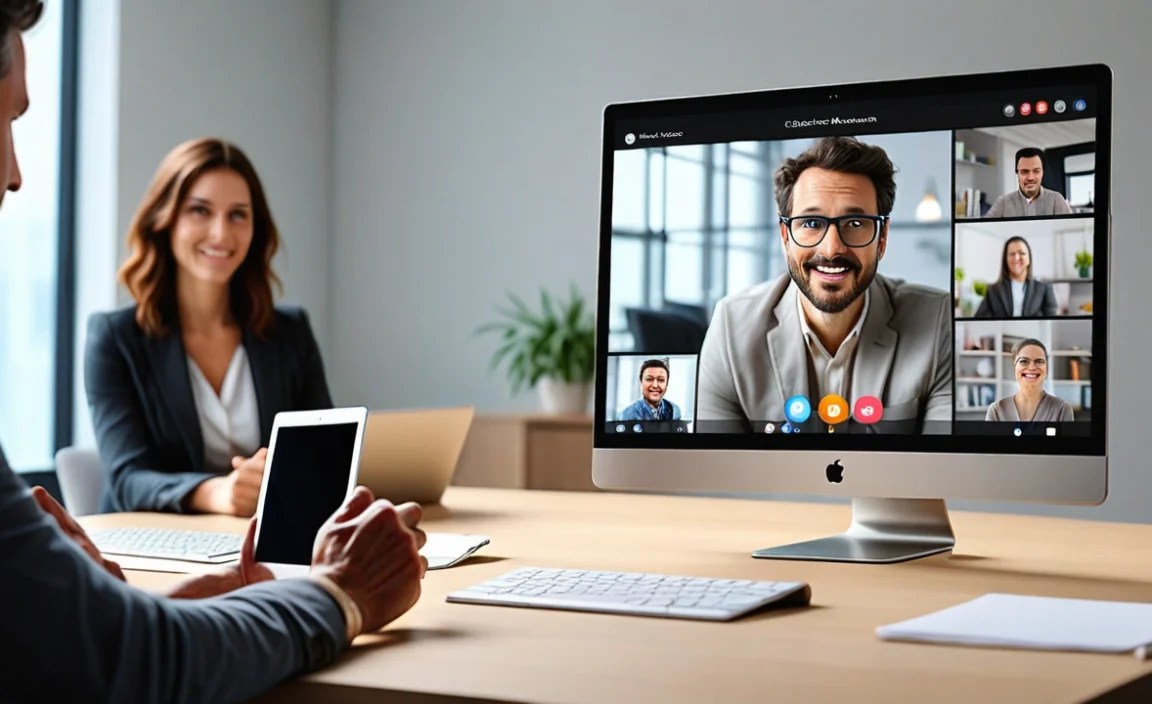
In today’s connected world, video conferencing has become a daily ritual for many. Whether you’re a professional needing to stay in touch with colleagues, a student attending virtual classes, or simply want to have face-to-face chats with family and friends, a reliable device is key. While laptops and smartphones can do the job, tablets offer a unique sweet spot that makes them particularly well-suited for video calls.
Think about it: a tablet provides a larger screen than a smartphone, making it easier to see participants clearly. This can really help in understanding non-verbal cues and feeling more engaged in the conversation. At the same time, tablets are more portable and often easier to set up for a call than a bulky laptop. You can comfortably hold them, prop them up on a desk with a stand, or even use them on the go without feeling weighed down.
The best tablets for video conferencing come equipped with high-quality front-facing cameras, good microphones, and processors that can handle the demands of real-time video streaming without lag. They also run a vast array of popular video conferencing apps, from Zoom and Google Meet to Microsoft Teams and FaceTime, usually with a more user-friendly interface than a desktop application.
Key Features to Look for in a Video Conferencing Tablet
When you’re shopping for a tablet with video conferencing as a top priority, a few specific features will make a big difference in your experience. It’s not just about the brand name; it’s about how the hardware and software work together to deliver clear audio and video.
Here are the essential aspects to keep an eye on:
- Camera Quality: This is paramount. Look for tablets with a front-facing camera that offers a resolution of at least 5 megapixels (MP). Higher resolutions (8MP or more) will provide sharper, clearer images, making you and your surroundings more visible to others. Some high-end tablets even boast 1080p recording capabilities on their front cameras.
- Microphone and Speaker Quality: A good microphone ensures your voice is heard clearly, without background noise cluttering the call. Tablets with multiple microphones or noise-canceling technology are a plus. Similarly, clear speakers are crucial for hearing others. Some tablets feature stereo speakers for a more immersive audio experience.
- Display Size and Resolution: A larger screen (ideally 10 inches or more) lets you see more participants at once and makes it easier to read any shared content. A good display resolution (e.g., Full HD or higher) ensures that images and text are sharp and vibrant, contributing to a better overall viewing experience.
- Processing Power: Video conferencing apps require a decent amount of processing power to run smoothly. A tablet with a capable processor (like an Apple A-series chip, a Qualcomm Snapdragon, or a MediaTek equivalent) will prevent lag, dropped frames, and app crashes, ensuring a seamless call experience.
- Battery Life: Long video calls can drain battery quickly. Look for tablets that offer ample battery life – ideally 8 hours or more of active use – so you don’t have to constantly search for a power outlet during important discussions.
- Connectivity: Wi-Fi is standard, but consider a tablet with the latest Wi-Fi standards (Wi-Fi 6 or 6E) for faster, more stable connections, especially if your home network supports it. For ultimate flexibility, some tablets offer cellular (LTE/5G) options, allowing you to connect from virtually anywhere.
- Storage: While not directly impacting call quality, ample storage is useful for downloading conference apps, saving recordings, and storing documents you might share during calls.
Expert-Approved Tablets for Video Conferencing

After extensive research and considering the factors above, we’ve identified several tablets that consistently deliver an outstanding video conferencing experience. These devices strike a balance between excellent camera and audio hardware, robust performance, and user-friendly software.
Apple iPad Air (5th Gen, 2022)
The iPad Air is a perennial favorite for a reason. It offers a fantastic combination of power, portability, and a premium user experience that translates beautifully to video calls.
- Front Camera: 12MP Ultra Wide camera with Center Stage. This feature is a game-changer for video calls, automatically keeping you in the center of the frame as you move around.
- Display: 10.9-inch Liquid Retina display with True Tone. It’s bright, sharp, and offers excellent color accuracy.
- Processor: M1 chip. This is desktop-class power, ensuring apps like Zoom, Teams, and FaceTime run flawlessly.
- Audio: Wide stereo speakers. You’ll hear participants clearly, even in moderately noisy environments.
- Battery Life: Up to 10 hours of web surfing or video watching.
- Overall: For Mac and Apple ecosystem users, the iPad Air provides a polished and feature-rich video conferencing solution. The Center Stage feature alone significantly enhances the dynamic of video calls.
Samsung Galaxy Tab S8 Ultra
Samsung’s top-tier tablet doesn’t shy away from offering a premium experience, and its video conferencing capabilities are among the best on the Android side.
- Front Camera: Dual 12MP front cameras (Wide and Ultrawide). This setup offers flexibility in framing your shot and ensures excellent image quality.
- Display: Massive 14.6-inch Super AMOLED display. While its size might be overkill for some, it provides an incredibly immersive viewing experience for calls and multitasking.
- Processor: Snapdragon 8 Gen 1. A powerhouse that handles demanding apps and multitasking with ease.
- Audio: Quad stereo speakers tuned by AKG with Dolby Atmos support. Expect rich, clear audio.
- Battery Life: Up to 14 hours of video playback. This large battery is essential for powering that massive screen.
- Overall: If you prioritize a large, stunning display and top-notch Android performance, the Tab S8 Ultra is an excellent, albeit premium, choice for video conferencing and more.
Microsoft Surface Go 3
For those who need a tablet that can double as a more traditional laptop experience and are deeply integrated into the Windows ecosystem, the Surface Go 3 is a noteworthy option.
- Front Camera: 5MP HD front-facing camera. It’s perfectly adequate for most video calls in the Windows environment.
- Display: 10.5-inch PixelSense touchscreen. It offers good clarity and touch responsiveness.
- Processor: Available with Intel Pentium Gold or Core i3 processors. Sufficient for most everyday tasks and video conferencing apps.
- Audio: 2W stereo speakers with Dolby Audio Premium. Clear audio for your calls.
- Battery Life: Up to 11 hours of typical device usage.
- Windows Integration: Runs full Windows 11, meaning you have native support for Microsoft Teams and other Windows-based conferencing tools without compromises.
- Overall: It’s a versatile 2-in-1 device that bridges the gap between a tablet and a laptop, making it ideal for professionals who rely on Windows and need a portable solution for meetings.
Apple iPad (9th Gen, 2021)
The standard iPad remains a fantastic value and a highly capable device for video conferencing, especially for those who don’t need the absolute highest-end features.
- Front Camera: 12MP Ultra Wide camera with Center Stage. Just like the Air, this makes calls more engaging by keeping you in frame.
- Display: 10.2-inch Retina display. Bright, clear, and perfect for seeing participants or shared screens.
- Processor: A13 Bionic chip. More than enough power for smooth performance in all popular video conferencing apps.
- Audio: Stereo speakers. Good sound quality for everyday calls.
- Battery Life: Up to 10 hours of web surfing or video watching.
- Affordability: Offers exceptional performance and features for its price point, making it an excellent choice for budget-conscious users or students.
- Overall: The 9th Gen iPad is our top recommendation for affordable, yet highly effective, video conferencing. The inclusion of Center Stage at this price is a significant bonus.
Lenovo Tab P11 Plus
Lenovo often strikes a great balance between features and price, and the Tab P11 Plus is a solid mid-range option for video calls that won’t break the bank.
- Front Camera: 8MP front camera. Offers a decent image quality for its class.
- Display: 11-inch 2K IPS display. Provides a crisp and vibrant viewing experience.
- Processor: MediaTek Helio G90T. Handles everyday tasks and video conferencing apps with reasonable speed.
- Audio: Quad speakers with Dolby Atmos support. Delivers immersive and clear audio.
- Battery Life: Up to 12 hours for video streaming.
- Value: Often available at very competitive prices, offering a large screen and good audio for less.
- Overall: A strong contender for those seeking a larger Android tablet with good multimedia capabilities at an accessible price, perfectly suitable for casual to moderate video conferencing.
Amazon Fire HD 10 (2021)
For users already in the Amazon ecosystem or looking for an extremely budget-friendly tablet, the Fire HD 10 is surprisingly capable for basic video calls through its dedicated apps.
- Front Camera: 2MP front-facing camera. While not the highest resolution, it’s functional for casual video chats.
- Display: 10.1-inch 1080p Full HD display. It’s bright and colorful enough for conversations.
- Processor: Octa-core processor. Balances performance for standard apps like Zoom and Amazon’s own Chime.
- Audio: Dual stereo speakers. Decent audio output for calls.
- Battery Life: Up to 12 hours of mixed usage.
- Price: Its most significant advantage is its incredibly low price point, often dipping even lower during Amazon sales.
- Note: The Fire OS is more locked down than Android. You can install apps like Zoom from the Amazon Appstore, but keep in mind it’s designed for Amazon’s services first and foremost.
- Overall: If your video conferencing needs are basic and primarily involve apps available on the Amazon Appstore, the Fire HD 10 offers an unbeatable value proposition.
Comparison: Standout Tablets for Video Conferencing

To help you visualize the differences, here’s a quick comparison of some of our top picks, focusing on their video conferencing strengths:
| Feature | Apple iPad Air (5th Gen) | Samsung Galaxy Tab S8 Ultra | Apple iPad (9th Gen) | Microsoft Surface Go 3 | Amazon Fire HD 10 (2021) |
|---|---|---|---|---|---|
| Front Camera | 12MP Ultra Wide with Center Stage | Dual 12MP (Wide & Ultrawide) | 12MP Ultra Wide with Center Stage | 5MP HD | 2MP |
| Display Size | 10.9 inches | 14.6 inches | 10.2 inches | 10.5 inches | 10.1 inches |
| Display Resolution | 2360 x 1640 | 2960 x 1848 | 2160 x 1620 | 1920 x 1280 | 1920 x 1200 |
| Processor | Apple M1 | Snapdragon 8 Gen 1 | Apple A13 Bionic | Intel Pentium/Core i3 | Octa-core |
| Audio Strengths | Wide stereo speakers | Quad stereo speakers (AKG/Dolby Atmos) | Stereo speakers | Dolby Audio Premium speakers | Dual stereo speakers |
| Operating System | iPadOS | Android | iPadOS | Windows 11 | Fire OS |
| Key Video Call Advantage | Center Stage auto-framing | Massive, stunning display; dual front cameras | Excellent value with Center Stage | Full Windows OS integration | Unbeatable price point |
| Estimated Price Range | $$$ | $$$$ | $$ | $$ – $$$ | $ |
*Price ranges are approximate: $ (Budget), $$ (Mid-Range), $$$ (Premium), $$$$ (Luxury).
Tips for Optimizing Your Video Conferencing Experience

Once you’ve chosen your perfect tablet, a few simple adjustments can make your video calls even better. These tips focus on ensuring clarity, comfort, and reliability.
- Find Good Lighting: Position yourself facing a light source (like a window or a lamp) rather than having it behind you. This will illuminate your face clearly for others. Avoid harsh overhead lighting if possible.
- Secure a Stable Internet Connection: A strong Wi-Fi signal is crucial. If you experience dropped calls or choppiness, try moving closer to your Wi-Fi router or using a wired Ethernet connection if your tablet supports an adapter. For mobile, ensure you have a good cellular signal.
- Use Headphones with a Microphone: While tablet speakers and mics are decent, headphones can significantly improve audio clarity both ways, reduce echoes, and minimize background noise. Many earbuds come with built-in microphones.
- Position the Tablet Correctly: Avoid holding the tablet for long calls; it can be shaky and uncomfortable. Use a tablet stand or prop it up against something stable so the camera is at a good eye level. This leads to a more natural and professional-looking interaction.
- Close Unnecessary Apps: To ensure your tablet has enough resources for the video conferencing app, close any other applications you’re not actively using. This is especially helpful on older or less powerful devices.
- Keep Your Software Updated: Ensure your tablet’s operating system and your video conferencing apps are up-to-date. Updates often include performance improvements and bug fixes that can enhance your call quality.
- Check Your Background: Be mindful of what’s visible behind you. A tidy or neutral background looks more professional and less distracting than a cluttered one.
Frequently Asked Questions

Your tech guru in Sand City, CA, bringing you the latest insights and tips exclusively on mobile tablets. Dive into the world of sleek devices and stay ahead in the tablet game with my expert guidance. Your go-to source for all things tablet-related – let’s elevate your tech experience!