Looking for cheap tablets for DJing? This guide helps you find budget-friendly options that are powerful enough for essential DJ tasks without breaking the bank. Discover key features, recommended models, and how to make the most of your affordable setup.
Hey everyone, Walter Moore here from Tabletzoo! Ever dreamed of mixing tracks and feeling the beat, but thought a professional DJ setup was out of reach financially? You might be surprised! Tablets have become incredibly powerful tools, and yes, you can absolutely use them for DJing, even on a budget. It can feel a bit techy to figure out where to start, especially when you want to keep costs down. But don’t worry, I’m here to break it all down for you. We’ll navigate the options together, find some fantastic affordable tablets, and get you mixing in no time.
Cheap Tablets for DJing: Your Essential Guide to Affordable Mixing
For many aspiring DJs, the idea of purchasing top-tier equipment can be daunting. High-end controllers, professional software, and powerful laptops can quickly add up. But what if you could leverage a device you might already own or can buy for a fraction of the cost? That’s where cheap tablets for DJing come into play. They offer a surprisingly capable platform for learning, practicing, and even performing basic DJ sets, making the dream of becoming a DJ more accessible than ever.
Why a Tablet for DJing? Convenience & Affordability

Tablets offer a unique blend of portability, touch-screen interface, and ever-increasing processing power that makes them surprisingly well-suited for DJing. They’re lighter than most laptops and offer a more intuitive, tactile control surface for many DJ applications. Plus, when you’re starting out, the cost savings compared to traditional DJ gear are substantial. This guide is designed to help you understand what to look for and which budget-friendly tablets can get the job done.
Key Features to Look for in an Affordable DJ Tablet

Not all tablets are created equal, especially when it comes to handling the demands of DJ software. Here’s what you should prioritize:
- Processing Power (CPU): You need a tablet that can run DJ apps smoothly without stuttering or lag. Look for at least a quad-core processor. More cores and higher clock speeds always help.
- RAM (Memory): DJ software needs memory to operate efficiently, especially when loading tracks and effects. Aim for a minimum of 4GB of RAM, but 6GB or 8GB will provide a much smoother experience.
- Storage Space: Your music library can grow quickly! Ensure the tablet has ample internal storage (at least 64GB, ideally 128GB or more) or supports expandable storage via a microSD card.
- Screen Size & Quality: A larger screen (at least 8 inches, preferably 10 inches or more) makes it easier to see waveforms, cue points, and controls. Good brightness and resolution are also important for clarity.
- Battery Life: You don’t want your tablet dying mid-set. Look for devices known for good battery longevity.
- Connectivity: Consider ports. You might need USB-C for accessories like controllers or audio interfaces. Bluetooth can be useful for wireless headphones, but wired connections are generally more reliable for audio.
- Operating System & App Availability: This is crucial. Ensure the tablet runs an OS that supports the DJ apps you intend to use (iOS, Android, or even Windows).
Understanding DJ Software Options for Tablets
The software you choose will heavily influence the tablet you need. Here are some popular options and what they require:
- Algoriddim djay (iOS & Android): This is arguably the most popular and user-friendly DJ app for tablets. It integrates with streaming services like TIDAL, Beatport, and Beatsource, and offers features for beginners to advanced users. It’s generally well-optimized and runs on a wide range of devices.
- VirtualDJ (iOS & Android): Another strong contender, VirtualDJ is well-known in the professional DJing world and offers a robust feature set. Its mobile app is powerful, though it might demand slightly more from your hardware than djay.
- Native Instruments Traktor DJ 2 (iPad only): Traktor is a staple in professional DJ software. Their iPad app is streamlined but very capable, excelling at creative mixing. It requires a more powerful iPad.
- Serato DJ (No dedicated tablet app, but some workarounds): Serato is a leading name, but currently, they don’t have a full-fledged tablet mixing app in the same vein as djay or VirtualDJ. However, some third-party controllers might bridge this gap.
For beginners on a budget, focusing on apps like Algoriddim djay or VirtualDJ usually offers the best balance of functionality and hardware compatibility on more affordable tablets.
Budget Tablet Recommendations for Beginner DJs
Finding a tablet that balances price and performance can be tricky. Here are some categories and specific models that often hit the sweet spot for affordability and capability. Prices can fluctuate, so always check current deals!
Android Tablets: Versatile and Value-Packed
Android tablets often provide excellent value for money, packing decent specs at lower price points than comparable iPads. They offer a lot of flexibility.
- Samsung Galaxy Tab S Series (Older Models): While the latest S-series tablets are premium, older models like the Galaxy Tab S7, S6, or even S5e can be found at significantly reduced prices. These often boast good screens, decent processors, and ample RAM, making them great for djay or VirtualDJ. (Check specs carefully, aiming for at least 4GB RAM).
- Samsung Galaxy Tab A Series: The “A” series is Samsung’s budget line. While not as powerful as the “S” series, newer models like the Tab A8 or A9+ offer improved performance and can handle entry-level DJing tasks. Look for versions with 64GB storage and 4GB of RAM. They are excellent for learning the basics.
- Amazon Fire HD Tablets (with a caveat): Amazon Fire tablets are incredibly inexpensive. While they run a modified version of Android (Fire OS) and have limited access to the full Google Play Store without some tinkering, they can be made to run DJ apps. However, their performance is generally lower, and screen responsiveness might not be ideal for complex mixing. They are best for very basic practice or learning sequencing. You’ll likely need to sideload Google Play Services for full app support. Learn more about sideloading on XDA Developers.
- Lenovo Tab Series: Lenovo offers a range of affordable Android tablets that often punch above their weight in terms of specs for the price, similar to Samsung’s. Models like the Lenovo Tab M10 or P11 can be good budget options.
Apple iPads: Polished Experience, Higher Entry Cost
iPads are known for their robust performance, excellent app store, and user-friendly interface. While usually more expensive, older or standard iPad models can be a good investment if you find them on sale.
- Apple iPad (Standard Model – Latest Generation or Previous): The base model iPad is often the most affordable entry into the Apple ecosystem. Newer generations get more powerful processors and better displays. An older generation iPad Pro or an iPad Air can also be great if found used or refurbished. Ensure you get a model with at least 64GB storage and good processing power. For example, an iPad (9th or 10th generation) can be a solid choice.
- Refurbished iPads: Buying directly from Apple’s refurbished store or reputable third-party sellers can offer significant savings on excellent condition iPads. This is often the best way to get a more powerful iPad at a budget price. Apple’s refurbished products come with a standard warranty. You can usually find great deals here: Apple Certified Refurbished iPads.
Windows Tablets (for advanced users or specific software):
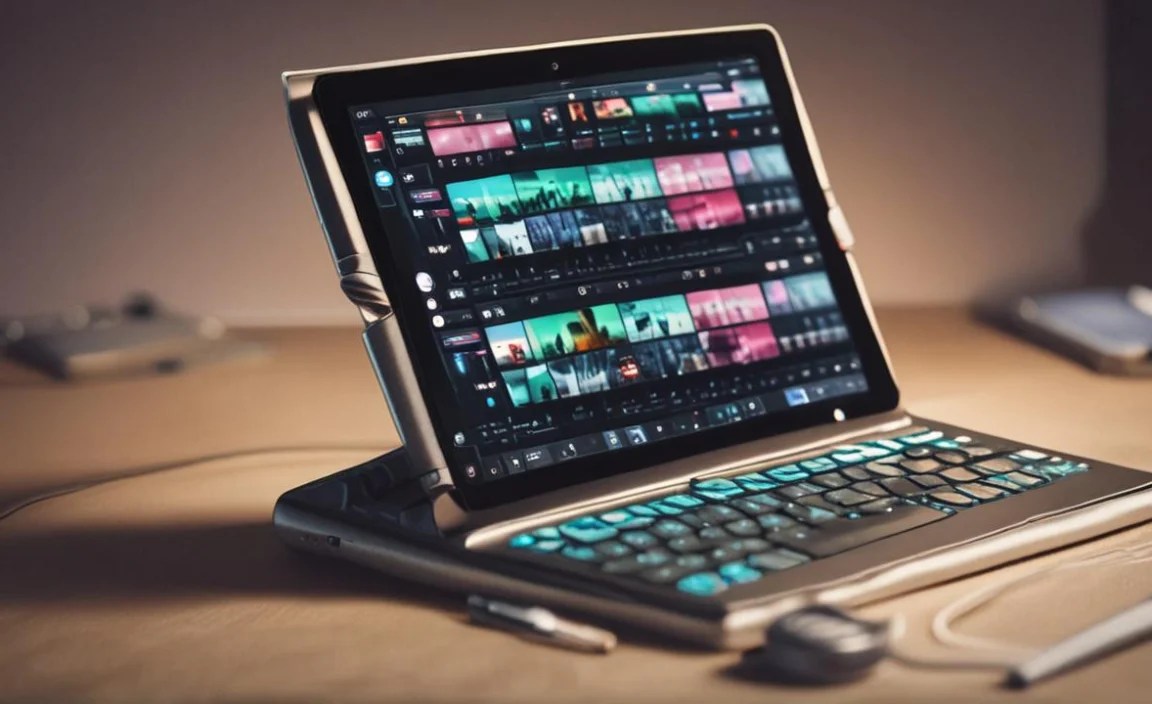
While less common for typical mobile DJ apps, some users might opt for Windows tablets if they want to run full desktop DJ software like Traktor Pro or Rekordbox in a portable format. These tend to be pricier. However, if you find a good deal on a Microsoft Surface Go or a similar entry-level Windows tablet with decent specs (at least an Intel Core i3 processor, 8GB RAM), it might be an option, though navigating touch interfaces with desktop software can be less intuitive.
Creating Your Affordable DJ Setup: What Else You Might Need
The tablet is your brain, but you’ll likely want a few other bits to make mixing practical and enjoyable.
- DJ App: As discussed, choose one that fits your OS and needs. Many offer free trials.
- Headphones: Essential for cueing tracks. You don’t need the most expensive pair to start. Some good quality, closed-back budget headphones will suffice.
- Splitter Cable or Audio Interface: To hear your headphones and the master output separately, you’ll need a way to output audio to your speakers and headphones independently. A simple headphone splitter cable works for basic setups, but a dedicated USB audio interface will provide better sound quality and reliability, especially if you plan to perform for others. Look for affordable 2-output interfaces.
- Optional: MIDI Controller: While you can DJ directly on the touch screen, many find a small MIDI controller vastly improves the tactile experience and control. There are some very affordable controllers that connect directly to tablets (often via USB-OTG adapters) and can be paired with apps like djay.
- Protective Case/Stand: To keep your tablet safe and at a good viewing angle during use.
Setting Up Your Tablet for DJing: A Step-by-Step Approach
Here’s a simple guide to getting your cheap tablet ready for DJ duty:
- Choose Your Tablet: Based on the recommendations above, select a tablet that fits your budget and has adequate specs (RAM, storage, processor).
- Install Your DJ App: Download your chosen DJ software from the respective app store (Apple App Store or Google Play Store).
- Organize Your Music: Have your music files ready. Ensure they are in a compatible format (MP3, WAV, FLAC, etc.). It’s best to have them stored locally on the tablet or a reliable external drive if your tablet supports it.
- Connect Your Audio Output:
- Basic: Plug a headphone splitter cable into your tablet’s headphone jack or USB-C port (using an adapter if needed). Connect your headphones to one output and your speaker system to the other (or use a Y-cable if needed for stereo).
- Intermediate: Connect a USB audio interface to your tablet (you might need a USB-OTG adapter for Android or a powered USB hub for some iPads). Connect your headphones and speakers to the interface.
- Configure App Settings: Open your DJ app and go through its audio setup. Select your headphones as the pre-cue output and your speakers (or audio interface output) as the master output.
- Load and Analyze Tracks: Import your music into the app. Most DJ apps will analyze your tracks for tempo (BPM) and beat grids, or you can do this manually.
- Practice, Practice, Practice! Experiment with the controls, learn beatmatching (or use sync!), and get comfortable with transitions. Many apps offer tutorials to help you get started.
Tips for Maximizing Performance on Budget Tablets
Even with a limited budget, you can optimize your tablet setup:
- Close Unnecessary Apps: Before you start DJing, shut down any other apps running in the background to free up RAM and processing power.
- Keep Software Updated: Ensure your tablet’s operating system and your DJ app are always up-to-date. Updates often include performance optimizations.
- Manage Storage: Don’t fill your tablet to the brim. Leave some free space for smooth operation. Delete apps you don’t use.
- Consider External Storage (if supported): If your tablet has microSD card support, use it to expand storage for your music library, keeping the internal drive less cluttered.
- Wired Connections are King: While Bluetooth is convenient, wired connections for headphones and audio interfaces are generally more stable and have lower latency, which is crucial for DJing.
- Avoid Overheating: If your tablet is struggling, it might be due to overheating. Avoid direct sunlight and give it a break if it feels too hot.
Comparing Tablet Specs for DJing: A Sample Table
Here’s a look at how some types of budget-friendly tablets might stack up for DJing. Remember to always check the specific model’s RAM and storage.
| Tablet Type | Typical Screen Size | Processor Example | Typical RAM | Typical Storage | DJ App Suitability | Pros for DJing | Cons for DJing |
|---|---|---|---|---|---|---|---|
| Samsung Galaxy Tab A (Newer Models) | 10-11 inches | Octa-core (e.g., Unisoc T618) | 3-4GB (Aim for 4GB+) | 32-64GB (Expandable) | Good for entry-level (djay, VirtualDJ basic) | Affordable, large screen, good battery | May lag with complex effects or many tracks; casual gaming performance. |
| Older Samsung Galaxy Tab S (e.g., S7, S6) | 10-11 inches | High-end Quad/Octa-core (e.g., Snapdragon 855+) | 6-8GB | 128GB+ (Expandable) | Excellent for most apps (djay, VirtualDJ) | Powerful processor, great screen, more RAM | Can be pricier even used; battery health on older units. |
| Standard Apple iPad (9th/10th Gen) | 10.2 – 10.9 inches | A13 / A14 Bionic Chip | 3GB (iOS optimization helps) | 64-256GB | Excellent for djay, Traktor DJ 2 | Smooth performance, great app ecosystem, reliable OS | Higher starting price, less expandable storage |
| Refurbished iPad Air/Pro | 10.5 – 12.9 inches | More powerful A-series chips | 4GB+ | 128GB+ | Excellent for all apps, demanding tasks | Great performance for price, premium build | Stock varies, requires careful checking of condition |
Note: RAM in iOS devices often performs differently than Android due to OS optimization. 3GB on a modern iPad can feel as smooth as 4GB or even 6GB on Android for many tasks.
Where to Find Cheap Tablets for DJing
Your best bet for scoring affordable DJ tablets is to look beyond brand-new, top-of-the-line models:
- Refurbished Stores: Directly from manufacturers like Apple or Samsung, or reputable electronics retailers. These devices are tested, often come with a warranty, and are significantly cheaper.
- Online Marketplaces: eBay, Amazon (look for “Renewed” or “Used” conditions from trusted sellers), and BackMarket are great places to find deals on older or used models. Always check seller reviews and return policies.
- Sales Events: Keep an eye out for major sale events like Black Friday, Cyber Monday, Amazon Prime Day, or holiday sales. Retailers frequently drop prices on tablets during these times.
- Older Generations: Don’t dismiss last year’s or the year before’s models. They often have plenty of power for DJing and are sold at a much steeper discount.
Is a Cheap Tablet Right for Every DJ?
For aspiring DJs, students, or those who want a portable practice setup, a cheap tablet can be an absolute game-changer. It’s a fantastic entry point.
However, if you’re a seasoned professional looking to replace your main rig, a budget tablet might not have the raw power, connectivity, or reliability for demanding live gigs. Professional setups often require more robust hardware, dedicated audio interfaces with multiple outputs, and fail-safe performance. But for learning, mastering basic techniques, and even performing at smaller house parties, a well-chosen budget tablet is more than capable.
Frequently Asked Questions (FAQ)
Can I really DJ on a cheap tablet?
Yes! Many of today’s budget tablets have enough processing power and RAM to run popular

Your tech guru in Sand City, CA, bringing you the latest insights and tips exclusively on mobile tablets. Dive into the world of sleek devices and stay ahead in the tablet game with my expert guidance. Your go-to source for all things tablet-related – let’s elevate your tech experience!