Can you create amazing art on Procreate without breaking the bank? Yes! Discover our expert-picked cheap tablets that offer fantastic performance for digital artists on a budget. Get creative without compromise.
Hey there, creative souls! Walter Moore here from Tabletzoo. Are you dreaming of diving into the vibrant world of Procreate, sketching out your next masterpiece, or illustrating your wildest ideas? It’s an exciting journey! But then you see the price tags of some of the top-tier tablets, and your artistic spirit might feel a little… deflated. Don’t let that stop you! Picking the right tablet for Procreate doesn’t have to cost a fortune. We’re here to guide you through the maze and find those hidden gems. Get ready to discover affordable options that deliver impressive results, so you can focus on what you do best – creating art!
Cheap Tablets for Procreate: Expert Picks for Budgets
Procreate is the go-to drawing and painting app for so many artists, but it’s exclusive to Apple’s iOS devices, specifically iPads. This can be a bit of a hurdle for budget-conscious creators. The good news? You don’t need the absolute latest, most expensive iPad to run Procreate smoothly and create stunning digital art. We’ve scoured the market and consulted with fellow digital artists to bring you a curated list of the best cheap tablets that are fantastic for Procreate users. We’ll focus on what truly matters: stylus support, screen quality, performance, and of course, price.
Understanding Procreate’s System Requirements (The Basics)
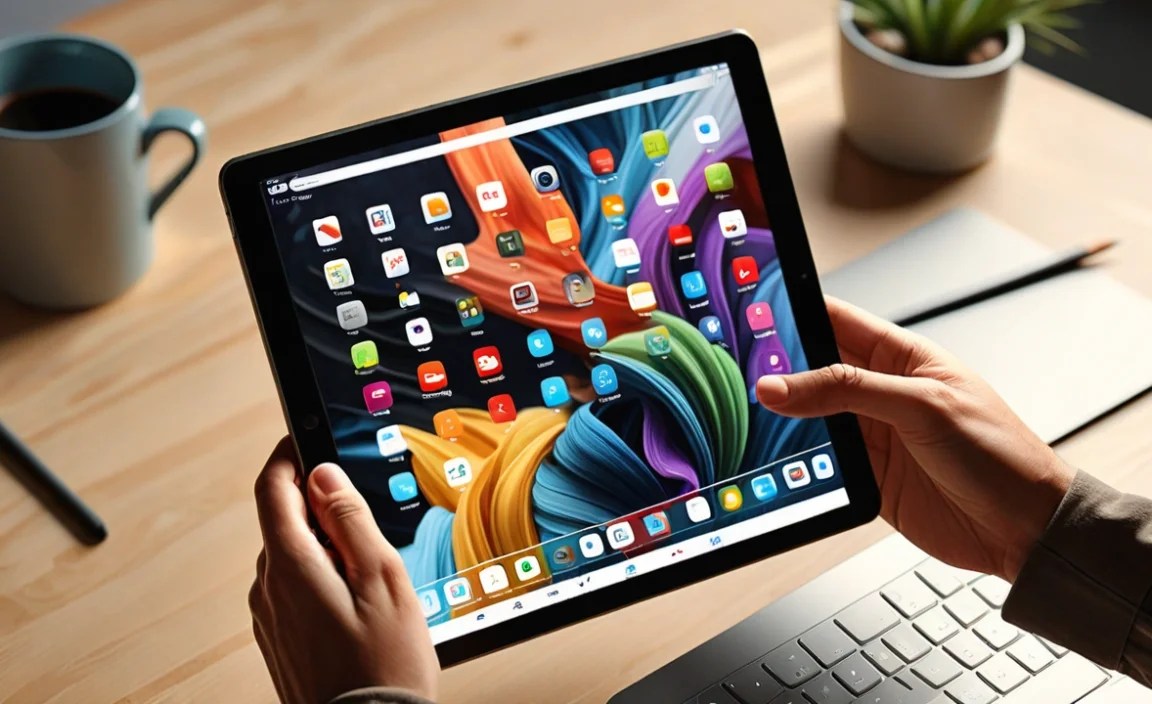
Before we jump into specific tablet recommendations, let’s quickly touch upon what Procreate needs to run well. Procreate is a powerful app, so it does benefit from a decent processor and ample RAM. However, it’s surprisingly well-optimized. Generally, you’ll want a tablet that:
- Runs iPadOS (this is the key – Procreate isn’t available on Android or Windows tablets).
- Supports Apple Pencil (1st generation or Apple Pencil 2nd generation, depending on the iPad model).
- Has at least 2GB of RAM (though more is always better for complex projects).
- Offers good screen resolution and color accuracy for visual work.
The biggest factor for Procreate is that it must be an iPad. So, when we talk about “cheap tablets for Procreate expert picks,” we’re really talking about the most affordable iPads that fit the bill. Let’s break down some of the best budget-friendly iPad options that will get your creative juices flowing!
The Best Budget iPads for Procreate: Our Top Picks

Finding a capable iPad for Procreate on a budget often means looking at slightly older models, or Apple’s entry-level offerings. These devices strike a brilliant balance between cost and capability. We’ve prioritized models that still offer excellent pen support and a smooth user experience for the app.
1. iPad (9th Generation) – The Standout Value Pick
If you can find it at a good price, especially refurbished, the 9th Gen iPad is a phenomenal starting point. It was released in 2021 and is a real workhorse for beginners. It’s no longer the newest model, which often means you can snag it for a significantly reduced price, especially if you’re looking at refurbished options directly from Apple or trusted retailers. This makes it one of the best cheap tablets for Procreate expert picks.
Key Features for Artists:
- Apple Pencil Support: Compatible with the 1st Generation Apple Pencil. This is crucial for accurate drawing and pressure sensitivity.
- A13 Bionic Chip: This chip, also found in iPhones from the same era, is more than capable of running Procreate without lag for most everyday art tasks and projects.
- 10.2-inch Retina Display: While not the most color-accurate or high-resolution screen Apple offers, it’s perfectly adequate for learning and creating. It’s bright, clear, and provides a good canvas for your art.
- Storage: Crucially, the 9th gen iPad came with a base storage option of 64GB, which is much better than the 32GB found on some older models. This gives you ample space for your Procreate brushes, projects, and other apps.
Why it’s great for Procreate: The 1st Gen Apple Pencil is responsive and offers pressure sensitivity, which is essential for natural-feeling brush strokes. The A13 chip ensures Procreate runs smoothly, and the larger screen size compared to older base models offers more drawing real estate.
Where to find it: Look for deals on Apple’s refurbished store, major electronics retailers (like Best Buy, Amazon), or reputable tech resellers. Refurbished models are often like-new and come with a warranty, making them a risk-free way to save money.
2. iPad Air (4th Generation) – A Step Up in Performance and Design
The iPad Air 4th Generation (released in 2020) offers a more premium experience without the top-tier price tag, especially now that newer models are available. It bridges the gap nicely between the base iPad and the Pro models. It’s a fantastic option if you can find it at a discount.
Key Features for Artists:
- Apple Pencil (2nd Gen) Support: This is a significant upgrade! The 2nd Gen Apple Pencil offers magnetic charging and pairing directly to the iPad, and features double-tap functionality for switching tools. It feels more integrated and convenient.
- A14 Bionic Chip: This chip is faster and more powerful than the A13 in the 9th Gen iPad, meaning even more demanding Procreate projects and multitasking will be smoother.
- 10.9-inch Liquid Retina Display: This display is more modern, edgeless, and offers better color reproduction than the 9th Gen model. It’s a more immersive and visually pleasing canvas.
- Design: It features a sleeker, modern design with thinner bezels and USB-C port, which is more versatile than the Lightning port on the 9th Gen.
Why it’s great for Procreate: The combination of the faster A14 chip, the superior Apple Pencil 2 experience, and the better display makes the iPad Air 4 particularly enjoyable for Procreate. It’s a great all-rounder if your budget allows for a slight step up from the base model.
Where to find it: Similar to the 9th Gen, check Apple’s refurbished store, Amazon, and other electronics retailers. Its previous generation status makes it a prime candidate for discounted sales.
3. iPad mini (6th Generation) – The Portable Powerhouse
Don’t let the small size fool you! The iPad mini 6th Generation (released in 2021) packs a serious punch. While it might seem counterintuitive to go smaller for an art tablet, the iPad mini offers a unique, highly portable drawing experience that many artists love for quick sketches, on-the-go ideation, or even detailed work if you don’t mind the compact screen.
Key Features for Artists:
- Apple Pencil (2nd Gen) Support: Just like the iPad Air 4, it works seamlessly with the Apple Pencil 2.
- A15 Bionic Chip: This is a powerhouse chip, even found in some iPhone models. It handles Procreate with exceptional ease, offering top-tier performance in a tiny package.
- 8.3-inch Liquid Retina Display: This is the primary consideration. While the display is sharp and colorful, it’s smaller than other iPads. However, its portability is unmatched.
- USB-C Port: Offers convenient connectivity.
Why it’s great for Procreate: For artists who value portability above all else, the iPad mini 6 is a dream. You get flagship performance and the best Apple Pencil experience in a device that easily fits in a jacket pocket. It’s perfect for sketching ideas on your commute or in a cafe.
Where to find it: Again, refurbished is your friend here for a “cheap” price point. Keep an eye out for sales from Apple and major retailers.
Comparing Your Budget iPad Options

To help you visualize the differences, here’s a quick comparison table. Remember, prices can fluctuate, so these are general guidelines.
| Feature | iPad (9th Gen) | iPad Air (4th Gen) | iPad mini (6th Gen) |
|---|---|---|---|
| Release Year | 2021 | 2020 | 2021 |
| Chip | A13 Bionic | A14 Bionic | A15 Bionic |
| Apple Pencil Support | 1st Gen | 2nd Gen | 2nd Gen |
| Screen Size | 10.2 inches | 10.9 inches | 8.3 inches |
| Display Type | Retina | Liquid Retina | Liquid Retina |
| Storage Options (Common) | 64GB, 256GB | 64GB, 256GB | 64GB, 256GB |
| Typical New Price Range (Approx.) | $250 – $450 | $350 – $550 (if still available new) | $350 – $550 |
| Typical Refurbished Price Range (Approx.) | $180 – $350 | $250 – $450 | $280 – $450 |
| Port | Lightning | USB-C | USB-C |
Prices are approximate and can vary based on retailer, condition (new/refurbished), and sales events. Always check current pricing.
What About Older iPads? Are They Worth It?

You might see even older iPads appearing in your search for a “cheap tablet for Procreate.” For instance, iPads from the late 2010s (like the iPad 6th or 7th generation) might be tempting. While they can technically run Procreate and support the 1st Gen Apple Pencil, there are some significant drawbacks to consider:
- Performance: They will be noticeably slower, especially with larger canvases, more layers, or complex brushes. You might experience lag, crashes, and frustrating wait times.
- Storage: Many older base models came with only 32GB of storage, which fills up extremely quickly with Procreate, brushes, and projects.
- Battery Life: Older batteries degrade over time, meaning you might not get a full day of creative work out of them without needing a charge.
- Compatibility: They might be running older versions of iPadOS, which could limit future Procreate updates or app compatibility.
Verdict: While you can technically use them, we generally recommend these older models only if your budget is extremely limited and you are prepared for potential performance compromises. For a significantly better experience, sticking to the 9th Gen iPad or newer is advisable.
Key Specs to Look For When Buying a Used or Refurbished iPad

If you’re venturing into the world of used or refurbished iPads to get the best deal, here’s what to keep an eye on:
- Storage: Aim for at least 64GB. 128GB is even better if you can find it. Procreate’s brush packs alone can take up gigabytes, and your artwork can also consume substantial space.
- Apple Pencil Compatibility: Double-check which generation of Apple Pencil the specific iPad model supports. You’ll need one of these to use Procreate effectively. You can find compatibility charts on Apple’s official website or reputable tech review sites like Apple Support.
- Battery Health: When buying used, ask about the battery health. If buying refurbished from Apple, they guarantee a minimum battery capacity. For other sellers, try to get details or look for signs of a worn-out battery. Poor battery life can severely hinder your creative flow.
- Cosmetic Condition: For a budget buy, minor scuffs or scratches on the casing are usually acceptable. However, inspect the screen very* carefully for any deep scratches, dead pixels, or delamination (where the glass seems to separate from the display), as these can impact your drawing experience.
- Seller Reputation: Buy from reputable sources. Apple’s refurbished store is excellent, as are established retailers like Amazon (look for “Sold by Amazon” or highly-rated third-party sellers), Best Buy, and others with good return policies and buyer protection.
Essential Accessories for Your Procreate Setup
Once you’ve picked up your budget iPad, you’ll want a couple of accessories to complete your Procreate setup. These aren’t just nice-to-haves; they can significantly enhance your experience and protect your investment.
1. The Stylus: Apple Pencil is King
As we’ve mentioned, Procreate is optimized for Apple Pencil. While there are third-party styluses for iPads, the Apple Pencil offers unmatchable palm rejection, pressure sensitivity, and tilt control, which are crucial for a natural drawing feel.
- Apple Pencil (1st Generation): Works with iPad (9th Gen) and older compatible models.
- Apple Pencil (2nd Generation): Works with iPad Air (4th Gen), iPad mini (6th Gen), and iPad Pro models.
Budget Tip: If the cost of a new Apple Pencil is still too high, explore buying a used or refurbished one. They are often available at a discount. Ensure it’s genuine!
2. Screen Protector: Matte for a Sketchbook Feel
This is a game-changer for digital artists. A matte screen protector reduces glare and provides a textured surface that mimics the friction of paper. This makes drawing feel more natural and less slippery than on a glossy glass screen.
Look for “anti-glare” or “paper-like” screen protectors specifically designed for your iPad model. Brands like Paperlike or similar alternatives are popular choices. They are relatively inexpensive and worth every penny for the improved drawing comfort.
3. A Protective Case
Your iPad is now your portable art studio, so it needs protection. A case will safeguard it from bumps, drops, and scratches. Consider a case that also folds into a stand for comfortable drawing angles.
Alternatives to iPads for Digital Art (The Android/Windows Question)

It’s a common question: “Can I use Procreate on an Android tablet or a Windows device?” The direct answer is no. Procreate is exclusively available on Apple’s iPadOS. However, if you’re already invested in the Android or Windows ecosystem, or if you find a specific non-Apple tablet at an incredible price, there are excellent alternatives for digital art:
For Android Users: Samsung Galaxy Tab S Series
Samsung’s Galaxy Tab S line (e.g., Tab S7, S8, S9 series) is arguably the closest competitor to iPads for artists. They come with the S Pen stylus included, offering excellent pressure sensitivity and low latency.
- Key Apps: You’ll use apps like Clip Studio Paint (often with a subscription), Autodesk Sketchbook (free), or Infinite Painter.
- Performance: Higher-end models are very powerful and can handle demanding art tasks.
- Screen Quality: Samsung is known for its beautiful AMOLED displays.
Budget Tip: Look for previous generations (e.g., Tab S8 or S7) or the more affordable FE (Fan Edition)/A series models. These can offer great value.
For Windows Users: Microsoft Surface Pro Line
The Microsoft Surface Pro devices are essentially Windows laptops that can function as tablets. They offer the full power of desktop software.
- Key Apps: You can run industry-standard applications like Photoshop, Clip Studio Paint, Corel Painter, and more.
- Stylus: You’ll need to purchase the Surface Pen separately, but it offers great artist-grade features.
- Flexibility: They are full-fledged computers, making them incredibly versatile.
Budget Tip: Surface Pro models, especially older generations or refurbished units, can be found at significant discounts during sales events. Check out Microsoft’s

Your tech guru in Sand City, CA, bringing you the latest insights and tips exclusively on mobile tablets. Dive into the world of sleek devices and stay ahead in the tablet game with my expert guidance. Your go-to source for all things tablet-related – let’s elevate your tech experience!