Durable tablets for yoga apps are essential for uninterrupted practice. Focus on screen brightness, battery life, storage, and a sturdy build for a seamless experience.
Namaste, fellow yogis and tech explorers! Are you looking to enhance your home practice with digital guidance, only to find yourself overwhelmed by tablet specs? You’re not alone! Finding a tablet that can keep up with your flows – from bright living rooms to cozy corners – without lagging or running out of juice can feel like a complex pose. But don’t unroll your mat in frustration just yet. I’m here to guide you. We’ll break down what really matters, making sure you can confidently choose a durable tablet that’s perfect for all your yoga app adventures. Get ready to find your perfect digital companion!
Why a Durable Tablet is Your Best Yoga Buddy

Let’s be honest, sometimes our yoga practice isn’t confined to a perfectly lit, climate-controlled studio. Maybe you’re streaming a calming meditation in your bedroom as the sun sets, following a vigorous Vinyasa flow in your bright living room, or even taking your practice outdoors to a park. In these scenarios, your tablet needs to be more than just a screen; it needs to be reliable and resilient.
A tablet that’s up for the job ensures you won’t miss a crucial cue because the screen is too dim to see, or have your flow interrupted by a dead battery. Durability also means it can handle the occasional bump or nudge without complaint. When you’re focused on balancing in Tree Pose or deepening your Warrior II, you don’t want to worry about your tech. That’s where choosing the right durable tablet for yoga apps comes in, and these buying tips will be your essential guide.
Key Features to Look For in Your Yoga Tablet

When you’re evaluating tablets, it’s easy to get lost in technical jargon. But for yoga apps, a few key areas truly make a difference. Let’s break them down.
1. Screen Brightness & Clarity: See Every Pose, Every Instruction
Your yoga instructor’s clear demonstration is paramount, regardless of where you are. This means your tablet’s screen needs to be bright enough to combat glare, especially if you practice near windows or outdoors.
Brightness Levels: Manufacturers often list screen brightness in nits. Aim for a tablet with at least 400-500 nits for good visibility in most indoor lighting conditions. If you plan to practice outdoors often, 600 nits or higher would be ideal.
Display Type: LCD and OLED displays both offer good visuals. OLED tend to have better contrast and deeper blacks, which can make videos pop. For yoga, clarity and color accuracy are more important than super-deep blacks, so a good quality LCD is perfectly fine.
Resolution: A higher resolution means a sharper image, making it easier to read text, see small adjustments in poses, and enjoy the visual aesthetic of your yoga videos. Look for tablets with at least a Full HD (1920 x 1080) display.
2. Battery Life: Power Through Your Entire Practice (and Then Some!)
Nothing kills the zen faster than a tablet dying mid-Savasana. For yoga apps, which often involve streaming or lengthy video tutorials, long battery life is non-negotiable.
Advertised vs. Real-World Usage: Manufacturers often give battery life estimates based on video playback. Real-world usage with Wi-Fi, app running, and screen on will drain it faster.
Aim for 8+ Hours: For a truly reliable experience, look for tablets that promise at least 8-10 hours of active use. This should comfortably cover a full-length yoga session, plus time for browsing for new instructors or poses.
Fast Charging: If you do find yourself needing a top-up, fast-charging capabilities can be a lifesaver, getting your tablet ready for your next session in a short amount of time.
3. Storage Space: Room for Your Favorite Flows
Yoga apps can range from simple pose guides to extensive video libraries. You’ll want enough storage to download your essential classes, offline guides, and any other apps you use.
Cloud vs. Local Storage: While many apps offer cloud streaming, downloading content for offline access is a great way to save data and ensure uninterrupted playback.
Minimum Recommended: For a comfortable experience with a few downloaded yoga programs and other essential apps, aim for at least 32GB of storage. 64GB or 128GB will give you much more breathing room and future-proof your device.
Expandable Storage: Some tablets offer a microSD card slot, allowing you to easily expand storage later if you find you need more space. This can be a very cost-effective solution.
4. Processor & RAM: Smooth, Lag-Free Experience
While you don’t need a powerhouse gaming chip, a decent processor and sufficient RAM ensure your yoga apps run smoothly without stuttering or freezing. This is especially important for high-definition video streaming.
Processor (CPU): This is the tablet’s brain. For yoga apps, a mid-range processor is usually sufficient. Look for terms like “quad-core” or “octa-core” which indicate multiple processing units, generally leading to better performance.
RAM (Random Access Memory): This helps your tablet switch between apps and keep them running efficiently. For a smooth experience with most yoga apps, 3GB or 4GB of RAM is generally adequate. More RAM (6GB+) will offer a snappier experience and better multitasking.
5. Build Quality & Durability: Handling the Real World
This is where the “durable” aspect really shines. While most tablets are not built to survive a drop from a height, some are more robust than others.
Materials: Tablets with metal or robust plastic casings tend to feel more solid and durable than those with cheaper plastic.
Screen Protection: While not always explicitly advertised as “tough glass,” some tablets use stronger screen materials that are more resistant to scratches and minor impacts. Reading reviews can often reveal real-world durability.
Water/Dust Resistance (IP Rating): While not common on many standard tablets for yoga, some ruggedized tablets offer impressive IP ratings (e.g., IP67, IP68). If you plan to practice in environments where spills or dust might be a concern, this is a feature to look into, though it often comes at a higher price point and potentially a heavier design. For most home users, a solid build is enough.
Operating System: A Matter of Preference

The operating system largely comes down to what you’re already familiar with or what ecosystem you prefer.
iPadOS (Apple): Known for its user-friendly interface, robust app store with high-quality apps, and strong performance. iPads generally offer excellent build quality and long software support. The App Store has a vast selection of top-tier yoga and wellness apps.
Android (Various Manufacturers like Samsung, Lenovo, Amazon Fire): Offers more variety in hardware choice and price points. Android tablets can be great value, and the Google Play Store also boasts a huge number of yoga and fitness apps. Some Android tablets offer more customization and expandable storage options.
Windows (Microsoft Surface): While often more geared towards productivity, Windows tablets can run many apps via their web versions or dedicated apps if available. They offer the most traditional computer-like experience.
Consider which operating system you’re most comfortable navigating. If you already use an iPhone, an iPad might feel very familiar. If you prefer the openness and variety of Android, that’s a great choice too.
Top Tablet Categories for Durable Yoga Use

Not all tablets are created equal, and their intended use can help you narrow down your choices.
1. Mid-Range All-Rounders: The Sweet Spot
These tablets offer a fantastic balance of features, performance, and price. They are often built well enough for everyday use and can handle demanding apps like yoga video services without a hitch.
Pros: Good balance of performance and price, reliable, usually good build quality, decent battery life.
Cons: May not have the absolute brightest screens or the most premium materials.
Examples: Samsung Galaxy Tab A series, Lenovo Tab P series, Apple iPad (standard model).
2. Premium iPads: The Top-Tier Choice
If budget is less of a concern and you want a tablet that excels in virtually every area – screen quality, performance, build, and app availability – then a premium iPad is hard to beat.
Pros: Excellent screen clarity and brightness, powerful performance, superior build quality, vast and high-quality app selection, long software support.
Cons: Higher cost, less storage flexibility (generally).
Examples: Apple iPad Air, Apple iPad Pro.
3. Budget-Friendly Options: Great Value for Beginners
For those just starting out or on a tighter budget, there are excellent tablets that can definitely handle your yoga app needs. You might compromise slightly on peak performance or screen brightness but can still get a functional and enjoyable experience.
Pros: Very affordable, perfect for trying out yoga apps, sufficient for basic streaming and guided practices.
Cons: Lower screen brightness might be an issue in bright rooms, performance might lag with very demanding apps or multitasking, battery life might be shorter.
Examples: Amazon Fire HD tablets, some entry-level Android tablets from brands like TCL.
4. Rugged Tablets: For Extreme Conditions (Usually Overkill)
These are built for harsh environments – construction sites, outdoor adventures, etc. They are incredibly durable, waterproof, and drop-proof.
Pros: Unmatched durability, suitable for extreme environments.
Cons: Significantly more expensive, heavier, bulkier, often have lower-resolution screens and less processing power for the price compared to standard tablets. If your yoga practice is confined to your home, this is likely unnecessary.
How to Use Your Tablet for Yoga Apps Effectively

Once you’ve chosen your tablet, here are some tips to maximize your yoga experience:
Mount It Up: Invest in a tablet stand or mount. This keeps your tablet stable, at a good viewing angle, and off the floor where it could get dirty or stepped on. Many adjustable stands allow you to position the tablet at eye level, which is great for alignment cues.
Offline Downloads: If your yoga app allows, download your favorite classes or sessions for offline use. This is a lifesaver if your Wi-Fi is spotty or you want to ensure zero interruptions.
Screen Lock: Be mindful of screen lock settings. You don’t want your tablet to go to sleep mid-pose! Many apps have options to keep the screen awake while the app is active.
Audio Balance: Adjust your tablet’s volume carefully. You want to hear the instructor clearly without it being so loud that it breaks your meditative state. Consider using headphones or a portable Bluetooth speaker for richer sound.
Cleanliness: Keep your tablet screen clean! A simple microfiber cloth can remove fingerprints and smudges, ensuring you can always see your instructor clearly.
Essential Apps to Get You Started
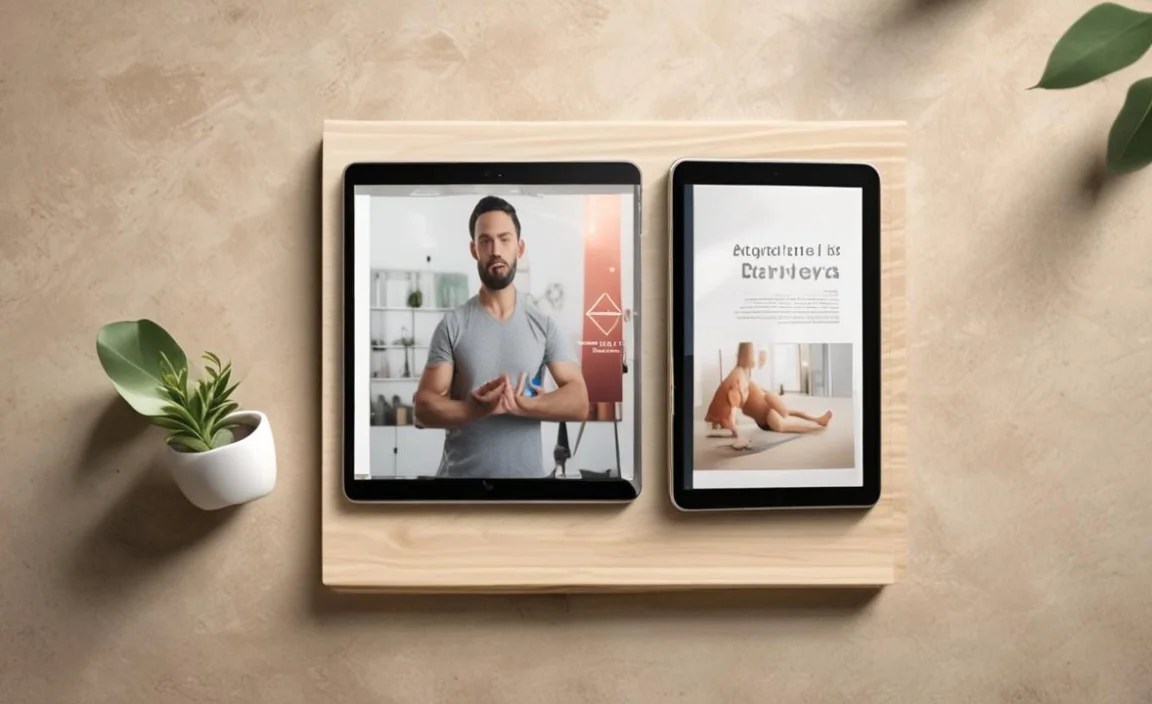
The right apps can make all the difference. Here are a few popular and well-regarded options to explore (availability may vary by OS and region):
Glo: Offers a vast library of classes from renowned instructors, ideal for all levels. (Subscription-based)
Down Dog: Highly customizable yoga practices that generate a new sequence every time you practice. Great for variety. (Subscription-based)
Alo Moves: Features a wide range of classes, from meditation to strength training, with high-quality production. (Subscription-based)
Yoga with Adriene: Popular YouTube channel that also has dedicated apps/platforms offering structured programs and a huge free library of videos. (Free content, some premium options)
Simply Yoga: A good option for beginners focusing on fundamental poses and routines. (One-time purchase or free with ads)
Remember to check if your chosen tablet’s operating system supports the specific apps you’re interested in. You can usually find detailed app information on the Apple App Store or Google Play Store websites. For more information on app development and quality, you can check resources like Gamasutra’s industry insights (while focused on games, industry insights on app development are often transferable).
Choosing a Tablet: A Quick Checklist
To make your decision easier, here’s a concise checklist:
Screen Brightness: Look for 400+ nits.
Display Resolution: Aim for Full HD (1920 x 1080) or higher.
Battery Life: Seek 8+ hours of active use.
Storage: Minimum 32GB, preferably 64GB or more. Check for microSD expansion.
Processor/RAM: Mid-range processor, 3-4GB RAM for smooth performance.
Build Quality: Solid feel, durable materials.
Operating System: Choose what you’re most comfortable with (iPadOS, Android).
Reviews: Read user reviews specifically mentioning app performance and durability.
Frequently Asked Questions About Durable Tablets for Yoga Apps
Q1: Do I really need a “durable” tablet for yoga? Isn’t a regular tablet fine?
While a regular tablet can absolutely work, “durable” implies it can handle being moved around, placed on different surfaces, and potentially withstand slightly less-than-ideal conditions (like bright sunlight for screen visibility) without issues like lagging or a screen that’s hard to see. For a seamless, interruption-free yoga experience at home or on the go, focusing on build quality and screen brightness contributes to overall durability and reliability.
Q2: How much storage do I need for yoga apps?
For most users, 64GB of storage is a comfortable starting point. This allows you to download several full-length yoga programs, a few smaller pose guides, and still have space for other essential apps and the operating system. If you plan on downloading a massive library or using your tablet for other media, 128GB or more would be a better investment.
Q3: Is an iPad or an Android tablet better for yoga apps?
Both are excellent! iPads tend to offer a more polished experience with a curated app store and excellent performance. Android tablets offer more variety in price and hardware, with many great yoga apps available on the Google Play Store. Your personal preference and existing ecosystem (e.g., if you already use an iPhone or Android phone) will likely be the deciding factor.
Q4: What does “nit” mean in terms of screen brightness?
A “nit” is a unit of luminance, essentially measuring how bright a screen is. The higher the nit count, the brighter the screen. For yoga apps, especially if you practice near windows or in well-lit rooms, a screen with 400 nits or more will be significantly easier to see than one with lower brightness.
Q5: Can I use my phone instead of a tablet for yoga apps?
Yes, you can! Many yoga apps are available on smartphones. However, tablets generally offer a larger screen, which makes following along with poses and instructions much easier and more immersive. A larger screen also means better visibility of the instructor and any on-screen cues.
Q6: Should I worry about water resistance for my yoga tablet?
For most home yoga practices, explicit water resistance is generally not a necessity. Unless you plan on practicing in environments where spills are very likely (like by a swimming pool) or in very dusty outdoor conditions, focusing on a tablet with good build quality and a sturdy case is usually sufficient.
Q7: How important is the processor for yoga apps?
While you don’t need the most powerful processor on the market, a decent mid-range processor (often described as quad-core or octa-core) combined with adequate RAM (3-4GB) is important for smooth video playback and responsive app performance. This ensures your app doesn’t freeze or stutter, which would disrupt your practice.
Conclusion
Choosing a tablet for your yoga apps doesn’t have to be a complicated journey. By focusing on key features like screen brightness, battery life, sufficient storage, processor power, and overall build quality, you can find a device that enhances your practice without frustration. Whether you opt for the user-friendly ecosystem of an iPad or the diverse options of Android, there’s a durable tablet out there ready to be your trusty companion on the mat. Remember to consider your personal practice style and environment, and don’t shy away from reading reviews. With these tips, you’re well-equipped to unroll your mat and follow your favorite instructors with confidence and clarity. Happy practicing!

Your tech guru in Sand City, CA, bringing you the latest insights and tips exclusively on mobile tablets. Dive into the world of sleek devices and stay ahead in the tablet game with my expert guidance. Your go-to source for all things tablet-related – let’s elevate your tech experience!