Quick Summary
Cheap tablets for trucking comparison shows affordable devices vital for logbooks, navigation, and communication. We’ll explore budget-friendly options balancing features and durability, ensuring you find a reliable tech companion for life on the road without breaking the bank.
Cheap Tablets for Trucking: Essential Comparison
Hey there, fellow road warriors! Walter Moore here from Tabletzoo. If you’re a truck driver, you know how important it is to have a reliable gadget with you. It’s not just about entertainment; it’s about keeping your business running smoothly. That can be tricky when you’re looking for something that’s both affordable and tough enough for the miles.
Many drivers ask, “What’s the best cheap tablet that won’t let me down?” It can feel like a maze of specs and prices out there. But don’t worry! We’re going to break down exactly what to look for, compare some budget-friendly contenders, and help you make a smart choice. Get ready to feel confident about your next tech purchase for the cab!
Why Truckers Need Tablets

Life on the road is demanding. You’re juggling navigation, electronic logging devices (ELDs), communication with dispatch, and maybe even catching up on news or a podcast during downtime. A tablet can be your command center, making all these tasks easier and more efficient.
Think about it: Instead of juggling a phone, a separate GPS, and a notepad, a tablet can consolidate many of your essential tools. This not only saves space in your cab but also streamlines your workflow. Plus, in this digital age, many carriers and logistics companies are moving towards digital solutions, making a tablet a near necessity.
Essential Functions for Truckers
- Electronic Logging Devices (ELDs): Most modern trucks require ELDs to track hours of service. A tablet is often the screen you interact with for these systems, ensuring compliance and safety.
- Navigation and Route Planning: Beyond standard GPS apps, tablets can run specialized trucking navigation apps that consider truck height, weight, and permit restrictions.
- Communication: Stay in touch with dispatch, family, and friends. Many apps allow for efficient messaging and even video calls.
- Document Management: Scan, store, and send important documents like bills of lading, receipts, and inspection reports.
- Entertainment and Relaxation: After a long day, unwind with streaming services, e-books, or games.
- Productivity Tools: Utilize notes apps, calendar apps, and more to stay organized.
What Makes a Tablet Trucker-Friendly?

When you’re on the road, a tablet faces unique challenges. It’s not just about the price tag; it’s about how well it handles the grind of trucking life. Here are the key features to look for:
Durability and Build Quality
This is paramount. Truck cabs can be dusty, experience vibrations, and sometimes, things get knocked around. Look for tablets with:
- Sturdy construction: A solid frame and a well-protected screen are crucial.
- Water and dust resistance: While not always found on budget models, some offer basic protection (look for IP ratings).
- Screen protectors and rugged cases: Budget for these accessories! They are essential for longevity.
For more in-depth information on rugged devices, you can check out resources on NIST cybersecurity standards which indirectly influence device requirements for secure operations.
Screen Visibility
You’ll be using your tablet in various lighting conditions, from bright sunlight to dim interiors. A bright, high-resolution screen with good contrast makes a huge difference. Anti-glare coatings can also be a lifesaver when the sun is beating down.
Battery Life
Long hauls mean limited access to charging points. You need a tablet that can last through your workday, or at least a significant portion of it. Look for devices with large battery capacities (measured in mAh). Quick charging capabilities are also a bonus.
Performance and Storage
You don’t need the absolute fastest processor, but you do need enough power to run your essential apps smoothly. A tablet that lags when you’re trying to log hours or check a route is frustrating. Ample storage is also key for downloaded maps, music, and documents.
Connectivity Options
Wi-Fi: Essential for staying connected in truck stops or rest areas.
Cellular (LTE/5G): If you plan to rely on your tablet for constant connectivity on the road, investigate models with cellular data capabilities. This often adds to the cost, so consider if a mobile hotspot from your phone is sufficient.
Bluetooth: Useful for connecting headphones, keyboards, or other accessories.
Operating System
Most budget tablets run either Android or are Amazon Fire devices (a version of Android). Both are suitable, but consider what you’re most familiar with and which apps you need. iOS is generally found on more expensive iPads.
Budget Tablet Comparison for Truckers
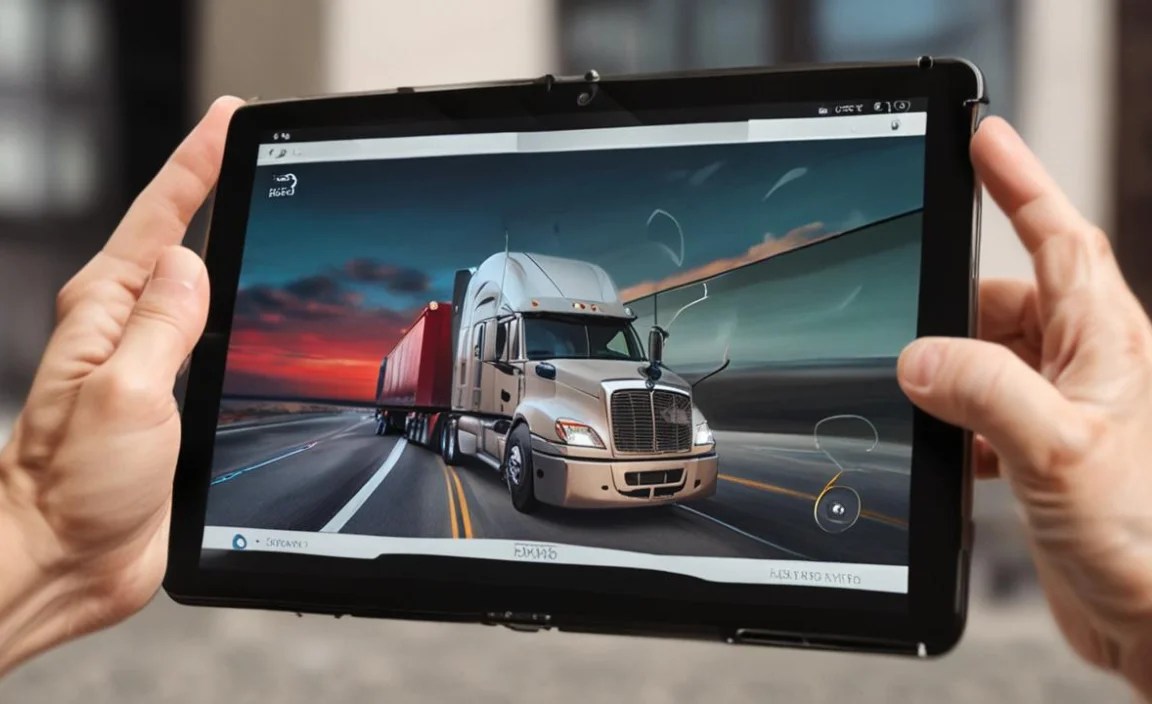
Finding a truly “cheap” and capable tablet means striking a balance. Here, we look at some popular Android options that often fall into the budget-friendly category. Keep in mind that prices can fluctuate, especially during sales events!
Amazon Fire Tablets
Amazon’s Fire tablets are often the go-to for budget-conscious buyers. They offer a lot of bang for your buck, especially if you’re already in the Amazon ecosystem.
- Pros:
- Extremely affordable pricing.
- Good for basic tasks like reading, browsing the web, and streaming.
- Decent battery life for casual use.
- Kid-friendly features if needed.
- Cons:
- Alexa integration is prominent, which might not be ideal for everyone.
- Access to apps is primarily through the Amazon Appstore, which is more limited than Google Play Store. You can sideload Google Play, but it’s an extra step.
- Performance can be slow for multitasking or demanding apps.
- Build quality is decent but not rugged.
Key Models to Consider:
- Amazon Fire HD 8: A popular, well-rounded budget tablet.
- Amazon Fire HD 10: Offers a larger screen for a slight price increase, great for viewing maps and documents.
Samsung Galaxy Tab A Series
Samsung’s budget-friendly A series tablets offer a more traditional Android experience with access to the full Google Play Store.
- Pros:
- Full access to the Google Play Store and all its apps.
- More familiar Android interface for many users.
- Generally better performance than Fire tablets in the same price range.
- Samsung’s One UI is clean and user-friendly.
- Cons:
- Slightly more expensive than Amazon Fire tablets.
- Build quality is good but not rugged.
- Camera quality is usually basic.
Key Models to Consider:
- Samsung Galaxy Tab A7 Lite: A compact and affordable option.
- Samsung Galaxy Tab A8: Offers a larger screen and improved performance over the A7 Lite.
Lenovo Tab Series
Lenovo offers a range of affordable Android tablets that often compete directly with Samsung’s A series in terms of price and features.
- Pros:
- Good value for money, often with competitive specs.
- Access to the Google Play Store.
- Solid build quality for the price point.
- Some models come with useful features like TÜV Rheinland certified eye care.
- Cons:
- Software updates can sometimes be slower than other brands.
- Performance can vary significantly between different models within the series.
- Not typically rugged out of the box.
Key Models to Consider:
- Lenovo Tab M8: A small, budget-friendly option.
- Lenovo Tab M10: A larger tablet with a decent display for media consumption and productivity.
Other Budget Options and Considerations
You might also find tablets from brands like:
- Nokia: Known for durability in their phones, their tablets can be a good mid-range option.
- Blackview / Ulefone / Doogee (Rugged Tablet Brands): While not strictly “cheap” in the same way as a Fire tablet, these brands specialize in rugged, durable devices that can withstand drops and harsh conditions. They might be worth considering if your budget allows for a slightly higher upfront cost for significantly better durability.
Comparison Table: Key Features
Here’s a simplified comparison to give you a general idea. Remember, specific models and their features can vary.
| Feature | Amazon Fire HD (e.g., HD 10) | Samsung Galaxy Tab A (e.g., A8) | Lenovo Tab M (e.g., M10) | Rugged Budget (e.g., Blackview Tab) |
|---|---|---|---|---|
| Typical Price Range (USD) | $70 – $150 | $100 – $200 | $90 – $180 | $150 – $300+ |
| Operating System | Fire OS (Android-based) | Android | Android | Android |
| App Store Access | Amazon Appstore (limited) | Google Play Store (full) | Google Play Store (full) | Google Play Store (full) |
| Screen Size | 8-10 inches | 8-11 inches | 8-10 inches | 8-11 inches |
| Build Quality | Plastic, decent | Plastic, good | Plastic/Metal, good | Reinforced, ruggedized |
| Durability | Standard | Standard | Standard | High (drop, dust, water resistance common) |
| Battery Life | Good for casual use | Good | Good | Often excellent due to larger batteries |
| Performance | Basic | Good for everyday tasks | Varies, often good | Varies, often focused on reliability over speed |
Making the Choice for Your Truck
So, how do you pick the right one? It comes down to your priorities.
If Price is Your Absolute Top Priority:
- Amazon Fire HD Series. You get a functional tablet for basic needs at the lowest price. Just be prepared to work within the Amazon ecosystem and consider a rugged case.
If App Access and Familiarity are Key:
- Samsung Galaxy Tab A Series or Lenovo Tab Series. These offer a true Android experience with the vast Google Play Store. They offer a great balance of performance, features, and price.
If Durability is Non-Negotiable:
- Consider Rugged Tablets. Brands like Blackview, Ulefone, and Doogee offer devices specifically built to survive tough conditions. While pricier upfront, they can save you money in the long run by not needing frequent replacements or expensive repairs. You can find good deals, especially on older models or during sales. A quick search on Amazon for “rugged Android tablet” will show you options.
Don’t Forget Accessories!
No matter which tablet you choose, budget for these to make it work better for trucking:
- Rugged Case: Essential for protection against drops and bumps. Look for ones with kickstands.
- Screen Protector: Tempered glass screen protectors are affordable and effective.
- Car Mount: A secure way to mount your tablet for easy viewing of navigation and ELDs.
- Stylus (Optional): If you plan on doing a lot of note-taking or finer touch interactions.
- Bluetooth Keyboard (Optional): For faster data entry or writing emails.
Tips for Using Your Tablet on the Road
Once you have your tablet, here are some tips to make your experience as a trucker smoother:
Manage Your Apps Wisely
Only install apps you absolutely need. Too many apps running in the background can slow down your tablet and drain the battery. Prioritize your ELD app, navigation, and communication tools.
Download Maps and Content for Offline Use
Cellular signal can be spotty. Download offline maps for your navigation apps and save any important documents or entertainment content before you head out into areas with poor connectivity.
Optimize Battery Settings
Lower screen brightness, turn off background app refresh for non-essential apps, and enable battery saver modes when needed. Keep a reliable car charger handy.
Invest in a Good Car Mount
Safety first! A good mount keeps your tablet secure and in a position where you can see it easily without taking your eyes off the road for too long. Check local regulations regarding where you can legally place devices in your vehicle.
Consider a Mobile Hotspot
If your chosen tablet doesn’t have cellular data and you need internet on the go, using your smartphone as a mobile hotspot is often a cost-effective solution. Ensure your phone plan supports hotspot usage.
Where to Buy Budget Tablets
You can find great deals on budget tablets at:
- Amazon: Wide selection, frequent sales, and readily available accessories.
- Best Buy: Good range of brands and professional advice available.
- Walmart: Often has competitive pricing on popular budget models.
- Manufacturer Websites: Sometimes offer direct sales or refurbished options.
- Third-Party Retailers: Keep an eye out for deals on sites like Newegg or B&H Photo.
Always compare prices before buying! Amazon often has sales directly on Fire tablets, and Samsung and Lenovo models can be found at discounted prices periodically.
Frequently Asked Questions (FAQ)
Q: Are budget tablets reliable for serious trucking apps like ELDs?
A: For most standard ELD apps that are designed to run on Android, yes, budget tablets are usually sufficient. However, always check the specific app’s minimum system requirements. While they may not be the fastest, they often handle these essential business applications well. The key is to ensure the tablet has enough RAM (4GB

Your tech guru in Sand City, CA, bringing you the latest insights and tips exclusively on mobile tablets. Dive into the world of sleek devices and stay ahead in the tablet game with my expert guidance. Your go-to source for all things tablet-related – let’s elevate your tech experience!