Ready to edit amazing photos on the go? Choosing the right tablet can feel overwhelming, especially with so many options. But don’t worry! It’s totally doable to find a powerful tablet that makes your photos shine, whether you’re a beginner or looking to upgrade. We’ll break down exactly what to look for and highlight some of the top contenders for 2025. Get ready to unlock your creative potential!
In 2025, the lines between professional creative tools and portable devices continue to blur. High-performance tablets are no longer just for browsing or casual games; they’re capable editing powerhouses. If you dream of fine-tuning your vacation shots or perfecting your portfolio images right from your couch or a coffee shop, a capable tablet is your ticket. But with terms like RAM, processors, and display resolutions flying around, it’s easy to get lost. This guide is here to simplify everything, helping you confidently pick a tablet that’s perfect for your photo editing needs without breaking the bank or your brain. We’ll cover everything from essential specs to specific model recommendations.
Why a High-Performance Tablet is Your Photo Editing Secret Weapon

Think of your tablet as a portable studio. For photo editing, this means you need a device that’s not just fast, but also displays your work accurately and handles demanding software smoothly. Unlike editing on a phone, a tablet offers a larger screen for better detail visibility and more precise control with a stylus. For us everyday users, that translates to less frustration and more enjoyable creative time. Whether you’re tweaking colors, cropping, or adding effects, the right tablet makes the process feel less like a chore and more like the art form it is. It’s all about having the power and precision you need, right in your hands.
Understanding the Specs That Matter for Photo Editing

When you’re looking at tablets for photo editing in 2025, certain technical bits are more important than others. Let’s demystify them so you can make informed choices. It’s not as complicated as it sounds!
Processor (CPU): The Brains of the Operation
The processor is like the tablet’s engine. For photo editing, you want a fast one. This means looking for chips like Apple’s A-series (for iPads) or Qualcomm’s Snapdragon (often found in Android tablets). They crunch numbers quickly, allowing your editing apps to run smoothly without lag, especially when you’re working with large, high-resolution images or applying complex filters.
RAM (Random Access Memory): The Workspace
RAM is where your tablet temporarily stores data it’s actively working on. More RAM means your tablet can handle more tasks at once and keep more of your project open without slowing down. For photo editing, aim for at least 8GB of RAM. If you work with very large files or multiple apps open, 12GB or 16GB will provide an even smoother experience.
Storage: Keeping Your Masterpieces Safe
Photo files can be huge! You’ll need plenty of space to store your photos, editing apps, and the operating system. Look for tablets with at least 128GB of internal storage. If you plan to store a massive library on your device, consider models with 256GB, 512GB, or even 1TB of storage, or ensure they have expandable storage options like microSD card slots (more common on Android tablets).
Display: Where the Magic Happens
This is perhaps the most crucial component for visual work. You need a display that shows true-to-life colors and has good detail.
- Resolution: Higher resolution means sharper images. Look for at least Full HD (1920 x 1080), but Quad HD (2560 x 1440) or higher is even better for seeing fine details.
- Color Accuracy: This is key! Look for specs like sRGB coverage (aim for 100%) or DCI-P3 coverage. These tell you how well the screen can reproduce a wide range of colors accurately.
- Brightness: A brighter screen is easier to work with in various lighting conditions.
- Stylus Support: If you want to draw or make very precise edits, a tablet that works well with a stylus (like Apple Pencil or Samsung S Pen) is a game-changer.
Battery Life: Power Through Your Projects
You don’t want your tablet dying halfway through a critical edit. Good battery life lets you work for extended periods without needing to hunt for an outlet. Most high-performance tablets offer decent battery life for their class, but it’s always worth checking reviews for real-world usage.
Top High-Performance Tablets for Photo Editing in 2025

Based on performance, display quality, and overall suitability for creative tasks, here are some of the best high-performance tablets you should consider for photo editing in 2025. We’ve included a mix to suit different operating systems and budgets.
1. Apple iPad Pro (M3 Chip Model)
The iPad Pro has long been the gold standard for tablet-based creative work, and the latest iterations continue this trend. With Apple’s powerful M3 chip, it rivals the performance of many laptops. The Liquid Retina XDR display (on the 12.9-inch model) offers incredible brightness, contrast, and color accuracy, making it a dream for photo editing. Paired with the Apple Pencil (2nd generation), it provides a refined and precise drawing and editing experience.
Pros:
- Exceptional processing power for demanding apps.
- Stunning, color-accurate Liquid Retina XDR display.
- Seamless Apple Pencil integration for precise control.
- Vast ecosystem of powerful creative apps like Procreate and Adobe Lightroom.
Cons:
- Premium price point.
- Storage upgrades can significantly increase cost.
- Limited file management compared to desktop OS (though improving).
2. Samsung Galaxy Tab S9 Ultra
Samsung’s flagship Android tablet is a serious contender, especially for those who prefer the Android ecosystem or want a larger screen. The Galaxy Tab S9 Ultra boasts a brilliant 14.6-inch Dynamic AMOLED 2X display with fantastic color reproduction and HDR support. It’s powered by a robust Snapdragon 8 Gen 2 for Galaxy chipset, coupled with ample RAM options. The included S Pen is excellent for detailed editing and drawing, and its IP rating means you can even edit near the water if you’re careful!
Pros:
- Expansive, high-quality AMOLED display.
- Powerful performance for Android apps.
- S Pen included, offering great precision.
- Runs full desktop-grade Adobe Photoshop and Lightroom.
- Expandable storage via microSD card.
Cons:
- Very large and can be unwieldy for some.
- Android’s app optimization for large screens can still vary.
3. Microsoft Surface Pro 9 (or newer)
While technically a 2-in-1 device that can function as a laptop, the Surface Pro 9 excels as a tablet for creative professionals. Running Windows 11, it offers the full power of desktop applications like Adobe Photoshop. The PixelSense display is sharp and color-accurate, and it supports the Surface Slim Pen 2, which offers haptic feedback for a more natural feel. Its ability to run any Windows software makes it incredibly versatile.
Pros:
- Full Windows OS compatibility; runs any desktop software.
- Excellent display with good color accuracy.
- Versatile as both a tablet and a laptop.
- Optional Surface Slim Pen 2 offers advanced features.
Cons:
- Can be pricey, especially with accessories (pen and keyboard often sold separately).
- Battery life can be inconsistent depending on usage.
- Heavier than typical tablets.
4. Google Pixel Tablet
For those who are invested in the Google ecosystem or prefer a well-rounded Android experience with a focus on smart home integration, the Google Pixel Tablet offers a compelling option. It features a bright, high-resolution display and decent performance thanks to its Tensor G2 chip. While not as powerful as the iPad Pro or Galaxy Tab S9 Ultra for intense, multi-layered edits, it’s excellent for mainstream photo editing apps and casual users who want a capable device. Its docking functionality also makes it easy to charge and display.
Pros:
- Access to the full Google Play Store for Android apps.
- Good display quality for its price point.
- Integrated charging speaker dock is a nice convenience.
- Well-integrated with Google services.
Cons:
- Less powerful processor than top-tier competitors.
- Stylus not included and sold separately.
- Not ideal for very demanding or complex editing tasks.
5. Lenovo Tab P12 Pro
The Lenovo Tab P12 Pro offers a strong balance of features and price, making it an attractive option for budget-conscious creators. It sports a large 12.6-inch AMOLED display with excellent contrast and color, powered by a capable Snapdragon chipset. It supports an optional stylus (Lenovo Precision Pen 3), providing good control for editing. It’s a solid performer for most photo editing tasks available on Android.
Pros:
- Excellent AMOLED display for the price.
- Good performance for everyday and mid-level editing.
- Optional stylus offers precision.
- More affordable than top-tier flagships.
Cons:
- Software optimization can sometimes lag behind top competitors.
- Build quality is good, but not quite as premium as others.
Key Factors to Consider When Choosing
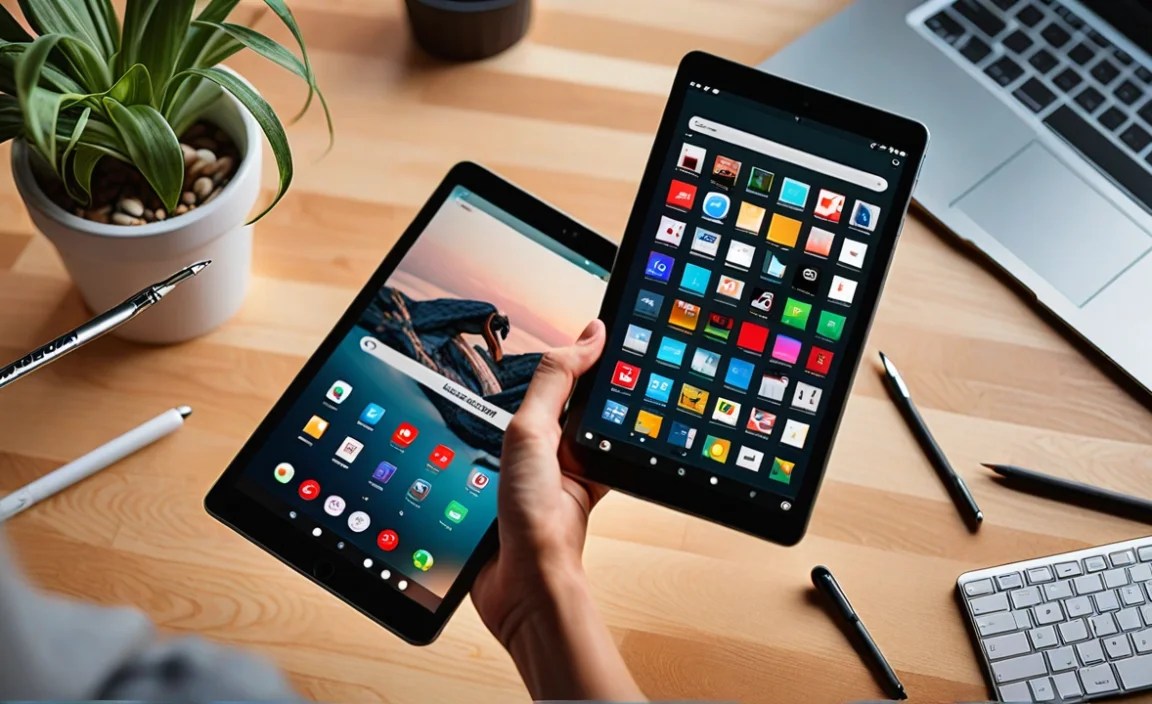
Beyond the specific models, think about these practical aspects that align with your personal editing workflow and preferences.
Your Editing Software Needs
What apps do you plan to use?
- iOS/iPadOS: Apps like Procreate, Adobe Photoshop, Adobe Lightroom, Affinity Photo, Pixelmator Photo.
- Android: Apps like Adobe Photoshop, Adobe Lightroom, Snapseed, Picsart, Infinite Painter.
- Windows: Access to the full desktop suite of Adobe Creative Cloud (Photoshop, Lightroom), Luminar Neo, Capture One, and many more.
If you rely on specific desktop-class software, a Windows tablet like the Surface Pro might be your best bet. If you’re happy with optimized mobile apps, iPads and Android tablets offer excellent choices.
Stylus or Finger Editing?
For detailed work, exposure adjustments, or retouching, a stylus is almost essential. If your chosen tablet doesn’t come with one, factor that into your budget. Look for stylus responsiveness, pressure sensitivity, and palm rejection.
Portability vs. Screen Size
A larger screen (11 inches and above) is better for seeing details and multitasking, but it also makes the tablet less portable. A smaller tablet (around 10-11 inches) is easier to carry but offers less screen real estate. Consider your typical editing environment – are you usually at a desk, or on the go?
Budget:**
High-performance tablets can range from a few hundred dollars to well over a thousand. Decide how much you’re willing to spend and prioritize the specs that matter most for your editing style. Don’t forget to factor in the cost of accessories like styluses and keyboards.
Getting Started with Photo Editing on Your New Tablet
Once you’ve picked your perfect tablet, setting it up for photo editing is straightforward. Here’s a quick guide:
- Download Your Editing Apps: Head to your device’s app store (App Store for iPad, Google Play Store for Android, Microsoft Store for Windows) and download your preferred photo editing software.
- Transfer Your Photos: You can transfer photos from your camera or phone via USB-C, cloud storage services (like Google Drive, Dropbox, iCloud), or sometimes directly using a memory card reader.
- Calibrate Your Display (Optional but Recommended): For the most accurate colors, consider using a color calibration tool designed for tablets or portable displays. While many high-end tablet displays are factory-calibrated, a quick check can ensure optimal results. Resources like DisplayMate often review display technologies extensively.
- Get Familiar with the Stylus: If you’re new to stylus editing, practice making different brush strokes and using pressure sensitivity to control opacity and line thickness.
- Organize Your Workflow: Use cloud storage or dedicated apps to keep your photo library organized. This makes accessing files much easier.
Essential Photo Editing Apps for Tablets
Here are some of the most popular and powerful photo editing apps you can find on tablets:
- Adobe Lightroom & Photoshop: Industry-standard tools offering professional-grade editing features. Available on iPadOS, Android, and Windows.
- Procreate (iPad Only): Primarily for digital painting and illustration, but excellent for creative photo manipulation and adding artistic elements.
- Affinity Photo: A powerful, one-time purchase alternative to Photoshop, available on iPadOS and Windows.
- Pixelmator Photo (iPad Only): A user-friendly yet capable app for editing and enhancing photos.
- Snapseed: A free, powerful, and intuitive photo editor from Google, available on iOS and Android.
- Luminar Neo (Windows/macOS, some limited mobile features): Known for its AI-powered editing tools, offering a glimpse into desktop editing power.
Frequently Asked Questions (FAQ)
Here are answers to some common questions beginner editors have about using tablets.
Q1: Can I really edit photos like a pro on a tablet?
Absolutely! Modern high-performance tablets, especially iPads and premium Android tablets, have processors and displays that rival laptops. With the right apps and a stylus, you can achieve professional-level results. It just takes a bit of practice and learning your chosen software.
Q2: Do I need to buy a stylus, or are my fingers enough?
For general adjustments like cropping and brightness, your fingers might be okay. But for detailed retouching, precise masking, or drawing, a stylus is highly recommended. It offers much greater accuracy and control compared to fingertip editing.
Q3: How much storage do I really need on my tablet for photos?
It depends on how many photos you plan to store directly on the device. If you primarily use cloud storage and edit photos in the cloud, 128GB might suffice. However, for offline editing of RAW files and a large personal library, 256GB or 512GB is safer. Always look for expandable storage options if you can.
Q4: Are tablets with OLED screens better for photo editing?
Yes, tablets with OLED (or AMOLED) displays generally offer superior contrast ratios, deeper blacks, and more vibrant colors compared to LCD screens. This makes them excellent for editing photos, especially those with dramatic lighting or deep color saturation. The Samsung Galaxy Tab S9 series is a prime example of this.
Q5: Is an iPad or an Android tablet better for photo editing?
This is largely a matter of personal preference and ecosystem. iPads often have a slight edge in app optimization and a dedicated suite of powerful creative apps like Procreate. Android tablets, like the Samsung Galaxy Tab series, offer more flexibility, often with included styluses, expandable storage, and the ability to run desktop-grade Photoshop. Both are excellent choices.
Q6: Can I connect my camera directly to a tablet for photo editing?
Yes, most modern tablets have USB-C ports that allow you to connect camera card readers or directly connect your camera (if supported by the camera and tablet). This is a convenient way to offload your photos straight to your editing device.
Conclusion
Finding a high-performance tablet for photo editing in 2025 is more accessible and powerful than ever. Whether you lean towards the refined ecosystem of Apple, the versatile power of Windows, or the flexibility of Android, there’s a fantastic device out there for you. By understanding essential specs like processor, RAM, and display quality, and considering your workflow and budget, you can confidently choose a tablet that transforms your photography on the go.
Don’t let complex tech terms scare you away from creating stunning images. With the right tools in your hands, you can edit, enhance, and share your photos with pride, anytime, anywhere. Happy editing!

Your tech guru in Sand City, CA, bringing you the latest insights and tips exclusively on mobile tablets. Dive into the world of sleek devices and stay ahead in the tablet game with my expert guidance. Your go-to source for all things tablet-related – let’s elevate your tech experience!