High-performance tablets are essential for modern RV travel, offering navigation, entertainment, and connectivity on the go. This guide helps you choose the best tablet for your adventures, balancing power with portability and durability.
High-Performance Tablets for RV Travel: Your Essential Guide
Hitting the open road in an RV offers incredible freedom, but staying connected and entertained can sometimes feel like a challenge. You want to navigate new places, share your journey, and unwind after a long day of driving, all from a device that can handle it. Finding the right tablet can make all the difference, but with so many options, where do you even begin? It’s frustrating when your tech doesn’t quite keep up with your adventurous spirit. Don’t worry, we’re here to help! This guide will walk you through everything you need to know to pick a high-performance tablet that’s perfectly suited for your RV lifestyle.
Why a High-Performance Tablet is a Game-Changer for RVers

When we talk about “high-performance” for an RV tablet, we’re not just talking about speed. It’s about a combination of features that make your travel experience smoother, more enjoyable, and more productive. Think about it: you might need a tablet that can run complex navigation apps flawlessly, stream movies without endless buffering, or even handle a bit of remote work. Plus, an RV environment can be a bit rougher than your living room, so durability and battery life become super important.
Here’s why investing in a capable tablet is a smart move for any RVer:
- Enhanced Navigation: Beyond basic GPS, high-performance tablets can run advanced mapping software, offline maps, and even specialized RV routing apps that consider bridge heights and weight limits.
- Entertainment Hub: Stream your favorite shows, play games, read e-books, or listen to podcasts. A powerful tablet ensures a smooth, buffer-free experience, even when you’re parked in a remote location with potentially spotty mobile data.
- Productivity on the Go: Many RVers work remotely or manage their travel online. A good tablet can handle emails, document editing, video calls, and accessing cloud-based files with ease.
- Connectivity and Communication: Stay in touch with family and friends, manage social media, and access important travel information like weather updates or campground reviews.
- Digital Organization: Keep all your travel documents, reservations, and notes in one place. Many tablets offer excellent stylus support for digital note-taking, which can be incredibly handy.
What “High-Performance” Really Means for Your RV Tablet

Let’s break down the techy bits into plain English. When you’re looking for a tablet that can keep up with your travels, focus on these key areas:
1. Processor (CPU) and RAM: The Brains and Memory
The processor, or CPU, is like the tablet’s brain. A faster processor means apps will open quicker, tasks will complete faster, and multitasking will feel seamless. RAM (Random Access Memory) is like the tablet’s short-term memory. More RAM allows the tablet to keep more apps open and easily switch between them without everything slowing down.
For RV Travel: Look for processors like Apple’s A-series chips (e.g., A14 Bionic and newer), Qualcomm Snapdragon 8-series (e.g., Snapdragon 8 Gen 1 and newer), or high-end MediaTek Dimensity chips. Aim for tablets with at least 6GB of RAM, but 8GB or more is even better, especially if you plan to multitask heavily or use demanding apps.
2. Storage (Internal Memory): Where Your Apps and Files Live
This is where all your photos, videos, apps, and documents are stored. RV travel often means needing offline access to maps, entertainment, and important files, so having enough storage is crucial.
For RV Travel: A minimum of 128GB is recommended. If you plan to download a lot of movies, music, or large offline map sets, consider 256GB or more. Some tablets also offer microSD card slots for expandable storage, which can be a cost-effective way to add space.
3. Display Quality: Your Window to the World
You’ll be staring at your tablet screen a lot, whether it’s for navigation, reading, or streaming. A bright, sharp display with good color accuracy makes a huge difference.
For RV Travel: Aim for a screen resolution of at least Full HD (1920 x 1080 pixels). Look for screens with good brightness levels (measured in nits) so you can see it clearly even in bright sunlight. Technologies like OLED or high-quality LCD panels provide vibrant colors and deep blacks, enhancing your viewing experience.
4. Battery Life: Crucial for Off-Grid Adventures
When you’re parked in a national park or exploring remote areas, finding a power outlet can be tricky. Excellent battery life is non-negotiable.
For RV Travel: Most high-performance tablets offer between 8 to 12 hours of typical use on a single charge. Look for reviews that specifically test battery life under various conditions. Consider a tablet with fast-charging capabilities so you can top up quickly when you do have access to power.
5. Durability and Build Quality: Surviving the Road
RVs can be bumpy, and devices can get jostled. While you might not need fully ruggedized military-spec gear, a tablet with a solid build stands a better chance of lasting.
For RV Travel: Metal unibody construction (aluminum, for example) is generally more durable than plastic. Some tablets offer enhanced scratch resistance on their screens. Investing in a good quality case is also highly recommended for extra protection.
6. Connectivity: Staying Linked Up
You’ll need Wi-Fi, of course, but consider cellular (LTE/5G) capabilities if you plan to stay connected in areas without Wi-Fi hotspots. Bluetooth is essential for connecting to accessories like keyboards or speakers.
For RV Travel: While Wi-Fi-only models are cheaper, a cellular-enabled tablet can be invaluable for constant connectivity, especially if you rely on your device for work or critical navigation. Be mindful of data plan costs.
Top Tablet Categories for RV Travel
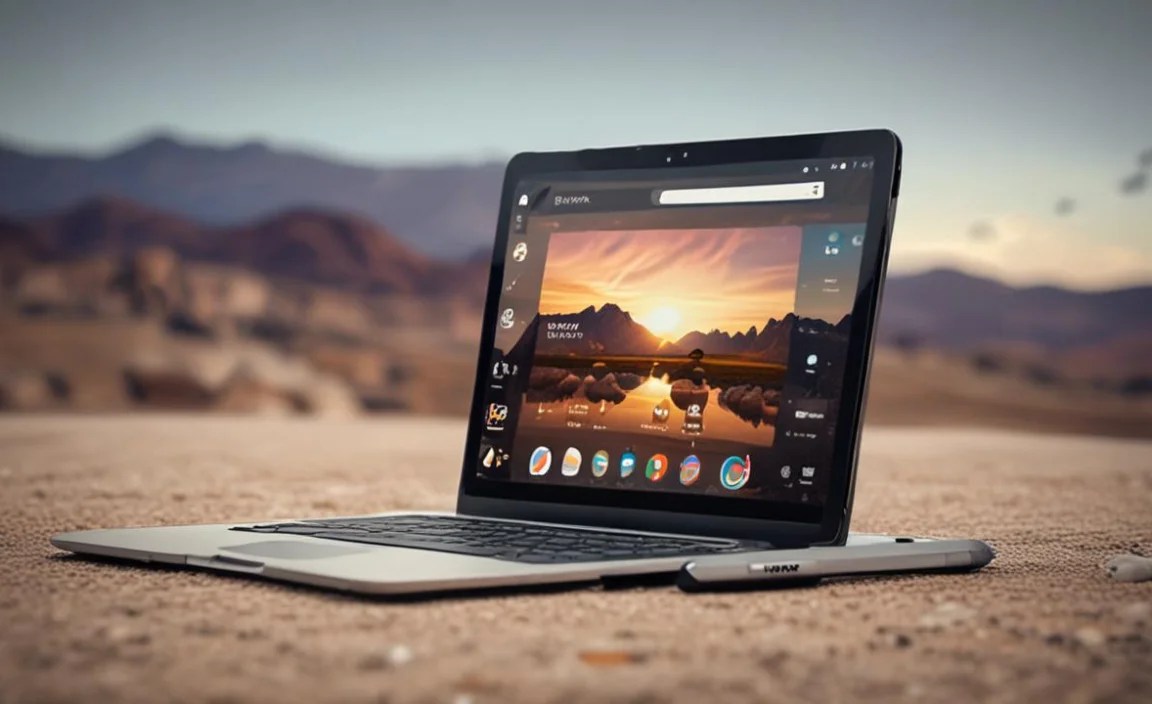
Based on your needs, you might lean towards one of these popular tablet types:
1. Premium All-Rounders (iPad Pro/Air, Samsung Galaxy Tab S Series)
These are the heavyweights. They boast top-tier processors, stunning displays, excellent build quality, and robust app ecosystems. They’re perfect for users who want the absolute best performance for everything from productivity to entertainment.
- Pros: Unmatched performance, best-in-class displays, extensive app support, excellent build quality, often support advanced accessories like stylus pens.
- Cons: Highest price point, can be overkill for basic needs.
2. Mid-Range Powerhouses (iPad, Samsung Galaxy Tab A/S Lite Series)
These tablets offer a fantastic balance of performance, features, and price. They are more than capable of handling most RV travel needs without breaking the bank.
- Pros: Great performance for the price, good battery life, solid displays, wide availability.
- Cons: Not as cutting-edge as premium models, may have slightly less storage or older processors.
3. Budget-Friendly Options (Amazon Fire HD Series, Lenovo Tab Series)
If your primary needs are entertainment, reading, and basic browsing, these tablets can be excellent choices. They offer good value for money.
- Pros: Very affordable, good for media consumption and light use, decent battery life.
- Cons: Performance limitations for demanding apps, often have ads on the lock screen (Fire HD), app stores may be more limited.
Must-Have Apps for Your RV Tablet
Once you’ve got your tablet, stock it with apps that will truly enhance your RV journey:
Navigation & Mapping
- Google Maps/Apple Maps: Excellent for general navigation, traffic updates, and finding points of interest. Download offline maps for areas with no cell service.
- Waze: Community-powered navigation app that provides real-time traffic, hazard alerts, and police presence information.
- RV-Specific Navigation Apps (e.g., CoPilot RV, RV LIFE GPS & Camp`): These apps are designed with RVs in mind, factoring in vehicle dimensions, weight restrictions, and preferred routes for campers. (Learn more about RV navigation at the Federal Highway Administration.)
- AllTrails/Gaia GPS: For hikers and off-road explorers, these apps offer detailed trail maps and GPS tracking.
Entertainment
- Streaming Services (Netflix, Hulu, Disney+, YouTube): Download content for offline viewing when internet is scarce.
- Spotify/Apple Music: For your road trip playlists and podcasts.
- Kindle App/Apple Books/Google Play Books: Your mobile library.
- Games: From casual puzzles to more demanding adventures, have some fun!
Productivity & Organization
- Microsoft Office Suite/Google Workspace: For document editing, spreadsheets, and presentations.
- Evernote/OneNote: Cloud-based note-taking apps to keep track of everything.
- Adobe Acrobat Reader: For viewing PDFs of reservations, manuals, or maps.
- Weather Apps (e.g., AccuWeather, The Weather Channel): Essential for planning your days and staying safe.
- Campground Booking Apps (e.g., AllStays Camp & RV, The Dyrt): Find and book campsites easily.
Choosing Between Major Operating Systems
The biggest decision you’ll make is between iOS (Apple iPads) and Android (Samsung, Lenovo, Amazon, etc.). Both have their strengths:
iPadOS (Apple iPads)
Pros: Known for its smooth performance, user-friendly interface, excellent app quality and optimization, strong ecosystem integration with other Apple devices, and generally good resale value. Apple’s commitment to software updates for many years provides long-term usability. The App Store is curated and generally free from malware. Find out more about staying secure on Apple devices at Apple’s Security Support page.
Cons: Can be more expensive, less customization options compared to Android, limited expandable storage options, and often require proprietary accessories.
Android (Samsung, Lenovo, Amazon Fire, etc.)
Pros: Offers a wider range of hardware choices at various price points, more customization options, often feature expandable storage via microSD cards. Google Play Store has a vast selection of apps. Android’s open nature allows for more flexibility. You can find out more about Android security from Google at Android Open Source Project Security.
Cons: App optimization can vary greatly between devices, software updates can be inconsistent or delayed depending on the manufacturer, and the sheer variety can sometimes be overwhelming for beginners.
Quick Tip: If you already use other Apple devices (iPhone, Mac), an iPad will integrate seamlessly. If you prefer more flexibility or are looking for a specific budget, Android tablets offer a great deal of choice.
Important Considerations for RV Tablet Usage
Beyond the tablet itself, think about how you’ll use it on the road:
Power and Charging
Your RV likely has 12V power, but your tablet needs USB power. Make sure you have reliable USB car chargers, power banks, and perhaps even a portable solar charger for extended off-grid stays. Learn about RV power systems at RVIA’s educational resources.
Connectivity Solutions
Wi-Fi can be spotty. Consider a mobile hotspot device or using your smartphone as a hotspot if your data plan allows. Some RVers opt for dedicated RV Wi-Fi antennas to boost weak signals.
Protection
An impact-resistant case is a must. Screen protectors can prevent scratches. Consider a sleeve or padded compartment in your bag for extra peace of mind during travel.
Making Your Final Choice: A Comparison Table
To help you visualize, here’s a simplified comparison of tablet types. Remember that specific models within these categories will vary.
| Feature | Premium All-Rounder (e.g., iPad Pro, Galaxy Tab S) |
Mid-Range Powerhouse (e.g., iPad, Galaxy Tab A) |
Budget-Friendly Option (e.g., Amazon Fire HD) |
|---|---|---|---|
| Performance | Excellent (Gaming, multitasking, demanding apps) | Very Good (Smooth for most tasks, most apps) | Basic (Web browsing, streaming, light games) |
| Display Quality | Outstanding (Vibrant, sharp, high refresh rates) | Good to Very Good (Clear, bright enough) | Fair to Good (Adequate for media, may be less bright) |
| Battery Life | Good to Very Good (8-10+ hours) | Good to Very Good (8-10+ hours) | Good (7-9+ hours) |
| Build Quality | Excellent (Premium materials, durable) | Good (Solid construction) | Fair to Good (Often plastic, but functional) |
| Price Range | $$$$ | $$$ | $$ |
| Best For | Heavy users, professionals, those who want the best. | Everyday users, good balance of features and cost. | Casual users, entertainment focus, budget-conscious. |
Frequently Asked Questions (FAQs)
Q1: Do I really need a “high-performance” tablet for RV travel?
Not necessarily for everyone! If your main use is checking email and occasional browsing, a less powerful tablet will suffice. However, if you plan to use it for demanding navigation, extensive streaming, remote work, or keeping multiple apps open, a high-performance tablet will provide a much smoother, more enjoyable experience and prevent frustration.
Q2: Is a cellular (LTE/5G) tablet worth the extra cost for RVing?
This depends heavily on your travel style and needs. If you rely on constant internet access for work, navigation, or staying in touch in remote areas, then yes, it can be invaluable. If you primarily travel in areas with readily available Wi-Fi or are happy to use your phone as a hotspot, a Wi-Fi-only model might save you money.
Q3: Can I use my existing smartphone as a hotspot instead of getting a cellular tablet?
Absolutely! Most smartphones can create a Wi-Fi hotspot. This is a great way to share your phone’s cellular data with your tablet and other devices. Just be mindful of your mobile carrier’s data limits and hotspot allowances, as these can vary.
Q4: What’s the best way to protect my tablet in an RV?
The best protection comes from a combination of a rugged, well-fitting case, a quality screen protector, and careful handling. Always ensure the tablet is secured during transit so it doesn’t slide or fall. Using a padded sleeve or compartment in your bag adds another layer of defense.
Q5: How important is screen brightness for an RV tablet?
Very important! You’ll often be using your tablet outdoors or in well-lit RV interiors. A tablet with higher brightness (measured in nits) will be much easier to see in direct sunlight, preventing eye strain and making it more practical to use for navigation or reading maps.
Q6: Should I buy a tablet with more storage than I think I need?
It’s generally a smart idea. Apps are getting larger, and you’ll likely want to download offline maps, music, podcasts, and videos for travel days where connectivity is poor. It’s cheaper to get more storage upfront than to deal with running out of space later.

Your tech guru in Sand City, CA, bringing you the latest insights and tips exclusively on mobile tablets. Dive into the world of sleek devices and stay ahead in the tablet game with my expert guidance. Your go-to source for all things tablet-related – let’s elevate your tech experience!