Find affordable, portable tablets perfect for reliving classic video games. This guide simplifies specs and features to help you choose the best device for your retro gaming adventures.
Remember those pixelated heroes and catchy 8-bit tunes? The magic of retro gaming is back, and you can carry it right in your pocket! But hunting for the perfect tablet to bring those beloved classics to life can feel a bit overwhelming. You want something light enough to hold for hours, sharp enough to make those old sprites shine, and with enough power to run emulators smoothly – all without breaking the bank. It’s a common quest for many gamers, but don’t worry! Tabletzoo is here to guide you. We’ll break down exactly what to look for in a lightweight tablet for your retro gaming journey, making the choice simple and fun. Get ready to dust off your favorite game cartridges in digital form!
Why Lightweight Tablets Are Perfect for Retro Gaming

There’s a special kind of joy in revisiting classic video games. Whether it’s the nostalgia, the simpler gameplay, or the challenge, retro gaming holds a unique appeal. And when it comes to experiencing these timeless titles, lightweight tablets offer an unbeatable combination of portability, comfort, and versatility.
Imagine sinking into your favorite armchair, controller in hand, and effortlessly launching into your favorite NES or Game Boy Color adventure. No bulky consoles, no tangled wires, just pure gaming bliss. This is where the magic of lightweight tablets for retro gaming truly shines.
Portability and Comfort
The most obvious advantage of a lightweight tablet is its sheer portability. At just a few hundred grams, these devices are a dream to hold for extended gaming sessions. Unlike heavier laptops or even some larger tablets, a lightweight model won’t leave your wrists aching after an hour of platforming or puzzle-solving. They slip easily into a backpack, a purse, or even a large jacket pocket, making them ideal companions for commutes, travel, or simply moving from the couch to the bedroom.
Versatility Beyond Gaming
While retro gaming is a fantastic use, these tablets are rarely one-trick ponies. Most lightweight tablets run Android or iPadOS, giving you access to a vast ecosystem of apps. This means your retro gaming device can also be your e-reader, your HD movie viewer, your note-taking companion, or even a secondary screen for browsing the web while you game. This multi-functionality adds significant value, ensuring your investment serves multiple purposes.
Cost-Effectiveness
Compared to dedicated gaming consoles or high-end smartphones, many lightweight tablets offer exceptional value. You can often find excellent performance for running emulators at a fraction of the cost. This makes the dream of a dedicated retro gaming device accessible to a wider audience, proving that you don’t need to spend a fortune to enjoy your favorite classics.
Key Features to Look for in a Lightweight Retro Gaming Tablet

Choosing the right lightweight tablet involves considering a few key specifications. Don’t let the tech jargon scare you; we’ll break down what each one means for your retro gaming experience.
1. Screen Size and Resolution
For retro gaming, screen size is a balance. You want something large enough to comfortably see the action, but not so large that it becomes unwieldy or adds significant weight. Tablets typically range from 7 to 12 inches. For portability and comfort, aim for something in the 8-inch to 10-inch range.
Resolution also plays a role. While retro games were designed for much lower resolutions, a sharper screen (like Full HD or 1920×1080 pixels) will make your classic sprites look cleaner and more vibrant. Avoid screens with pixels that are easily discernible at normal viewing distances. The ideal is a display that’s bright, has good color reproduction, and offers decent viewing angles so you can play from slightly off-center without the picture degrading.
2. Processor (CPU) and RAM
These are the brains and short-term memory of your tablet. For retro gaming, you don’t need the absolute latest flagship processor, but you do need something capable of running emulation software smoothly.
- Processor: Look for a tablet with a reasonably modern mid-range processor. Brands like Qualcomm Snapdragon (e.g., Snapdragon 600-series or better) or MediaTek Dimensity (e.g., Dimensity 700-series or better) are often good choices. These offer a good balance of performance and power efficiency. For older consoles like NES, SNES, or Genesis, most modern tablets will handle them with ease. For more demanding systems like PlayStation 1 or Nintendo 64, a slightly more powerful chip will ensure a smoother experience.
- RAM: RAM is crucial for multitasking and running applications smoothly. For retro gaming, 4GB of RAM is a good starting point. If you plan on running more demanding emulators or playing games from the PS1 generation onward, 6GB or even 8GB of RAM will offer a much better and more stable experience.
Many reputable tech sites, like ZDNet’s coverage of processors, offer deeper dives into these components if you’re curious.
3. Storage Space (Internal and Expandable)
Retro games themselves are tiny by modern standards, but your emulator apps, saves, and potentially even some ROMs (if you legally own the original games) will take up space.
- Internal Storage: A tablet with at least 64GB of internal storage is recommended. This gives you ample room for the operating system, essential apps, and a good collection of your favorite retro titles. 128GB is even better if your budget allows, offering more peace of mind for future expansion.
- Expandable Storage: Look for a tablet with a microSD card slot. This is a fantastic feature for retro gamers, allowing you to easily expand your storage capacity for a low cost. You can load up multiple SD cards with different game libraries or simply add terabytes of space for future-proofing.
4. Battery Life
Long gaming sessions require a tablet that can keep up. While dedicated gaming devices often boast large batteries, many lightweight tablets offer surprisingly good endurance. Look for devices that advertise at least 8-10 hours of mixed usage. Reading reviews that specifically mention battery performance during video playback or moderate gaming can be very insightful.
5. Connectivity (Wi-Fi, Bluetooth, USB-C)
- Wi-Fi: Essential for downloading emulators, game updates, and any cloud-related features. Ensure it supports modern Wi-Fi standards like Wi-Fi 5 (802.11ac) or Wi-Fi 6 for faster and more reliable connections.
- Bluetooth: Crucial for connecting wireless controllers, keyboards, or headphones. Bluetooth 5.0 or higher is preferred for better range and stability.
- USB-C: This is the modern standard for charging and data transfer. It’s also essential if you plan to connect external accessories like USB hubs or flash drives, which can be very handy for transferring ROMs or connecting wired controllers.
6. Operating System
The two main contenders are Android and iPadOS. Both are excellent for retro gaming, with a wide array of emulator apps available on their respective app stores.
- Android: Offers more customization options, often has more affordable hardware choices, and generally supports microSD card expansion. The Google Play Store has a vast selection of emulators.
- iPadOS: Known for its user-friendly interface, excellent build quality, and strong app ecosystem. While iPads tend to be more expensive, they offer a premium experience. Emulators are available, though sometimes installation methods can vary.
You can find out more about operating systems on sites like Britannica’s explanation of operating systems.
Top Lightweight Tablets for Retro Gaming on a Budget (Under $300)
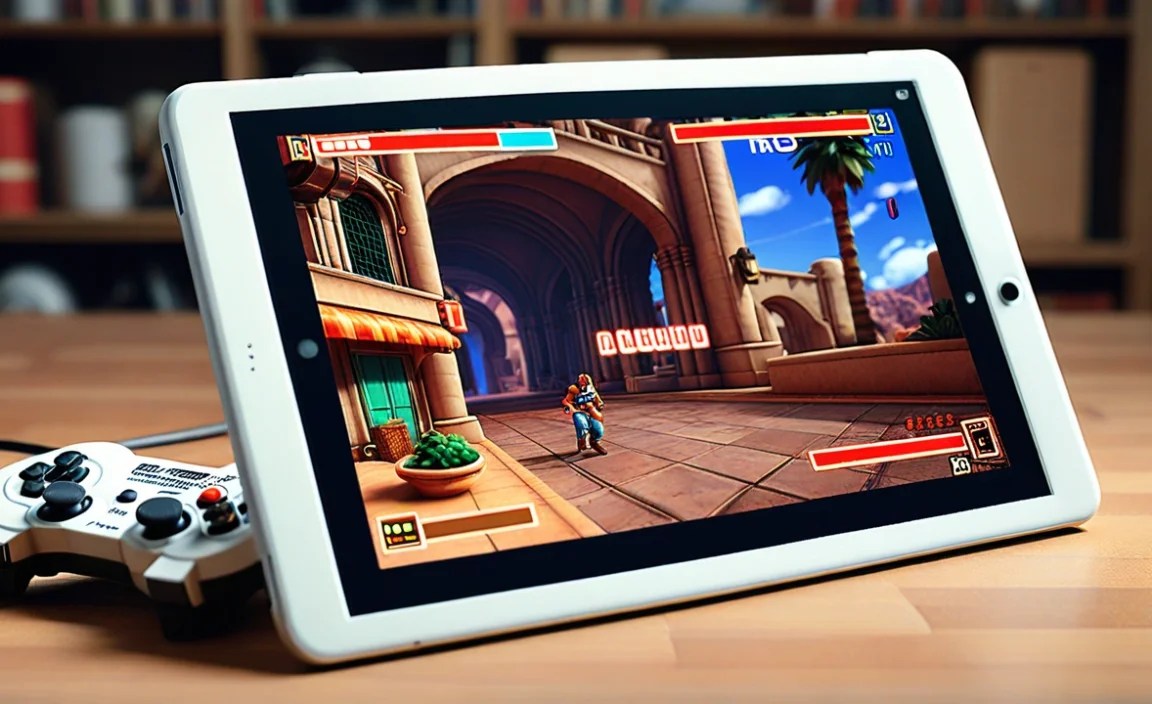
Finding a capable and affordable lightweight tablet for retro gaming is entirely achievable. Focus on the features we’ve discussed, and you’ll discover some real gems. Here are some popular series that often fit the bill, though specific models and pricing can vary:
1. Amazon Fire HD Series
The Amazon Fire HD tablets are often lauded for their incredible value. They are very affordable, lightweight, and offer decent performance for basic tasks and older emulators. While they run Fire OS (a fork of Android), you can sideload Google Play Store for access to more apps, including emulators.
- Pros: Extremely budget-friendly, lightweight, good battery life, excellent for Kindle reading and Amazon services.
- Cons: Performance is best suited for less demanding emulators (NES, SNES, Game Boy). Sideloading Google Play requires a few extra steps.
- Recommended models: Fire HD 8 or Fire HD 10 (look for the latest generation for best performance).
2. Samsung Galaxy Tab A Series
Samsung’s Galaxy Tab A series offers a solid Android experience at a competitive price point. These tablets are reliably built, offer good screens, and provide enough power for a wide range of retro gaming needs. They come with Google Play Store pre-installed, making access to emulators straightforward.
- Pros: Official Google Play Store access, good build quality, decent performance for most retro consoles, often have microSD card slots.
- Cons: Can be slightly more expensive than Fire tablets, mid-range processors might struggle with very demanding emulators (N64, PS1).
- Recommended models: Galaxy Tab A7 Lite, Galaxy Tab A8, or the latest equivalent in the A series.
3. Lenovo Tab M Series
Lenovo’s Tab M series provides another strong contender in the budget-friendly Android tablet market. They often feature surprisingly nice displays for their price and sufficient processing power for enjoyable retro gaming. Like Samsung, they come with Google Play Store access.
- Pros: Good display quality for the price, competitive pricing, access to Google Play Store, often include microSD card support.
- Cons: Performance can vary across models; check reviews for specific emulation capabilities.
- Recommended models: Lenovo Tab M8 or Tab M10 (latest versions).
4. Used/Refurbished iPads (Older Models)
If you prefer the Apple ecosystem, looking for a used or refurbished older iPad can be a smart move. Models like the iPad Mini (4th or 5th generation) or even an older standard iPad (like the 7th or 8th generation) can be found at prices that compete with new Android tablets. They offer excellent build quality and smooth performance for emulators, especially on iPadOS.
- Pros: Premium build quality, excellent screens, smooth performance, access to a wide range of emulators via the App Store or alternative methods.
- Cons: Can be more expensive even when used, battery health may vary on older devices, no microSD expansion.
- Recommended models: iPad Mini 5, iPad 7th/8th Gen.
Example Comparison Table
Here’s a quick look at how these budget-friendly options might stack up. Remember that specifications change with each generation, so always check the latest model details!
| Tablet Series | Typical Screen Size | Typical RAM | Expandable Storage | OS | Key Perk for Retro Gaming |
|---|---|---|---|---|---|
| Amazon Fire HD | 8″ or 10″ | 2GB-4GB | Yes (via cloud/sideloading workaround) | Fire OS (Android-based) | Unbeatable price |
| Samsung Galaxy Tab A | 8.7″ to 10.4″ | 3GB-6GB | Yes (microSD) | Android | Reliable Android experience with Google Play |
| Lenovo Tab M | 8″ to 10.6″ | 2GB-8GB | Yes (microSD) | Android | Good value displays and performance |
| Refurbished iPad | 7.9″ (Mini) to 10.2″ | 2GB-3GB | No | iPadOS | Premium feel, optimized performance for many apps |
Tips for Setting Up Your Retro Gaming Tablet
Once you’ve chosen your lightweight tablet, there are a few extra steps to make it a true retro gaming powerhouse.
1. Install Emulators
This is the core of your retro gaming setup. The availability and installation method for emulators depend on your tablet’s operating system.
- Android: Head to the Google Play Store and search for popular emulators. Some top choices include:
- RetroArch: A powerful all-in-one emulator that supports a huge number of systems by downloading different “cores.” It has a learning curve but is incredibly capable.
- Dolphin Emulator: For GameCube and Wii games (requires a more powerful tablet).
- Specific emulators for single systems (e.g., PPSSPP for PlayStation Portable, DraStic for Nintendo DS, MyBoy! for Game Boy Advance).
- iPadOS: For iPads, installing emulators can be trickier due to Apple’s stricter App Store policies. You might find some on the App Store that are older or less feature-rich. However, more advanced users can explore methods like AltStore or potentially jailbreaking (though jailbreaking is generally not recommended for beginners due to security risks and potential instability). Researching “iPadOS retro gaming emulators” will give you the latest methods.
2. Obtain Your Game ROMs (Responsibly!)
ROMs are digital copies of game cartridges or discs. It is crucial to understand the legalities surrounding ROMs. The general consensus is that it is legal to download ROMs for games that you legally own. For example, if you own a physical copy of Super Mario Bros. for the NES, you might be within your rights to download an NES ROM of that game. However, this can be a legal gray area depending on your jurisdiction.
Sites like the U.S. Copyright Office provide general information on copyright law. Many retro gamers use ROMs obtained from abandoned websites or from backing up their own cartridges. Be wary of sites that host vast libraries of ROMs without clear ownership, as they may pose security risks or infringe on copyright.
3. Connect a Controller
While touchscreen controls can work for some simpler games, a physical controller is far superior for most retro gaming.
- Bluetooth Controllers: There are many excellent Bluetooth controllers designed for tablets. Options range from budget-friendly 8BitDo controllers (which often have switchable modes for different platforms) to more ergonomic designs from brands like GameSir or even official PlayStation DualShock or Xbox controllers (though compatibility might vary). Ensure your tablet has Bluetooth 5.0 or higher for the best experience.
- USB Controllers: If your tablet has a USB-C port, you can also use wired USB controllers, which offer zero latency. You might need a USB-C hub if you want to use a wired controller while charging simultaneously.
4. Optimize Settings and Performance
Some emulators allow for graphical enhancements or performance tweaks.
- Resolution Scaling: While retro games were 2D, some emulators let you render them at higher resolutions. This can make games look sharper on modern screens, but it requires more processing power. Experiment to find a balance that works on your tablet.
- Frame Skipping: If a game is running too slowly, enabling frame skipping can make it play faster, though it might make the game visually choppy.
- Save States: Most emulators offer “save states,” which let you save your exact progress at any moment, even within a game that doesn’t have built-in save points. This is a lifesaver for difficult retro titles!
When to Consider a Slightly More Powerful Tablet
While many budget lightweight tablets are fantastic for classic 8-bit and 16-bit systems, you might need a bit more horsepower if you’re targeting more demanding consoles.
Consoles like the Nintendo 64, PlayStation 1, Sega Dreamcast, or even the more intense arcade games from the Neo Geo or CPS2 systems can push even mid-range processors. If these are your primary targets, you might want to consider a tablet with:
- A more powerful processor (e.g., Snapdragon 700/800 series, Dimensity 900 series or higher, or Apple’s A-series chips in older iPads).
- More RAM (6GB or 8GB is ideal for these systems).
- A higher-resolution display might also be beneficial to appreciate the graphical leap from older consoles.
Tablets in the $300-$500 range often offer this step-up in performance. This might

Your tech guru in Sand City, CA, bringing you the latest insights and tips exclusively on mobile tablets. Dive into the world of sleek devices and stay ahead in the tablet game with my expert guidance. Your go-to source for all things tablet-related – let’s elevate your tech experience!